Why Is Network Switch Monitoring Is Critical for Preventing Outages for SMBs?
Introduction — The Unseen Heartbeat of SMB Networks
In most SMB environments, the router often receives more attention because it connects the organization to the outside world. But the real backbone of internal connectivity — the quiet device keeping every user, workstation, server, and application communicating, is the switch.
Within the first hundred words, it becomes evident why network switch monitoring, SNMP Switch Monitoring, and Switch Performance Metrics are essential to business resilience. A single core switch acts like the invisible circulatory system of the organization’s digital operations. When it begins to degrade, the effects are immediate, widespread, and deeply disruptive — even when servers and cloud platforms remain healthy.
Yet many SMBs rely on simple ping checks that confirm only whether a switch is powered on. They do not reveal overheating components, CPU stress, saturated interfaces, or early-stage hardware decline. True infrastructure resilience requires deeper visibility — the ability to detect abnormal behavior, understand device health, and intervene before users experience impact.
An SMB Story — The Morning the Office Went Silent
It began like any ordinary Monday. Within minutes, the helpdesk queue filled with complaints:
shared drives freezing
VPN disconnecting
cloud apps lagging
VoIP calls dropping
The servers looked healthy. Internet links appeared stable. But deep inside the network rack, one core switch showed an amber warning light. It was still responding to pings — so monitoring tools reported it as “up.”
In reality: CPU load had been above 90% overnighttemperature was steadily rising a trunk uplink was running near saturation The switch didn’t fail suddenly.
It failed gradually — and silently. Productivity stalled. Teams were cut off from shared systems. Operations paused across multiple departments. That day reshaped how the organization viewed its switches. Not as static devices — but as critical infrastructure assets that need continuous health awareness.
Why Is Network Switch Monitoring Critical for Preventing SMB Outages?
It began like any ordinary Monday morning. The office lights turned on, employees logged into their systems, and conversations started over coffee. But within minutes, the helpdesk queue began filling at an unusual pace.
Users complained that shared drives were freezing, VPN connections were disconnecting, cloud apps were lagging, and VoIP calls were dropping mid-conversation. Team leaders assumed it must be a server issue or an internet outage — yet every server dashboard showed healthy status, and the external links appeared stable.
Deep inside the network rack, however, one core switch was flashing an amber warning light.
From a monitoring perspective, the device still appeared to be “up.” It responded to pings, so monitoring tools marked it as reachable. But the truth lived beneath the surface.
The CPU load had been running above 90% overnight. Temperature sensors showed a steady rise. One trunk uplink was operating near saturation, straining under sustained traffic load. Nothing had failed outright — yet everything was quietly deteriorating.
The switch didn’t collapse instantly.
It failed gradually — and silently.
Productivity stalled across departments. Users were cut off from shared systems and authentication services. Remote workers were unable to reconnect. Internal operations slowed to a halt. Within an hour, revenue-impacting processes were affected — all because a single core switch had been degrading unnoticed.
That incident reshaped the organization’s outlook.
The switch was no longer seen as a static device that simply “routes packets.” It was re-recognized as a critical infrastructure asset — one that requires continuous health awareness, performance insight, and proactive monitoring. The lesson was clear: visibility matters most before the failure, not after.
What Critical Failures Does Network Switch Monitoring Help Prevent?
Although the table highlights the major risk areas, each of these failures typically develops gradually rather than suddenly. Hardware degradation and uplink saturation often start as small performance irregularities, rising temperature, sustained CPU load, or increasing packet loss that quietly build over time. With proper switch monitoring, these early warning signs become opportunities for planned intervention instead of emergency downtime.
Configuration drift and STP instability introduce a different class of risk. A minor misconfiguration or unexpected topology change can rapidly disrupt traffic flow or trigger broadcast behavior. Monitoring helps detect these deviations early, reducing the likelihood of widespread outages and business disruption.
| Failure Type | What Monitoring Detects | Preventable Outcome |
|---|---|---|
| Hardware Degradation | Temperature spikes, CPU stress, PSU instability | Planned maintenance vs sudden downtime |
| Port / Uplink Saturation | 90–100% utilization trends | Network Bottleneck Prevention |
| Configuration Drift | Unauthorized VLAN / ACL / QoS changes | Reduced human-error outages |
| STP Instability | TCN spikes & loop indicators | Broadcast storms avoided |
Hardware & Component Degradation — The “Slow Failure”
Switches don’t usually fail instantly.
They fail gradually through:
rising CPU and memory load
overheating due to dust or airflow limits
unstable power supply voltage
aging fans or failing modules
SNMP Switch Monitoring exposes these signals early.
Instead of urgent downtime repair — teams schedule planned replacements.
Port & Interface Saturation — The Invisible Choke Point
Most “network slowdowns” aren’t caused by apps.
They start with:
overloaded uplinks
saturated ports
VoIP + backup traffic competing on same paths
Performance degrades quietly.
Monitoring Switch Performance Metrics allows IT teams to:
rebalance traffic
upgrade bandwidth intelligently
protect critical workloads
This is the foundation of Network Bottleneck Prevention.
Configuration & Security Drift — Human Error That Breaks Networks
One unintended change can trigger an outage:
Wrong VLAN assignment
Incorrect ACL rule
Misapplied QoS policy
Undocumented config edits
Configuration validation ensures the switch’s running config matches the baseline.
Result?
Less risk.
More stability.
Fewer avoidable outages.
Why Is Spanning Tree Protocol (STP) Monitoring Essential?
STP prevents loops — but configuration mistakes still happen.
A rogue device…
a miswired patch cable…
a failing switch…
…and suddenly:
A broadcast storm floods the network.
With Spanning Tree Protocol (STP) Monitoring, IT teams detect:
topology change notifications
abnormal STP transitions
excessive interface floods
They isolate the issue before the network collapses.
What Core Metrics Should SMBs Track in Network Switch Monitoring?
Switch metrics tell a story — and each one reveals a hidden risk.
System Health Metrics (Device Integrity)
CPU load trends
memory behavior
device temperature
fan & power module status
Sustained high CPU doesn’t just affect performance —
it destabilizes:
routing updates
STP processes
management traffic
Interface Performance Metrics (Traffic Health)
packet errors & discards
CRC failures
utilization trends
retransmission rates
These highlight:
cabling faults
duplex mismatches
failing optics
overloaded uplinks
Monitoring keeps traffic clean, stable, and predictable.
Protocol Behavior & Topology Health
VLAN status & trunk performance
STP state transitions
latency & jitter between switches
These insights support:
capacity planning
troubleshooting accuracy
long-term network stability
Best Practices for High-Impact Switch Monitoring
For SMBs, the true value of network switch monitoring is realized when it evolves from basic alerting into a proactive and insight-driven practice.
The goal is not just to detect outages, but to understand device behavior, identify risk patterns, and strengthen operational resilience before failures affect users or business services.
The following best practices are rooted in real-world SMB environments, where lean IT teams must balance visibility, efficiency, and uptime without unnecessary monitoring complexity.
1. Establish Performance Baselines Before Monitoring Deviations
Effective monitoring begins with knowing what “normal” looks like. Baselines provide context to Switch Performance Metrics by defining acceptable thresholds for CPU temperature, port utilization, latency behavior, and Spanning Tree Protocol transition activity.
Without these reference points, alerts lack meaning — and monitoring becomes noise instead of insight. By building baselines from historical performance data, SMB IT teams can distinguish natural workload fluctuations from genuine anomalies, enabling faster and more accurate decision-making when issues emerge.
2. Use SNMP as a Deep and Vendor-Neutral Visibility Layer
SNMP remains the most practical and widely supported method for retrieving detailed switch health and performance telemetry across diverse hardware environments.
It exposes critical insights into internal device status, interface counters, power and environmental metrics, and control-plane behavior that simple up/down monitoring cannot capture. Because SNMP is vendor-neutral and broadly compatible, it allows SMBs to standardize monitoring across mixed switch ecosystems while maintaining the depth of visibility needed for predictive diagnostics and failure prevention.
3. Map Dependencies and Understand the Blast Radius of a Failure
Not all switches carry equal business impact. Core and distribution switches often support authentication services, shared storage, voice systems, or critical application pathways — meaning a failure affects far more than local connectivity.
Monitoring should therefore clarify dependency relationships and answer a key question: If this switch fails, who and what will be affected? Understanding this blast radius helps IT teams prioritize alert severity, streamline escalation workflows, and plan remediation strategies aligned with real operational risk.
4. Correlate Switch Events With AIOps or SIEM for Faster Root Cause Analysis
Switch failures rarely occur in isolation. Performance anomalies, latency spikes, authentication errors, and firewall events often surface around the same time, each reflecting a facet of the same underlying issue.
By correlating switch alerts with AIOps or SIEM platforms, SMBs can view incidents in context rather than as separate signals. This integrated perspective accelerates root-cause analysis, reduces time-to-resolution, and prevents recurring incidents by highlighting patterns across network, security, and application layers.
The Human Impact — How Monitoring Changes the Way IT Teams Work
Before monitoring…
IT teams react to emergencies,
work under stress,
and fight invisible problems.
After monitoring…
They:
predict failures before incidents
justify upgrades with real data
plan capacity strategically
gain leadership trust
Monitoring improves infrastructure and empowers people.
Build Predictive Switch Monitoring With Motadata
If your SMB wants proactive visibility without complexity, Motadata delivers:
SNMP Switch Monitoring
Switch Performance Metrics dashboards
anomaly-based alerting
topology awareness
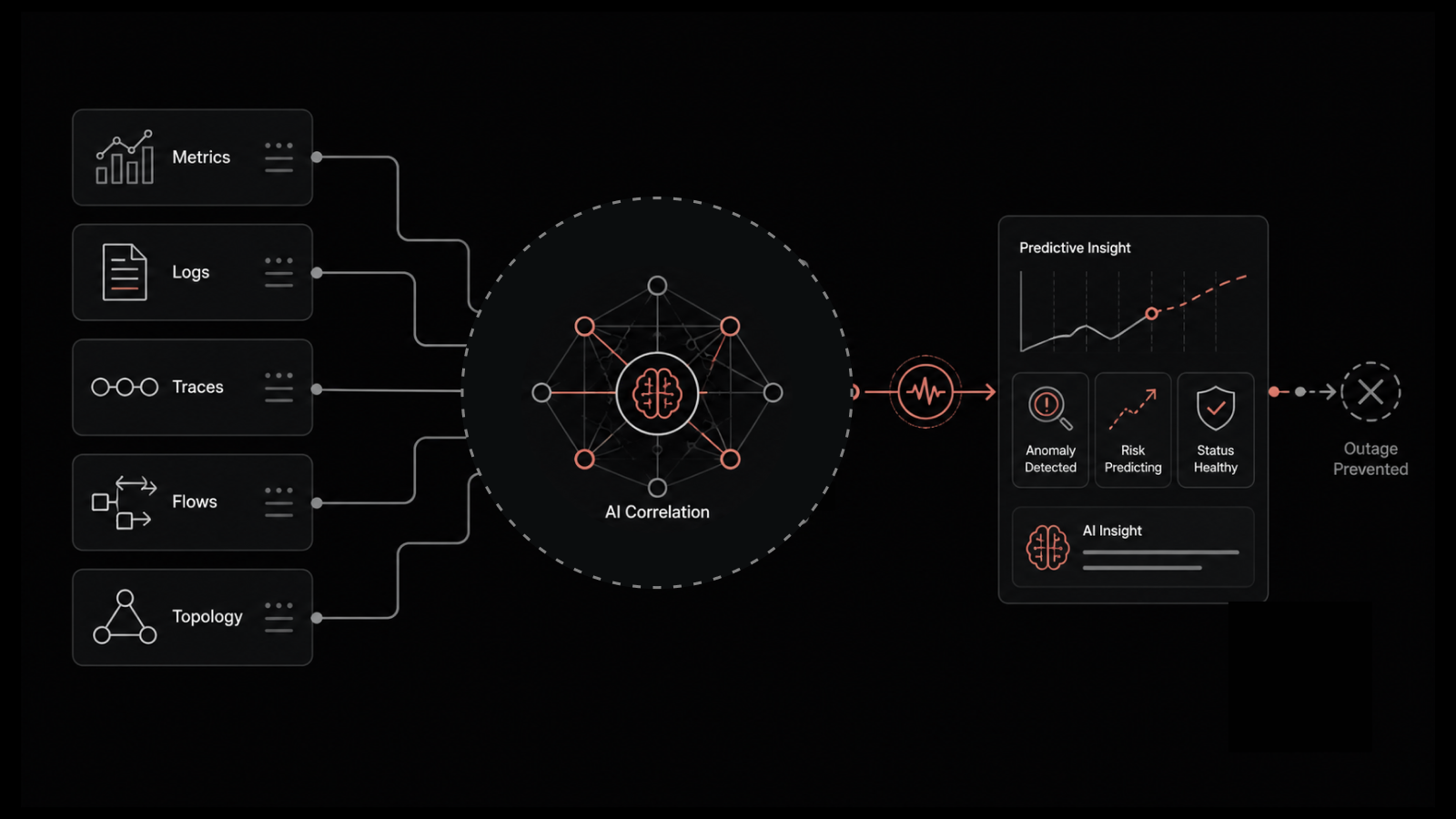
AI-driven event correlation
Designed for real-world SMB IT environments.
Start your Motadata free trial and transform switch monitoring from reactive troubleshooting into predictable resilience.
Conclusion — Resilience Begins at the Network Core
Network switches may not receive the same visibility as routers or firewalls, but they function as the invisible heartbeat of SMB infrastructure — quietly supporting collaboration, workflows, authentication, communication, and digital operations. Ignoring switch health is like ignoring vital signs in a critical system.
When organizations adopt structured network switch monitoring, they move beyond simple availability checks and gain deep awareness of hardware condition, interface performance, and protocol stability. This allows them to detect failures in the making — instead of responding after productivity has already been disrupted.
For SMBs operating with lean teams and high uptime expectations, proactive switch monitoring is not just a technical best practice, but a business resilience strategy. By tracking Switch Performance Metrics, preventing Network Bottleneck risks, and strengthening Spanning Tree Protocol visibility, organizations build networks that don’t merely stay online — they remain reliable, predictable, and ready for growth.
FAQs
What is Network switch monitoring?
Network switch monitoring is the continuous tracking of switch health, performance, and traffic behavior. It focuses on metrics like CPU usage, memory utilization, port status, bandwidth consumption, and error rates. The goal is to detect faults early, maintain network stability, and ensure optimal data flow.
How do I know if a high CPU load on a switch is a problem?
High CPU load becomes a problem when it is sustained rather than temporary. Symptoms include packet drops, increased latency, slow management access, or routing instability. Monitoring trends and correlating CPU spikes with traffic patterns or configuration changes confirms the risk.
What are the risks of ignoring configuration drift on my switches?
Ignoring configuration drift can lead to security gaps, policy violations, and inconsistent network behavior. It increases the chance of outages caused by undocumented or accidental changes. Over time, troubleshooting becomes slower because the actual configuration no longer matches the intended design.
Can monitoring prevent a Spanning Tree Protocol (STP) loop?
Monitoring cannot stop an STP loop by itself, but it can detect early warning signs. Sudden traffic storms, high CPU usage, and rapid topology changes indicate potential loops. Early alerts allow teams to isolate ports and fix misconfigurations before a full outage occurs.
Should I prioritize monitoring core switches or edge switches?
Core switches should be prioritized because failures impact the entire network. Edge switches are also important since they affect end-user access and local performance. An effective strategy monitors both, with deeper visibility and stricter alerts on core infrastructure.
Why is network switch monitoring critical for SMBs?
Because most outages come from slow hardware degradation, overheated components, and uplink saturation. Network Switch Monitoring helps SMBs detect failures early and improve business resilience.
How does SNMP Switch Monitoring help prevent outages?
SNMP Switch Monitoring provides deep visibility into CPU load, temperature, port utilization, and device health — beyond basic ping — enabling proactive failure detection.
Author
Arpit Sharma
Senior Content Marketer
Arpit Sharma is a Senior Content Marketer at Motadata with over 8 years of experience in content writing. Specializing in telecom, fintech, AIOps, and ServiceOps, Arpit crafts insightful and engaging content that resonates with industry professionals. Beyond his professional expertise, he is an avid reader, enjoys running, and loves exploring new places.