Benefits of Integrating Your Service Desk with Endpoint Management: A Practical Guide
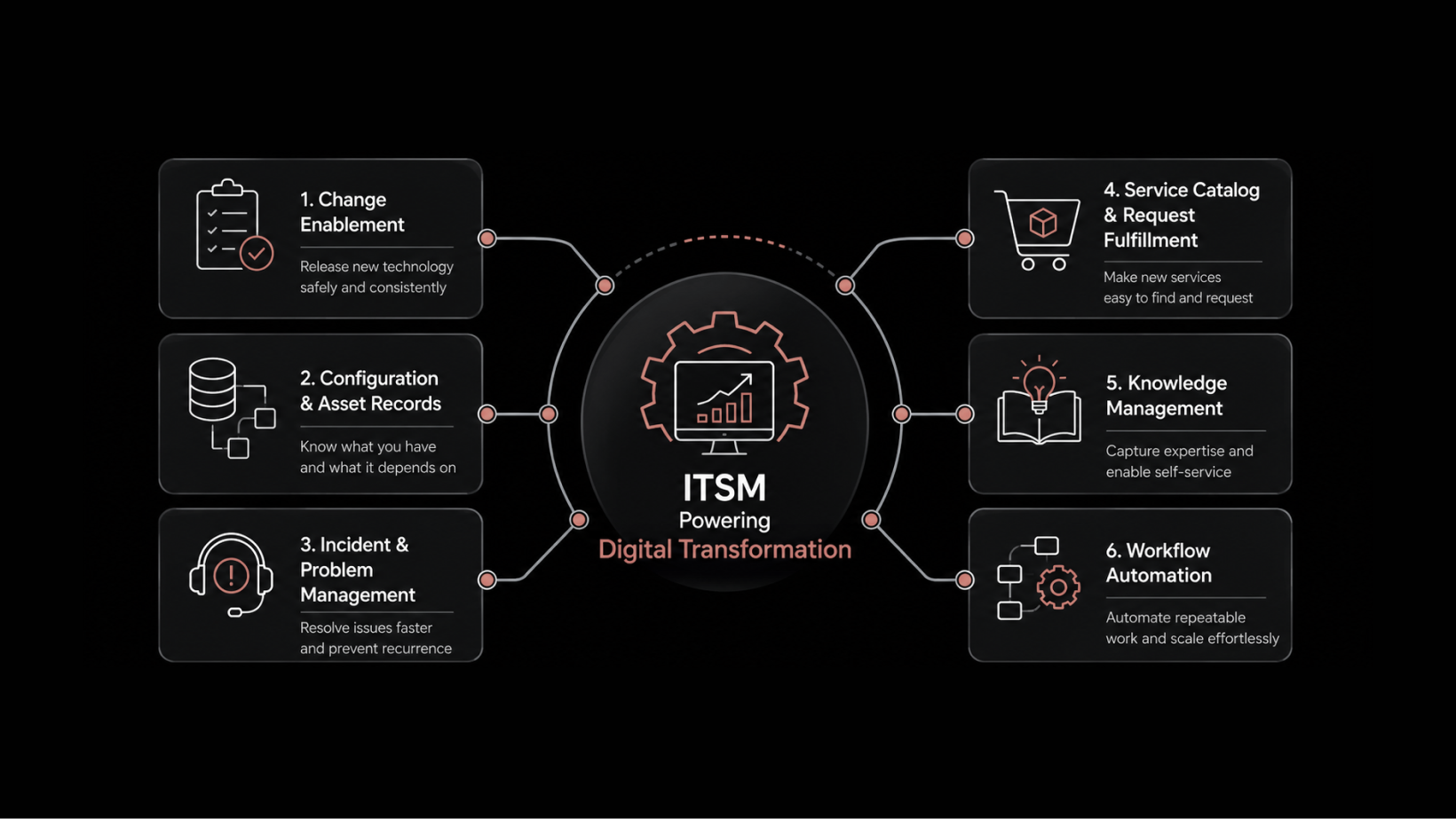
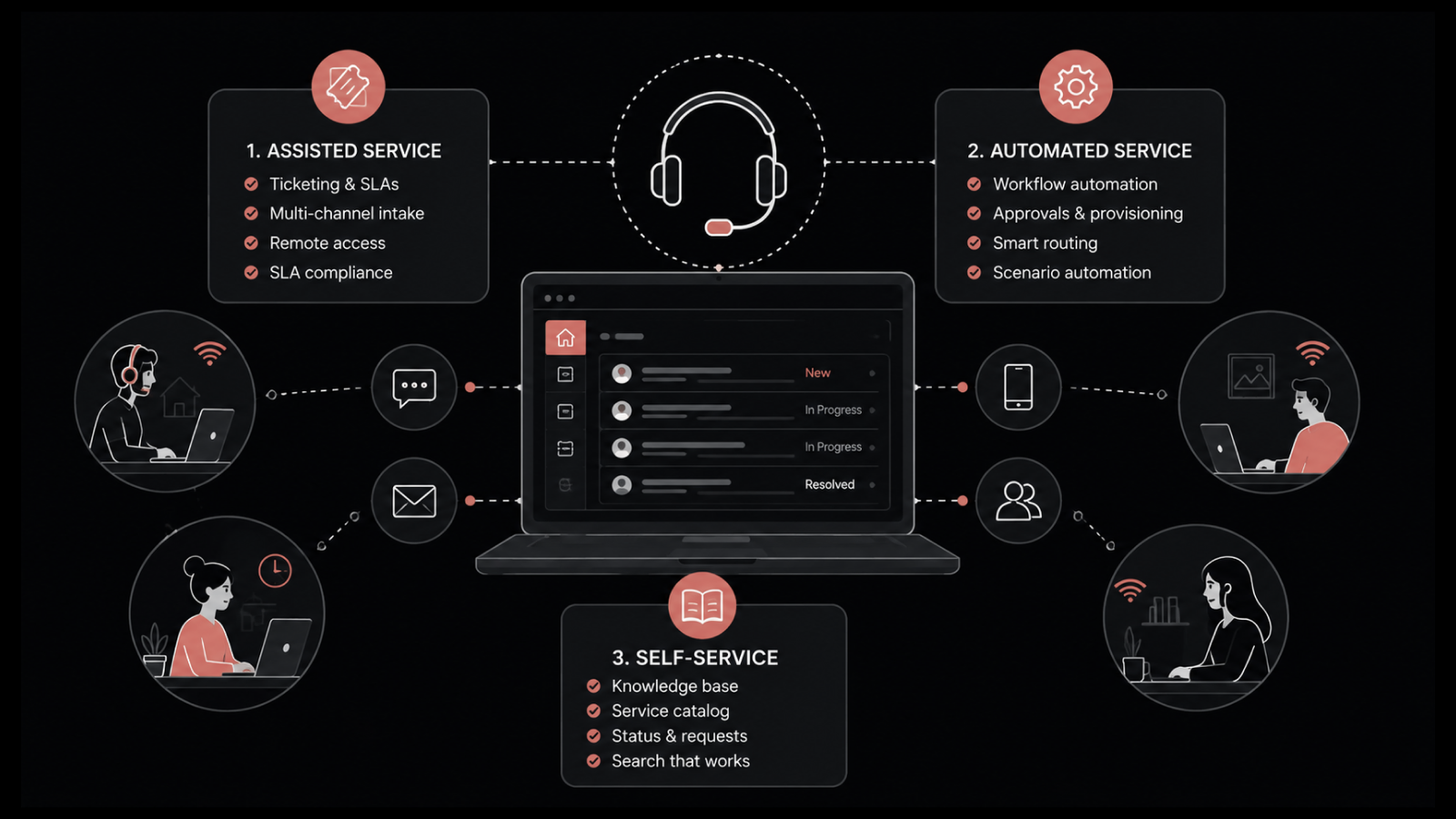
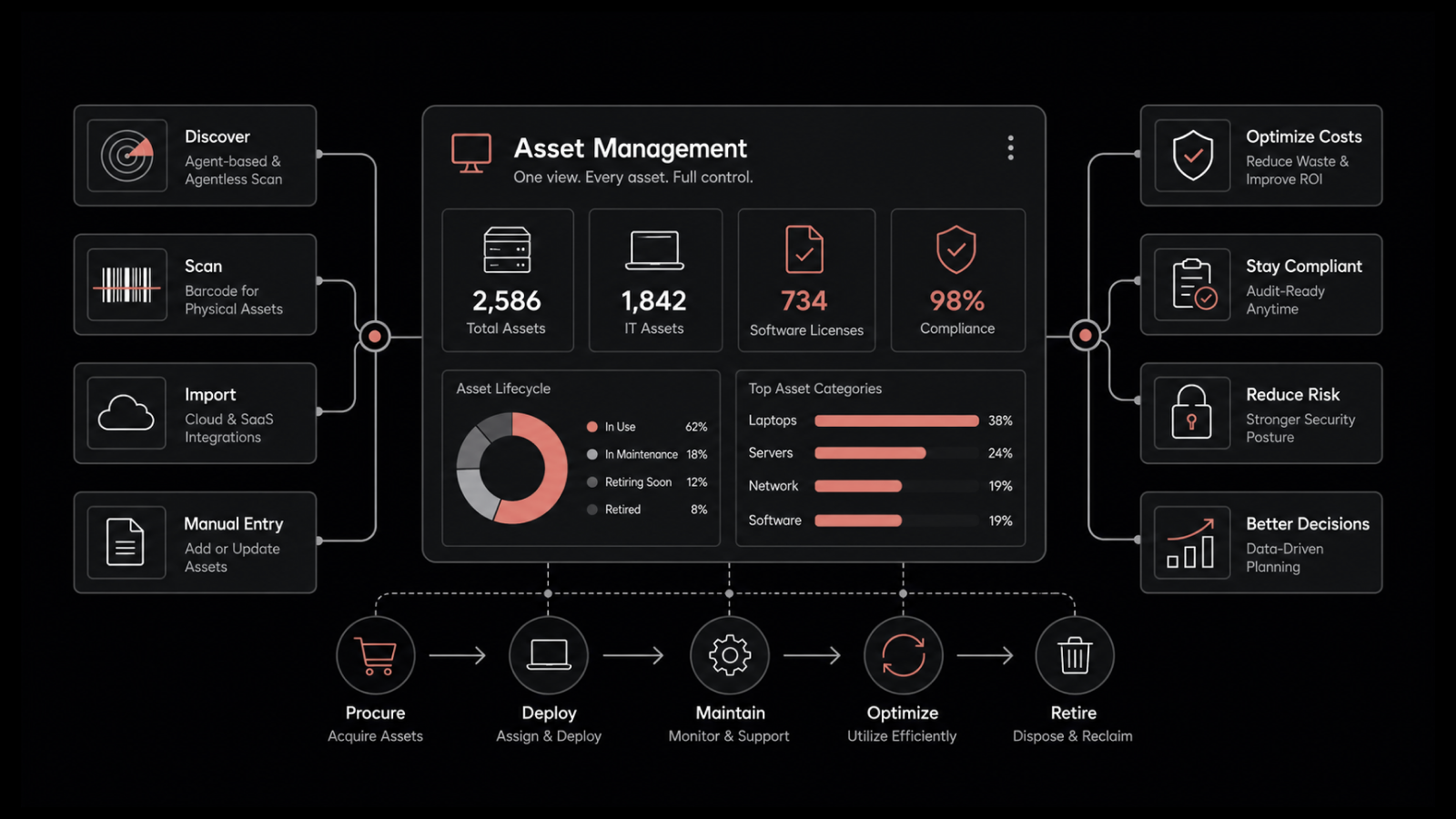
Service desk and endpoint management integration connects IT service management workflows with real-time endpoint data — device health, configuration details, installed software, and security status — so technicians can resolve tickets faster, maintain endpoints proactively, and provide better remote support without switching between siloed tools.
Your service desk handles tickets. Your endpoint management system monitors devices. When they work in isolation, technicians waste time chasing information, escalating tickets they could have solved themselves, and treating symptoms instead of root causes. Integrating these two systems isn't a nice-to-have — it's the difference between a reactive help desk and a proactive IT operation. As organizations move to cloud infrastructure and embrace AI-powered automation, this integration becomes a foundational step in modernizing IT service delivery.
Why Service Desk and Endpoint Management Integration Matters
The quality of service your desk delivers depends directly on the information technicians have when they pick up a ticket. In siloed environments, that information lives in a separate tool — or worse, in the user's head. Technicians spend time asking questions, looking up device details, and guessing at root causes.
Integration changes that dynamic entirely. When the service desk and endpoint management system share data in real time, every ticket arrives with context: device model, OS version, installed software, recent configuration changes, security status, and performance metrics.
This isn't just an efficiency play. It fundamentally changes how IT teams operate — from reactive troubleshooting to proactive service management.
Key Benefits of Integrating Your Service Desk with Endpoint Management
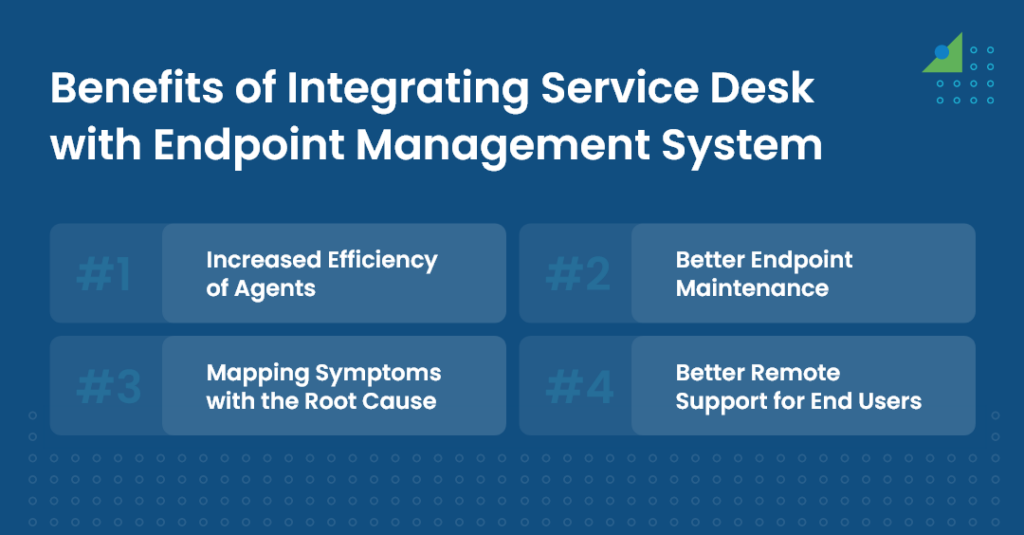
Faster Ticket Resolution Through Endpoint Visibility
One of the biggest time sinks in IT support is gathering information. A user reports a problem, and the technician spends the first 10 minutes asking what device they're using, what OS version they're on, and when the issue started.
With service desk and endpoint management integration, that information is already attached to the ticket. When a user reports a laptop boot problem, the integrated system automatically surfaces details like BIOS version, last successful boot time, recent software installations, and disk health status. The technician can diagnose the issue immediately without any additional user input.
This speed improvement compounds across the team. When level 1 technicians have the right context upfront, they resolve more tickets on first contact — which means fewer escalations to level 2 and level 3. The result is a faster, more efficient support process across the board.
Example: A user submits a ticket about slow application performance. Instead of scheduling a remote session to inspect the machine, the technician sees from the integrated dashboard that the device has 95% memory utilization due to a recent software update that introduced a memory leak. They push a patch directly from the service desk — ticket resolved in under 5 minutes.
Proactive Endpoint Maintenance with Real-Time Monitoring
When you deploy monitoring agents on client machines through the endpoint management system, you gain real-time monitoring capabilities that feed directly into your service desk workflows.
These agents continuously observe key parameters — CPU usage, disk space, memory utilization, security agent status, and software version compliance. When anomalies or threshold violations occur, the system generates alerts and can automatically create service desk tickets before users even notice a problem.
This proactive approach delivers measurable benefits:
Reduced downtime — Issues are caught and resolved before they affect productivity.
Improved network stability — Endpoint problems that could cascade to network issues are addressed early.
Better compliance — Devices that fall out of compliance with security policies are flagged automatically.
Lower support costs — Proactive fixes cost less than reactive break-fix support.
Accurate Root Cause Analysis Through Endpoint Data
In siloed environments, technicians often treat symptoms as separate problems. Three users report "slow internet" — without endpoint data, each ticket looks like an independent issue. The technician troubleshoots each one individually, wasting time on duplicate effort.
Integration changes this. With endpoint data available in the service desk, technicians can see patterns across devices and map symptoms to their actual root causes.
Example: A user reports difficulty connecting to Wi-Fi. In the integrated system, the technician pulls up the ticket and sees the user's laptop MAC address. Checking the endpoint data, they find the MAC address isn't in the router's authorized device list — perhaps it was removed during a recent security policy update. The technician adds the MAC address back, instructs the user to restart their Wi-Fi adapter, and the issue is resolved in minutes.
Without integration, this same issue might have been diagnosed as a "Wi-Fi driver problem" or a "network outage" — leading to unnecessary escalation and longer resolution times.
Stronger Remote Support with Endpoint Access
With remote and hybrid work as the norm, efficient remote support capabilities aren't optional — they're essential. Integrating the service desk with endpoint management gives technicians direct access to device configurations without requiring users to install additional remote access tools or walk through complex troubleshooting steps.
When a user faces a device-related issue, they submit a ticket. The technician can then:
Access the device configuration remotely to diagnose hardware and software issues.
Push patches and software updates without requiring the user to do anything.
Check security compliance and remediate vulnerabilities on the spot.
View event logs and system diagnostics to identify intermittent issues.
This remote access capability eliminates the need for physical intervention in most cases. It's particularly valuable for distributed organizations where sending a technician on-site isn't practical.
Automated Ticket Creation from Endpoint Events
Beyond the core four benefits, integration enables automated ticket generation based on endpoint conditions. When a monitoring agent detects a critical event — disk space below 10%, antivirus definitions outdated by more than 7 days, or a service crash — it can automatically create a ticket in the service desk with all relevant context attached.
This automation:
Catches issues before users report them — improving the perception of IT as proactive rather than reactive.
Reduces ticket volume from repeat issues — automated responses can fix known problems before they generate user complaints.
Creates an audit trail — every endpoint event and its resolution is documented in the service desk.
Improves SLA performance — issues are logged and assigned the moment they occur, not when a user finally reports them.
Cost and Efficiency Impact
The cumulative effect of these integration benefits has a direct impact on IT operational costs:
Lower cost per ticket — Faster resolution and fewer escalations reduce the labor cost of each support interaction.
Reduced downtime costs — Proactive endpoint maintenance prevents the productivity losses associated with device failures.
Better technician utilization — With less time spent on information gathering and manual diagnostics, technicians handle more tickets per shift.
Improved user satisfaction — Faster resolution, fewer repeat issues, and proactive fixes all contribute to higher satisfaction scores.
Why Motadata ServiceOps for Service Desk and Endpoint Management
Motadata ServiceOps combines IT service management and endpoint management in a unified platform — no bolted-on integrations, no data silos. Technicians get real-time endpoint visibility directly in their ticket workspace, with features like automated ticket creation from endpoint events, remote device access, codeless workflows, a self-service portal, and a comprehensive CMDB. Whether you're managing 500 or 50,000 endpoints, ServiceOps gives your team the context they need to resolve issues faster and maintain endpoints proactively. Start a free 30-day trial and see the difference unified service management makes.
FAQs
What are the main benefits of integrating a service desk with endpoint management?
The key benefits include faster ticket resolution through instant device visibility, proactive endpoint maintenance with real-time monitoring, accurate root cause analysis by mapping symptoms to endpoint data, stronger remote support capabilities, and automated ticket creation from endpoint events.
How does integration improve first-contact resolution rates?
When level 1 technicians can see device details — hardware specs, OS version, installed software, recent changes — directly in the ticket, they resolve more issues without escalation. They don't need to ask users for information or switch to a separate tool to look it up.
What kind of endpoint data flows into the service desk?
Typical data includes device model and hardware specs, operating system version, installed software inventory, security agent status, CPU/memory/disk utilization, recent configuration changes, and network connection details.
Is it difficult to integrate an existing service desk with endpoint management?
It depends on the platforms. Purpose-built unified solutions like Motadata ServiceOps have this integration built in. For separate platforms, API-based integrations are common but require configuration and ongoing maintenance. The unified approach eliminates integration complexity entirely.
How does this integration support remote and hybrid workforces?
Technicians can remotely access device configurations, push patches and updates, check security compliance, and troubleshoot issues — all from within the service desk interface. Users don't need to install additional software or walk through complex diagnostic steps.