10 ITOM Factors That Drive Effective IT Operations Management
What Is ITOM?
IT Operations Management (ITOM) refers to the set of practices, tools, and processes that IT teams use to administer hardware, software, networking, and cloud infrastructure. ITOM covers everything from performance monitoring and incident response to capacity planning and disaster recovery — all with the goal of keeping IT services available, secure, and performing well.
Your servers are humming, applications are responding, and customers aren't complaining. Everything looks fine — until it doesn't. A single undetected bottleneck during peak traffic can cascade into hours of downtime, frustrated users, and revenue walking out the door. The difference between IT teams that react to fires and those that prevent them comes down to how well they've built their ITOM foundation. In this guide, we'll walk through 10 factors that separate well-managed IT operations from those held together by luck and late-night troubleshooting sessions.
Why ITOM Matters More Than Ever
Businesses today depend on a web of servers, networks, applications, and cloud services to keep things running. When that web breaks — network congestion, server outages, application failures — the impact hits revenue, reputation, and customer trust at the same time.
ITOM practices give IT teams the ability to monitor systems in real time, track the health of routers, switches, desktops, and other networking components, and respond to issues before users even notice. Whether you're in healthcare, financial services, or e-commerce, ITOM isn't optional. It's the operating layer that keeps your business running.
But effective ITOM doesn't happen by accident. It requires intentional investment across people, processes, and technology. Let's break down the 10 factors that matter most.
Building the Right ITSM Framework
Unlike many IT disciplines that focus on systems and infrastructure, an ITSM framework centers on the services that IT delivers. It's about planning, optimizing, executing, and managing IT processes to meet the demands of internal and external users.
Two frameworks dominate the space:
ITIL (Information Technology Infrastructure Library): Ensures IT services align with customer needs through structured service lifecycle management.
COBIT (Control Objectives for Information and Related Technologies): Provides governance and assurance, helping organizations maintain compliance and control.
By implementing an ITSM solution, your team gains a structured approach to service delivery that reduces guesswork. Every incident, change request, and service ticket follows a defined path — which means faster resolution times and fewer things falling through the cracks.
The framework also helps IT teams identify and mitigate service risks before they become outages. Without this foundation, operational improvements tend to be ad hoc and unsustainable.
Investing in People and Skills
Tools and frameworks only work when skilled people run them. Your IT operations are only as strong as the team managing them.
This means hiring and developing professionals who can:
Identify and resolve technical issues and network errors in real time
Implement strong security measures across infrastructure
Integrate new technologies without disrupting existing services
Adapt to fast-evolving technology through continuous learning
Technology moves fast. A skill set that was sufficient two years ago may not cover today's hybrid cloud environments, containerized workloads, or AI-driven monitoring platforms. Regular training sessions don't just keep your team current — they build the confidence needed to handle complex challenges faster and with fewer escalations.
Organizations that invest in ongoing skill development tend to see lower incident volumes, faster mean time to resolution (MTTR), and better staff retention.
Standardizing Processes Across IT Operations
Standardized processes remove ambiguity from daily operations. When everyone follows the same procedures for change management, IT asset management, incident management, and service request management, you get:
Consistent quality control: Tasks are performed correctly every time, reducing performance variability.
Better communication: Team members spend less time clarifying expectations and more time executing.
Efficient resource use: Redundant or unnecessary tasks get eliminated.
In incident management, standardized processes mean every incident follows the same identification-to-resolution workflow. In change management, every change gets documented with associated risks and approval steps. In problem management, systematic investigation replaces guesswork.
The result is an IT operation that scales predictably rather than one that bends under pressure.
Automating Routine Tasks with AI and AIOps
Automation is where operational efficiency takes its biggest leap. When you automate routine tasks — compliance reporting, security patching, vulnerability scans, ticket routing — you reduce human error and free your team to focus on strategic work.
Modern ITOM tools use AI and machine learning to go beyond simple task automation. They can:
Generate performance reports highlighting system status, potential errors, and root causes
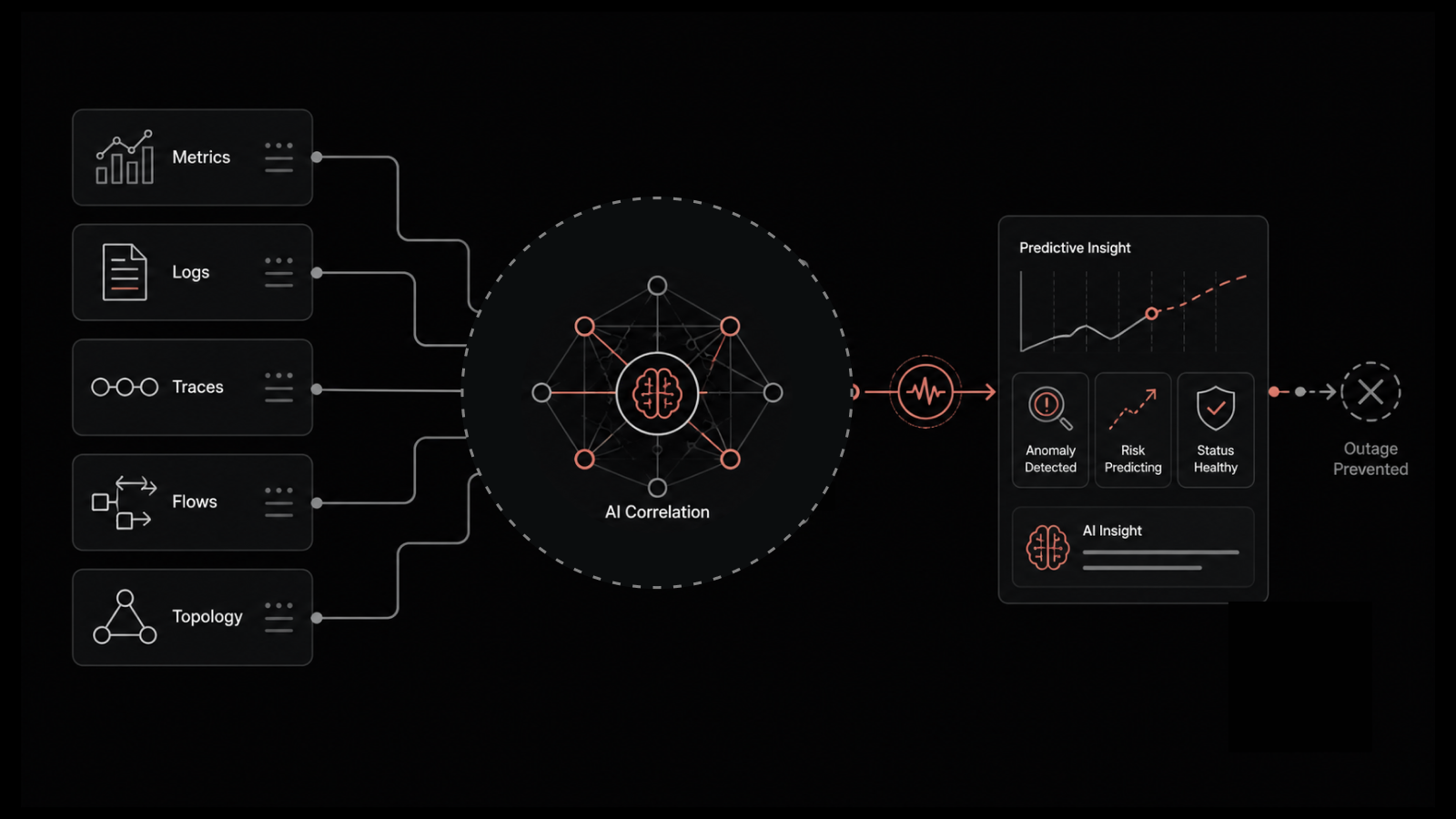
Correlate events across thousands of data points to identify underlying issues
Predict capacity needs based on historical usage patterns
Automatically triage and route incidents based on severity and type
AIOps platforms evaluate large data volumes, track events, and identify their underlying causes — often before human operators are even aware of the issue. This shift from reactive to proactive operations management is what separates modern IT teams from those still fighting fires manually.
Popular automation tools like Ansible, Jenkins, and PowerShell can handle complex workflows, but the real power comes when automation is paired with AI-driven intelligence.
Monitoring Performance Continuously
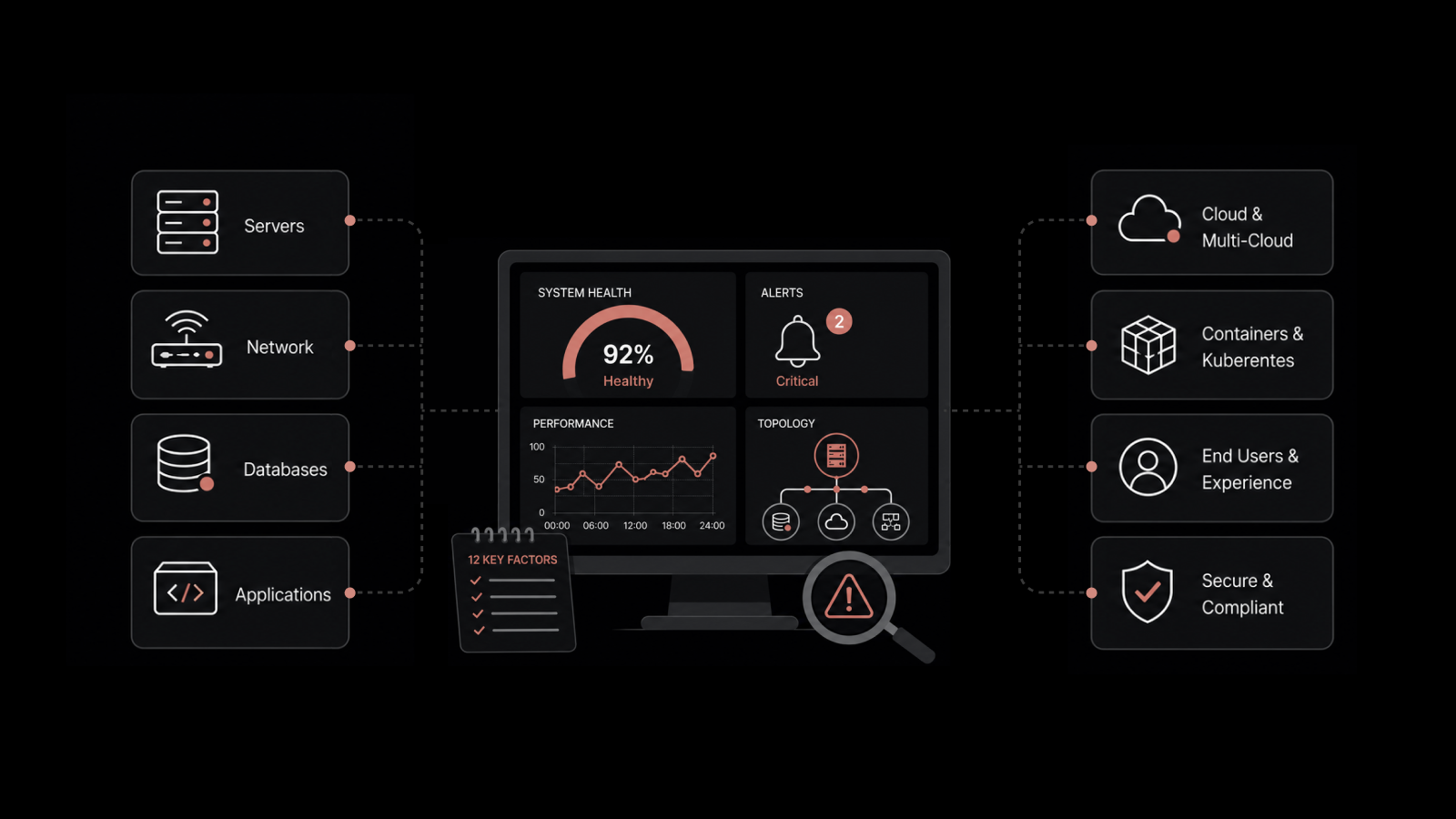
You can't manage what you don't measure. Continuous performance monitoring gives IT teams the visibility needed to catch issues at the earliest possible stage and fix them before they affect end users.
Key metrics to track include:
CPU usage and memory consumption
Disk I/O and storage utilization
Network latency and bandwidth usage
Error rates and uptime/downtime percentages
Application response times
With CPU usage monitoring and related capabilities built into your ITSM platform, you gain a real-time picture of how your infrastructure is performing. This visibility lets you:
Identify resource bottlenecks before they cause outages
Prevent unnecessary resource consumption and reduce costs
Reduce downtime and maintain consistent service delivery
Plan capacity expansions based on actual data rather than gut feeling
The goal isn't just to collect metrics — it's to act on them. The best monitoring setups combine real-time dashboards with automated alerts so your team knows exactly when and where to intervene.
Planning Capacity for Current and Future Demand
Capacity planning ensures your infrastructure can handle today's workloads while being ready for tomorrow's growth. Without it, you risk either over-provisioning (wasting money) or under-provisioning (causing slowdowns and outages).
Effective capacity planning involves:
Tracking current usage trends across compute, storage, and network resources
Maintaining sufficient backup resources for unexpected spikes
Monitoring user feedback to identify areas where capacity adjustments are needed
Forecasting growth based on business plans, seasonal patterns, and historical data
When capacity planning is done well, IT teams can proactively add resources before users experience degradation. When it's done poorly — or not at all — organizations find themselves in a constant cycle of reactive firefighting.
Strengthening Security Across IT Operations
With the rise in cyber threats, security can't be treated as a separate function. It needs to be integrated into every aspect of IT operations management.
Effective security management for ITOM includes:
Regular vulnerability scans and security audits
Role-based access controls and multi-factor authentication to ensure only authorized users access sensitive systems
Data encryption at rest and in transit
Patch management to close known vulnerabilities quickly
Regular backups with tested restoration procedures
Strict security policies that address emerging threats
These measures don't just protect data — they prevent operational disruptions that come from breaches, ransomware, and unauthorized access. They also reduce MTTR by ensuring teams can focus on resolution rather than scrambling to contain damage.
Organizations that treat security as an integral part of operations rather than a bolt-on function experience fewer incidents and faster recovery when incidents do occur.
Managing Incidents with Structure and Speed
Every IT environment experiences incidents. The question isn't whether they'll happen — it's how fast and how well your team responds.
A structured incident management process includes:
Detection: Automated monitoring systems identify anomalies and trigger alerts.
Logging: Every incident gets recorded with timestamps, severity levels, and affected systems.
Categorization: Incidents are classified by type and impact to guide response priority.
Root cause analysis: Investigation goes beyond symptoms to identify underlying causes.
Resolution: Fixes are applied and validated.
Reporting: Detailed post-incident reports feed back into process improvement.
Consistency in this process builds trust with users and stakeholders. When your team follows the same incident management workflow every time, downtime decreases, response quality improves, and historical data becomes a valuable resource for preventing future incidents.
Related reading: Top 9 Incident Management Best Practices
Author
Arpit Sharma
Senior Content Marketer
Arpit Sharma is a Senior Content Marketer at Motadata with over 8 years of experience in content writing. Specializing in telecom, fintech, AIOps, and ServiceOps, Arpit crafts insightful and engaging content that resonates with industry professionals. Beyond his professional expertise, he is an avid reader, enjoys running, and loves exploring new places.