Enterprise Cloud Security: 8 Strategies to Protect Your Cloud Data in 2026
Enterprise cloud security is the set of policies, technologies, controls, and practices organizations use to protect data, applications, and infrastructure hosted in cloud environments — covering public, private, and hybrid deployments.
Why Enterprise Cloud Security Matters Right Now
Cloud spending hit $679 billion in 2024, and Gartner forecasts it will cross $1 trillion by 2027. As workloads move off-premises, the attack surface grows with them. According to IBM's Cost of a Data Breach report, the average breach now costs $4.45 million — and cloud-specific misconfigurations account for nearly 1 in 5 incidents.
That's the reality: moving to the cloud brings speed, flexibility, and lower infrastructure costs, but it also creates new risks that traditional perimeter security can't address. Enterprise cloud security exists to close that gap.
Whether you're running a multi-tenant SaaS product on AWS or managing a hybrid setup with on-prem data centers, your security strategy needs to account for distributed resources, dynamic scaling, and shared responsibility.
What Is Enterprise Cloud Security?
Enterprise cloud security refers to the collection of procedures, tools, guidelines, and safeguards that businesses put in place to protect their information, applications, and infrastructure when using cloud computing services.
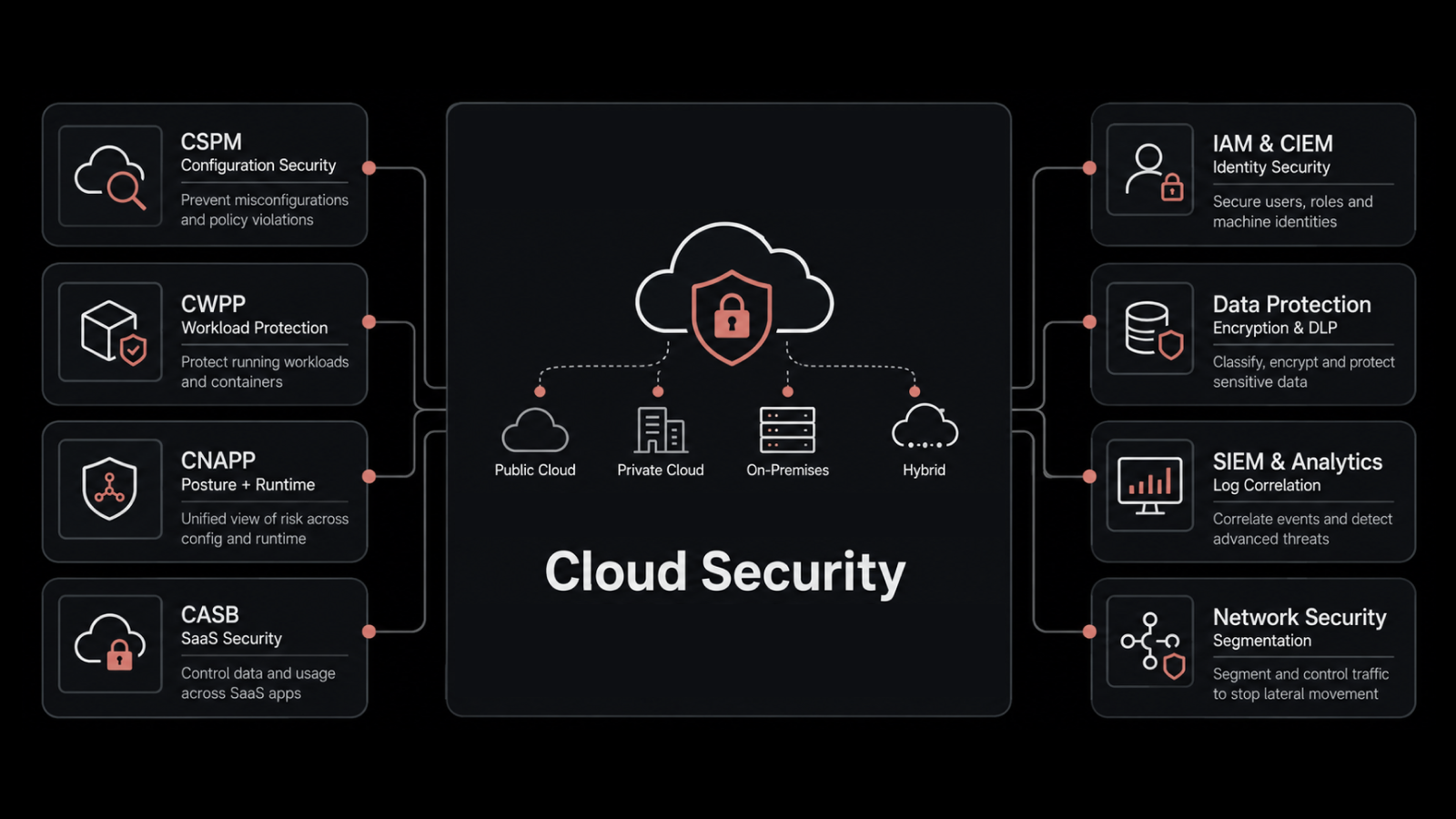
It covers several areas:
Data protection — encryption at rest and in transit
Identity and access management — controlling who can access what
Network security — firewalls, intrusion detection, and segmentation
Compliance — meeting regulatory requirements like GDPR, HIPAA, and PCI-DSS
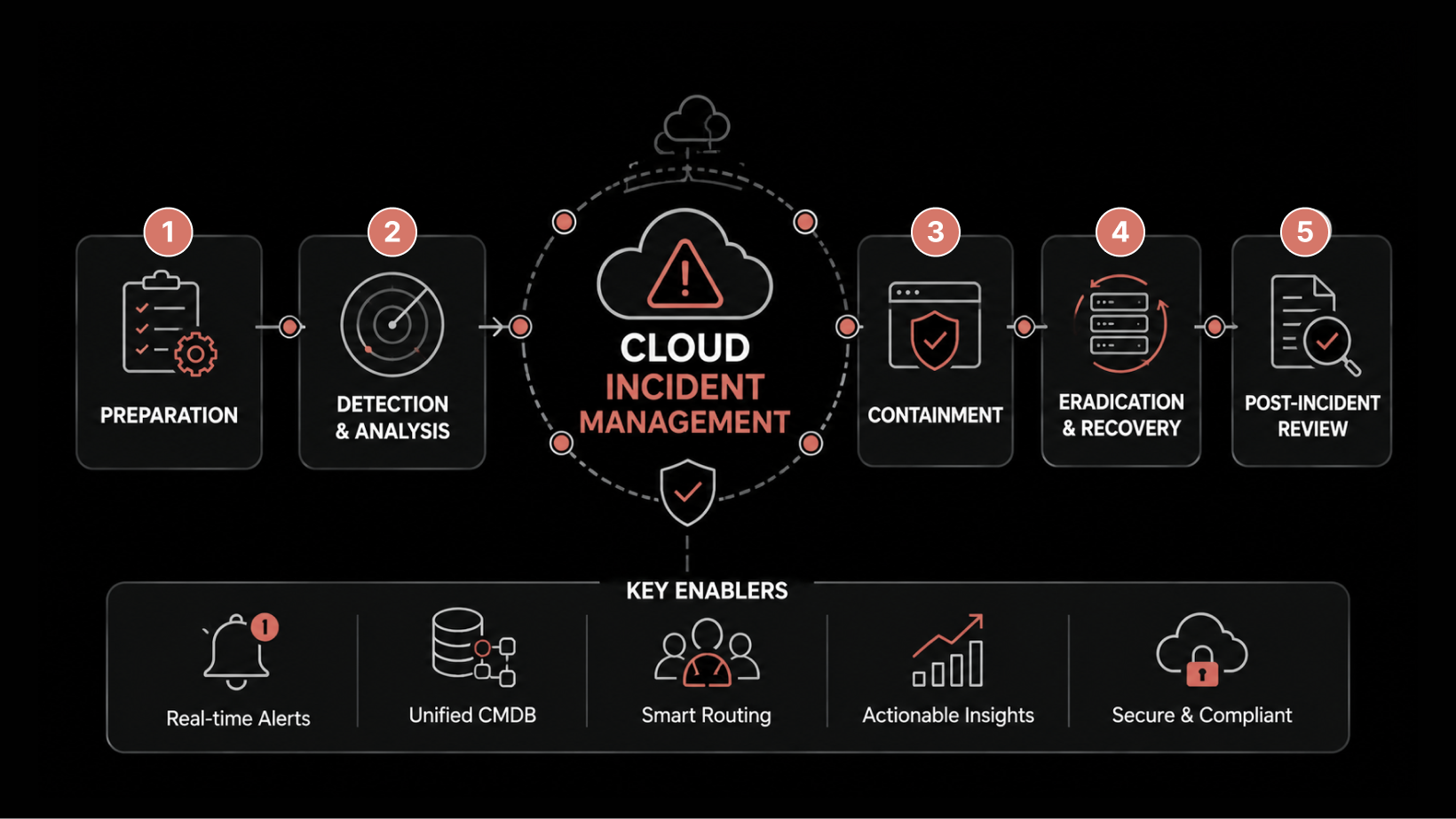
Incident response — detecting and containing threats quickly
Cloud security isn't a single product or tool. It's a framework that spans technology, processes, and people — all working together to keep your cloud environment safe.
The Shared Responsibility Model
Most cloud providers — AWS, Azure, Google Cloud — operate under a shared responsibility model. The provider secures the underlying infrastructure (physical data centers, hypervisors, network hardware). Your organization is responsible for everything built on top: data, user access, application configuration, and workload security.
Understanding this split is the first step in building a strong security posture. Many breaches happen not because the cloud provider failed, but because the customer misconfigured a storage bucket, left an API key exposed, or granted overly broad permissions.
Why Do Organizations Need Cloud Security?
Business Continuity
Cloud security is a direct enabler of uptime. Without proper disaster recovery planning, redundancy controls, and data backup, a single incident can take your operations offline. Effective cloud security policies include continuity planning so your business stays running even during unexpected disruptions.
Multi-Tenancy Risks
In cloud environments, multiple organizations often share the same physical infrastructure. This multi-tenancy model offers cost savings but introduces risks. A strong identity and access management (IAM) setup, combined with encryption and regular audits, helps you mitigate the risk of cross-tenant data exposure.
Regulatory Pressure
Industries like healthcare, finance, and government face strict compliance requirements. Cloud security controls help you meet these obligations and avoid penalties — but only if they're configured correctly and audited regularly.
8 Strategies to Improve Enterprise Cloud Security
1. Encrypt Data at Rest and in Transit
Encryption is non-negotiable. Every piece of sensitive data — whether it's sitting in a database or moving between services — should be encrypted using strong standards like AES-256. Make sure your encryption keys are managed properly, ideally through a dedicated key management service (KMS), and rotated on a regular schedule.
2. Implement Identity and Access Management (IAM)
IAM controls who gets access to your cloud resources and what they can do with that access. Best practices include enforcing multi-factor authentication (MFA), following the principle of least privilege, and regularly auditing user permissions. IAM isn't a one-time setup — it needs ongoing attention as your team and roles change.
3. Strengthen Network Security
Your network is the pathway data takes to and from the cloud. Protect it with firewalls, intrusion detection and prevention systems (IDS/IPS), encryption protocols, and proper access controls. Segment your network so that a breach in one zone doesn't spread across your entire environment.
4. Deploy SIEM for Centralized Visibility
A Security Information and Event Management (SIEM) system collects and analyzes log data from multiple sources to spot threats in real time. SIEM gives your security team a single pane of glass for monitoring cloud activity, detecting anomalies, and investigating potential vulnerabilities. It's your early warning system.
5. Enforce Data Loss Prevention (DLP)
DLP tools monitor data flows and enforce policies that prevent sensitive information from being shared, copied, or exfiltrated without authorization. They're especially important in environments where employees access cloud resources from multiple devices and locations.
6. Stay Current with Patch Management
Unpatched systems are one of the most common entry points for attackers. Establish a regular patching cadence for all cloud-hosted systems, applications, and infrastructure components. Automated patch management tools can help you keep everything up to date without burdening your ops team.
7. Establish Governance and Compliance Frameworks
Create clear policies and procedures that align your cloud security practices with industry regulations and internal standards. Regular audits, continuous monitoring, and documented incident response plans keep you compliant and give you a defensible record if something goes wrong.
8. Adopt Zero Trust Architecture
Zero Trust operates on a simple principle: never trust, always verify. Every user, device, and request must be authenticated and authorized before accessing any resource — regardless of whether it originates inside or outside your network. This approach shrinks the attack surface, limits lateral movement, and contains the blast radius of any breach.
5 Things You Should Know About Enterprise Cloud Security
1. Encryption Must Cover Both Transit and Storage
Your cloud provider should encrypt data in transit and at rest. But don't stop there — understand what type of encryption is being used, who manages the keys, and whether you can bring your own keys (BYOK) for added control.
2. Shared Resources Come with Shared Risks
Multi-tenancy means your data lives on infrastructure shared with other organizations. Make sure your provider offers strong container isolation, and verify that your data can't be accessed by other tenants through misconfigurations or vulnerabilities.
3. You Need Centralized Visibility
Don't assume your cloud provider sees everything. Use cloud workload protection tools that give you consolidated visibility across all your environments. Look for features like vulnerability scanning, network traffic analysis, and container monitoring.
4. Threat Intelligence Matters with Multiple Vendors
Complex cloud deployments often involve several providers, each with its own security framework. Threat intelligence solutions give you accurate, timely information about risks across your entire vendor ecosystem — including global threat trends and local vulnerabilities.
5. Access Controls Must Be Integrated and Automated
Your IAM solution should cover provisioning, role assignment, and de-provisioning in a single system. Automated revocation when anomalous activity is detected adds an extra layer of protection and reduces your exposure window.
Strengthen Your Cloud Security with Motadata
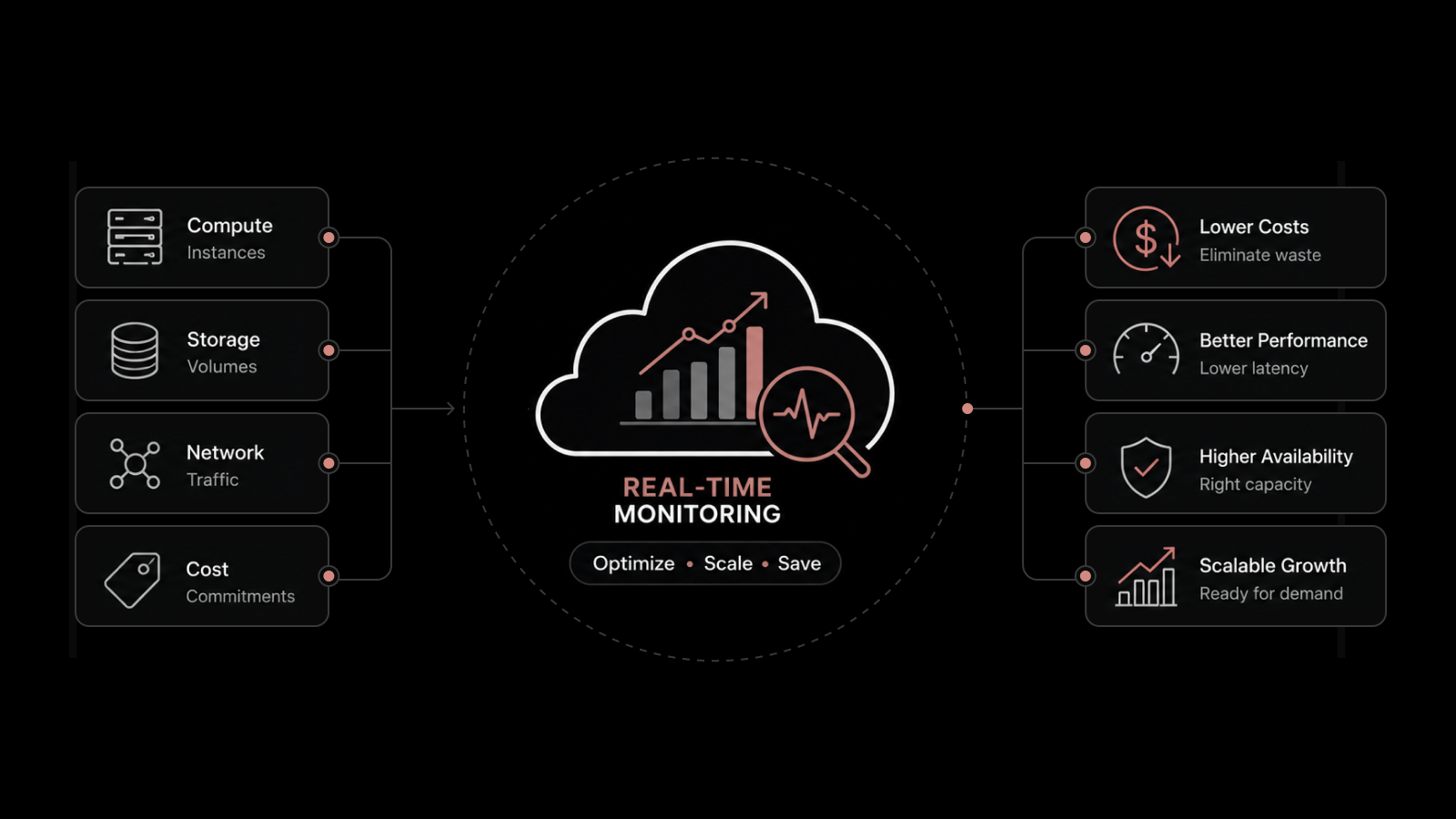
Motadata's AI-native unified observability platform gives your team real-time visibility across cloud, hybrid, and on-prem environments. With built-in log analytics, infrastructure monitoring, and intelligent alerting, you can detect misconfigurations, spot anomalous behavior, and respond to incidents before they become breaches. Pair that with Motadata ServiceOps for automated patch management, compliance workflows, and integrated incident response — and you've got a security foundation built for the scale and speed of modern cloud operations. Explore Motadata's Cloud Monitoring Platform
FAQs
What is the strategic significance of cloud computing for enterprises?
Cloud computing gives enterprises scalable, flexible, and cost-effective IT infrastructure. Its strategic value lies in improving agility, enabling faster innovation, and optimizing resource use — which directly supports long-term competitiveness and growth.
What role does the cloud play in ensuring business continuity and disaster recovery?
Cloud services provide built-in backup and disaster recovery capabilities. Organizations can replicate data across geographically distributed data centers, ensuring data resilience and minimizing downtime when disruptions or disasters occur.
How much does a typical cloud security breach cost?
According to IBM's 2024 Cost of a Data Breach report, the average breach costs $4.45 million globally. Cloud-specific breaches involving misconfiguration tend to be among the most expensive, often taking longer to identify and contain.
Is enterprise cloud security only for large companies?
No. While the term includes "enterprise," the principles and tools apply to organizations of all sizes. Small and mid-size businesses face the same threats and can adopt enterprise-grade security practices through managed services, cloud-native tools, and platforms like Motadata that scale with your needs.
What compliance frameworks should enterprise cloud security address?
Common frameworks include GDPR (data privacy in the EU), HIPAA (healthcare data in the US), PCI-DSS (payment card data), SOC 2 (service organization controls), and ISO 27001 (information security management). Your specific requirements depend on your industry and the regions you operate in.
Author
Motadata Team
Content Team
Articles produced collaboratively by our engineering and editorial teams bear the collective authorship of Motadata Team.