Cloud Cost Optimization: 20 Strategies for Enterprises
Cloud cost optimization has become a critical priority in 2026. What starts as a manageable $5,000 monthly cloud bill can quickly grow to $50,000 within a few quarters, often without any major change in workload.
If you lead an engineering or infrastructure team, this probably sounds familiar. You may have already seen costs rise faster than expected or struggled to explain sudden spikes in cloud spend.
The challenge today goes beyond just rising numbers. Teams are expected to maintain performance, reliability, and scalability while also keeping infrastructure costs under control. And in most cases, you cannot afford to compromise on any of these.
You should not have to choose between cost efficiency and system capability.
In this guide, we will walk through 20 cloud cost optimization strategies that can help reduce cloud waste by 30–50% without impacting application performance.
Whether your goal is quick cost reduction or long-term optimization, these practices will help you bring spending back under control and make it predictable again.
Let's get started.
What is Cloud Cost Optimization?
Cloud cost optimization is the ongoing work of lowering what you spend in the cloud while keeping performance and reliability intact. The goal is efficiency. Every dollar you spend should do something useful for the business.
The work has three parts. You find waste, like idle and oversized resources. You buy smarter, picking the right pricing model for each workload. And you build accountability, so teams see and own what they spend.
When you do it well, cloud cost optimization pays itself many times over. McKinsey estimates that companies can cut 15 to 25 percent of their cloud costs without losing the value those programs deliver.
All of this depends on knowing what you run in the first place. That is why cloud monitoring sits under any serious optimization effort. You cannot right-size a resource you cannot see.
Cloud Cost Management vs. Cloud Cost Optimization vs. FinOps
People often get confused between these three terms as they sound similar to each other. But they’re not the same, and the difference matters when you assign the work.
Cloud cost management is the tracking layer. It collects billing data, tags spend, builds reports, and forecasts. It tells you where the money went.
Cloud cost optimization is the action layer. It right-sizes, automates, removes waste, and renegotiates pricing. It changes where the money goes next.
FinOps is the operating model that connects the two. It brings finance, engineering, and operations into one loop, so optimization happens all the time instead of once a year.
You need all three. Management without optimization is just a detailed record of overspending. Optimization without FinOps is a one-time cleanup that slips back to waste within a quarter.
Where Does Cloud Optimization Fit?
Cloud optimization is the wider practice that cloud cost optimization belongs to. It covers spend, but also performance, reliability, and the speed at which your teams can ship against the infrastructure they already have.
The distinction matters when you set the goal. Aim only at the bill and you will cut capacity that a performance review would have protected. Programmes built around performance alone tend to leave commitments unmanaged and idle resources in place.
Treat cost as one of several outcomes you optimize for, and the same utilization data serves all of them.
20 Cloud Cost Optimization Strategies for Enterprises
The strategies below run from the fastest wins to the deeper changes. Work them in order if you are starting from scratch or jumping to the area where your spendings hurts most.
1. Right-Size Compute Instances
Match each instance to the CPU and memory it actually uses, not the generous guess made at launch.
Many production workloads run below 20 to 30 percent CPU for months. In that case, you’re paying two or three times over for capacity you never touch.
Pull a couple of weeks of usage data. Then step each workload down to the smallest instance that handles its peak with a little room to spare.
Tools like AWS Compute Optimizer and Azure Advisor flag these for you, and a quarterly check keeps the savings from slipping away.
2. Eliminate Idle and Unused Resources
Look for unused load balancers, stopped virtual machines that keep billing up, idle IP addresses, and forgotten dev environments all cost money while doing nothing.
Find resources with almost no activity over the last 30 days, check with the team that owns them, and shut them down.
Finding idle resources is the easy part. Keeping them from piling back up is the hard part. A weekly report of zero-traffic resources turns a one-time cleanup into a regular habit.
3. Use Auto-Scaling for Dynamic Workloads
Scale capacity up and down with demand instead of paying for peak capacity all day.
Auto-scaling handles the 9 a.m. traffic spike and gives the capacity back at midnight, so you stop paying for the extra buffer room that you use two hours a day.
Set the scaling rules on real signals like CPU, request count, or queue depth. Set a sensible minimum too, so a slow start never reaches a customer.
For workloads where you have to deal with uneven traffic on your server, this is the single biggest lever on the list that you can use for cost optimization.
4. Schedule Non-Production Workloads
Development, staging, QA, and test environments rarely need to run at night or on weekends. Yet, most do by default.
Shutting them down outside business hours can cut 65 to 70 percent of their runtime cost, because a weekday-only schedule runs about a third of the hours.
A simple scheduler or a tag-based rule turns them off and on for you. Give teams an easy override for the occasional late release, so the rule saves money without blocking work.
5. Adopt Reserved Instances and Savings Plans
For steady, predictable workloads, commit to one- or three-year terms and take the discount. It is often advertised as high as 72 percent off on-demand rates.
The catch is flexibility, because a commitment you stop using is money already gone.
So, reserve only the baseline you are sure will stay. Use savings plans, which flex across instance types, for the rest. Then review your coverage each quarter as the baseline grows.
6. Use Spot Instances for Non-Critical Workloads
Spot and preemptible capacity can run 70 to 90 percent cheaper than on demand. The catch is that the provider can take it back with only a few minutes' notice.
That makes it great for batch jobs, CI runners, rendering, and other work that can handle interruptions. It is wrong for something like your payment database.
Build spot workloads so they save progress as they go and can survive a shutdown. Mixing spot and on demand in the same group means losing spot capacity never takes the whole job down.
7. Continuously Review Pricing and Discount Options
Providers change instance types, pricing tiers, and discounts all the time. Newer instances usually give you more performance per dollar than the one you started on.
A quarterly review of current instances, volume discounts, and commitment options catches savings a set-and-forget setup misses.
Moving a fleet to a newer instance type can improve performance per dollar by double digits, for the cost of one maintenance window. That is a high return for a low-risk change.
8. Optimize Licensing and BYOL Models
Software licensing often costs more than the compute it runs on, especially for commercial databases and operating systems.
Bring-your-own-license lets you reuse licenses you already own instead of paying the cloud markup. License-included instances only make sense when you do not already hold the license.
Check for licenses you pay for twice, combine seats you barely use, and match the licensing model to each workload instead of taking the default.
9. Optimize Storage Tiers
Not all data needs fast, expensive storage. Move data you rarely touch to cheaper tiers, like infrequent access or archive classes, where the price per gigabyte drops sharply.
The catch is retrieval. Archive tiers charge you to read data back and add delay, so they suit backups and compliance archives, not active data. Sort your data by how often you use it before you move it.
10. Implement Storage Lifecycle Policies
Automate the tiering above with rules that move data from hot to cool to archive on a schedule, then delete it when retention runs out. Manual tiering never happens at scale, so policies are what make it run on their own.
Set them per bucket or per data type. A common rule moves logs to cool storage at 30 days, archives them at 90, and deletes them at 365. You set it once and keep saving.
11. Remove Orphaned Volumes and Snapshots
Detached storage volumes and old snapshots keep billing long after the instance they belonged to is gone.
They build up quietly with every deployment and backup. A regular cleanup of unattached storage is one of the fastest wins you can get.
Set snapshots to expire on a schedule instead of living forever. Most teams find a real chunk of storage spend disappears on the first pass.
12. Optimize Container and Kubernetes Usage
When pods ask for more CPU and memory than they use, that waste multiplies across the whole cluster. A small over-request per pod becomes a big idle node bill.
Right-size the requests and limits to real usage, and let the cluster auto-scale so node count matches real demand.
Packing workloads tightly onto nodes is half the battle. Tools like Kubecost break Kubernetes spend down by namespace and team, so an unclear cluster bill becomes something you can actually track and trim.
13. Use Serverless Where It Fits
For spiky or event-driven workloads, functions that bill per request can beat an instance that sits idle between jobs.
The trade-off is unpredictable cost at very high, steady volume, where a reserved instance may be cheaper.
Work out where that line is before you move a high-traffic part of your app. Serverless works best on the bursty edges, like event processing and scheduled jobs, not as the default for everything.
14. Optimize Database Performance and Sizing
Managed databases are often the single biggest line on a cloud bill. Right-size the instances to real load, drop idle read replicas, and tune slow queries, because inefficient SQL burns compute you pay for whether or not it does useful work.
Match the storage and IOPS tier to the workload instead of over-buying for a peak that rarely comes.
Moving heavy reporting queries off the main database also stops you from scaling an expensive primary just to run reports.
15. Reduce Data Transfer and Egress Costs
Moving data across regions and clouds is easy to overlook and expensive at scale, and it rarely shows up in early design choices.
Keep services that talk to each other in the same region and availability zone, and cache static content at the edge with a CDN.
Combine data flows so you are not moving the same data back and forth. Watch egress on your bill as closely as compute, because it is the line that surprises teams most.
16. Implement Cost Allocation Tags
Tag every resource by team, project, and environment, the same way, from the day it is created. Without good tags you cannot tell whose spend is whose, and you cannot fix what you cannot trace.
Enforce tagging at creation, so untagged resources get flagged or blocked. Adding tags later, across a large estate, is painful work.
Good tagging is the base that every report, budget, and chargeback model is built on.
17. Set Budgets and Cost Alerts
Set budgets per team and per project. Then alert on both overspend and unusual jumps, so a runaway cost shows up in hours, not on next month's invoice.
A forgotten loop or a bad scaling rule can burn a whole quarter's budget over a weekend if nothing is watching.
Send those alerts to the team that owns the spend, not only to finance. The people who can fix the problem should hear about it first.
18. Consolidate Accounts and Subscriptions
Central billing across accounts earns you volume discounts and gives finance one place to see total spend, instead of a dozen separate invoices.
It also lets you share reserved-instance and savings-plan benefits across teams, so one team's unused commitment covers another team's overage.
Setting up the account structure takes some work, but it pays back in both discounts and visibility. Do it before your spend gets large, not after.
19. Monitor and Act on Cost Anomalies
A sudden jump in spend almost always traces back to a real event: a bad config, a runaway scaling rule, a new deployment, or an unexpected data transfer.
Tie cost signals to operational data with anomaly detection, so you catch the cause behind the spike, not only the symptom on the bill.
The faster you link a cost jump to the change that caused it, the smaller the overage you end up paying.
20. Establish Clear Cost Ownership
Every important workload needs a named owner who is accountable for its efficiency, not a shared budget nobody defends.
Showback (showing teams what they spend) and chargeback (making them pay for it) change behavior faster than any policy memo, because teams optimize what they are measured on.
Pair ownership with the visibility from tagging and budgets, and cloud cost stops being finance's problem alone and becomes a shared goal.
How Do You Automate Cloud Cost Optimization?
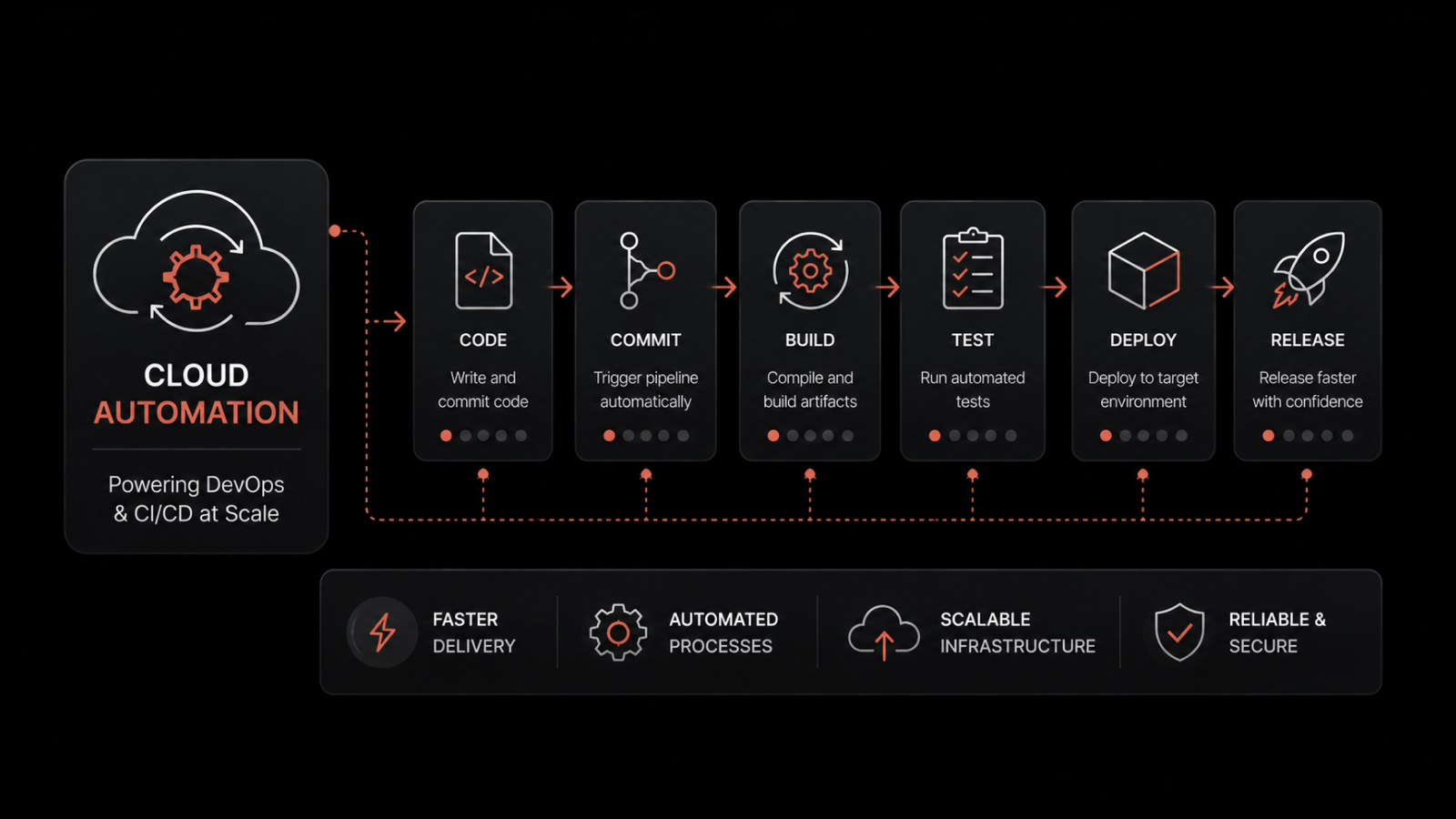
You automate cloud cost optimization in three layers: scheduling and auto-scaling, policy guardrails, and AI-driven analysis. Together they turn a one-time cleanup into a system that holds.
This matters because manual optimization does not survive a real enterprise.
By the time an engineer finishes auditing one account, three teams have spun up new resources in two others.
1. Scheduling and Auto-Scaling
This layer handles capacity. It spins resources up for demand and down for quiet hours, without anyone watching the clock.
It is the difference between paying for what you use and paying for what you might use.
2. Policy-Driven Guardrails
Guardrails enforce the rules at creation time. An untagged resource or an oversized instance gets flagged or blocked when it launches, instead of being found on the invoice a month later.
3. AI-Driven Analysis
This layer covers what fixed rules cannot. It learns your normal spend and usage, then flags the odd patterns a fixed threshold would miss.
That last layer is where predictive cloud monitoring that catches cost spikes before they land is worth it. Motadata ObserveOps uses AI and ML policies for anomaly detection, predictive monitoring, and capacity planning across your infrastructure.
So a bad scaling rule or an unusual data-transfer pattern triggers an alert in real time, not a budget overrun next month.
The same approach helps with AI and machine-learning workloads, where GPU instances are costly and easy to leave running idle. Even a few hours of forgotten GPU time adds up fast.
How Do You Connect Monitoring Data to Cloud Costs?
You connect monitoring data to cloud costs by reading the bill alongside resource utilization, performance, and anomaly data from the same time window. A cost figure tells you the amount you were charged. Operational data tells you which workload behavior produced it.
Most cost tools stop at the first half. They break spend down by service, account, and tag. That covers the finance review and leaves the engineering question open.
1. Why a Billing Console Cannot Explain a Spike
A billing console records what each resource cost. It holds no record of what that resource was doing at the time.
When your compute line jumps 40% in a week, the console shows you the size of the increase and the service it came from. It can't tell you whether a scaling rule misfired, a deployment changed the memory footprint of a service, or a batch job started running twice.
That is why so many cost investigations end in a guess and a note to watch it next month.
2. Which Operational Signals Point to the Cause
Three kinds of data narrow a cost spike to a cause when you read them together.
Utilization data shows CPU, memory, storage, and bandwidth consumption per resource, so you can see whether the extra spend bought capacity anyone used.
Performance data covers latency, throughput, and error rates, which tells you whether that capacity was answering demand or absorbing a fault.
Anomaly detection learns the normal shape of both and flags the hour the pattern broke, which gives you a timestamp to work from.
The timestamp is what makes correlation possible. Line a spend jump up against your deployment history and the utilization curve for the same hour, and the cause is usually clear in one sitting.
3. Why Detection Speed Changes the Size of the Overage
The cost of an anomaly is a function of how long it runs, so detection speed sets the size of the bill.
A scaling rule that wrongly adds twenty instances costs you one morning of those instances if an alert fires at 9 a.m. Left to surface on the invoice, the same rule can run for five weeks before anyone reads the number.
That makes mean time to detect a cost metric as well as a reliability one. Teams already tracking detection speed for outages can hold spend to the same target.
When cost signals and operational signals live in the same platform, that correlation is one view instead of a reconciliation across two consoles. This is the specific job Motadata ObserveOps does here, and it's why the utilization history behind capacity planning doubles as your cost evidence.
How Do You Optimize Costs Across Multi-Cloud and Hybrid Environments?
You optimize multi-cloud and hybrid costs by unifying visibility and governance across every environment, then running each workload where it costs the least. That is harder than it sounds.
Optimizing one cloud is hard enough. Doing it across two or three at once, plus on-premises, is where most cost programs lose control.
Each provider has its own pricing, its own discounts, and its own cost tools, and none of them see the others. The core problem is scattered visibility.
When AWS spend lives in one console, Azure in another, and your data center in a third spreadsheet, no one sees the full picture, and waste hides in the gaps.
The fix is one unified view that puts cost and usage from every environment on the same terms, so you can compare workloads fairly and run each one where it is cheapest.
A few practices keep multi-cloud spend under control:
Use the same tagging and cost allocation across providers, so a team's spend adds up the same way no matter where it runs.
Centralize governance and budgets instead of letting each cloud set its own rules.
Keep optimizing across every environment, because a workload that is cheapest on one cloud today may not be after the next price change.
This is where unified observability across multi-cloud and hybrid environments helps in two ways, once for reliability and once for cost.
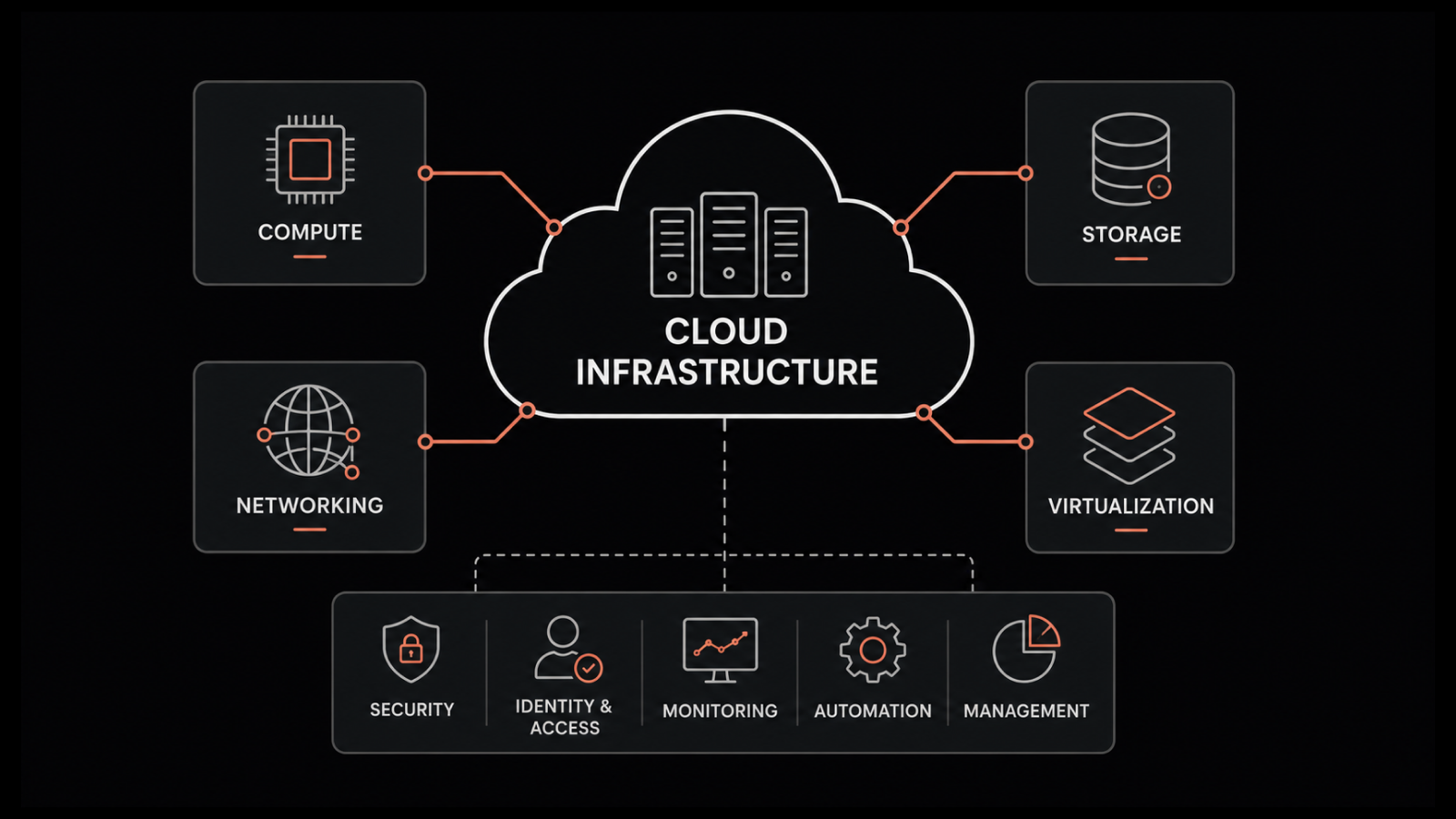
ObserveOps brings metrics, logs, and flows from AWS, Azure, GCP, and on-premises infrastructure into one connected view. It includes a cloud and virtualization topology that maps how your resources connect.
When you can see the whole estate at once, the expensive surprises in the gaps stop being surprises.
What is the Role of FinOps in Cloud Cost Optimization?
FinOps is what keeps optimization from fading the moment the cleanup ends. It is a practice that puts finance, engineering, and business teams in one loop, with shared data and shared accountability for cloud spend.
Engineers see the cost of their choices, finance sees what drives the bill, and both work from the same numbers.
In practice, FinOps replaces the yearly cost panic with a steady rhythm. You allocate spend accurately, optimize all the time, and forecast with more confidence. Teams that mature here stop arguing about whose budget a server belongs to.
They start treating cost as a normal part of engineering decisions, the way they already treat speed and reliability.
FinOps Maturity and an Implementation Roadmap
You do not adopt FinOps overnight. Most enterprises move through four clear stages, and knowing your stage helps you set realistic targets.
Phase 1: Assess and Benchmark
Get visibility first. Tag resources, gather billing data in one place, and find out where spend goes and which workloads waste the most. You need to measure a baseline before you can improve it.
Phase 2: Quick Wins
Go after the obvious waste: idle resources, orphaned storage, unscheduled test environments, and easy rightsizing. These early savings fund the rest of the program and build trust with leadership.
Phase 3: Optimize and Automate
Move from manual fixes to standing systems. Auto-scaling, scheduling, commitment discounts, and guardrails that stop waste at creation all belong here.
Phase 4: Govern and Refine
Set up regular reviews, accurate forecasting, and accountability models like showback or chargeback. At this stage, optimization is how the company runs, not something it does once in a while.
A simple way to gauge progress is the crawl, walk, run model the FinOps community uses. Early teams track maybe half their spend and forecast loosely. Mature teams track most of their spend accurately and forecast within tight margins.
What are the Different Cloud Cost Optimization Tools?
No single tool does everything. Most enterprises use a small stack instead of one platform, so it helps to know what each type is for.
1. Native Provider Tools
These are the free baselines, and every team should use them. AWS Cost Explorer and AWS Budgets, Azure Cost Management and Azure Advisor, and Google Cloud Billing with Active Assist all give you visibility of your expenditure and basic right-sizing tips inside their own cloud.
2. Kubernetes Cost Tools
Tools like Kubecost break spend down by namespace, pod, and team, which native billing cannot do on its own. They matter once containers become a big share of your bill.
3. Third-Party FinOps Platforms
These add multi-cloud reporting, automation, and commitment management on top of the native tools. They pay off once your spend covers more than one provider.
4. Observability Platforms
This is the layer most cost tools miss. A number on a bill does not tell you which deployment or scaling event caused it, so linking cost to operational data is what makes a spike easy to explain.
That last link is where ObserveOps fits. Instead of reporting cost on its own, it ties resource usage, performance, and anomalies together, so when spend moves you can see the workload behavior behind it.
For teams already buried in separate tools, folding cost signals into the same platform you use for monitoring removes a console instead of adding one.
Which Cloud Cost Optimization Metrics Should You Track?
Track four metrics above all: cost per unit, waste rate, commitment coverage and use, and budget variance. Optimization only counts if you can show it worked, and these tell you whether the program is healthy or quietly slipping.
1. Cost per Unit
Spend per customer, per transaction, or per service. This is the number that survives growth, because rising total spend is fine as long as cost per unit is falling.
2. Waste Rate
The share of spend going to idle or oversized resources. Mature programs keep this under 15 percent and check it weekly.
3. Commitment Coverage and Utilization
How much of your eligible spend is covered by reserved instances or savings plans, and how much of that commitment you actually use. High coverage with low use means you over-committed.
4. Budget Variance
Actual spend against forecast. Closing this gap over time is the clearest sign your FinOps practice is maturing.
Pair these cost metrics with operational ones, like utilization and performance against target, so you never cut cost in a way that quietly breaks a service.
A cheaper option is only a win if the workload still meets the SLA that you have defined.
Why Do Cloud Costs Spiral in Enterprises?
Cloud costs spiral for a few repeatable reasons that show up in almost every enterprise we work with. With Gartner forecasting worldwide public cloud spending to pass $720 billion in 2025, the stakes only climb:
Overprovisioning by default:Teams size for the worst-case spike and never revisit it, so most resources run far below capacity.
No cost ownership: When anyone can launch resources and no one owns the bill, nothing stops the waste.
Scattered visibility: Spend spread across accounts, clouds, and teams hides the patterns optimization depends on.
Underestimated data transfer: Data egress and cross-region traffic costs often go unnoticed during the planning stage, but they can add up significantly over time.
The hard part of fixing this is mostly organizational, not technical. Finance and engineering often talk about cost in different terms.
Aggressive optimization can worry teams who care about reliability. And forecasting in a fast-changing environment is genuinely hard.
Naming these problems early, and giving cost a clear owner, is what separates programs that last from cleanups that fade.
Take Control of Your Cloud Costs With Motadata ObserveOps
Cloud cost optimization rewards consistency. Treat it as a steady practice that keeps your spend matched to your needs as both keep changing, and the savings build up instead of resetting every time the CFO starts asking questions.
The enterprises that do it well treat visibility, accountability, and automation as permanent fixtures, not emergency measures. They make cost a normal part of how engineering decisions get made.
Start with visibility, because every strategy here depends on seeing what you run and what it costs. Get that right, and the platform that connects your cloud spend to the performance and anomaly data behind it turns cost control from a quarterly scramble into a habit that runs on its own.
FAQs
Why is cloud cost optimization important for enterprises?
Enterprises waste about 27 percent of their cloud spend, and at enterprise scale that is millions of dollars. Optimization wins that money back, makes spend predictable, and frees budget for growth, without cutting the things the business depends on.
How is cloud cost optimization different for large enterprises versus small businesses?
Small businesses usually work within a single cloud and focus on right-sizing and clearing out idle resources. Large enterprises add the harder problems: multi-cloud and hybrid governance, splitting costs across many teams, managing commitments at scale, and running a formal FinOps practice to keep it all accountable.
How much can enterprises save with cloud cost optimization?
It depends on how much waste exists today, but the upside is real. Most enterprises can cut a solid double-digit share of their cloud bill once they get serious, since research puts wasted spend near 27 percent (Flexera).
The fastest savings come from clearing idle resources and right-sizing. The lasting savings come from commitments, automation, and a standing FinOps practice.
How do you reduce cloud costs without hurting performance?
Tie every cost change to a performance target. Right-size against real usage data, keep your service-level objectives in view, and pair cost metrics with operational ones, so a saving never quietly breaks a workload. Cheaper is only better when the service still meets its target.
How do you keep cloud costs down without compromising compliance?
Optimize within your existing controls, not around them. Right-size and schedule what you can, but keep regulated workloads on the regions, storage tiers, and retention rules your compliance requirements demand.
Consistent tagging helps, because it separates regulated spend from the rest and proves where data lives. The savings come from the workloads you are free to optimize, never from cutting corners on the ones you are not.
How does Motadata ObserveOps help with cloud cost optimization?
ObserveOps gives you the visibility layer optimization depends on. It brings metrics, logs, and flows from AWS, Azure, GCP, and on-premises infrastructure into one connected view, with a cloud and virtualization topology that maps how your resources connect.
Its AI and ML policies handle anomaly detection, predictive monitoring, and capacity planning, so unusual spend and under-used resources show up in real time. And because one platform replaces several point tools, it cuts the cost of the monitoring stack itself.
Author
Ramya Shah
Technical Writer
Ramya Shah is a technical content writer with a computer engineering background and roots in automotive journalism. He covers IT Service Management, observability, IT operations, and AI-driven automation. An early adopter of AI-assisted writing workflows, he turns complex IT processes into clear, engaging content optimized for search and answer engines (AEO), lifting content output and organic visibility.