IT Ticketing System: What It Is, How It Works, and How to Pick the Right One
Motadata Team
An IT ticketing system is software that captures, organizes, routes, and tracks IT support requests from submission to resolution — giving IT teams full visibility into every issue and service request.
Your IT team handles hundreds of requests a week. Here's how to stop losing track.
Password resets, VPN issues, "my laptop won't connect to the printer," a production database running hot — your IT support team deals with all of it, often simultaneously. When these requests come in through email, Slack, hallway conversations, and phone calls, things get lost. Tickets bounce between teams. Users get frustrated waiting for updates that never come. That's ticket tennis, and it's the fastest way to erode trust in IT.
An IT ticketing system fixes this by giving every request a single home: a tracked, prioritized, routable ticket with a clear owner and a visible status. No more "I thought someone else was handling that."
What Is an IT Ticketing System?
An IT ticketing system is software that IT teams use to receive, categorize, assign, track, and resolve support requests. Think of it as the central nervous system of your IT service desk.
Instead of support requests living in scattered email threads, chat messages, and sticky notes, every issue gets captured as a ticket with a unique ID, a priority level, an assigned owner, and a full audit trail.
The goal is straightforward: bring order to IT issue resolution. Track every request, route it to the right person, and make sure nothing gets lost between submission and resolution.
How an IT Ticketing System Works
The workflow follows a clear lifecycle:
1. Ticket creation
A user encounters an issue and submits it through one of several channels — email, a web portal, live chat, a mobile app, or even a phone call. The system creates a ticket with all relevant details: description, error messages, screenshots, contact information.
2. Categorization and prioritization
The system (or an AI engine) categorizes the ticket by type — hardware, software, access, network — and assigns a priority based on urgency and business impact. A CEO locked out of email during a board meeting gets a different priority than a request for a second monitor.
3. Routing and assignment
Based on category, priority, and technician availability, the ticket gets routed to the right team or individual. Modern systems use AI-powered auto-assignment to match tickets with the best-qualified technician, eliminating the manual triage bottleneck.
4. Investigation and resolution
The assigned technician investigates, troubleshoots, and resolves the issue. If they can't solve it within the defined timeframe, the ticket escalates to a higher-level support group — automatically, based on SLA rules.
5. Closure and documentation
Once resolved, the technician updates the ticket with the solution, the user confirms the fix, and the ticket closes. The resolution gets added to the knowledge base for future reference.
6. Reporting and analysis
Closed tickets feed into dashboards and reports. Patterns emerge: which issues recur most often, where resolution times lag, which teams need more resources. This data drives continuous improvement.
Why Your Organization Needs an IT Ticketing System
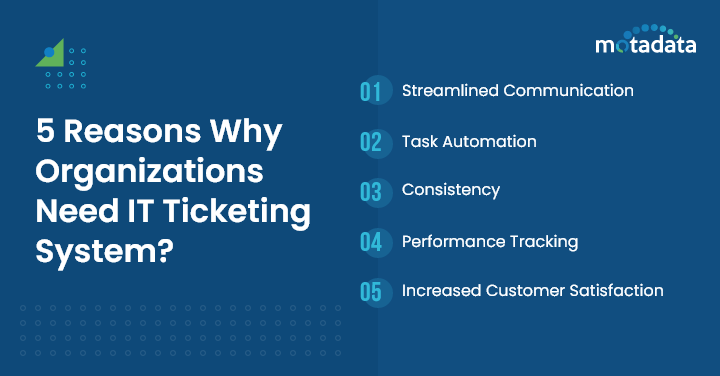
Centralized communication
When support requests come through five different channels, things get missed. A ticketing system funnels everything into one platform. The IT team sees one queue. Users get one place to check status. No more "Did you get my email?" follow-ups.
Automation that saves real time
The right ticketing software automates the repetitive stuff: routing tickets based on rules, sending status updates, enforcing SLA deadlines, even resolving common requests through self-service workflows. This frees your team to focus on problems that actually need human expertise.
Consistent service quality
Without standardized processes, service quality depends on which technician picks up the ticket. An IT service management approach with defined workflows ensures every request gets the same structured treatment — from initial response to final resolution.
Performance visibility
You can't improve what you can't measure. Ticketing systems generate data on resolution times, SLA compliance, technician workload, and customer satisfaction. This visibility lets you spot bottlenecks before they become crises.
Higher customer satisfaction
Fast response, clear communication, and reliable resolution — that's what users care about. Organizations with well-implemented ticketing systems consistently report higher satisfaction scores and fewer repeat complaints.
Key Features to Look For IT Ticketing System
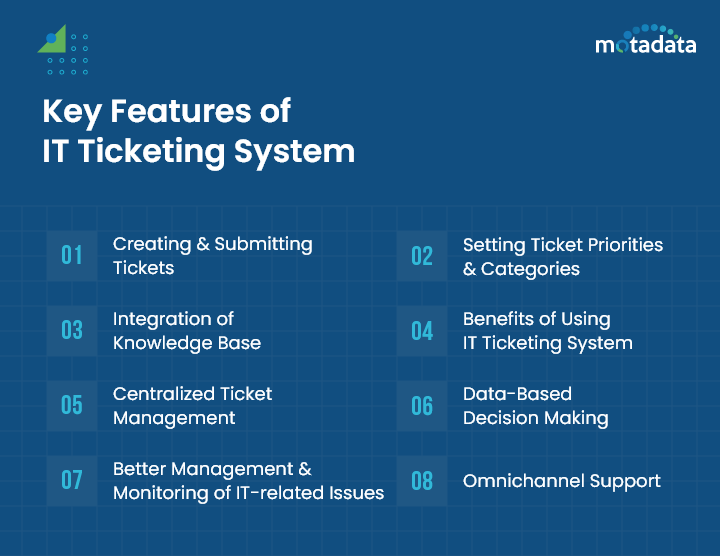
Not all ticketing systems are equal. Here are the features that separate the useful from the frustrating:
Multi-channel ticket creation
Users should be able to submit tickets through email, web portals, mobile apps, live chat, and social media. The system should consolidate all channels into a single queue — no duplicate tracking.
Smart categorization and priority assignment
The system should automatically categorize tickets by type and assign priority based on predefined rules. AI-powered systems take this further by learning from historical patterns to improve accuracy over time.
Knowledge base integration
When a technician opens a ticket, relevant knowledge articles should surface automatically. This speeds up resolution and ensures consistent answers. For end users, a searchable knowledge base deflects tickets that never needed human intervention.
SLA management
Built-in Service Level Agreement tracking lets you set response and resolution targets, monitor compliance in real time, and trigger automatic escalations when deadlines approach.
Automation and workflow engine
From auto-assigning tickets based on technician skills and workload to running approval workflows for standard changes, automation is what transforms a ticketing system from a log into an engine.
Reporting and analytics
Dashboards that show ticket volume, average resolution time, SLA compliance, customer satisfaction scores, and technician performance. The best systems let you build custom reports without needing a data analyst.
Integration capabilities
Your ticketing system doesn't live in isolation. It needs to connect with your monitoring tools, CMDB, Active Directory, communication platforms (Slack, Teams), and IT asset management systems.
Types of IT Ticketing Systems
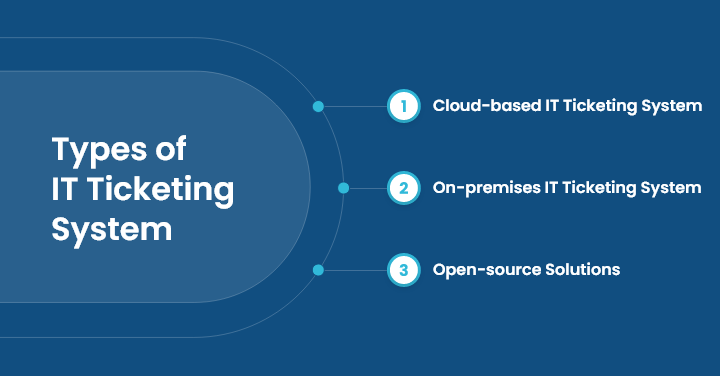
Cloud-based ticketing systems
Hosted by the vendor and accessed through a browser. Cloud-based systems offer fast deployment, lower upfront costs, automatic updates, and the flexibility for support agents to work from anywhere. They're the right fit for most organizations, especially those with remote or hybrid teams.
On-premises ticketing systems
Installed and maintained on your own servers. On-prem systems give you full control over data, which matters in regulated industries with strict data residency requirements. The trade-off: higher infrastructure costs, in-house maintenance, and slower update cycles.
Open-source ticketing systems
The source code is available to modify and customize. Open-source options like OTRS offer maximum flexibility and lower licensing costs but require in-house technical expertise to deploy, customize, and maintain.
Type | Best For | Trade-offs |
|---|---|---|
Cloud-based | Most organizations; remote teams | Vendor dependency; recurring costs |
On-premises | Regulated industries; strict data control | Higher upfront cost; maintenance burden |
Open-source | Organizations with dev resources; unique requirements | Requires technical expertise; DIY support |
How to Implement an IT Ticketing System
Step 1: Define your requirements
Document what you need: number of agents, support channels, integration requirements, compliance needs, and budget. Talk to the people who'll actually use the system daily — technicians and end users.
Step 2: Evaluate and select
Compare platforms based on your requirements, not feature lists. Run trials with real tickets. Check integration capabilities with your existing IT infrastructure.
Step 3: Plan the rollout
Don't flip the switch on day one. Start with a pilot team, iron out workflows, and build your initial knowledge base. Define your ticket categories, priority levels, SLA targets, and escalation paths before go-live.
Step 4: Train your team
Invest in proper training — not just "here's how to click buttons" but "here's why we route tickets this way" and "here's how this helps you work faster." Address resistance early by showing quick wins.
Step 5: Monitor and optimize
After launch, track adoption metrics and gather feedback. Are tickets being categorized correctly? Are SLAs being met? Where are the bottlenecks? Use this data to refine your processes continuously.
Common Challenges and How to Handle Them
Resistance to change
Some team members will prefer the old way — email threads, spreadsheets, walk-up requests. The fix: demonstrate how the new system makes their job easier, not harder. Show them fewer interruptions, clearer ownership, and less "Did you see my email?"
Choosing the wrong system
With dozens of options available, it's tempting to pick the one with the longest feature list. Instead, focus on fit: Does it integrate with your tools? Can your team learn it quickly? Does it scale with your growth? Run a real pilot before committing.
Data migration headaches
Moving historical ticket data from spreadsheets or legacy systems takes careful planning. Map your data fields, clean up duplicates, and validate accuracy after migration. Don't rush this — bad data in a new system is worse than starting fresh.
IT Ticketing Best Practices for 2026
Standardize your ticketing workflow
Define clear procedures for ticket creation, categorization, assignment, escalation, and closure. Document roles and responsibilities so everyone knows who owns what.
Require complete ticket details
Incomplete tickets waste time. Use mandatory fields and smart forms that guide users to provide the information technicians actually need: issue description, affected systems, error messages, steps to reproduce.
Keep ticket status current
Update ticket status and progress in real time. Users should be able to check their ticket status without calling the help desk. Automated status notifications reduce "Where's my ticket?" follow-ups.
Build and maintain a knowledge base
Every resolved ticket is a potential knowledge article. Make documentation part of the resolution workflow — when a technician solves a new problem, they write it up before closing the ticket.
Review metrics regularly
Track average resolution time, first-contact resolution rate, SLA compliance, and CSAT scores weekly. Use trends — not snapshots — to identify systemic issues and improvement opportunities.
IT Ticketing Trends for 2026
AI-powered triage and resolution
AI isn't just categorizing tickets anymore. Modern systems use natural language processing to understand intent, suggest solutions to technicians, and even auto-resolve common issues through virtual agents. This cuts response time and lets human agents focus on complex problems.
Self-service as the default channel
Organizations are investing heavily in self-service portals and knowledge bases that let users solve their own problems. The goal: deflect 30–40% of tickets before they ever reach the queue.
Machine learning for predictive support
ML models analyze ticket patterns to predict issues before they generate tickets. If a specific software update correlates with a spike in access issues, the system can proactively alert affected users and prepare technicians.
How Motadata ServiceOps Transforms IT Ticketing
If ticket tennis and manual triage are eating your team's time, Motadata ServiceOps is built to fix that. Its AI-powered ticket routing automatically matches incoming requests to the right technician based on skills, workload, and ticket type — no manual queue-watching required. The built-in self-service portal deflects common requests with an intelligent knowledge base, and SLA management tracks every deadline with automatic escalation before breaches happen. It's an ITSM platform that works the way IT teams actually operate. Start a free trial and see the difference.
FAQs
What types of organizations benefit from an IT ticketing system?
Organizations of all sizes and industries benefit — from small businesses with a handful of IT staff to large enterprises with distributed support teams. Government agencies, educational institutions, healthcare organizations, and tech companies all use ticketing systems to bring structure to IT support.
What role does an IT ticketing system play in incident management?
The ticketing system is the operational backbone of incident management. It provides the platform for reporting, classifying, prioritizing, assigning, tracking, and resolving incidents. Without it, incident management is guesswork.
How can organizations ensure data security with ticketing systems?
Choose a platform that supports encryption at rest and in transit, role-based access controls, audit logging, and compliance with relevant regulations (GDPR, HIPAA, SOC 2). Train staff on data handling best practices and conduct regular security assessments.
How does a ticketing system support business improvement?
Ticketing data reveals patterns: which systems cause the most issues, where resolution times lag, what training gaps exist, and how customer satisfaction trends over time. This data feeds into continuous improvement programs and justifies IT investment decisions.
Is an IT ticketing system secure? How is data privacy handled?
Security depends on the platform and vendor. Look for encryption, role-based access, multi-factor authentication, and regular security audits. Data privacy requires clear policies on data retention, access controls, and compliance with applicable regulations. Ask vendors about their SOC 2 or ISO 27001 certifications.
Author
Motadata Team
Content Team
Articles produced collaboratively by our engineering and editorial teams bear the collective authorship of Motadata Team.