8 Best Cloud Monitoring Tools in 2026
If you've ever compared cloud monitoring tools, you know how hard it can be to find the right one at the right price.
Finding the right cloud monitoring tool involves more than comparing starting prices.
Each vendor has its own billing model, and the cost can depend on how many hosts you monitor, how much data you collect, and how many users need access. Features such as log management and application monitoring may come at an extra cost.
The challenge is finding a tool that meets your monitoring needs without exceeding your budget.
Choose the wrong plan, and you could end up paying for features you don't need or spending more as your infrastructure grows.
To help you compare your options, we evaluated eight cloud monitoring tools based on the following criteria:
Pricing models and starting costs
Cloud and on-premises coverage
Monitoring features
Additional charges and paid add-ons
Free plans and trial availability
Suitability for different IT environments
We also reviewed the vendors' pricing pages to understand what each plan includes and which additional costs you should consider before buying.
Here's what we found.
TL;DR: Best Cloud Monitoring Tools in 2026
Looking for the right cloud monitoring tool for your infrastructure and budget? Here are the top eight options, their best use cases, and what makes each one worth considering.
Motadata ObserveOps: Best for monitoring cloud, on-premises, and network infrastructure in one place.
Datadog: Best for cloud infrastructure and application monitoring.
Dynatrace: Best for automated root cause analysis across complex environments.
New Relic: Best for teams looking for a free monitoring plan.
LogicMonitor: Best for MSPs and IT teams managing multiple sites.
SolarWinds Observability: Best for large networks with cloud infrastructure.
Site24x7: Best for affordable website, server, and cloud monitoring.
Zabbix: Best for free, open-source monitoring with self-managed deployment.
What are Cloud Monitoring Tools?
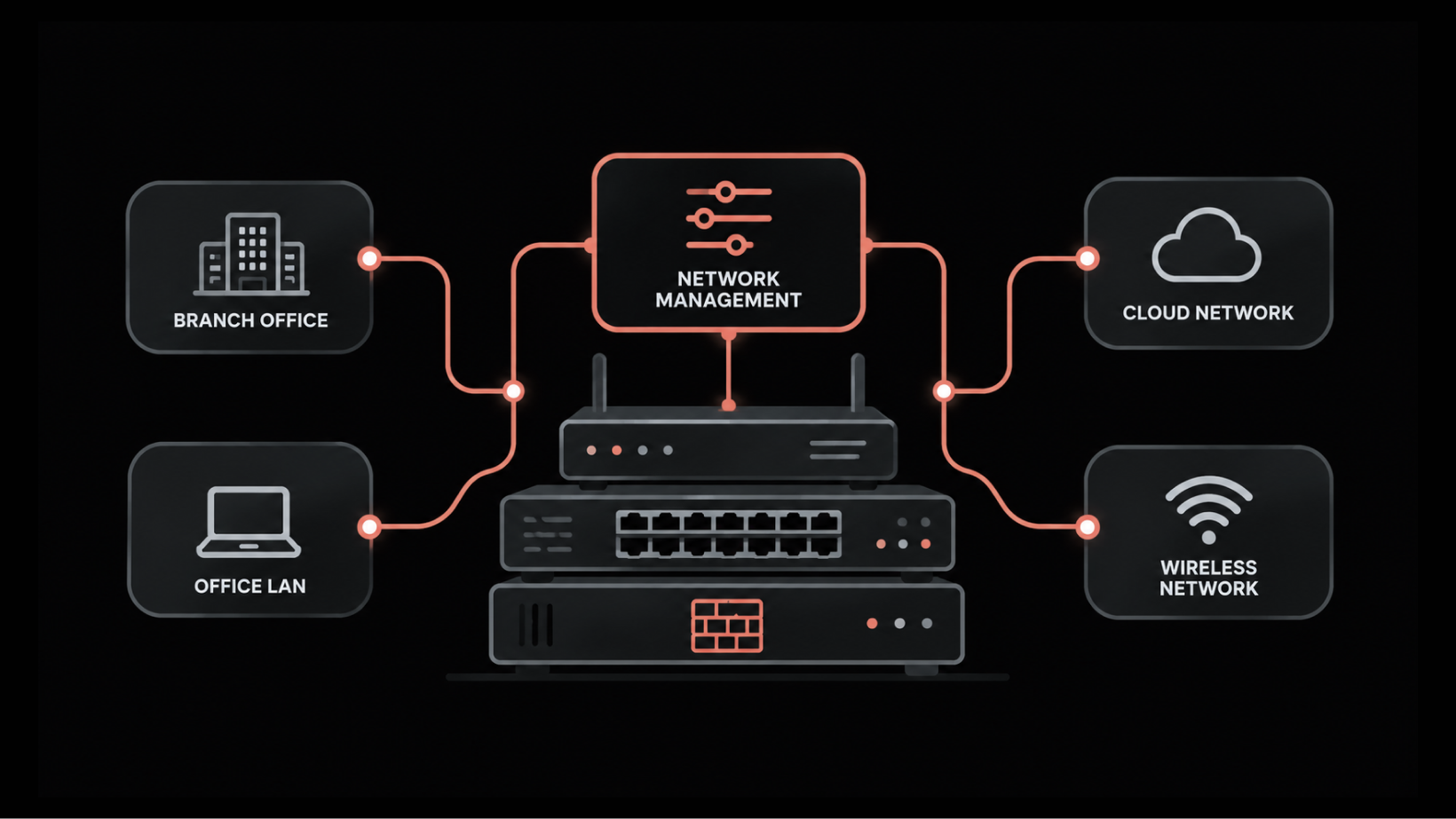
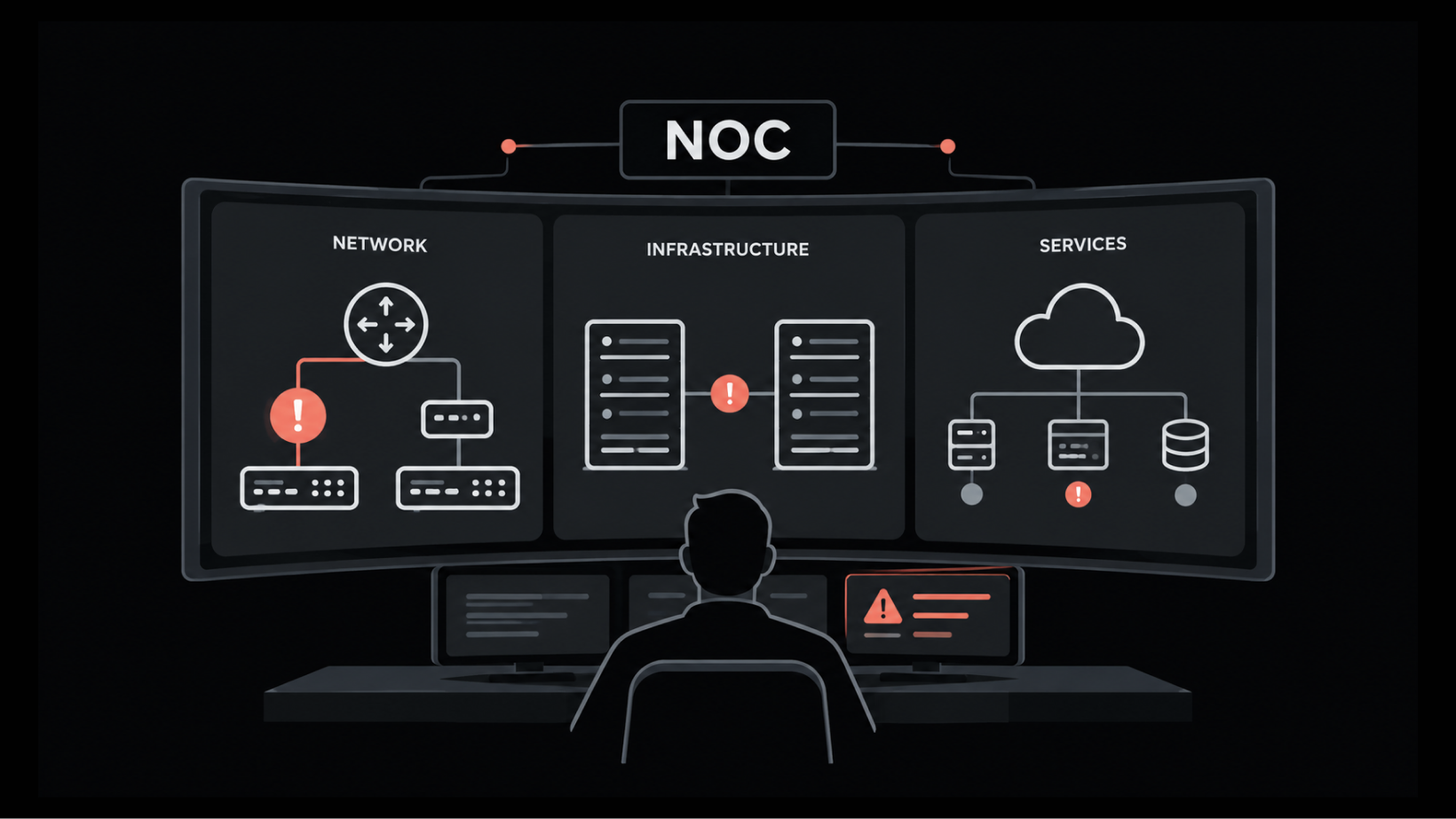
Cloud monitoring tools help you track the health, availability, and performance of your cloud infrastructure. They collect data from servers, databases, containers, and applications, then display the results on dashboards and send alerts when problems occur.
These tools collect three main types of data:
Metrics: Metrics measure performance through values such as CPU usage, memory consumption, and response time.
Logs: Logs record events and errors that help you investigate system issues.
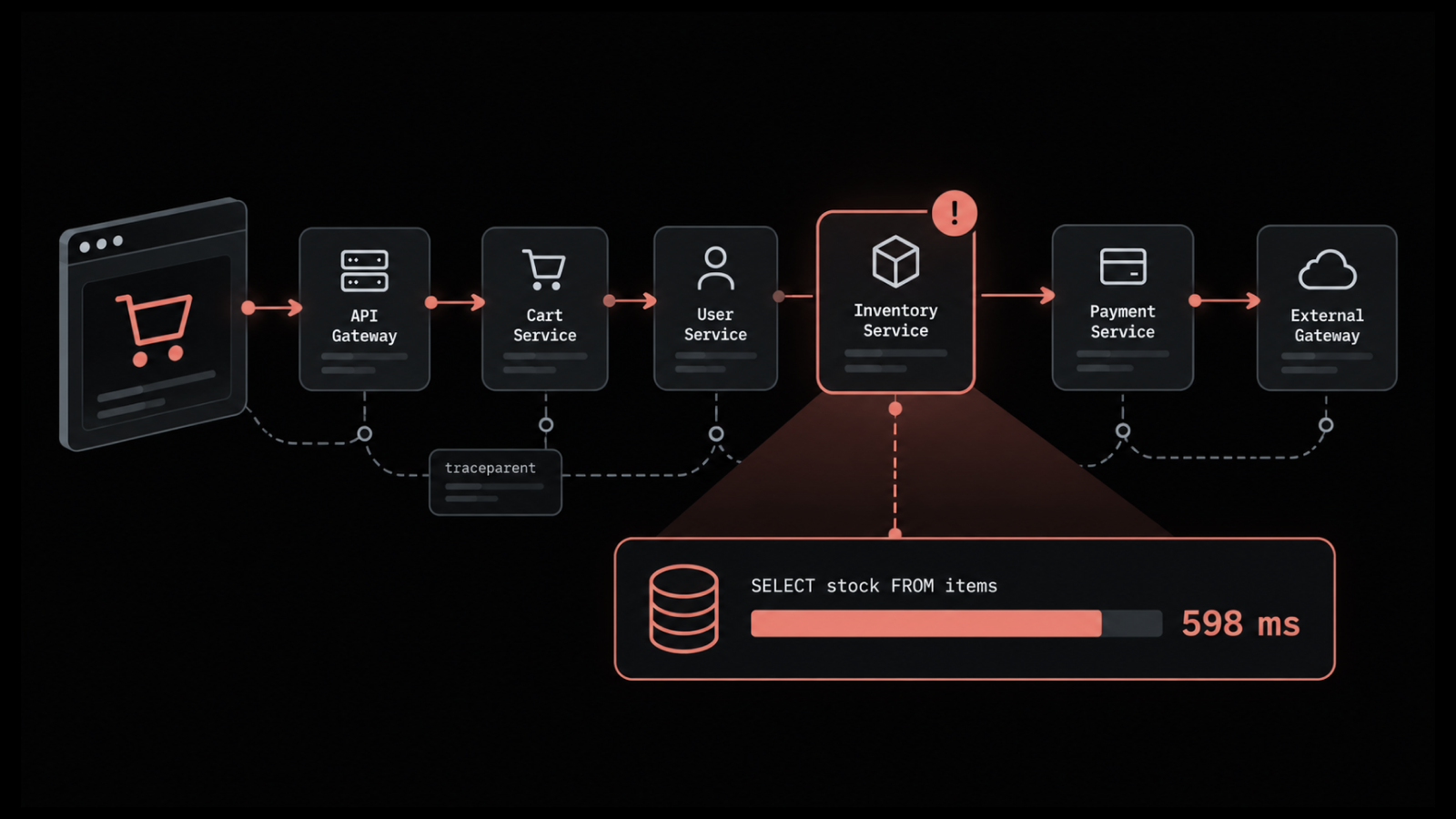
Traces: Traces show how requests move between services and help identify performance bottlenecks.
Cloud monitoring tools differ in their coverage. Infrastructure monitoring tools focus on servers, networks, and cloud resources, while application monitoring tools track application performance and errors. Some platforms support both and combine metrics, logs, and traces to provide observability.
How We Evaluated the Best Cloud Monitoring Tools in 2026
We evaluated eight cloud monitoring tools: Motadata ObserveOps, Datadog, Dynatrace, New Relic, LogicMonitor, SolarWinds Observability, Site24x7, and Zabbix. We compared them based on the following criteria to help you find the right solution for your infrastructure and budget.
Cloud coverage: Support for AWS, Microsoft Azure, and Google Cloud.
On-premises coverage: Monitoring for on-premises servers and network devices alongside cloud resources.
Monitoring capabilities: Support for metrics, logs, and traces to track performance and investigate issues.
Alerting: Features for detecting problems, grouping related alerts, and identifying root causes.
Setup and integrations: Installation requirements, monitoring agents, and available integrations.
Deployment options: Availability of hosted and self-hosted deployments.
Pricing: Starting prices, billing models, and additional costs as monitoring needs grow.
Free plans and trials: Options for testing each tool before purchasing a paid subscription.
A Quick Comparison of Cloud Monitoring Tools at a Glance
Let’s have a quick overview of cloud monitoring tools.
Tool | Best for | Deployment | Main use | Starting price |
Motadata ObserveOps | IT teams with cloud and on-premises systems | On-premises or cloud | Cloud, server, network, and log monitoring | Custom quote. You can contact its sales team for the price |
Datadog | Engineering teams that work mostly in the cloud | Hosted only | Infrastructure, application, and log monitoring | Free plan for up to five hosts. The Pro plan costs $15 per host per month with annual billing |
Dynatrace | Large companies with many applications | Hosted or self-managed | Application and infrastructure monitoring | The Infrastructure Monitoring plan costs $0.04 per host per hour |
New Relic | Small engineering teams | Hosted only | Application and infrastructure monitoring | Free plan with 100 GB of data per month |
LogicMonitor | Managed service providers and IT teams with many sites | Hosted only | Cloud, server, and network monitoring | The Essentials package starts at $16 per hybrid unit per month |
SolarWinds Observability | IT teams with large networks | Hosted or self-hosted | Network, infrastructure, and database monitoring | The self-hosted Essentials plan starts at $8 per node per month |
Site24x7 | Small and mid-size businesses | Hosted | Website, server, and cloud monitoring | The Lite plan costs $9 per month with annual billing |
Zabbix | IT teams that want free software | Self-hosted or Zabbix Cloud | Server, network, and cloud monitoring | The software is free. Zabbix Cloud starts at $50 per month |
Prices come from each vendor's official pricing page and are current as of October 2026. Vendors change their prices often, so confirm the current price before you buy.
8 Best Cloud Monitoring Tools in 2026 [A Detailed Discussion]
Let’s understand each of the tool in detail.
1. Motadata ObserveOps
Best for: IT teams that monitor cloud resources, on-premises servers, and network devices together.
Motadata ObserveOps is an IT monitoring platform that helps you monitor cloud and on-premises infrastructure from one console. It covers servers, virtual machines, network devices, applications, and logs.
For cloud monitoring, Motadata ObserveOps connects to AWS, Microsoft Azure, and Google Cloud. It collects performance data from cloud resources, including virtual machines, databases, and storage. You can view these resources alongside your on-premises servers and network devices on the same dashboards.
Motadata ObserveOps also uses DFIT to analyze performance metrics and detect unusual changes.
When a root device fails, the platform suppresses alerts from dependent devices to reduce duplicate notifications and help your team focus on the underlying issue.
You can deploy Motadata ObserveOps on your own servers or in the cloud. Pricing is available through a custom quote, and a 30-day free trial lets you test the platform in your environment.
Motadata ObserveOps is a good fit for IT teams that manage a mix of cloud and on-premises infrastructure. Businesses with only a few cloud applications may find its broader monitoring capabilities unnecessary.
Pros
- One product covers cloud, network, server, and log monitoring, so you do not have to buy four separate tools.
- You can install it on your own servers if your monitoring data must stay inside your network.
- Alerts from devices that depend on a failed device are held back, so you get fewer notifications during an outage. Our guide to reducing alert noise explains why this matters.
Cons
- Its alert correlation view looks only at the same monitor during the time the alert was active.
- Correlated logs appear only when logs are forwarded from the same monitor.
Pricing
License: Motadata ObserveOps has a custom quote. You can contact its sales team for the price.
Free trial: You can start a 30-day free trial to test the product with your own systems.
2. Datadog
Best for: Engineering teams that run most of their workloads in the cloud and use many cloud services.
Datadog is a hosted monitoring product for infrastructure, applications, and logs. It covers servers, containers, databases, serverless functions, and cloud services on AWS, Microsoft Azure, and Google Cloud.
The Datadog Agent is a small program that you install on each server. It sends metrics, logs, and traces to Datadog. Watchdog is Datadog's AI feature. It looks for unusual changes in your data and reports them without manual alert rules. Bits AI is Datadog's AI assistant. It answers questions about incidents in plain language.
Datadog sells each product separately. The Pro plan and the Enterprise plan cover infrastructure monitoring, and Watchdog is included only in the Enterprise plan. Application monitoring, log management, and Bits AI are each charged separately.
Datadog suits engineering teams that use many cloud services and want one hosted product. If your company wants to keep its monitoring tool on its own servers, Datadog will not work for you.
Not sure about this platform? You can check our Datadog alternatives article to find the right tool for your needs.
Pros
- Most integrations come with ready-made dashboards, so you can set up common cloud services quickly.
- You can go from an alert to the related logs and traces without opening another tool.
- The Free plan lets you try infrastructure monitoring before you pay.
Cons
- Your bill grows quickly when you add application monitoring and log management.
- The Pro plan includes 100 custom metrics per host. Datadog bills any extra ones based on usage, and you can contact its sales team for the rate.
- Datadog cannot be installed on your own servers.
Pricing
Free plan: The Free plan covers up to five hosts at no cost.
Pro plan: The Pro plan costs $15 per host per month with annual billing, or $18 without an annual contract.
Enterprise plan: The Enterprise plan costs $23 per host per month with annual billing, or $27 without an annual contract.
Application Performance Monitoring: It starts at $31 per host per month when you add it to infrastructure monitoring.
Log management: Sending logs to Datadog costs $0.10 per GB. Keeping those logs searchable for 15 days costs $1.70 per million log events per month with annual billing.
Bits AI: AI Credits for Bits AI start at $500 per 500 credits per month with annual billing.
Free trial: A 14-day free trial is available.
Our Datadog pricing guide explains the plans and extra charges.
3. Dynatrace
Best for: Large companies that run many applications and want the tool to find the cause of a problem automatically.
Dynatrace is a monitoring product for applications, infrastructure, and user experience. It covers cloud services, servers, containers, application performance, logs, and application security.
OneAgent is Dynatrace's monitoring agent. You install it once on a host, and it finds the applications and services that run there. Smartscape is Dynatrace's live map. It shows how applications, services, and hosts connect to each other. Davis AI is Dynatrace's analysis engine. It uses that map to point to the likely cause of a problem.
Dynatrace charges by the hour instead of by the month. The Full-Stack Monitoring plan includes application monitoring, and its price rises with the memory size of each host. The Infrastructure Monitoring plan costs less and leaves application monitoring out.
Dynatrace suits large companies with many connected applications. A small team with a few servers may find it more than they need.
Already tried this platform? You can read our Dynatrace alternatives article that compares it with other tools.
Pros
- One agent covers the host, its applications, and its logs, so you spend less time on setup.
- You get one alert with a likely cause instead of many separate notifications.
- A self-managed version is available if your data must stay in your own data center.
Cons
- The monthly cost is hard to estimate because each plan is charged at a different hourly rate.
- The Dynatrace Platform Subscription requires a minimum yearly spend.
- Dynatrace has many screens and settings, so new users need time to learn it.
Pricing
Full-Stack Monitoring plan: This plan costs $0.01 per GiB of host memory per hour. A host with 8 GiB of memory costs $0.08 per hour, or about $58 for a full month.
Infrastructure Monitoring plan: This plan costs $0.04 per host per hour.
Foundation & Discovery plan: This is the basic plan, and it costs $0.01 per host per hour.
Kubernetes Platform Monitoring plan: This plan costs $0.002 per pod per hour.
Logs: Log collection and processing costs $0.20 per GiB.
Free trial: A 15-day free trial is available.
Our Dynatrace pricing guide shows how the hourly rates add up.
4. New Relic
Best for: Small engineering teams that want to start on a free plan and pay more only as their data grows.
New Relic is a hosted monitoring product for applications and infrastructure. It covers application performance, servers, Kubernetes, cloud services, logs, and website checks.
New Relic stores all of your monitoring data in one database. NRQL is New Relic's query language. Engineers use it to search that data and create charts. New Relic AI is the product's AI assistant. It lets engineers ask a question in plain English instead of writing a query.
New Relic charges for two things: the data you send and the users who need full access. The Free plan includes 100 GB of data each month and one full platform user. The Standard plan, the Pro plan, and the Enterprise plan add more full platform users and more support. New Relic AI is billed separately on the Pro plan and the Enterprise plan. The charge is based on how much you use it, so you can ask New Relic for an estimate before you turn it on.
New Relic suits small engineering teams that have many servers but few users. A company where many engineers need full access may pay less with a vendor that charges per host.
Read our New Relic alternatives to find the right fit for your needs.
Pros
- The Free plan has no time limit, so you can test New Relic on your live systems for as long as you need.
- You do not pay more when you add servers, which helps if your server count changes often.
- Basic users are free, so your managers and support staff can view dashboards at no cost.
Cons
- The Pro plan gets expensive when many engineers need full access, because each one costs $349 per month.
- Your bill goes up in any month when your log volume suddenly increases.
- On the Free plan, New Relic stops collecting data once you reach 100 GB in a month.
Pricing
Free plan: The Free plan includes 100 GB of data per month, one full platform user, and unlimited basic users.
Standard plan: The first full platform user costs $10 per month. Each additional full platform user costs $99 per month, with a limit of five.
Pro plan: The Pro plan costs $349 per full platform user per month with an annual commitment, or $418.80 on monthly billing.
Enterprise plan: The Enterprise plan has a custom quote. You can contact its sales team for the price.
Extra data: Data above 100 GB costs $0.40 per GB on every paid plan.
Core users: Core users cost $49 per user per month.
Free trial: New Relic does not offer a free trial. You can use the Free plan for as long as you want instead.
Our New Relic pricing guide explains the data and user charges.
5. LogicMonitor
Best for: Managed service providers and IT teams that monitor many customer sites or branch offices from one account.
LogicMonitor is a hosted monitoring product for cloud and on-premises infrastructure. Its platform is called LM Envision. It covers network devices, servers, storage, cloud services, containers, and logs.
LogicMonitor does not need an agent on every device. The Collector is a small program that you install on one server inside your network. It gathers data from the devices around it. For cloud accounts, LogicMonitor connects directly to AWS, Microsoft Azure, and Google Cloud. Edwin AI is LogicMonitor's AI product. It groups related alerts and suggests a likely cause.
LogicMonitor sells three platform packages: Essentials, Advanced, and Signature + Edwin AI. Each package is priced per hybrid unit. One hybrid unit covers one on-premises device, one cloud server, seven managed cloud services, or five wireless access points. LM Logs, the log tool in LogicMonitor, is listed as a core capability and not as an add-on.
LogicMonitor suits managed service providers and IT teams with many sites. It is not the right choice if you want to run the monitoring tool on your own servers.
Our LogicMonitor alternatives article compares it with other tools.
Pros
- Most common hardware and cloud services already have a template, so you can start monitoring new devices quickly.
- You can move hybrid units between on-premises devices and cloud resources, so your license stays the same when you move systems to the cloud.
- A managed service provider can keep each customer's devices, dashboards, and users separate in one account.
Cons
- LogicMonitor cannot be installed on your own servers.
- AI Agents and AI Automation are sold as add-ons, not as part of the packages.
- The Essentials package stops at 999 hybrid units. If you need more than that, you have to choose a higher package.
Pricing
Essentials package: The Essentials package starts at $16 per hybrid unit per month.
Advanced package: The Advanced package starts at $27 per hybrid unit per month.
Signature + Edwin AI package: The Signature + Edwin AI package starts at $53 per hybrid unit per month.
Final price: These are starting list prices, and the final price changes with volume and contract length. You can contact the LogicMonitor sales team for an exact quote.
Free trial: A 15-day free trial is available.
Our LogicMonitor pricing guide explains the packages and add-ons in more detail.
6. SolarWinds Observability
Best for: IT teams with large networks that are moving some systems to the cloud.
SolarWinds Observability is a monitoring product for networks, infrastructure, applications, and databases. The vendor sells it in two versions. SolarWinds Observability SaaS is a hosted service. SolarWinds Observability Self-Hosted runs on your own servers or on cloud servers that you manage.
SolarWinds Observability SaaS monitors AWS and Microsoft Azure services, containers, hosts, applications, databases, and logs. SolarWinds Observability Self-Hosted comes from the vendor's older network monitoring products. It works better if you mainly monitor routers, switches, device configuration, and network traffic.
SolarWinds Observability SaaS prices each module separately. Network and infrastructure monitoring, application monitoring, log monitoring, and database monitoring are each priced separately. SolarWinds Observability Self-Hosted has three plans: Essentials, Advanced, and Premier. Each plan is priced by the number of monitored nodes.
SolarWinds Observability suits IT teams that already manage a large network and want cloud coverage from the same vendor. An engineering team that works only in the cloud may prefer a product that started with application monitoring, such as Datadog or Dynatrace.
Our SolarWinds alternatives article compares it with other tools.
Pros
- You can choose a hosted service or a self-hosted installation from the same vendor.
- Network engineers get detailed traffic and device data that many cloud-first tools do not provide.
- The Premier plan of SolarWinds Observability Self-Hosted also gives you a SolarWinds Observability SaaS license for network and infrastructure monitoring.
Cons
- SolarWinds Observability SaaS and SolarWinds Observability Self-Hosted do not have the same features, so you may end up using both.
- Each module in SolarWinds Observability SaaS is charged separately.
- The listed prices apply only when you sign a multi-year contract.
Pricing
SolarWinds Observability SaaS:
Network and Infrastructure Observability: It starts at $15.75 per node per month.
Application Observability: It starts at $27.50 per service per month.
Log Observability: It starts at $5 per GB per month.
Database Observability: It starts at $70 per database instance per month.
SolarWinds Observability Self-Hosted:
Essentials plan: The Essentials plan starts at $8 per node per month.
Advanced plan: The Advanced plan starts at $14 per node per month.
Premier plan: The Premier plan starts at $17.50 per node per month.
Both versions:
Free trial: A 30-day free trial is available for SolarWinds Observability SaaS and SolarWinds Observability Self-Hosted.
Our SolarWinds pricing guide explains how the modules are licensed.
7. Site24x7
Best for: Small and mid-size businesses that want website, server, and cloud monitoring at a low starting price.
Site24x7 is a hosted monitoring product from ManageEngine, a division of Zoho Corporation. It covers websites, servers, cloud services, network devices, applications, and logs. Site24x7 Observability is now called OpManager Nexus. For now, the cloud version is still sold through Site24x7 plans.
For cloud monitoring, Site24x7 connects to AWS, Microsoft Azure, and Google Cloud accounts. It finds the resources in each account and tracks their performance. Zia is the AI assistant in Site24x7. Engineers can ask Zia questions about outages and incidents in a chat in the Site24x7 mobile app.
Site24x7 sells three all-in-one plans: the Lite plan, the Professional plan, and the Enterprise plan. The Lite plan and the Professional plan include a set number of servers and websites. Anomaly detection, forecasts, and event correlation are included only in the Enterprise plan. Extra monitors and extra log storage are paid add-ons on every plan.
Site24x7 suits small and mid-size businesses that want several types of monitoring on one bill. A company that needs anomaly detection on a small budget may find the Enterprise plan too expensive.
Our Site24x7 alternatives article compares it with other tools.
Pros
- The starting price is low, which suits a small business with a limited budget.
- One plan gives you website, server, cloud, and network monitoring, so there is less to buy separately.
- You can monitor the uptime of up to 50 resources for free.
Cons
- You pay for add-ons once you go past the servers and websites included in your plan.
- Anomaly detection and forecasts are not available on the Lite plan or the Professional plan.
- Monitoring network devices inside your own network needs an On-Premise Poller installed on one of your machines.
Pricing
Free plan: The free plan covers uptime checks for up to 50 resources.
Lite plan: The Lite plan costs $9 per month with annual billing. It includes two servers and five websites.
Professional plan: The Professional plan costs $42 per month with annual billing. It includes five servers, one application, 20 websites, and 4 GB of logs.
Enterprise plan: The Enterprise plan starts at $625 per month with annual billing.
Add-ons: On the Professional plan, 10 extra basic monitors cost $10 per month. An extra 10 GB of logs costs $3 per month with 7 days of search.
Free trial: A 30-day free trial is available.
Our Site24x7 pricing guide explains the plans and add-ons.
8. Zabbix
Best for: IT teams with Linux skills that want free software and full control of their monitoring data.
Zabbix is an open-source monitoring product for servers, networks, applications, and cloud services. It is free to download, and there is no limit on the number of devices you can monitor.
Zabbix works with templates. A template is a ready-made set of checks and alert rules for one type of system. Zabbix provides official templates for AWS, Microsoft Azure, and Google Cloud services. The Zabbix agent is a small program that runs on a server and reports detailed data about it.
The Zabbix software has no license fee. The company behind it sells paid technical support and training. Zabbix Cloud is the hosted version, and it suits you if you do not want to manage the Zabbix server yourself.
Zabbix suits IT teams that have staff time to install and maintain it. A team that needs application request tracing today will need another tool, because tracing is planned for Zabbix 8.0.
Our Zabbix alternatives article compares it with other tools.
Pros
- You pay no license fee, even if you monitor thousands of devices.
- All monitoring data stays on your own servers when you host Zabbix yourself.
- A large user community shares templates and answers questions on public forums.
Cons
- Installation, upgrades, and database maintenance need staff time on a regular basis.
- Zabbix Cloud does not support SNMP traps, and you cannot import an existing Zabbix setup into it.
- Application request tracing is not available yet. OpenTelemetry tracing is planned for Zabbix 8.0.
Pricing
Zabbix software: The self-hosted software is free to download and use.
Zabbix Cloud: Zabbix Cloud starts at $50 per month for the Nano tier. The price rises with the amount of data you collect.
Technical support: Support is sold as a yearly subscription in five plans: Silver, Gold, Platinum, Enterprise, and Global. The price of the Gold plan and the Platinum plan rises with the number of Zabbix servers and proxies you run. You can request a quote from Zabbix for the exact price.
Free trial: A 5-day free trial of Zabbix Cloud is available on the Nano tier.
Our Zabbix pricing guide explains where the paid support plans begin.
Are AWS, Azure, and Google Cloud Monitoring Tools Enough?
AWS, Microsoft Azure, and Google Cloud each offer built-in monitoring services. Amazon CloudWatch monitors AWS resources, Azure Monitor tracks Azure services, and Google Cloud Monitoring collects performance data from Google Cloud resources.
These services work well when your infrastructure runs on a single cloud platform. They collect metrics from supported resources and help you track performance, set alerts, and investigate issues without setting up a separate monitoring tool.
However, monitoring becomes more complex when you use multiple cloud providers or maintain servers in your own data center. Each provider has its own monitoring interface, which can make it harder to view your entire infrastructure in one place.
You can continue using the native monitoring services and connect them to a third-party platform when you need broader coverage.
A unified monitoring platform can bring data from AWS, Azure, Google Cloud, and on-premises systems into a central dashboard.
If you use Microsoft Azure, our guide to the best Azure monitoring tools covers additional options for monitoring your environment.
How to Choose a Cloud Monitoring Tool
Before choosing a cloud monitoring tool, consider which systems it has to cover, where it will run, and what it will cost.
List every system the tool has to monitor, including your cloud accounts, on-premises servers, network devices, and applications.
Check that the tool supports every cloud provider you use, such as AWS, Microsoft Azure, and Google Cloud.
Decide whether you need a hosted tool or one that runs on your own servers, based on your company policy and data rules.
Check which types of data the tool collects and make sure it covers metrics, logs, and traces if you need all three.
Check how the tool collects data and whether it needs an agent on every server.
Review how the tool handles alerts and make sure it groups related alerts and sends them to the chat and on-call tools your engineers already use.
Confirm which plan includes the features you need, because log management and AI features are often paid add-ons.
Calculate the total cost with your own numbers by including hosts, users, data volume, logs, application monitoring, and expected growth.
Ask the vendor for a written list of everything your quote includes.
Use the free trial to connect one cloud account and a few servers, then recreate a problem your team has already solved and note how quickly the tool finds the cause.
If your monitoring data must stay inside your network, our guide to on-premises and SaaS monitoring compares the two options.
Final Thoughts
The best cloud monitoring tool depends on your infrastructure, monitoring requirements, and budget. You need a solution that covers your systems, fits your deployment preferences, and gives you the features you need at a price you can manage.
If you need to monitor cloud resources, on-premises servers, network devices, and logs from one platform, Motadata ObserveOps is worth considering. It supports both cloud and on-premises deployment, giving your IT team the flexibility to manage monitoring based on your infrastructure needs.
Looking for a monitoring solution that fits your setup?
Book a free demo of Motadata ObserveOps to explore its features and see how they align with your monitoring requirements.
FAQs
What are cloud monitoring tools?
Cloud monitoring tools are software products that track the health and performance of systems running in the cloud. They collect metrics, logs, and traces from servers, databases, containers, and applications. They show that data on dashboards and send alerts when a value crosses a limit.
What are the best cloud monitoring tools?
The best-known cloud monitoring tools are Motadata ObserveOps, Datadog, Dynatrace, New Relic, LogicMonitor, SolarWinds Observability, Site24x7, and Zabbix. Your choice should match where your systems run. Datadog and New Relic fit companies that work mostly in the cloud. Motadata ObserveOps and LogicMonitor fit companies with both cloud and on-premises systems.
Are there free cloud monitoring tools?
Yes, several cloud monitoring tools are free to use. Zabbix is open-source software with no license fee. Datadog has a Free plan for up to five hosts, and New Relic has a Free plan with 100 GB of data per month. Site24x7 has a free plan for uptime checks on up to 50 resources.
Do cloud monitoring tools also cover security?
Most cloud monitoring tools focus on performance and availability, not security. Some vendors sell security features as separate products. Datadog, for example, sells Workload Protection from $15 per host per month with annual billing. Cloud security monitoring tools that detect threats are usually bought separately.
How much do cloud monitoring tools cost?
Published prices for cloud monitoring tools start between $8 and $16 per host or node per month. SolarWinds Observability Self-Hosted starts at $8 per node per month, and Datadog starts at $15 per host per month with annual billing. LogicMonitor starts at $16 per hybrid unit per month. Logs, application monitoring, and AI features usually cost extra. For example, Datadog charges $31 per host per month for application monitoring. Some vendors, including Motadata, have a custom quote instead of a listed price.
Author
Ramya Shah
Technical Writer
Ramya Shah is a technical content writer with a computer engineering background and roots in automotive journalism. He covers IT Service Management, observability, IT operations, and AI-driven automation. An early adopter of AI-assisted writing workflows, he turns complex IT processes into clear, engaging content optimized for search and answer engines (AEO), lifting content output and organic visibility.