What is Port Mirroring and How does a SPAN Port Work?
Your dashboard shows every interface green, the counters look clean, and the application owner still insists the network is dropping their transactions. Where do you look next?
Availability data tells you a link is up. It cannot tell you what crossed that link or how long the server took to answer. Only the packets carry that, and port mirroring is how most engineers get a copy without cutting into a live cable.
It is also easy to get wrong. Point a session at a monitoring port too slow to carry the copies, and the file you collect will look complete without being complete, which turns a one-hour incident into a shift of guesswork. Getting the setup right is what separates a resolved incident from a network troubleshooting session that never lands.
In this blog, you will see how port mirroring works inside the switch, how SPAN, RSPAN and ERSPAN differ, when a monitoring port starts dropping frames, how to configure it across four vendor families, and where packet copies fit alongside the telemetry you already collect.
What is Port Mirroring?
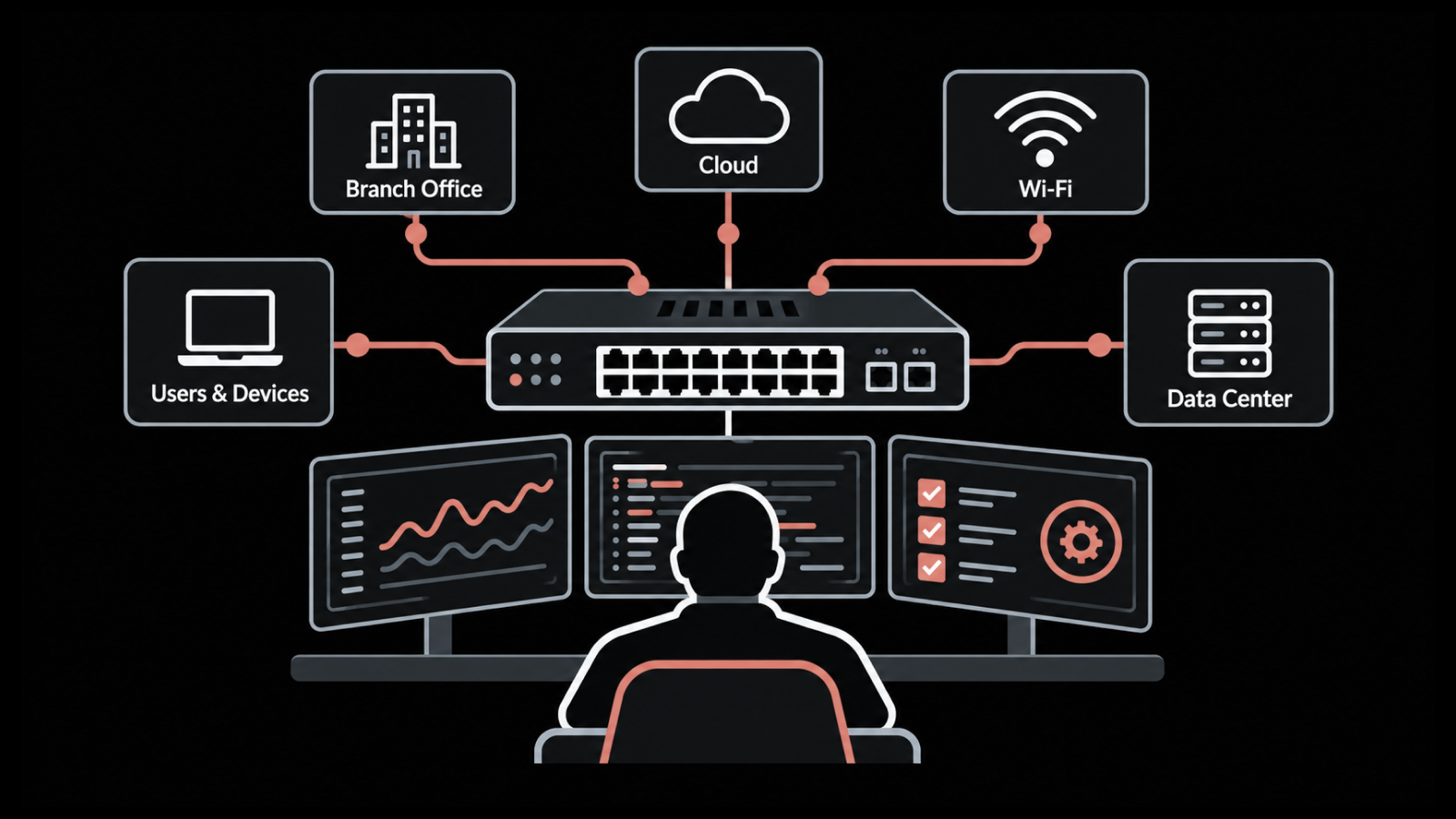
Port mirroring is a switch feature that copies the frames passing through one or more source ports and sends those copies to a separate destination port, where a capture tool or analyzer is waiting. A frame is one unit of traffic on the wire, the Ethernet envelope carrying a packet.
The original traffic reaches its destination untouched. Nothing is inserted into the production path, which is why the technique is safe to enable on a live segment during business hours.
Three terms describe the same arrangement across vendors, and they cause most of the confusion in this topic:
Source port: The interface, group of interfaces, or VLAN whose traffic is being copied
Destination port: The interface that receives the copies, usually removed from normal forwarding
Monitor session: The named configuration object that binds a source to a destination
Put plainly, port mirroring in networking is a copy-and-forward instruction. You tell the switch which traffic to duplicate, name the port that should receive the duplicate, and normal forwarding carries on around it. A VLAN in that first bullet is a logical group of ports treated as one network segment, so you can mirror a whole segment as easily as a single cable.
Vendors then apply their own labels to the same capability, so the keyword you need depends on which port mirroring switch you are configuring. Knowing the vocabulary saves time across a mixed-vendor deployment.
Vendor | Term used |
Cisco | SPAN (Switched Port Analyzer), RSPAN, ERSPAN |
Juniper | Port mirroring, analyzer |
Huawei | Mirroring, observing port |
Aruba / HPE | Port monitoring, mirror session |
Extreme | Mirroring |
MikroTik | Mirror source / mirror target |
What is a SPAN Port?
A SPAN port is Cisco's name for the destination port in a port mirroring configuration, and the term has spread far beyond Cisco hardware. SPAN stands for Switched Port Analyzer, and engineers now say SPAN ports when they mean any monitoring ports receiving copied traffic. The terms are interchangeable in conversation, though the configuration syntax behind them is not.
Copying happens in the switch's forwarding hardware on most modern equipment, so the limit you run into is bandwidth on the destination port, with switch CPU largely uninvolved. The diagram below spells out where each step in the path takes place.
How does Port Mirroring Work on a Switch?
Port mirroring on a switch works by telling the forwarding engine, the chip that decides where each frame goes, to duplicate that frame at the moment it makes the decision. The original follows its normal path to the intended recipient. The copy is queued towards the destination interface with no priority guarantee, which matters the moment network congestion builds on your links.
You control three variables when you build a monitor session:
Direction: Ingress copies traffic entering the source port, egress copies traffic leaving it, and both captures every frame in each direction
Source type: A single port, a list of ports, a link aggregation group of bundled physical links, or an entire VLAN
Destination behavior: Whether the destination port stops normal forwarding, and whether it keeps VLAN tags on the copied frames
Bidirectional mirroring on two ports that communicate with each other on the same switch produces every conversation twice, once as egress from one port and once as ingress on the other. Your analyzer will report duplicate packets and inflated byte counts. Choosing one direction, or one side of the conversation, removes the problem at the source.
Everything so far assumes the analyzer plugs into the same switch. Moving it further away is where the three variants come in.
What is the Difference Between SPAN, RSPAN and ERSPAN?
SPAN, RSPAN and ERSPAN differ in how far the mirrored traffic can travel before it reaches the analyzer. All three copy frames the same way. What changes is the distance covered and whether the copy gets wrapped in an extra header to make the journey.
Local SPAN: Source and destination both live on the same physical switch
RSPAN: Copies travel to a different switch across a dedicated Layer 2 VLAN carried on the trunk links between them
ERSPAN: Copies are wrapped in a GRE tunnel and routed across Layer 3, so the analyzer can be anywhere reachable by IP
Layer 2 means switching inside a single broadcast domain, and Layer 3 means routing between IP networks. A trunk is a link carrying several VLANs at once, and GRE is a tunnelling protocol that wraps one packet inside another so it can cross a routed path.
Attribute | Local SPAN | RSPAN | ERSPAN |
Scope | Single switch | Layer 2 domain | Routed network |
Transport | Direct interface | Dedicated RSPAN VLAN | GRE tunnel over IP |
Trunk impact | None | Consumes trunk bandwidth on every hop | Consumes WAN or core bandwidth |
Vendor support | Universal | Common | Cisco-originated, uneven elsewhere |
Typical use | Single-rack troubleshooting | Distribution-layer capture | Central security analysis |
RSPAN needs the RSPAN VLAN permitted on every trunk between source and destination, and it will fail silently if one hop drops it. ERSPAN adds GRE headers to every copied frame, so a 1,500-byte packet arrives larger than it left. If the path MTU, the largest packet size the route allows, is tight, that frame gets broken into fragments on the way.
Both behaviors are documented, and both surprise people who configured the session without walking the path first.
Set the mirror on the switch that actually carries the conversation you care about, and the rest of the design follows. The topology below shows where the analyzer can physically live in each of the three cases.
What is the Difference Between VLAN Mirroring and Port Mirroring?
VLAN mirroring copies every frame belonging to a VLAN no matter which port carries it, while port mirroring copies traffic only for the interfaces you name. Cisco calls the VLAN variant VSPAN. Both produce the same kind of capture file, and what separates them is the question you are asking.
Factor | Port mirroring | VLAN mirroring |
What you select | Named interfaces | An entire VLAN |
Coverage | One device, uplink or server | A service and everyone using it |
Volume | Predictable, tied to interface speed | Hard to forecast, grows with VLAN size |
Duplicate frames | Only when mirroring both directions | Common, because intra-VLAN traffic is seen twice |
Typical question | Why is this server slow? | Why is voice quality poor on this floor? |
Volume is where VLAN mirroring catches people out. A single voice VLAN spanning twenty access ports can push far more into your destination interface than any one of those ports could produce alone.
Choose between the two by what you are chasing:
Pick VLAN mirroring when: The problem follows a service or a user group across several ports
Pick port mirroring when: The problem is anchored to one device, uplink or server
Pick either when: You can apply a filter that keeps the copied volume inside the destination port's line rate
Port mirroring stays the default for most investigations because it keeps volumes and network topology assumptions simple.
Why would You Use Port Mirroring?
Port mirroring is used whenever the answer to a question lives inside packet payloads or precise inter-packet timing, which flow records and counters cannot supply. The common cases fall into a short list.
Application troubleshooting: Spotting retransmissions, TCP resets and slow server responses inside a single conversation
Intrusion detection: Feeding a copy of production traffic to an intrusion detection or network detection and response sensor without placing that sensor inline
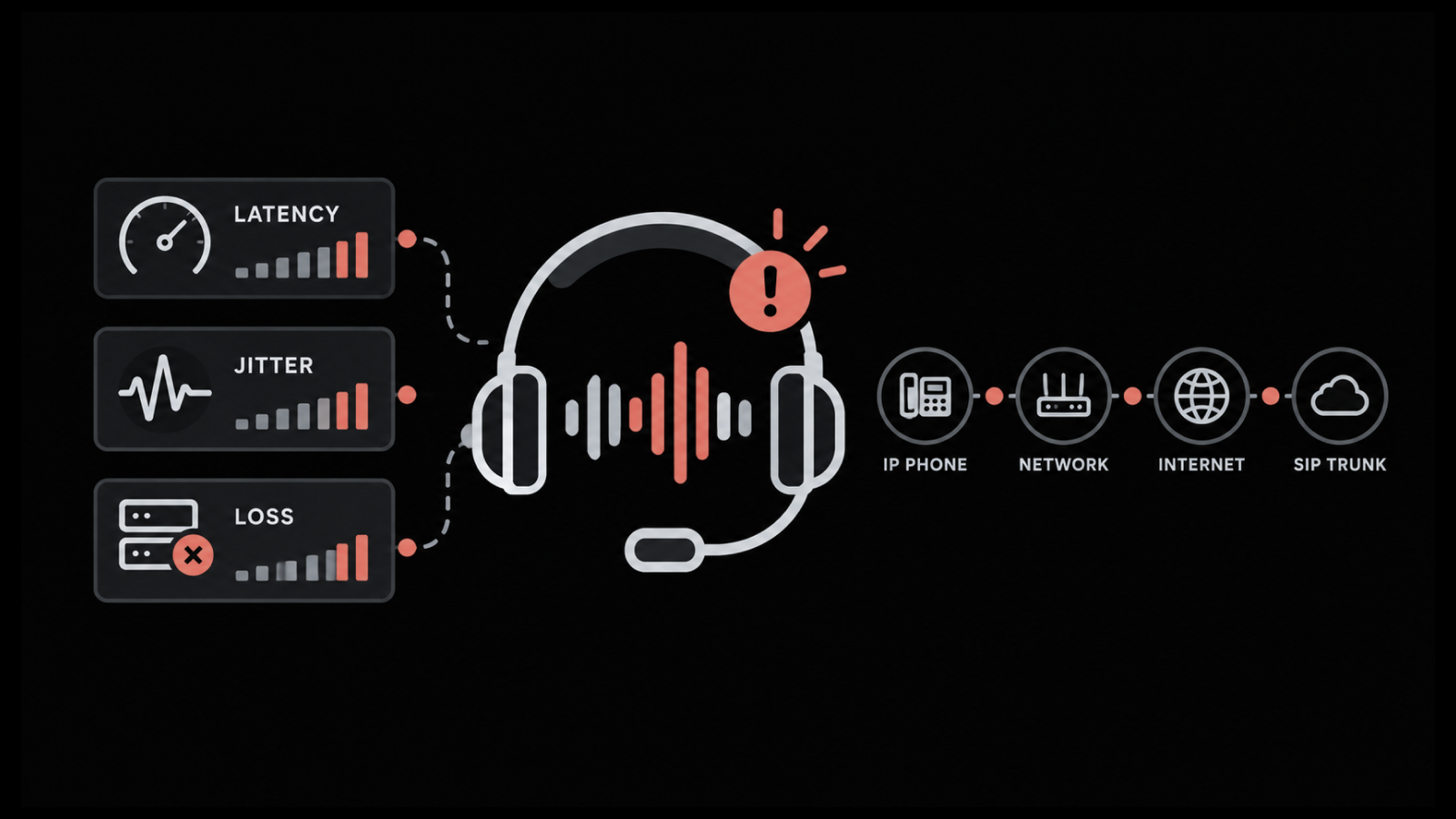
VoIP quality analysis: Measuring jitter and packet order on RTP voice streams against what the codec can absorb
Forensic capture: Preserving evidence of a suspicious session for later reconstruction
Protocol validation: Confirming what a device actually sent during a migration or firmware change
Segmentation checks: Verifying that traffic which should never cross a boundary genuinely does not
Uptime Institute's 2026 outage analysis notes that outages tied to fiber and connectivity issues are rising and tend to produce longer disruptions than other categories. The longer an incident runs, the more valuable evidence you can replay becomes, and the hidden causes are the ones that take the longest to prove. That is the argument for having a mirror already configured on your most contested links rather than building one under pressure.
When does a SPAN Port Start Dropping Packets?
A SPAN port starts dropping packets as soon as the volume of copied traffic exceeds the line rate of the destination interface, which is the maximum throughput that port can physically carry. The switch protects production traffic, so mirrored frames are the first thing it discards. The arithmetic is simple enough to run before you commit the configuration.
Mirroring both directions of a port doubles its contribution. Two gigabit access ports running at 60% utilization in each direction generate 2 × (0.6 + 0.6) = 2.4 Gbps of copied traffic. Sending that into a 1 Gbps destination port loses roughly 58% of the frames, and the losses will cluster during exactly the busy periods you were trying to investigate.
Sources mirrored | Direction | Utilization each way | Copy volume | 1G destination | 10G destination |
1 × 1G port | Ingress only | 60% | 0.6 Gbps | Fits | Fits |
1 × 1G port | Both | 60% | 1.2 Gbps | Drops | Fits |
2 × 1G ports | Both | 60% | 2.4 Gbps | Drops | Fits |
1 × 10G uplink | Both | 40% | 8.0 Gbps | Drops | Marginal |
4 × 1G ports | Both | 80% | 6.4 Gbps | Drops | Fits |
Three moves keep you inside the budget:
Mirror one direction: Ingress or egress only, wherever the question allows it
Filter the session: A VLAN or access control list rule so only relevant traffic is copied
Upgrade the destination: A faster interface than the combined speed of its sources
Watch for rising packet loss on the capture host with no matching loss on production interfaces. That pattern is the signature of an oversubscribed mirror, and it means the evidence you are collecting during an incident has gaps in it.
Run the numbers before you configure the session, because the switch will accept a configuration it cannot honor. The diagram below walks one worked example from source ports through to what actually reaches the analyzer.
Who the below section is for: Network engineers applying the configuration themselves. Everyone else can take the two numbered points below and skip the code. Session limits vary by platform, so check the vendor documentation before applying anything.
How do You Configure Port Mirroring?
How to configure port mirroring comes down to two statements on most platforms. Everything below is vendor wording wrapped around the same two ideas:
Name the source: Which port to copy, and whether you want traffic coming in, going out, or both
Name the destination: Which port receives the copies and stops carrying normal traffic
A network engineer can apply this in a few minutes with no downtime and no maintenance window, because production forwarding is untouched. The syntax below is representative of each vendor family, and you should confirm it against your own platform and software version before applying it.
Port Mirroring on Cisco IOS
Switch(config)# monitor session 1 source interface GigabitEthernet1/0/1 both
Switch(config)# monitor session 1 destination interface GigabitEthernet1/0/24
Switch# show monitor session 1

//That copies everything travelling in and out of port Gi1/0/1 to port Gi1/0/24, then confirms the session is live. For RSPAN, mark a VLAN as remote and point the session at it instead of a local interface:
RSPAN on Cisco IOS
Switch(config)# vlan 200
Switch(config-vlan)# remote-span
Switch(config)# monitor session 1 destination remote vlan 200
Port Mirroring on Juniper Junos
set forwarding-options analyzer capture input ingress interface ge-0/0/1.0
set forwarding-options analyzer capture input egress interface ge-0/0/1.0
set forwarding-options analyzer capture output interface ge-0/0/23.0

//Junos splits the same job across three lines: two naming the traffic to copy, one naming where it goes. Remember to commit, or nothing takes effect.
Port Mirroring on Aruba and HPE
mirror 1 port 24
interface 1 monitor all both mirror 1
show monitor

//Aruba names the destination first and calls it mirror 1, then attaches the source port to that name.
Port Mirroring on MikroTik RouterOS
/interface ethernet switch set 0 mirror-source=ether1 mirror-target=ether24

//RouterOS handles both statements in a single line applied to the switch chip
Before you commit any of these, check five things:
Destination capacity: Line rate at or above the total copy volume you calculated
Destination state: Port removed from normal forwarding and excluded from spanning tree, the loop-prevention protocol
Session limits: Most access switches support only two active monitor sessions
Trunk path: For RSPAN, the mirror VLAN permitted on every intermediate trunk
Capture host storage: Enough disk for the retention window you intend to keep
Session limits, supported source types and destination port behavior all vary by hardware family and software version. Check your own vendor's documentation for the platform in front of you before relying on any of the syntax above.
What is Port Mirroring in Wireshark?
Port mirroring in Wireshark refers to the capture side of the workflow. The switch does the mirroring, and Wireshark reads whatever arrives on the capture host's network card. Wireshark plays no part in creating the mirror, and three host-side settings decide whether the resulting file is usable.
Promiscuous mode: Enabled, so the network card accepts frames that are not addressed to it
Hardware offloads: Checksum, large receive and generic receive offload switched off, because these let the card rewrite packets before Wireshark sees them and produce checksum errors and oversized segments that never existed on the wire
Capture filters: Written in BPF syntax and applied while capturing, which cuts what gets written to disk instead of hiding it the way a display filter does
A capture on a busy mirror can write several gigabytes per minute. Use a ring buffer to bound the footprint, for example dumpcap -i eth1 -b filesize:100000 -b files:20 -w capture.pcapng, which keeps the last twenty 100 MB files and discards the rest. Sizing that window against your disk is the difference between a capture you can review and one that stops mid-incident.
Those host-side rules hold even when the switch underneath is virtual, though the mirror itself gets configured somewhere else entirely.
How does Port Mirroring Work in Cloud and Virtual Environments?
Port mirroring in cloud and virtual environments works through platform-native services, because there is no physical switch port to configure. Each major platform exposes an equivalent, and each applies its own limits.
VMware vSphere: Distributed switch port mirroring supports several session types, including encapsulated remote mirroring to an IP destination, configured per distributed port group
AWS: VPC Traffic Mirroring copies traffic from an instance's virtual network card to a target interface or load balancer, with filter rules applied before the copy is sent
Microsoft Azure: Virtual network TAP mirrors inbound and outbound VM traffic to a collector endpoint
Two constraints apply almost everywhere. Mirrored traffic draws on the same instance bandwidth allocation as production traffic, so a mirror on a saturated instance competes with the workload it is monitoring.
Cross-region and cross-zone mirror targets also attract data transfer charges that scale with the volume you copy. Filtering at the source becomes a cost decision, and mirroring belongs inside your cloud monitoring budget rather than being treated as a free add-on.
What is the Difference Between a Network Tap and Port Mirroring?
The difference in network tap vs port mirroring is physical against logical. A network tap is a hardware device placed inline on a cable that copies traffic passively, while port mirroring is a switch function that copies traffic as it is forwarded. The tap delivers every frame, and the mirror delivers what it has capacity for.
Factor | Port mirroring | Network tap |
Cost | Included with the switch | Hardware purchase per link |
Deployment | Configuration change, minutes | Cabling change, maintenance window |
Fidelity under load | Frames dropped first | Every frame delivered |
Timestamp accuracy | Affected by queueing | Wire-accurate |
Coverage change | Reconfigure remotely | Physical rework |
Switch resource use | Shares interface capacity | None |
Taps earn their cost where the capture has to be defensible: regulated environments, forensic evidence, precision latency measurement, and any link where you cannot accept gaps during peak load. Mirroring covers the rest, and the speed of enabling it is the reason it remains the default for switch monitoring work.
What are the Limits of Port Mirroring?
The limits of port mirroring are bandwidth, priority, encryption and data handling, and only the first two are widely discussed. Understanding all four keeps expectations aligned with what a mirror can actually prove.
Best-effort delivery: Copied frames are queued behind production traffic and dropped first
Timing distortion: Queueing on the destination port shifts inter-packet gaps, so a mirror is a poor instrument for microsecond latency work
Encrypted payloads: TLS 1.3 removed static RSA key exchange, so a captured session cannot be decrypted afterwards using a copy of the server's private key
Sensitive data exposure: A capture contains payloads in full, which brings PII and cardholder data into scope wherever the file is stored
Session count: Most switches allow two concurrent monitor sessions, so mirroring competes with itself across teams
That encryption limit changes what a capture is worth. You still see the handshake, the certificate exchange, how long the connection took to set up, how often it retransmitted and how long the session ran.
Those signals answer most performance questions. They answer almost none of the payload-inspection questions people expect from a capture, which is worth settling before anyone budgets for capture storage on that assumption.
Treat captures containing production traffic as regulated data. Apply the same retention and access controls you would to any other sensitive source, in line with your security monitoring policy.
How do You Troubleshoot a SPAN Port with No Traffic?
A SPAN port showing no traffic almost always traces to one of six causes, and checking them in order takes a few minutes. Start at the switch and work towards the capture host.
Session not applied: Mirror configuration entered but never committed, common on Junos
Wrong direction: Ingress-only session on a port where the traffic you want is outbound
Destination port disabled: Interface administratively down, or in a VLAN that blocks it
Wrong switch: The conversation is being switched somewhere else in the path
RSPAN VLAN pruned: Mirror VLAN not permitted on an intermediate trunk
Promiscuous mode off: Capture card discarding frames not addressed to it
If frames arrive but appear duplicated, the session is mirroring both directions of two ports that talk to each other. If frames arrive but every packet is flagged with a checksum error, hardware offloads are still enabled on the capture card. Both look like faults and neither is.
Where does Port Mirroring Fit Alongside SNMP and Flow Data?
Port mirroring fits as the highest-detail and most expensive layer among your monitoring data sources, used selectively once cheaper sources have narrowed the question. Running it everywhere is neither affordable nor necessary. Three sources cover most operational questions between them.
SNMP polling: Interface counters, device health and utilization trends, low volume, always on
Flow records: Conversation-level detail on who talked to whom, how much and for how long, moderate volume, always on
Packet capture via mirroring: Full frame detail for a specific segment, high volume, enabled on demand
Question | Best source |
Which link is saturated? | SNMP counters |
Which application is saturating it? | Flow records |
Why is that application slow? | Packet capture |
Which host started talking to an unknown IP? | Flow records |
What did that host actually send? | Packet capture |
Has utilization trended up over six months? | SNMP counters |
The practical pattern is to run SNMP polling and NetFlow monitoring continuously, then use those to point mirroring at the right switch and the right port. That order of operations keeps capture volumes manageable and keeps investigations short. A platform that holds all three alongside your network performance metrics removes the step where you correlate three consoles yourself.
Cost and storage climb steeply as detail climbs, which is the argument for narrowing the question before you capture anything.
Layer | Detail level | Volume | Runs | Cost and storage |
SNMP polling | Interface counters | Low | Always on | Low |
Flow records | Conversation level | Moderate | Always on | Moderate |
Port mirroring | Full packet contents | High | On demand | High |
Start from counters, narrow with flow, and mirror only what remains unexplained.
Point Every Capture at the Right Switch with Motadata ObserveOps
Port mirroring will always be a targeted instrument. Two monitor sessions per switch, best-effort delivery and destination bandwidth limits mean you cannot mirror your way to full coverage, and any vendor suggesting otherwise is selling you a storage bill. What mirroring does well is answer deep questions about a narrow slice of the network.
What decides how quickly you get to that slice is everything running before the capture starts. Motadata ObserveOps polls device and interface health, ingests flow records for conversation-level detail, and correlates both against topology, so the switch and port worth mirroring are identified from evidence instead of a hunch. When the capture is warranted, the surrounding context is already in the same console.
That combination shortens the path from an unexplained complaint to a specific interface on a specific device. Our network monitoring tool keeps the always-on layers running so that mirroring stays what it should be: a precise answer to a question you have already narrowed.
FAQs
Is port mirroring the same as SPAN?
They refer to the same capability. SPAN is Cisco's name for switched port analysis, and port mirroring is the vendor-neutral term. Configuration syntax differs by platform even though the underlying behavior matches.
Does port mirroring slow down the network?
Production traffic is unaffected because copying happens in forwarding hardware and the original frame follows its normal path. The load lands on the destination port, which will discard copied frames once its line rate is exceeded. Switch CPU impact is negligible on current hardware.
How many ports can I mirror to a single destination?
Most switches allow multiple source ports per session, but the practical limit is bandwidth, and configuration will let you exceed it. Add the utilization of every source in every mirrored direction and compare that total to the destination port's line rate. Most access switches also cap you at two concurrent monitor sessions.
Can I still see anything useful if the traffic is encrypted?
Yes, though what you get is metadata instead of content. Handshake details, connection timing, retransmission patterns, session duration and packet sizing all remain visible and answer most performance questions. TLS 1.3 prevents after-the-fact decryption using a server key alone.
Should I use a network tap instead of port mirroring?
Use a tap where the capture must be complete and defensible, such as forensic evidence or precision latency work. Use mirroring where setup speed and zero hardware cost matter more than guaranteed frame delivery, which covers most day-to-day troubleshooting.
Author
Poonam Lalani
Content Strategist
Poonam Lalani is a B2B content strategist and writer with a background in computer engineering and experience across enterprise technology domains, including AI, cloud, DevOps, data engineering, and IT operations. She specializes in creating research-driven content that simplifies complex ideas and supports product education, thought leadership, and business growth.