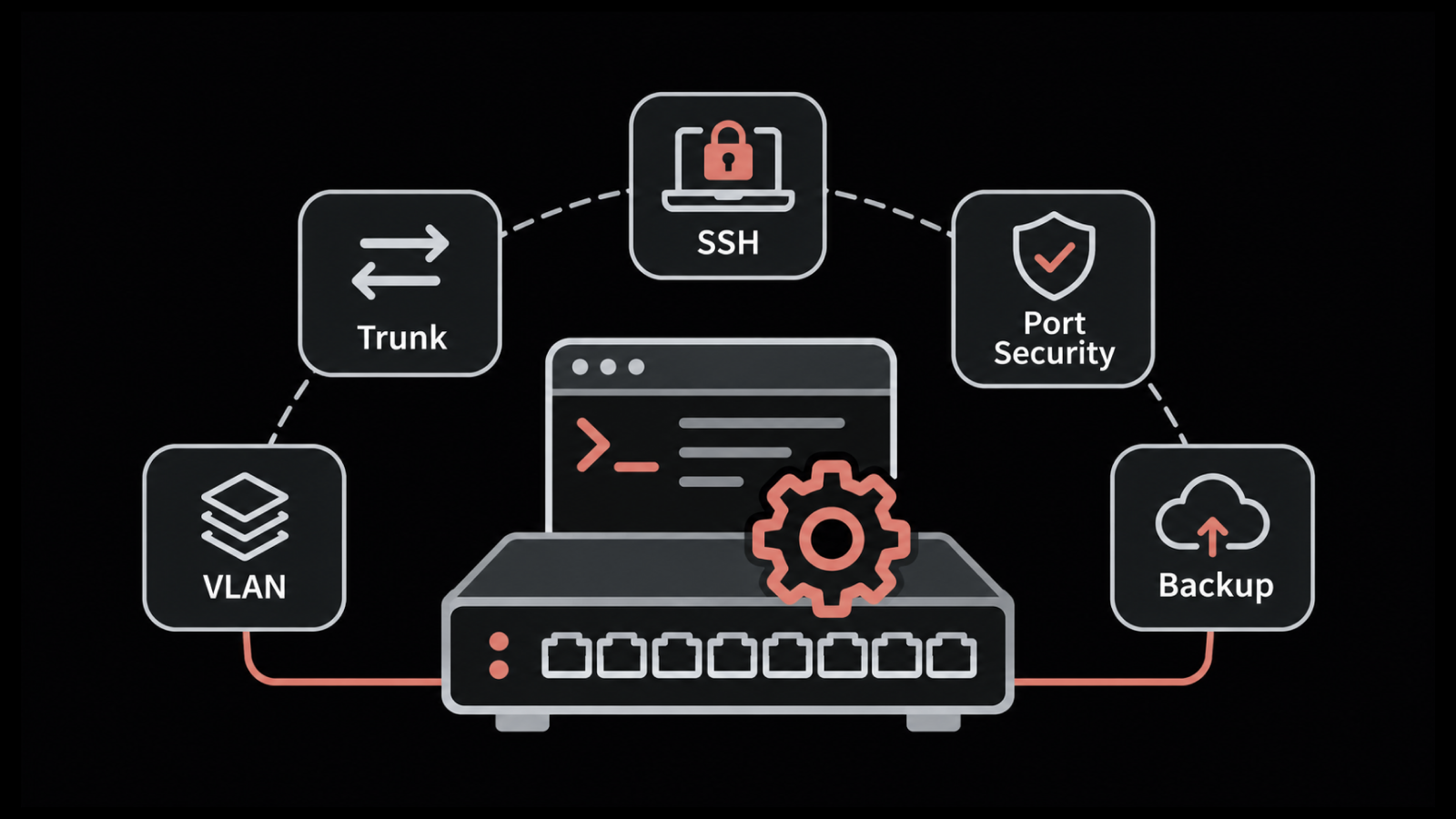
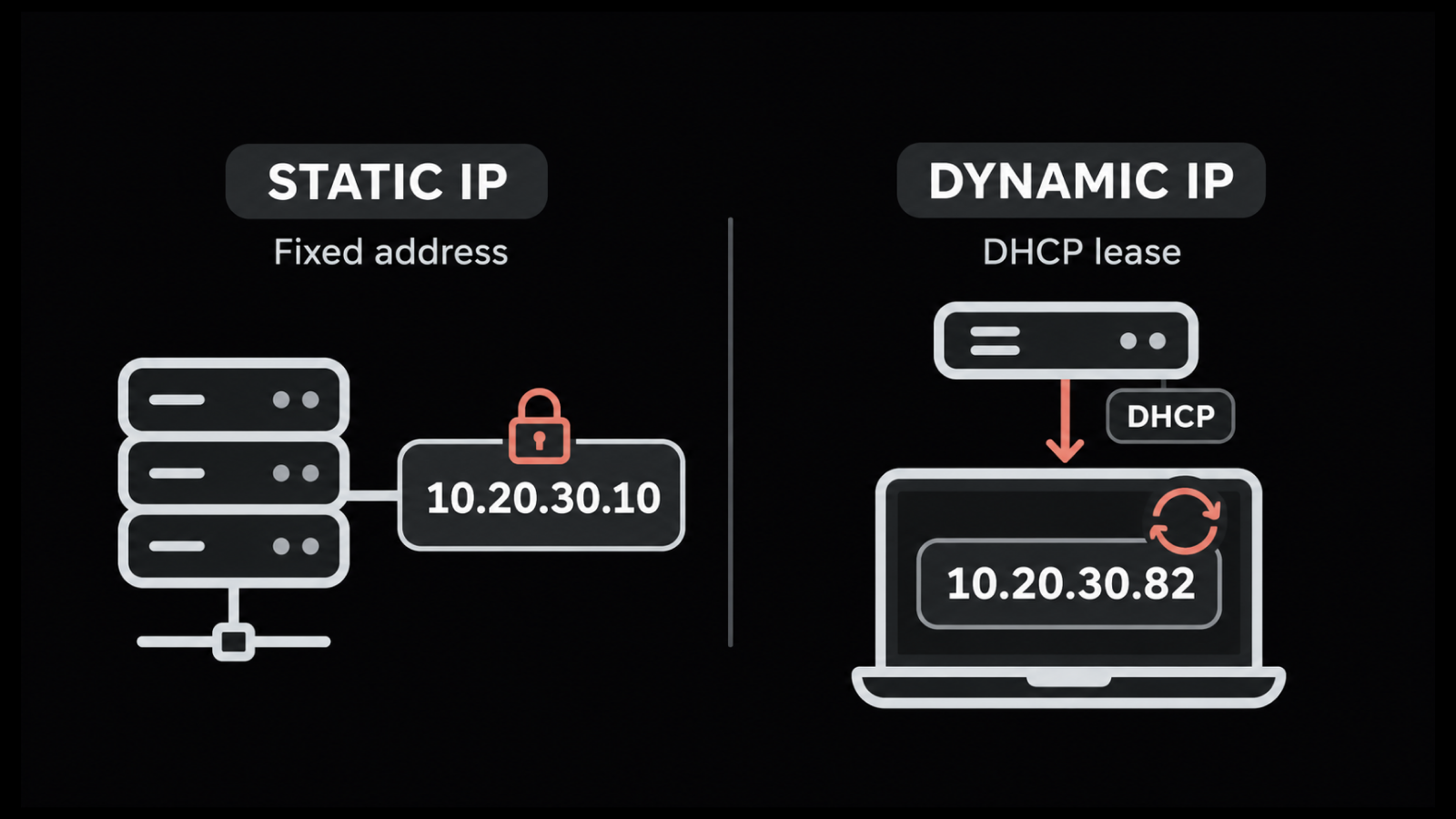
Network Inventory Management: How to Track Every Device and Config
How many devices are on your network right now? The usual answer is “check the spreadsheet”, and nobody is quite sure which copy is current. That's awkward during an outage and worse during an audit, or on the day a vendor advisory asks which switches run a vulnerable firmware build.
Network inventory management retires that spreadsheet. In its place, you get a record that changes when the devices do, with hardware, addresses, VLANs and every router and switch config in one place. Engineers, auditors and finance then quote the same figures.
This guide picks up where network documentation leaves off; the diagram shows the network; the inventory is the record behind it. In this blog, you will see what that record should hold and why the business should care. Then we'll build one with automated discovery, set refresh triggers for each field and put device configs under version control.
What Is Network Inventory Management?
Network inventory management means keeping an up-to-date record of every device, link and configuration on your network. Discovery fills the record. Scheduled updates keep it matched to what's running.
Current is the hard part. A list made during a migration is fine for a few weeks. After a firmware upgrade, a swapped switch and one new branch office, it describes a network that no longer exists.
What Is Inventory in Networking?
Inventory in networking is simpler than it sounds: every device on the network, plus its model, serial number, OS version, management IP and rack location. A good network device inventory goes two steps further and records what each device is plugged into and which config it's running. When a core switch fails, those are the first two questions anyone asks.
How Is Network Inventory Different from IT Asset Management and a CMDB?
These three get confused because they share data. Each one is built to answer a different question:
Network inventory | IT asset management | CMDB | |
Main question | Is it on the network, and how is it set up? | Do we own it, and when does it expire? | What breaks if this fails? |
Usual owner | Network engineering | IT asset or procurement function | Service management |
Typical records | Router, switch, firewall and config records | Laptop, server, license and contract records | Maps configuration items and their relationships |
How it stays current | Updated by discovery, polling and config backups | Updated by agents, purchase records and audits | Fed by discovery and change records |
Most of the time the network inventory is the source, and the other two consume it. IT asset management needs it for accurate hardware records; our comparison of CMDB vs ITAM covers where each kind of data should live.
Why Does Network Inventory Management Matter to the Business?
Network inventory management matters to the business because every budget, risk or audit discussion eventually asks what the company actually has on its network. A spreadsheet from last quarter can't supply it.
You don't need to log in to a switch to see the value. It shows up in four places:
Faster incident recovery: Connections and recent changes visible at a glance; shorter outages
Lower security exposure: Every device on an affected firmware version listed the day a vendor flaw is published, ahead of vulnerability management work
Cost control: Support renewals matched to hardware that is still installed
Audit evidence: Device lists, config history and change records pulled from one place when compliance audits come around
Take a common case: the switch model in your branch offices hits end of support during budget season. With lifecycle dates in the inventory, finance gets the affected units, their sites and a rough replacement cost from one report. Without them, refresh planning stalls while someone logs in to every device or travels to every site.
The inventory also supports network observability. An alert that reads "core-sw-02, owned by DC operations, rack B4" gets handled faster than one that reads "10.20.1.2 is down". Getting there starts with what goes into the record.
What Should a Network Inventory Record?
A network inventory should hold four layers of detail on every device. The physical layer says what the device is; the other three cover how you reach it, how it's set up and how long it has left.
Each one answers something the others can't. Skip one and you get the same blind spot again and again.
What Are the Four Layers of a Network Inventory?
Physical layer: What's in the rack, down to module serials and the cable on each port
Logical layer: Addresses, subnets, VLANs, routing neighbors and VPN tunnels; the parts you can't touch
Configuration layer: Running and startup configs, the approved baseline, firmware, change history
Lifecycle layer: Warranty and support dates, owner, business service
Two variations come up often. Virtual network inventory management stretches the logical layer to virtual switches, overlay segments and SDN controllers, some of which live for only a few hours. Fiber network inventory management is the physical side for carriers and large campuses: fiber runs, splice points, patch panels and often the circuits sold over them.
Why Does Each Inventory Field Need Its Own Source and Refresh Cycle?
Fields in a physical and logical network inventory don't age at the same rate. A chassis serial might not change for seven years; the running config on an edge router can change twice in one afternoon. Put everything on one schedule and some fields will always be wrong.
Field | Best source | How it goes stale | Refresh trigger |
Device presence | Scheduled discovery scan | Devices appear or vanish without notice | Every discovery cycle |
Vendor, model and OS | SNMP system OID and description | Rarely changes, except after a swap | Rediscovery, and after an RMA |
Serials and modules | SNMP entity table or CLI output | Changes with module swaps and RMAs | After any hardware change |
Firmware version | SNMP or CLI version output | Changes with upgrades and rollbacks | After each upgrade window |
Running config | Backup over SSH or Telnet | Drifts with live troubleshooting edits | On a change event, plus scheduled backups |
Neighbors and links | CDP, LLDP and routing tables | Shifts with recabling and failed ports | Rescan after changes |
Warranty and support | Vendor data and contracts | Expires or renews | Monthly sync |
Owner and location | People and site records | Moves with reorganizations | Review each quarter |
That last column is where the design work is. Give each field a named source and a trigger, and nobody has to guess whether a value is current.
Records still decay, of course. Here's why.
Why Do Network Inventories Drift Out of Date?
Network inventories drift out of date because networks change through small, routine actions. Most of those actions never reach the inventory record.
None of it is dramatic. The usual sources:
Live troubleshooting edits: An ACL tweak during an incident, never ticketed
Hardware replacements: Same hostname and IP after an RMA; new serial, modules and warranty
Unrecorded additions: A branch access point or lab switch online before anyone logs it
Silent retirements: Decommissioned gear still listed, still on support renewals
Identity changes: Two records for one device after a rename or re-IP
In Uptime Institute's 2025 outage analysis, configuration and change management failures were behind half of the major network-related outages it studied. No other cause ranked higher. And when the inventory can't say what changed, or when, engineers piece it together from memory while the outage is still running.
Change management records cover most of these paths, as long as the inventory can also catch the changes nobody filed. The build process below is designed around those failure points.
How Do You Build a Network Inventory from Scratch?
You build a network inventory in seven steps. The first three get the data in: scope, access and automated network discovery. Steps four to seven handle cleanup and upkeep.
If an old spreadsheet exists, hold on to it as a cross-check for the first scan.
1. Define Inventory Scope and Ownership
Put the scope in writing first. Name the sites, the management subnets and the device types. Settle it now; otherwise someone will ask later whether IP phones or factory controllers count.
Management subnets per site, out-of-band networks included
Device classes in scope: routers, switches, firewalls, wireless controllers, UPS units
One named owner per site to confirm the list
2. Prepare Discovery Credentials and Access
Credentials decide how much discovery sees. Read-only accounts do the job, and SNMP v3 is safer than community strings wherever a device supports it. Before the first run, confirm the firewall lets the discovery server reach UDP 161 and SSH on each subnet.
Some devices ignore ping. If discovery pings first, they never show up; plan one pass with the ping check off for management subnets.
3. Run Automated Network Discovery
Network discovery sweeps the ranges you defined once credentials are in place, asking every responding device for its details. Different sources fill different columns:
Source | What you get |
SNMP system description and OID | Gives vendor, model family and OS string |
SNMP physical entity table | Lists chassis, module and power supply serials |
SNMP interface tables | Shows ports, speeds, descriptions and status |
CDP and LLDP neighbor tables | Reveals which port connects to which neighbor |
ARP and MAC address tables | Places endpoints on switch ports |
OSPF, BGP or IS-IS neighbor data | Maps Layer 3 adjacencies between routers |
Show version and show inventory over SSH | Fills in OS image, modules and serials when SNMP falls short |
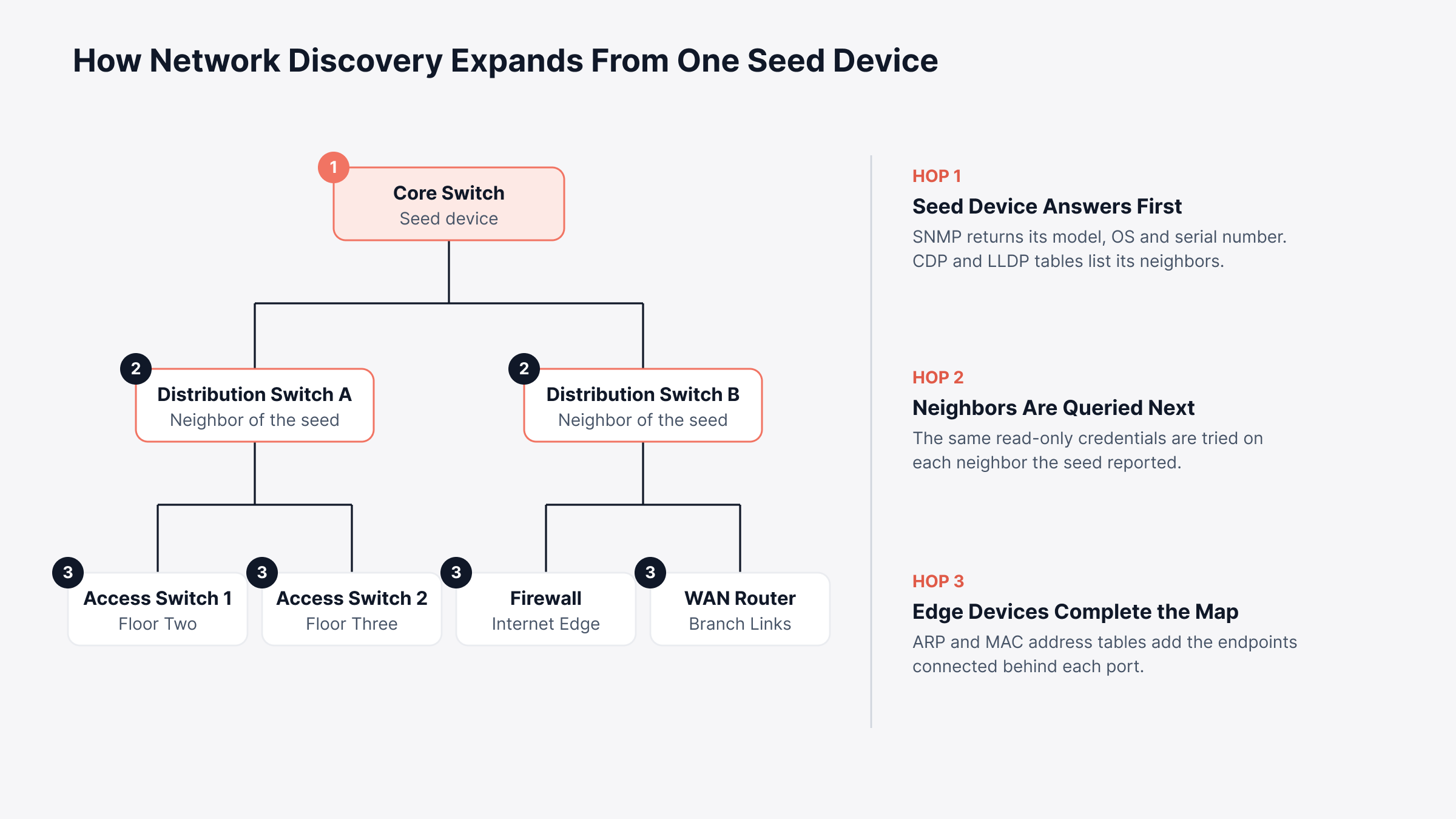
Neighbor tables and ARP tables do most of the expansion work. Start in the wrong place and whole sites can go missing.
Pick a seed device with complete neighbor data, usually a core switch. The diagram below shows what each hop adds as discovery moves outward.
4. Normalize Records and Remove Duplicates
Raw discovery output is messy. You'll see "Cisco Systems, Inc." on one row and a bare enterprise number on the next. A switch with two management IPs may appear twice.
Normalize vendor and model names, then settle on one naming convention such as site-role-number. For the record key, the chassis serial or MAC address works best because a rename or new IP doesn't change it.
5. Capture Device Configurations and Set Baselines
Take a backup of the running and startup config on each in-scope device; version 1 is fine to start. After an engineer reviews it, that version becomes the baseline, and every later configuration backup is compared against it.
6. Enrich Records with Lifecycle and Ownership Data
A scan won't reveal that switch 14 feeds the payments system, and it can't see who pays the support contract. Pull contract and end-of-life dates from procurement records. Owners, sites and business services usually come from the people who run each location.
7. Schedule Rediscovery and Reconcile Changes
Set discovery, backups and topology scans to repeat on a schedule, and give each run a short review. New devices are checked before they join the record; a device that drops out is either confirmed retired or chased down. Changed fields get a timestamp, which is the first thing a network inventory audit asks for.
How Often Should You Update a Network Inventory?
You should update a network inventory on two clocks: event triggers for fast-moving data, and scheduled scans as a backstop.
Here's a starting point for a mid-sized enterprise network; tighten it where change volume runs high.
Data | Event trigger | Scheduled backstop |
New or removed devices | Change ticket closes or a new site goes live | Discovery daily or weekly, by change rate |
Running configuration | Device sends a syslog config-change message | Regular backups, core devices first |
Firmware version | Upgrade window closes | Weekly version check |
Topology links | Recabling or a new link | Rescan after each change window, plus monthly |
Warranty and end-of-life dates | Contract renews | Monthly lifecycle sync |
Owner and business service | Reorg or site move | Review each quarter |
Core and edge devices deserve tighter schedules than access switches. A misconfiguration there reaches more users, and it reaches them faster.
How Does Configuration Tracking Fit into Network Inventory?
Configuration tracking is the part of network inventory that records what each device is actually doing. Knowing a router exists helps; knowing its ACLs is what fixes outages.
Most network devices hold two configurations at once:
Running configuration: Active in memory and applied to traffic right now
Startup configuration: Stored in flash and loaded after the next reboot
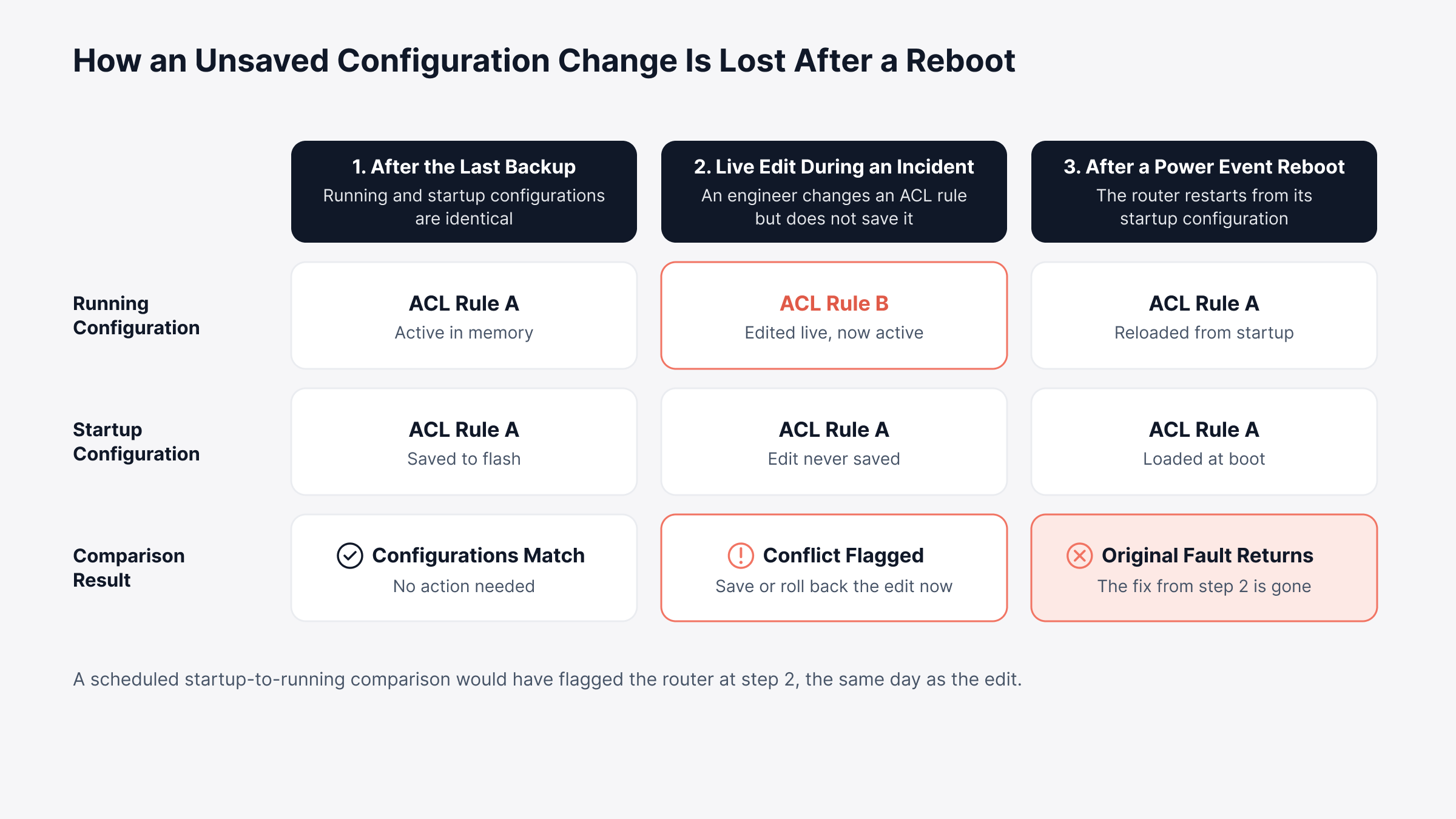
When the two differ, the device behaves differently after its next restart. Consider an engineer who tightens an ACL on a branch router during an incident and never saves it to startup. Weeks later, a power event reboots the router, the old rule returns, and the original problem reappears with no record of why.
A scheduled startup-to-running comparison would have flagged that router the same day. The diagram below follows the change through all three stages.
In practice, good configuration tracking looks like this:
Versioned backups: Every copy kept, any two comparable line by line
Approved baseline: One reviewed config as the yardstick
Change detection: A fresh backup whenever a device logs a config change
Controlled restores: Rollbacks only after sign-off
This is the point where network inventory meets network configuration management. Treat configuration drift as an inventory field, and the record tells you which devices exist and which ones match your standard. A few habits keep all of this reliable.
What Are the Best Practices for Network Inventory Management?
The best practices for network inventory management are mostly about discipline: stable record keys, changes tied to tickets, lifecycle dates on file and regular audits.
1. Key Every Inventory Record on a Stable Identifier
Serial numbers and chassis MACs make good primary keys. Hostnames and IPs are attributes; they change.
Chassis serial stored apart from module serials
New serial recorded after an RMA, old one kept in history
An alert on any IP or hostname change with no ticket behind it
2. Tie Every Device Change to a Change Record
Planned or not, every device change should leave a trace the inventory can see.
Device record referenced in every network change request
Syslog change events with no matching ticket queued for review
Approval required before restores and firmware upgrades on production gear
3. Track Lifecycle Dates Next to Device Records
End-of-support dates are inventory data. Keep them next to the model and serial they apply to.
End-of-sale, end-of-support and end-of-life dates per model
A report of devices reaching end of support before the next budget cycle
Support contracts linked to serial numbers, so renewals cover what's installed
4. Run a Network Inventory Audit on a Schedule
Trust comes from checking. Compare the record against the live network on a fixed schedule.
Discovered versus recorded device counts, site by site
Spot checks on serials and locations during site visits
Records with no successful poll or backup in 30 days
The audit is also a good moment to check configuration compliance. Once these habits are agreed, picking software is mostly a question of which tools support them.
What Should You Look for in Network Inventory Management Software?
Network inventory management software should discover multivendor networks, version every config, track lifecycle dates and share data with the service desk. All of it should run on schedules you set.
When you compare the best tools for network inventory management, these are the questions worth asking a vendor:
Capability | Question to ask the vendor | Why it matters |
Multivendor discovery | Which protocols and credentials does discovery support, and can it run on a schedule? | Decides how complete the inventory is |
Topology mapping | Does it map Layer 2 and Layer 3 links from neighbor data? | Shows how far a failure spreads |
Configuration capture | Are running and startup configs versioned and comparable? | Speeds up rollback |
Change detection | Can a syslog change event trigger a backup? | Catches changes made outside the window |
Lifecycle data | Does it show end-of-sale and end-of-support dates per device? | Feeds refresh budgets |
Access control | Do restores and firmware upgrades need approval? | Lowers outage risk |
Reporting | Can inventory data be filtered and exported for audits? | Gives auditors and finance their own views |
ITSM integration | Can alerts and records reach the service desk? | Keeps one shared record |
Network inventory tools that answer most of these well need less manual upkeep. They are a narrower category than general asset tools; if laptops and licenses are in scope too, see our roundup of IT inventory software.
How Does Motadata ObserveOps Track Every Device and Config?
Motadata ObserveOps, our unified observability platform, tracks every device and config by combining scheduled discovery, topology scanning and network configuration and compliance management (NCCM) in one place.
1. Scheduled Network Discovery in ObserveOps
We built discovery profiles to accept a single IP, an IP range, a CIDR block or a CSV list, using SNMP v1, v2c or v3 credential profiles. The ping check can be switched off for devices that block ICMP, interface discovery is on by default, and each profile can run immediately or on a schedule.
Rediscovery schedulers then look for new interfaces and other instances on devices already in ObserveOps. We list what they find for your review before anything is added, and rule-based tags group devices automatically by attributes such as type or name.
2. Layer 2 and Layer 3 Topology from Neighbor Data
Our topology scanner starts from a seed device and builds the map from CDP, LLDP and switch port mapping at Layer 2. At Layer 3, it uses OSPF, BGP and IS-IS adjacencies. You can view switching and routing separately, then save a filtered topology map by tag, group or IP range for each site.
3. Device Records with Configuration State Attached
The NCCM Explorer gives each device one row that combines identity with configuration state:
Identity: Device name, IP, device type and vendor
Configuration: Current version, a config conflict flag, last backup status and last backup time
Firmware: Current firmware shown next to the latest firmware available
Opening a device adds hardware details such as serial number, OS version and model, collected through template-driven commands. Its EoX tab lists end-of-sale, end-of-support and end-of-life dates with a lifecycle status, so refresh planning works from the same record.
4. Configuration Backups, Baselines and Change Detection
We back up running and startup configurations on a schedule or on demand with Backup Now, and keep each one as a version. Compare shows inserted, modified and deleted lines side by side, any running configuration can be set as the baseline, and backup and restore lets you roll a device back to a known version.
This is what one of our customers says about Motadata ObserveOps on G2.
Network Config Policy then raises alerts on Baseline-Running and Startup-Running conflicts, or on a failed backup. With syslog change detection enabled and its runbook attached, a valid change triggers an automatic backup, and the Change Summary records the user, remote IP and session behind it.
5. Change Approvals and Compliance Checks
We built the NCCM Approval role so that restores, syncs, runbook runs and firmware upgrades requested by users without approval rights wait for a senior engineer's sign-off. Our compliance management runs benchmark rules against device configurations and shows pass or fail results for each rule. Failed rules can trigger runbooks that fix the violation.
6. Sharing Network Inventory with ServiceOps and the CMDB
When the network record needs to join the wider asset picture, Motadata ServiceOps runs its own network scans and can stage discovered devices for review before they enter the CMDB. Unique identifier settings decide whether a scanned device updates an existing record or creates a new one, and SNMP custom properties map a device's system OID to the right asset type.
From there, warranty sync pulls warranty dates for Dell hardware into CMDB records. Variance detection emails technicians when discovered hardware attributes differ from the approved baseline, and ObserveOps alerts can open ServiceOps requests that clear the alert once closed.
Move From Static Device Lists to a Live Network Inventory with Motadata ObserveOps
Spreadsheets and one-off scanners capture the network at a single moment, and every change after that moment makes them less reliable. ObserveOps keeps the active layer current through scheduled discovery, neighbor-based topology and versioned configurations, with lifecycle dates and approvals attached to the same device record.
No discovery tool can see passive infrastructure such as fiber runs, patch panels and unlabeled cabling, so those records will always depend on site surveys and disciplined change records. Automating the rest frees your engineers to spend their review time on exactly those parts. A practical first step is to run discovery and configuration backups on one site, then compare the result with the record you have today.
FAQs
What is inventory in networking?
Inventory in networking is the structured record of every network device and its attributes, including model, serial number, OS version, IP addresses, location and configuration. A good inventory also records how devices connect, so engineers can see which users and services depend on each device during an outage.
How is network inventory management different from IT asset management?
Network inventory management tracks what is on the network, how it connects and how each device is configured. IT asset management tracks ownership, cost, contracts and the full lifecycle of all IT assets, including laptops and software licenses. Most organizations feed network inventory data into their asset management or CMDB records.
How often should a network inventory be updated?
Update each type of data on its own trigger. Configurations should refresh when a device reports a change and on a regular backup schedule, while device presence suits daily or weekly discovery. Lifecycle dates and ownership change more slowly and fit monthly or quarterly reviews.
Can network inventory management be fully automated?
Most of the active network can be discovered, polled and backed up automatically, including devices, interfaces, neighbors and configurations. Passive infrastructure such as fiber runs and patch panels, along with ownership and business context, still needs people to record and review it on a regular schedule.
What should network inventory management software include?
Look for multivendor discovery, Layer 2 and Layer 3 topology mapping, versioned configuration backups with comparison, change detection, lifecycle dates and integration with your service desk. Motadata ObserveOps brings these together with NCCM, so device records and configuration history stay in one place.
Author
Poonam Lalani
Content Strategist
Poonam Lalani is a B2B content strategist and writer with a background in computer engineering and experience across enterprise technology domains, including AI, cloud, DevOps, data engineering, and IT operations. She specializes in creating research-driven content that simplifies complex ideas and supports product education, thought leadership, and business growth.