Best Kaseya Alternatives for 2026: 10 RMM and ITSM Tools Compared
Kaseya is not one product, which is why shopping for Kaseya alternatives gets confusing fast. The name covers VSA, Datto RMM, Autotask, BMS, Vorex, IT Glue, Network Glue, and three Kaseya 365 bundles that mix those modules together in different combinations.
So, the answer depends on which piece you are actually replacing. Kaseya 365 Ops lists at $129 per user per month with a minimum of three user licences and a one-year term, and covers PSA, documentation, quoting, and billing.
Kaseya 365 Endpoint covers RMM, patching, antivirus, EDR, and backup, and starts at 50 endpoints for new customers. Those are two different purchases with two different replacement paths.
The other fork is who you are. Managed service providers need remote monitoring plus client billing. Internal IT teams need endpoint management plus a service desk, and have no use for invoicing a customer.
Alternatives to Kaseya rarely serve both groups equally well, so your shortlist depends on which group you sit in.
In this blog, you will see:
A module-by-module map of what replaces each part of a Kaseya stack, so you shortlist the right category before you compare products.
Ten Kaseya alternatives compared on category, pricing model, deployment, and licence minimums.
A full review of every tool, including the cons, with ratings from G2 and Gartner Peer Insights.
A decision guide that matches your situation to a starting point, whether you run an MSP or an internal IT team.
By the end, you will know which two or three of these tools are worth a trial in your own environment.
Check the pricing unit before you compare a single feature. Per-endpoint and per-technician models can differ by a factor of three at the same headcount.
Which Kaseya Product Are You Replacing?
Before you compare tools, work out which Kaseya modules you actually use, because each one maps to a different product category.
A team running VSA and Autotask together is shopping in two markets at once. A team running only VSA is not shopping for a PSA at all.
Here is how the Kaseya portfolio maps to replacement categories.
Kaseya Product | What It Does | Replacement Category |
VSA 9 / VSA 10 | Remote monitoring, patching, remote control | RMM for MSPs, or unified endpoint management for internal IT |
Datto RMM | Remote monitoring and management | None. Kaseya has owned Datto since 2022, so this is the same vendor |
Autotask, BMS, Vorex | PSA: ticketing, contracts, billing, CRM | PSA for MSPs, or ITSM for internal IT |
Network Glue | Network discovery, documentation, password rotation | Network monitoring and observability |
IT Glue, MyGlue | IT documentation and knowledge | Documentation, or a knowledge base inside your ITSM tool |
Datto AV, Datto EDR, RocketCyber | Antivirus, endpoint detection and response, managed SOC | Endpoint security, handled separately from this list |
Kaseya 365 Endpoint / Ops | Bundles of the modules above | Depends on which half of the bundle you use |
That map explains why the ten tools below sit in different categories.
Kaseya VSA alternatives split across two of them on their own:
RMM platforms answer the VSA question for service providers’
Unified endpoint management answers it for internal IT.
ITSM platforms answer the Autotask and BMS question when the tickets come from employees rather than clients.
A few tools cover more than one of those, and the comparison table names the category for each one.
Why Do Teams Look for a Kaseya Alternative?
Teams look for a Kaseya alternative for three main reasons. Licence minimums set a floor above their actual team size. Renewal mechanics need careful reading before anyone signs.
And the bundles are built around managed service delivery, which is awkward when the buyer is an internal IT department.
1. Licence Minimums Set the Floor, Not Your Team Size
Kaseya's entry minimums can sit above what a smaller team needs, and upgrades follow the same logic.
Bundle | Entry Minimum | What Sets Your Licence Count on Upgrade |
Kaseya 365 Ops | 3 user licences | Your highest-count existing module, matched across all seven |
Kaseya 365 Endpoint | 50 endpoints for new customers | The component with the most endpoints |
So a shop with 40 IT Glue seats and 12 PSA seats lands on a 40-seat bundle. Kaseya offsets some of that with FlexSpend credit for leftover value, and it is upfront that the bundle is where the economics work.
2. Renewal Terms Deserve a Close Read
Kaseya's renewal mechanics drew enough partner feedback that the company published a change to them in August 2022. Under the current policy:
Auto-renew agreements renew for the same number of months as the previous term.
You can opt out mid-term by contacting your account manager.
Renewal notice goes out 90 days ahead, your rate is locked for the contract term, and any renewal increase is capped at 5 percent plus CPI.
Read that against your own client contracts. The mismatch to watch for is a multi-year tooling commitment sitting under a client relationship with a much shorter notice period.
3. The Bundles Are Built MSP-First
Kaseya 365 Ops bundles seven modules, and several only make sense if you invoice customers:
Quoting and hardware procurement
Accounts receivable collections
Subscription billing
Client-facing quarterly business reviews
An internal IT team pays for that machinery and never uses it. The same budget could buy a service catalogue for employees, a CMDB that maps dependencies, and patch compliance reporting for an audit. Our guide on why organizations replace their ITSM tools covers how that mismatch shows up.
None of this makes Kaseya a weak platform. The integration across its own modules is real, one vendor means one support relationship, and the bundle lowers cost per endpoint for a provider using most of it. The model assumes you want the whole stack from one company.
How We Evaluated These 10 Tools
We evaluated these ten Kaseya alternatives the way a buyer researches a switch. That meant vendor documentation, published pricing pages, and current G2 and Gartner Peer Insights ratings.
We did not run a lab benchmark against every platform. Every price below is the vendor's published US list price in dollars, so EU and UK rates will differ.
We weighed the following five factors:
Buyer fit: Is the tool built for an MSP billing clients, or an internal IT team serving employees? That one answer cuts the list in half.
Pricing transparency: Does the vendor publish a price at all? Three of these ten do not.
Endpoint and patch coverage: We checked how far each tool reaches across Windows, macOS, and Linux. Third-party application patching often costs extra.
Service desk depth: Some tools carry real ITIL practices such as change enablement and problem management. Others stop at ticketing.
Deployment and data residency: Most of this list is cloud only. For a bank or a government department, that ends the evaluation on day one.
The 10 Best Kaseya Alternatives Compared
Here is the shortlist at a glance, with the category each tool belongs to. The pricing models vary more than the feature sets do, so read that column before the rest.
Tool | Category | Best For | Deployment | Pricing Model | Free Trial |
Motadata ServiceOps | ITSM, ITAM, patch | Internal IT teams and multi-tenant service delivery | SaaS, on-premises, private and public cloud | Per user or per asset, modular | Yes, 30 days |
NinjaOne | RMM | MSPs and IT teams replacing VSA | Cloud only | Per device, quote only | Yes, 14 days |
ManageEngine Endpoint Central | Unified endpoint management | Enterprise IT managing mixed fleets | On-premises and cloud | Per endpoint tier, annual | Yes, plus a free edition |
Atera | RMM, PSA, helpdesk | Lean teams that want predictable cost | Cloud only | Per technician, unlimited endpoints | Yes, 30 days |
ConnectWise | RMM and PSA | Large MSPs with dedicated tooling staff | Cloud and on-premises by product | Per endpoint, quote only | Not published |
N-able N-central | RMM with security | MSPs serving regulated clients | Cloud and self-hosted | Per device, quote only | Not published |
Syncro | RMM, PSA, M365 | Small MSPs with high endpoint ratios | Cloud only | Per user, unlimited endpoints | Yes |
SuperOps | RMM and PSA | Growing MSPs leaving legacy tools | Cloud only | Per technician or per endpoint | Yes, 14 days |
Freshservice | ITSM | Mid-market internal IT and employee services | Cloud only | Per agent | Yes |
Microsoft Intune | Unified endpoint management | Organizations standardized on Microsoft 365 | Cloud only | Per user | Yes |
The table tells you where each tool sits. The reviews below tell you whether it is worth your time.
Detailed Overview of the 10 Best Kaseya Alternatives in 2026
Here is a closer look at each tool, including where it fits and where it does not.
1. Motadata ServiceOps
Best for: Internal IT teams replacing the service desk, asset, and patch half of a Kaseya stack, and service providers that need multi-tenancy without per-client deployments.
Rating: 4.6 on G2, 4.2 on Gartner Peer Insights.
Kaseya splits three jobs across VSA and its PSA products. ServiceOps runs all three in one place: an ITIL-aligned service desk, IT asset management on a shared CMDB, and patch and deployment management for Windows, macOS, and Linux.
One licence covers all of it. One asset record sits underneath, so a failed patch, the machine it failed on, and the ticket it raised all point at the same configuration item.
Multi-tenancy gets a dedicated edition rather than a workaround. ServiceOps MSP Edition gives every client a branded portal on its own URL, with its own SLAs, workflows, and approval chains.
Data boundaries are enforced per tenant. Technicians still work from one console. Adding a company is a configuration change, not a new deployment, and users map to their company by email domain.
Motadata ServiceOps sits in the PeopleCert Accredited Tool Vendor directory as ITIL 4 compliant across 12 practices, including change enablement, problem management, IT asset management, and service level management.
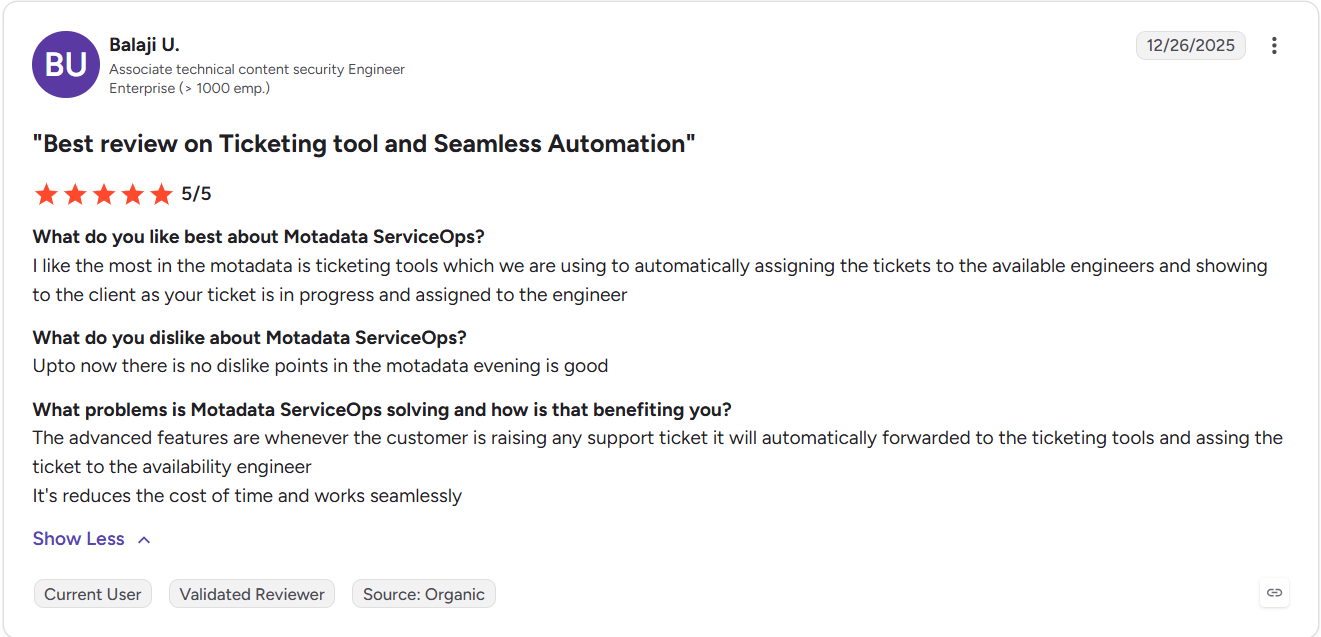
You can read the rest of the ServiceOps reviews on G2.
Pros
- Service desk, asset management, and patching sit under one licence instead of three subscriptions
- On-premises and private cloud deployment for teams with data residency or air-gap requirements
- PeopleCert ATV accreditation for ITIL 4 across 12 practices, which most tools in this category do not hold
- AI features are built into the modules rather than sold as a separate tier
- Modular licensing means you can buy ITSM, ITAM, and patch independently
Cons
- There is no remote control or scripting engine, so a technician who lives in a remote session all day will still want an RMM alongside it
- Quoting, procurement invoicing, and client billing are not part of the platform, so an MSP replacing Autotask end to end needs a PSA for the money side
- The public review footprint is smaller than the incumbents on this list, so there is less peer research to lean on
- Full ITIL depth takes configuration time, and teams that only need basic ticketing will not use most of what they license
Pricing: Subscription pricing tiered by number of assets and users, with ITSM, ITAM, and patch management licensable separately or together. Concurrent and named user licensing are both available with a 30-day free trial.
2. NinjaOne
Best for: MSPs and IT teams that want a straight VSA replacement without a long ramp-up.
Rating: 4.7 on G2, 4.7 on Gartner Peer Insights.
NinjaOne comes up more than any other name when people describe leaving VSA. The reason is consistency rather than one standout feature.
Patching, monitoring, remote access, and software deployment behave the way the documentation says they will. Technicians are usually productive inside a week.
Scope is where it stops. NinjaOne is an endpoint platform, so ticketing, documentation, and billing arrive through integrations with Autotask or ConnectWise PSA. If you are replacing both halves of a Kaseya stack, this solves one of them.
Pros
- Short learning curve compared with legacy RMM consoles
- Strong patching reputation across mixed Windows and macOS fleets
- Consistently high ratings on both G2 and Gartner Peer Insights
- Lightweight agent and quick deployment across large fleets
Cons
- No published pricing, so every evaluation starts with a sales conversation
- No native PSA, so ticketing and billing need a second product
- Cloud only, which rules it out for air-gapped or residency-bound environments
- Add-on modules stack onto the per-device rate and change the maths at scale
Pricing: Custom per-device quotes with no public list price, and a 14-day free trial.
3. ManageEngine Endpoint Central
Best for: Enterprise IT teams managing mixed operating systems that want endpoint management on-premises.
Rating: 4.5 on G2, 4.6 on Gartner Peer Insights.
Gartner reviewers compare Endpoint Central against Kaseya VSA more than any other product. It treats the job as unified endpoint management rather than managed services.
Patching, software deployment, configurations, remote control, and mobile device management all run from one console, across Windows, macOS, Linux, iOS, and Android.
It also runs on-premises. That matters to the same buyers who cannot use a cloud-only RMM. ManageEngine was named a Challenger in the 2026 Gartner Magic Quadrant for Endpoint Management Tools.
A service desk is a separate purchase called ServiceDesk Plus, licensed on its own, and we cover the wider portfolio in our ManageEngine alternatives comparison.
Pros
- Free edition covering 25 endpoints, which makes evaluation genuinely low risk
- On-premises deployment for regulated and residency-bound environments
- Very broad third-party patch catalogue
- Published pricing, which is rare among the endpoint tools on this list
Cons
- The edition matrix is complex, and features you expect often sit one tier above the one you priced
- Server management is licensed separately from workstations
- The service desk is a different product, so a full Kaseya replacement means two ManageEngine licences
- The interface carries a lot of depth, which slows down smaller teams
Pricing: A free edition covers 25 endpoints. Paid editions start at $795 a year for Professional, $945 for Enterprise, $1,095 for UEM, and $1,695 for Security, with a free trial on the paid tiers.
4. Atera
Best for: Lean IT teams and smaller MSPs that want cost to stay flat as endpoint counts grow.
Rating: 4.6 on G2, 4.3 on Gartner Peer Insights.
Atera charges per technician, not per endpoint. That changes the arithmetic for anyone running a high device-to-technician ratio.
Three technicians covering 2,000 devices pay what three technicians covering 300 pay. Predictability is why teams leave a per-endpoint contract for this one.
RMM, ticketing, and reporting ship together, so one subscription covers both halves of a small Kaseya stack.
Depth is what you give up. Network monitoring and automation run lighter than the enterprise platforms, and that shows once client environments get complicated. Our Atera pricing breakdown walks through the tiers.
Pros
- Per-technician pricing removes the growth penalty of per-device contracts
- Published pricing on the website, with no sales call needed to get a number
- RMM and ticketing in one product, which suits small teams
- Fast to deploy, with a 30-day trial and no credit card
Cons
- Network monitoring depth trails the enterprise RMM platforms
- Per-technician pricing gets expensive for teams with many technicians and few devices
- Cloud only, with no on-premises option
- Advanced automation and customization are limited compared with ConnectWise or N-able
Pricing: IT department plans run $149, $189, and $219 per technician per month billed annually, with monthly billing at $169, $229, and $269. MSP plans start at $129 per technician per month billed annually. A 30-day free trial is available on every plan.
5. ConnectWise
Best for: Large MSPs with the staff to configure and maintain a deep tooling stack.
Rating: 4.2 on G2, 4.2 on Gartner Peer Insights.
ConnectWise is Kaseya's closest structural match, which is why it shows up in every comparison like this one. It sells RMM, PSA, and remote access as separate products that integrate tightly.
The scripting engine handles automation most platforms here cannot express. Depth costs time. Shortlist ConnectWise only if someone on the team owns the platform as part of their job.
That’s because it rewards that and punishes the alternative. If you are leaving Kaseya because the stack feels heavy, this is a lateral move.
Pros
- Covers RMM and PSA from a single vendor, which few alternatives do at this scale
- Automation depth that suits complex, high-volume operations
- Mature ecosystem with a wide integration catalogue
- Long track record with large service providers
Cons
- Long ramp-up, and the platform needs an owner to stay well configured
- Separate subscriptions for RMM, PSA, and remote access add up quickly
- No published pricing for any of the products
- Ratings on Gartner Peer Insights sit below the newer platforms on this list
Pricing: Quote only, priced per endpoint and typically billed annually, with no public list price.
6. N-able N-central
Best for: MSPs serving healthcare, finance, and other regulated clients where security reporting matters.
Rating: 4.4 on G2, 4.5 on Gartner Peer Insights.
N-central puts security in the foreground. Endpoint detection and response, vulnerability scanning, and backup are built in rather than bolted on. Patching supports staged deployment with automatic rollback, which is the feature regulated clients ask about during an audit.
It can also be self-hosted. That puts it in a small group here, because providers who cannot route client data through someone else's cloud run out of options fast. There is no PSA in the portfolio, so ticketing and billing come from a partner product.
Pros
- Security tooling built into the platform rather than sold as a separate stack
- Self-hosting option, which is rare in modern RMM
- Strong compliance and reporting features for regulated client bases
- Mature and stable, with a long history in the MSP market
Cons
- No native PSA, so ticketing and billing need another vendor
- No published pricing
- The security-first design makes routine RMM tasks feel heavier than they need to
- Interface and workflow feel dated next to the newer cloud platforms
Pricing: Quote only, priced per device, with no public list price.
7. Syncro
Best for: Small MSPs managing many endpoints with a small technician team.
Rating: 4.5 on G2, no Gartner Peer Insights listing yet.
Syncro puts RMM, PSA, and Microsoft 365 management in one per-user subscription with unlimited endpoints. Picture a three-technician shop covering a few thousand devices.
The bill barely moves as clients are added, which is the opposite of how per-endpoint contracts behave. The benefit and the limitation are the same thing.
Everything arrives from one vendor at one depth, so you take the ticketing and billing that ship with the RMM. For providers with straightforward service catalogues, we think that is a fair trade.
Pros
- Unlimited endpoints per user licence, with published pricing
- RMM, PSA, and M365 management in one subscription
- Quick onboarding for new technicians
- Remote access included rather than billed separately
Cons
- Per-user pricing penalizes teams with many technicians and modest device counts
- Feature depth trails the enterprise platforms in automation and network monitoring
- Cloud only
- No Gartner Peer Insights presence, so there is less independent enterprise validation
Pricing: Core at $129 per user per month and Team at $179 per user per month when billed annually, or $159 and $209 billed monthly, with unlimited endpoints on both plans.
8. SuperOps
Best for: Growing MSPs that want a modern interface and native PSA and RMM in one platform.
Rating: 4.4 on G2, no ratings on Gartner Peer Insights yet.
SuperOps built its PSA and RMM together instead of acquiring them separately, and the workflow shows it. Tickets, assets, projects, and billing all reference the same records.
There is no sync layer between two products to babysit, which is a familiar complaint in older stacks.
It sells two lines. SuperOps for MSP is priced per technician with endpoints included, and SuperOps for IT is priced per endpoint for internal teams.
The platform is younger than most here, so some areas are still filling in. The pricing clarity is ahead of most of this list.
Pros
- PSA and RMM built as one product, with no two-way sync to maintain
- Published pricing with a public calculator
- Clean interface that new technicians pick up quickly
- Separate plan lines for MSPs and internal IT teams
Cons
- Younger platform, with less depth in reporting and advanced automation
- Endpoint minimums apply, starting at 150 per technician on MSP plans and 100 endpoints on the IT plans
- Cloud only
- No ratings on Gartner Peer Insights, so enterprise buyers have less to check
Pricing: MSP plans start at $149 per technician per month for Pro and $179 for Super, each including 150 endpoints per technician, with extra endpoint packs at $75 per 150 endpoints. The Super Plus plan is priced per endpoint from $2.50 and falls to $2.00 above 1,000 endpoints. SuperOps for IT starts at $1.30 per endpoint per month billed annually, with a 100-endpoint minimum and a 14-day free trial.
9. Freshservice
Best for: Mid-market internal IT teams that want a service desk before they want an RMM.
Rating: 4.6 on G2, 4.4 on Gartner Peer Insights.
Freshservice answers the Autotask and BMS half of the question for internal IT. It covers incident, problem, change, and release management, with a service catalogue and an employee portal on top.
Teams get it configured quickly because the defaults are sensible. Endpoint management is the gap. Discovery and asset tracking are there.
Patch deployment and device control are not, so a team leaving VSA still needs a second tool for endpoints. We compare it against the wider field in our roundup of the best IT ticketing systems.
Pros
- Quick to configure, with a clean interface for both technicians and employees
- Published per-agent pricing across four tiers
- Strong ITIL coverage for mid-market teams
- Extends beyond IT into HR and facilities service management
Cons
- No patch deployment or endpoint control, so it does not replace VSA
- Change and problem management sit on the Pro tier, which is five times the entry price
- Cloud only
- The full AI agent capability is reserved for the Enterprise tier
Pricing: Starter at $19, Growth at $49, and Pro at $99 per agent per month billed annually, with custom pricing on Enterprise. Annual billing carries a 20 percent saving over monthly, and a free trial is available.
10. Microsoft Intune
Best for: Organizations already standardized on Microsoft 365 that want endpoint management inside that licence.
Rating: 4.5 on G2, 4.2 on Gartner Peer Insights.
Intune is the obvious VSA replacement for internal IT teams already paying Microsoft. It handles device enrolment, configuration policies, application deployment, compliance rules, and remote wipe across Windows, macOS, iOS, Android, and Linux.
It also ships inside Microsoft 365 E3, E5, and Business Premium, so many organizations own it already. It does not run a service desk. Intune replaces the endpoint half of Kaseya and none of the ticketing half.
If you want both, pair it with an ITSM platform. Conditional Access and some security policies also lean on Entra ID tiers that cost extra.
Pros
- Already included in common Microsoft 365 licences, so the marginal cost is often zero
- Deep integration with Entra ID, Defender, and the rest of the Microsoft stack
- Strong mobile device management alongside desktop management
- Published, predictable per-user pricing
Cons
- No service desk or ticketing, so it only replaces part of a Kaseya stack
- Third-party patching needs additional tooling or add-ons
- Full capability depends on Entra ID and Defender tiers that are licensed separately
- Weakest fit for MSPs, since it is built for one organization rather than many tenants
Pricing: Intune Plan 1 costs $8 per user per month standalone with an annual commitment, and is included in Microsoft 365 E3, E5, and Business Premium. Add-on capabilities are priced individually between $2 and $5 per user per month.
How Do You Choose the Right Kaseya Alternative?
Choose based on which half of your Kaseya stack you are replacing and who your tickets come from.
If security evidence is driving the switch, the best Kaseya alternatives are the ones with endpoint detection and vulnerability scanning built in rather than sold as add-ons.
That narrows the field to N-able N-central and the Security edition of ManageEngine Endpoint Central. This table matches common situations to a starting point.
Your Situation | Start With | Why |
Internal IT replacing service desk, assets, and patching together | Motadata ServiceOps | All three run under one licence with a shared CMDB, on-premises or in the cloud |
MSP that needs branded client portals and tenant isolation | Adding a client is a configuration change rather than a new deployment | |
Replacing VSA only, and keeping your PSA | NinjaOne | Straight RMM swap with the shortest learning curve on this list |
Enterprise IT with mixed operating systems and residency rules | ManageEngine Endpoint Central | On-premises deployment, broad patch catalogue, free edition for testing |
Small team managing far more devices than technicians | Atera or Syncro | Per-technician pricing keeps the bill flat as endpoint counts grow |
Large MSP that wants RMM and PSA from one vendor | ConnectWise | Deepest automation and the widest ecosystem, if you can staff it |
MSP serving regulated clients that ask for security evidence | N-able N-central | EDR, vulnerability scanning, and staged patching are built in |
Growing MSP tired of syncing two products | SuperOps | PSA and RMM built together, with published pricing |
Internal IT that needs ITIL process before endpoint control | Freshservice | Fast to configure, with change and problem management included |
Microsoft 365 shop looking to consolidate licences | Microsoft Intune | Often already paid for inside an existing E3, E5, or Business Premium plan |
One test cuts most shortlists in half. Write down how many technicians you have and how many endpoints they manage, then price your top three candidates at both numbers.
A per-endpoint tool and a per-technician tool can differ by a factor of three at the same headcount. That gap decides most shortlists faster than any feature comparison.
The most affordable alternative to Kaseya is the one that matches your ratio, not the one advertising the lowest rate.
Replace Kaseya With Motadata ServiceOps
Kaseya earned its position by covering more of the stack than anyone else. For a provider using most of those modules, the integration between them is worth paying for.
The problem starts when you only want part of it, because the licensing is built around the whole.
ServiceOps fits when the part you want is service management, assets, and patching. Those three run under one licence with a single CMDB behind them. An alert, the asset it came from, and the change record that fixes it all point at the same configuration item.
It deploys on-premises, in a private cloud, or as SaaS, which keeps regulated teams in the evaluation. It holds PeopleCert ATV accreditation as ITIL 4 compliant across 12 practices.
MSP Edition handles the multi-tenant case with branded portals, per-client SLAs, and strict data boundaries, and no separate deployment per customer.
Two groups should look elsewhere. If your technicians live in remote sessions and custom scripts, you need an RMM, and NinjaOne or N-able will serve you better.
If you are replacing Autotask end to end, including quoting, procurement, and client invoicing, you need a PSA for the money side. Teams that also want network and infrastructure monitoring can add Motadata ObserveOps.
It shares the same underlying framework and covers the ground Network Glue occupies in a Kaseya stack. Together the two form one unified observability and IT service management platform.
FAQs
Who is Kaseya's biggest competitor?
ConnectWise is Kaseya's closest competitor, since both sell RMM and PSA to managed service providers from one vendor. NinjaOne competes hardest on RMM alone, while ManageEngine and Motadata ServiceOps compete for the internal IT teams that use Kaseya for endpoints and ticketing.
What is the best alternative to Kaseya VSA?
NinjaOne is the strongest direct VSA replacement for service providers, and ManageEngine Endpoint Central or Microsoft Intune fit better for internal IT teams. If you also need a service desk, asset management, and patching in one product, Motadata ServiceOps covers all three.
Is Kaseya an ITSM tool?
Kaseya sells PSA products (Autotask, BMS, and Vorex) that handle ticketing, contracts, and billing for service providers. That is close to ITSM but built around client service delivery. Internal IT teams usually fit better on a dedicated ITSM platform with ITIL practices and a CMDB.
Is Datto RMM owned by Kaseya?
Yes, Kaseya acquired Datto in 2022 for $6.2 billion. Datto RMM is now one of the RMM options inside Kaseya 365 Endpoint, alongside VSA 9 and VSA 10. Moving from VSA to Datto RMM keeps you with the same vendor.
Is Motadata ServiceOps a good Kaseya alternative?
Yes, for internal IT teams and for service providers that need multi-tenancy. It replaces the service desk, asset management, and patching parts of a Kaseya stack under one licence, with on-premises deployment available. It does not replace remote control, scripting, or client invoicing.
Author
Ramya Shah
Technical Writer
Ramya Shah is a technical content writer with a computer engineering background and roots in automotive journalism. He covers IT Service Management, observability, IT operations, and AI-driven automation. An early adopter of AI-assisted writing workflows, he turns complex IT processes into clear, engaging content optimized for search and answer engines (AEO), lifting content output and organic visibility.