What Is SOC 2 Compliance? Requirements, Controls, and Evidence
Your largest prospect has asked for your SOC 2 report. The deal sits still until you produce one.
Most teams handle the first half of SOC 2 compliance fine. They control access. They run backups. They put changes through approval before anything ships.
The second half is what stops them, and that half is proof. Your policy says access gets reviewed every quarter. The auditor wants the dated review, the signature on it, and the same record from eight months ago. Without an audit log behind that claim, someone has to rebuild all of it by hand.
We have watched teams with genuinely solid security lose three weeks to this. The controls were fine. The record of them running was not.
In this guide, you will learn:
There is no fixed control list: The AICPA publishes 33 common criteria, and you design your own controls to meet them.
Only Security is mandatory: The other four categories get added when your contracts or your service call for them.
Type 2 covers months, not a moment: It tests whether controls ran across three to twelve months, so evidence gathered the week before fieldwork will not carry it.
Most of the work is IT operations work: Fourteen of the 33 common criteria cover access, system operations, and change.
Evidence is where teams fail, not controls: The control usually exists, and the dated record of it running usually does not.
By the end you will know which criteria apply to you and what evidence an auditor asks for against each one. You will also know where most of that evidence already sits.
What Is SOC 2 Compliance?
SOC 2 compliance means an independent CPA firm has examined your controls and issued a report on how well they protect customer data. SOC 2 stands for System and Organization Controls 2. The American Institute of Certified Public Accountants (AICPA) developed it.
The examination is an attestation engagement. It runs under the AICPA attestation standards at AT-C section 205. The auditor forms an opinion. They do not issue a pass mark.
That distinction trips people up, so it is worth stating plainly. There is no SOC 2 certificate. Plenty of vendors call themselves SOC 2 certified. What they hold is a report, often thirty to a hundred pages long. It carries the auditor's opinion, your own description of your system, and the tested result for every control.
The opinion comes in four forms, listed here from best to worst:
Unqualified: The controls met the criteria, which is the clean result.
Qualified: The controls mostly held. The auditor found exceptions worth naming.
Adverse: The controls did not meet the criteria.
Disclaimer of opinion: The auditor could not gather enough evidence to form a view.
A qualified opinion is far more common than an adverse one, and it is survivable. Customers read the exceptions, ask what changed, and usually move on.
Who Needs SOC 2 Compliance?
You need SOC 2 compliance when a customer asks for it, because no law requires it. It is voluntary in the legal sense and mandatory in the commercial one.
It applies to service organizations. That means any company storing, processing, or transmitting data on behalf of its customers. In practice that covers SaaS products, cloud hosting, data centers, managed service providers, payroll and HR platforms, and business process outsourcers.
The request rarely comes from a regulator. It comes from a vendor risk team at a company that wants to buy from you. It lands during procurement, before anyone signs.
That timing is why SOC 2 feels like it arrives out of nowhere. Nothing requires it until one large deal does. Then it blocks everything behind it.
In our experience the request also arrives with a deadline attached, which is what makes it painful.
If you sell to enterprises, financial services, or healthcare, assume it is coming. Starting after the request lands costs you months you will not have, because a Type 2 report cannot be backdated.
What Are the Five Trust Services Criteria?
The Trust Services Criteria are the five categories a SOC 2 report can cover. You choose which ones apply. Security is required in every report, and the other four are optional. Here is what each category covers.
Category | What It Covers | In Every Report? |
Security | Protection of information and systems against unauthorized access, use, or damage | Yes, always |
Availability | The system is available for operation and use as committed or agreed | Only if selected |
Processing Integrity | Processing is complete, valid, accurate, timely, and authorized | Only if selected |
Confidentiality | Information designated as confidential is protected as committed | Only if selected |
Privacy | Personal information is collected, used, retained, disclosed, and disposed of properly | Only if selected |
Security carries a second name you will see in audit paperwork. It is also called the Common Criteria, because its requirements are shared across all five categories. When a report covers Security only, it covers the Common Criteria and nothing else.
Choosing the optional four is where teams overreach. Every category adds criteria, controls, and evidence you owe for the whole observation period. We have watched teams take all five, then lose a quarter to Privacy evidence no customer had asked for.
Here is a simpler way to choose the optional four.
Availability: Add it if you sell an uptime commitment.
Confidentiality: Add it for most B2B software.
Processing Integrity: Add it if you transform customer data, as a payments or billing engine does.
Privacy: Add it only if you handle personal information directly, because it is the heaviest of the four.
SOC 2 Type 1 vs Type 2: Which Report Do You Need?
A Type 1 report tests whether your controls are designed properly on a single date. A Type 2 report tests whether those same controls actually ran across a period of months. That difference decides how much evidence you owe, so here is how the two compare.
Type 1 | Type 2 | |
What it tests | Control design at a point in time | Control design and operating effectiveness |
Time covered | One date | An observation period, commonly 3 to 12 months |
Evidence needed | Current configuration and policies | Dated records sampled from across the whole period |
Typical use | A first step when a customer needs something now | The report most enterprise buyers actually want |
The observation period is the row that decides your timeline. Microsoft describes the Type 2 examination as covering a rolling twelve month window, and twelve months is what mature buyers expect. Shorter first windows of three or six months are common, and they are widely accepted for a first audit.
Our advice is to go straight to Type 2 when the timeline allows it. Most customers asking for a report mean a Type 2, so doing a Type 1 first means paying for two engagements.
The honest exception is a deal closing in six weeks. A Type 1 can be produced quickly. It buys goodwill while the Type 2 observation window runs in the background.
Either way, committing to a Type 2 means committing to keep records for months. You make that decision in your workflow, and you make it long before the audit starts.
What Are the SOC 2 Requirements?
SOC 2 requirements are the criteria you have to meet, not a list of controls you have to implement. This is the biggest misunderstanding teams bring to a first audit, and we run into it constantly.
Frameworks like PCI DSS and the CIS Benchmarks tell you what to configure, down to specific settings. SOC 2 does not work that way. Each criterion states an outcome. You decide how to reach it.
Take CC6.3 as an example. It says access to data and software is authorized, modified, or removed based on roles and responsibilities. It names no tool, no approval workflow, and no review frequency.
So two very different organizations can both satisfy it. A twelve-person startup might meet it with a quarterly spreadsheet review signed by the CTO. A thousand-person company might meet it with automated role-based access control wired to the HR system. Both satisfy the criterion.
The AICPA does publish points of focus under each criterion. They describe characteristics an auditor might look for. They are guidance, not requirements, and you are not scored against them one by one.
Two things follow, and both matter for planning. You cannot buy a SOC 2 compliant configuration, because no such thing exists. You also cannot copy another company's control set, because theirs was designed around their systems, their headcount, and their risks.
What does carry across is how you set the workflow up. A change that arrives with its own approver and test record satisfies CC8.1 at twelve people or at twelve hundred, and the record comes out the same way at both sizes.
What Are the SOC 2 Controls (CC1 to CC9)?
The Security category breaks into nine groups of controls, numbered CC1 to CC9. Together they hold 33 individual criteria, and every SOC 2 report covers all 33. Here is how they group, and who normally owns each set.
Series | Name | Criteria | Who Usually Owns It |
CC1 | Control Environment | 5 | Leadership and HR |
CC2 | Communication and Information | 3 | Leadership and HR |
CC3 | Risk Assessment | 4 | Security or GRC |
CC4 | Monitoring Activities | 2 | Security or GRC |
CC5 | Control Activities | 3 | Security or GRC |
CC6 | Logical and Physical Access Controls | 8 | IT operations |
CC7 | System Operations | 5 | IT operations |
CC8 | Change Management | 1 | IT operations |
CC9 | Risk Mitigation | 2 | Security and procurement |
That ownership column splits the work in two, and each half needs different people.
CC1 through CC5 map onto the seventeen COSO internal control principles. That is why they read like governance language rather than technical language. They cover ethics, board oversight, org structure, risk, and policy. Most of that belongs to leadership, HR, and whoever owns IT risk management.
CC6, CC7, and CC8 are different. Between them they hold fourteen of the 33 criteria. All fourteen describe things an IT operations team already does: granting and removing access, monitoring systems, spotting anomalies, running incident response, and putting changes through approval.
That is the practical center of a SOC 2 program. It is also where most of the evidence burden lands.
Selecting criteria beyond Security adds more on top. Availability adds three (A1.1 to A1.3), covering capacity, recovery infrastructure, and recovery testing. Processing Integrity adds five. Confidentiality adds two. Privacy adds eight sub-categories of its own, which is why it is the heaviest option to take on.
The full text sits in the AICPA's 2017 Trust Services Criteria (With Revised Points of Focus, 2022). We would read the CC6 to CC8 sections directly rather than through anyone's summary.
What Evidence Do SOC 2 Auditors Ask For?
SOC 2 auditors ask for dated records showing a control ran. They do not want a description of how it is meant to work. Your policy says access gets reviewed quarterly. The auditor wants all four reviews, each with a date, a reviewer, and the list that was reviewed.
One detail about Type 2 audits should change how you prepare. The auditor samples across the whole period, not the end of it. If your window ran January to December, expect a request for one specific change ticket from March and an access review from July.
A control you switched on in November has one month of evidence behind it. The report will say so.
This is why teams fail on evidence rather than on controls. The control usually exists. The record of it running, month after month, in a form somebody can pull on request, usually does not.
What the auditor asks for changes by criteria group. The requests fall into five sets, and each one behaves differently.
1. Access Evidence (CC6)
CC6 carries eight criteria and generates more auditor requests than any other group. You will need user access listings for every in-scope system. Auditors also ask for the access request tickets showing who approved each grant. Then come the periodic reviews with sign-off, and the leaver records showing how fast access came off.
The leaver evidence trips up more teams than anything else we see in CC6. Auditors compare HR termination dates against your de-provisioning records. A three-week gap on one former employee becomes an exception in the report.
2. Monitoring and Incident Evidence (CC7)
CC7 covers five criteria spanning detection, anomaly monitoring, event evaluation, incident response, and recovery. The evidence is your alerting configuration, your log retention settings, vulnerability assessment results across the period, and the incident record itself.
Incident tickets do the heavy lifting. A useful one shows when the alert fired, who picked it up, how it was classified, what was done, and when it closed.
An incident rebuilt from a chat thread six months later is not evidence, and an auditor can tell it was written after the fact.
3. Change Evidence (CC8)
CC8 is a single criterion, and it generates a wildly disproportionate amount of work. It asks that changes to infrastructure, data, software, and procedures are authorized, designed, tested, approved, documented, and implemented.
Your auditor picks individual changes from across the period. For each one they want the full trail: who requested it, what testing happened, who approved it, what the rollback plan was, and when it shipped.
Teams running changes through a ticket with an approval gate produce that in minutes. Teams shipping from a chat message spend a week rebuilding it. Following ITIL change management best practices is the simplest way to put that gate in place, and the trail the auditor wants comes out of it on its own.
4. Availability Evidence (A1)
If you selected Availability, the three A1 criteria ask for capacity data, recovery infrastructure, and proof that recovery works. That means utilization and capacity trend reports covering the full period. It also means backup job logs with success and failure rates, plus a dated disaster recovery test with results and sign-off.
The recovery test is the one we see skipped most. A documented DR plan with no test record behind it does not satisfy A1.3.
5. Governance Evidence (CC1 to CC5)
The governance criteria produce paperwork rather than system output. Auditors ask for your approved policy set with version dates, employee acknowledgements, background checks, and training completion. They also want the org chart, a dated risk assessment, and a risk register showing likelihood, impact, and treatment.
An unapproved policy is not evidence. Every policy needs a named owner, an approval date, and a review cadence you actually keep. In our experience these gaps are the cheapest to close, and the ones teams leave latest.
The Full SOC 2 Evidence Map
Putting those groups side by side shows the full list in one place. Here is what auditors typically request against each set of criteria, and where each artifact usually comes from.
Criteria | What the Auditor Is Testing | Evidence Normally Requested | Usual System of Record |
CC1 to CC2 | Ethics, oversight, structure, internal communication | Code of conduct with acknowledgements, org chart, approved policy set, board or management minutes | HR system, policy repository |
CC3 to CC5 | Risks identified, controls chosen, deficiencies tracked | Dated risk assessment, risk register, control matrix, deficiency log with owners | Risk register, GRC |
CC6.1 to CC6.3 | Access is authorized, role-based, removed on exit | User access listings, access request approvals, periodic reviews with sign-off, leaver de-provisioning timestamps | IAM or SSO, service desk |
CC6.4 to CC6.5 | Physical access restricted, assets disposed of safely | Badge and visitor logs, data center provider's own SOC 2 report, asset disposal and media wipe records | Facilities, asset management |
CC6.6 to CC6.8 | External threats, data movement, malicious software | Firewall rule exports, TLS configuration, penetration test report, endpoint coverage and patch compliance reports | Network, endpoint, patch management |
CC7.1 to CC7.2 | Configuration changes and anomalies are detected | Configuration baselines, drift reports, vulnerability scan results, alert configuration and alert history | Monitoring platform, config management |
CC7.3 to CC7.5 | Security events evaluated, worked, recovered from | Incident tickets with timeline, severity, owner and resolution, post-incident reviews, incident response plan | Service desk |
CC8.1 | Changes authorized, tested, approved, documented | Change tickets sampled across the period with approver, test evidence, rollback plan, deployment record | Service desk, CI/CD |
CC9.1 to CC9.2 | Disruption risk and vendor risk are managed | Business continuity plan, vendor inventory, signed agreements, collected vendor SOC 2 reports, annual vendor reviews | GRC, procurement |
A1.1 to A1.3 | Capacity monitored, recovery tested | Capacity and utilization trend reports, backup job logs, dated DR test results with sign-off | Monitoring platform, backup tooling |
C1.1 to C1.2 | Confidential data identified and disposed of | Data classification policy, labeled data inventory, retention schedule, deletion records | Data governance |
PI1.1 to PI1.5 | Inputs, processing, outputs, storage stay accurate | Input validation rules, rejected record logs, job success and failure logs, reconciliation reports | Application logs |
That map is the working document for most of a readiness program. The downloadable checklist breaks the same structure out to all 43 individual criteria, with columns for owner, status, and where each artifact lives.
Where This Evidence Already Lives
Read back through that table and a pattern shows up. Most CC6, CC7, CC8, and A1 evidence is not something you create for the audit. It is output from systems your team already runs, as long as those systems are set to keep it.
Access approvals and leaver records come out of the service desk, if access requests go through tickets instead of direct messages. Change trails come out of change management, if changes carry an approver and a test record. Alert history and retention come out of log management. Configuration baselines and drift reports come out of network configuration and compliance management.
None of that makes a platform a compliance product. No tool passes an audit for you.
What it decides is whether producing eight months of dated records takes an afternoon or three weeks. We have sat on both sides of that, and the difference is almost never the security work. It is whether the workflow wrote anything down.
CC9.2 works the other way around, because it puts you in the auditor's seat. It covers vendor and business partner risk, which in practice means collecting SOC 2 reports from vendors inside your own boundary. We hold SOC 1 Type 2, SOC 2 Type 2, and SOC 3 attestations. When a Motadata deployment sits inside your audit scope, that request runs through the same channel as any other vendor's.
SOC 2 Compliance Checklist: 12 Steps
Knowing what the auditor wants is one thing, and sequencing the work is another. Here is the order we see most teams follow, from first customer request to issued report.
Decide which criteria are in scope: Security is required. Add the other four only where a contract or your actual service calls for them.
Define the system boundary: Name the products, environments, infrastructure, and third parties inside the audit. Everything inside needs evidence, so a wide boundary gets expensive fast.
Choose Type 1 or Type 2, and set the period: Fix the window early. It decides when your evidence has to start accumulating.
Run a gap assessment: Work the criteria one at a time. Mark anything you cannot produce on demand as a gap, even where the control itself is solid.
Write and approve the policies: Twelve to fifteen policies cover most organizations. Information security, access control, change management, incident response, risk assessment, and business continuity are the load-bearing ones.
Close the control gaps: Do this before the window opens. A control added halfway through carries only half a period of evidence.
Turn on continuous evidence collection: Set up access reviews, change approvals, alerting, backup logging, and capacity reporting so records pile up without anyone remembering to save them.
Collect your vendors' reports: Every vendor inside the boundary needs an assessment on file. Most of that work is reading their SOC 2 report.
Run the observation period: Keep the controls operating. Note exceptions when they happen, not afterwards.
Select a licensed CPA firm: Only a CPA firm can issue the report. Work their information request list before fieldwork opens.
Work the fieldwork samples: Expect requests for specific dated tickets, reviews, and logs. Summaries will not do.
Review the draft, diarise the renewal: Check the system description and any noted exceptions. Then set the next window, because it starts almost immediately.
Steps four and seven decide your timeline more than any of the others, and both are easier to track in a spreadsheet than in a document.
The SOC 2 controls and evidence checklist carries these twelve steps on their own sheet, with owner, target date, and status columns beside the full criteria tracker.
How Long Does SOC 2 Compliance Take?
A first SOC 2 Type 2 usually takes six to twelve months, from starting work to holding the report. The observation period is the part you cannot compress. Here is how the phases normally break down.
Phase | Typical Duration |
Scoping and gap assessment | 2 to 6 weeks |
Remediation and policy work | 1 to 4 months, depending on the gaps |
Observation period (Type 2) | 3 to 12 months |
Fieldwork | 2 to 6 weeks |
Report drafting and issue | 3 to 6 weeks |
Only two of those phases are really under your control. Remediation shrinks if you already run disciplined operations, and the observation window can start at three months for a first report. Everything else runs at the pace the auditor sets.
What Does SOC 2 Compliance Cost?
SOC 2 compliance costs are harder to state honestly than timelines, because published figures disagree wildly. Audit fee estimates for 2026 start around 10,000 dollars for a small, narrow, single-criteria engagement and pass 100,000 dollars for a large enterprise with a complex boundary.
Anyone quoting one confident number is describing a single slice of the market. What moves the number is more useful than the number itself.
Here are the factors that affect the cost of aligning to SOC 2 compliance:
Criteria selected: Each category beyond Security adds controls, testing, and fee.
Boundary size: More systems, environments, and locations mean more sampling.
Headcount: Access reviews and HR evidence scale with the number of people.
First audit or renewal: Renewals cost meaningfully less, because the structure already exists.
Readiness at the start: Your gap list drives the remediation bill, which is usually the larger half of the total.
That last cost factor is the one worth planning around. Our rule of thumb is to budget internal engineering time as seriously as the audit fee.
The invoice from the CPA firm is rarely the expensive part. The expensive part is the months your team spends closing gaps and building evidence collection that did not exist before.
SOC 2 vs ISO 27001, SOC 1, and SOC 3: What Is the Difference?
SOC 2 is one of several things a customer might ask for, and they are not interchangeable. Here is how the four compare.
SOC 2 | SOC 1 | SOC 3 | ISO 27001 | |
Focus | Security and the other Trust Services Criteria | Controls affecting financial reporting | Same scope as SOC 2 | An information security management system |
Output | Detailed attestation report | Detailed attestation report | Short public summary | Certificate |
Who issues it | Licensed CPA firm | Licensed CPA firm | Licensed CPA firm | Accredited certification body |
Shareable publicly | No, usually under NDA | No, usually under NDA | Yes | Yes |
Main market | Predominantly the United States | Predominantly the United States | Public trust pages | International |
Renewal | Annual | Annual | Annual | Three years, with annual surveillance |
Three of those distinctions matter in practice. SOC 1 answers a different question entirely, so a customer asking for it wants assurance about controls touching their financial statements, not your security posture.
SOC 3 is a scrubbed public version of your SOC 2 that you can put on a website. You can only get one after completing a SOC 2.
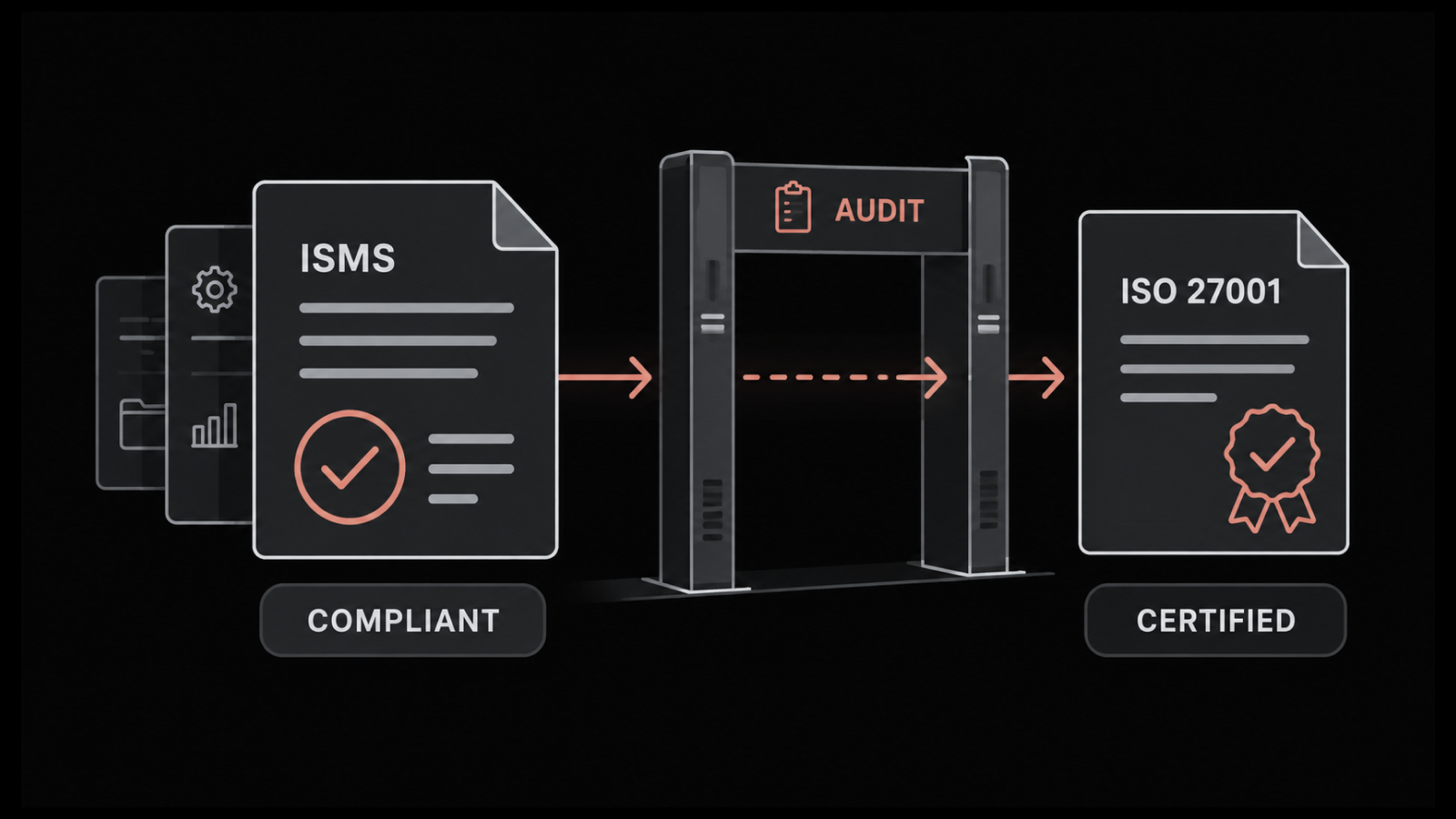
ISO 27001 overlaps heavily with SOC 2 on the underlying controls. Teams doing both usually run one control set mapped to two frameworks rather than two separate programs.
How Do You Get Started With SOC 2?
Start by writing down which criteria you are selecting and where your system boundary ends. Every other decision follows from those two.
Then run the gap assessment before you buy anything. We would work the criteria one by one against what you already do. Split the findings into two piles: controls that genuinely do not exist, and controls that exist but leave no record.
The second pile is almost always larger. It is also cheaper to fix.
Fixing it mostly means routing work that already happens through systems that timestamp it. Access requests move out of direct messages and into tickets. Changes get an approval gate. Alerts and their responses get retained rather than scrolled past.
None of that is a compliance project. It is ordinary operational discipline, which is why a team already running solid asset management and change control clears a first audit so much faster.
Retention settings are the one thing worth checking today, because they decide whether next quarter's evidence exists at all.
Build Evidence Into How You Already Work
SOC 2 rewards teams whose systems keep a record of what they did. The 33 common criteria describe work a competent IT operations team already performs. The audit mostly tests whether that work left a trail somebody else can follow eight months later.
The part nobody enjoys is that this discipline slows you down at first. Approval gates add friction. Access reviews eat real hours. The first observation period feels like a second job. That cost is front-loaded, and it never quite disappears.
What it buys is a renewal costing a fraction of the first attempt. A security questionnaire gets answered by sending the report, instead of two weeks of filling in forms. The sales cycle stops stalling at the vendor risk review.
The teams we see clear it fastest stopped treating the audit as an event. For them it is a report on how they already work.
FAQs
Can you fail a SOC 2 audit?
Not in a pass or fail sense. The auditor issues an opinion, so weak controls produce a qualified or adverse opinion rather than a failure. A qualified opinion names specific exceptions, and most customers accept one if you can explain what changed since.
How long is a SOC 2 report valid?
A SOC 2 report is generally treated as current for twelve months from issue, so audits run annually. The report carries no formal expiry date. Customers and vendor risk teams simply stop accepting one older than a year.
What is a SOC 2 bridge letter?
A bridge letter is a short self-attestation covering the gap between the end of your report period and a customer's own year end. You sign it, not your auditor, and it should not usually stretch beyond about three months.
Do startups need SOC 2 compliance?
Only when a customer requires it, which for most B2B startups means the first serious enterprise deal. Starting a Type 2 window early is worth it if enterprise buyers are on your roadmap, because the observation period cannot be shortened later.
Does compliance automation software make you SOC 2 compliant?
No, it does not. Automation platforms collect evidence and track control status, which saves real time. A licensed CPA firm still performs the examination and issues the report, and your team still has to design, run, and own the controls.
Author
Ramya Shah
Technical Writer
Ramya Shah is a technical content writer with a computer engineering background and roots in automotive journalism. He covers IT Service Management, observability, IT operations, and AI-driven automation. An early adopter of AI-assisted writing workflows, he turns complex IT processes into clear, engaging content optimized for search and answer engines (AEO), lifting content output and organic visibility.