IT Service Management for Government and Public Sector Organizations
What happens when a citizen-facing portal fails on the last day of a filing deadline, and the only record of the outage lives in an email thread between two engineers? In a commercial organization, that is an operational embarrassment. In a government department, it is a hole in a statutory record that an auditor will eventually ask about.
IT service management in government is the practice of running support, requests, changes, and assets through defined processes with documented ownership at every step. The public sector version carries obligations corporate IT does not. Services reach citizens as well as staff, spending follows fixed budget and tender cycles, and record retention is set by statute instead of internal policy.
Those constraints change what a service desk has to do. An ITSM system in government has to route work across departments that report to different heads, hold evidence long after the incident closed, and pass a procurement review that judges it on paper. In this blog, you will see how public sector service management differs, the challenges it creates, the capabilities that answer them, what to check before committing budget, and how to phase a rollout.
What Is IT Service Management in Government and the Public Sector?
IT service management in government is the structured delivery of IT services to public sector staff and citizens, using defined processes for incidents, requests, changes, problems, and assets. Government IT service management runs on the same core practices as any enterprise service desk. What differs is the accountability model behind them.
A commercial service desk answers to internal stakeholders. A government service desk answers to auditors, oversight committees, information requests, and often a published performance report. The ticket becomes a document with a retention period attached to it.
Public sector ITSM typically covers a wider surface than its corporate equivalent:
Internal IT support: Desktops, network access, application faults, and account provisioning for departmental staff
Citizen-facing service delivery: Portal failures, certificate issuance delays, payment gateway faults, and grievance intake routed to the correct office
Asset and inventory control: Hardware, software licenses, and non-IT items such as vehicles and office equipment held on a government asset register
Cross-department requests: HR onboarding, facilities work, and finance approvals handled on the same platform as IT, which is where ESM in government begins
Change and release control: Documented approval before anything touching a public service is modified
Change control is the item on that list carrying the most risk. A change that goes wrong in a private company costs money. A change that goes wrong in a treasury or land records system stops citizens from completing legally required transactions.
How Does IT Service Management Work in the Public Sector?
IT service management works in the public sector by applying the same process discipline used in enterprise IT, then adding the controls that public accountability demands: statutory record retention, cross-departmental routing, and procurement rules that limit which tools and deployment models are even permissible.
These differences are structural. The table below compares the two against the criteria that decide how a service desk runs day to day.
Criterion | Corporate IT service management | Public sector IT service management |
Who the service reaches | Employees and internal business units | Departmental staff plus citizens using public services |
What drives priority | Revenue impact and executive visibility | Statutory deadlines, citizen impact, and published service commitments |
Ownership of the record | Internal policy decides retention | Retention set by records legislation, often measured in years |
Buying cycle | Budget approved when the need arises | Fixed financial year, tender or framework, formal evaluation |
Deployment choice | Cloud by default in most cases | Constrained by data residency and sovereignty rules |
Reporting audience | IT leadership and finance | Auditors, oversight bodies, and sometimes the public |
Those differences show up in three practical ways.
Departmental structure drives routing more than skill does: A request raised at a district office may need action from a central data center team, an approval from a departmental head, and a closing note from a records officer, none of whom report to the same person.
Budget cycles decide when anything changes: If a platform is not procured within the financial year, the requirement waits twelve months. Public sector buyers therefore evaluate against a longer horizon than commercial buyers do.
Evidence outlives the incident: A ticket closed today may be reopened in an audit three years from now, and the record still has to explain who approved what, when, and on whose authority.
What IT Service Challenges Do Government Organizations Face?
Government organizations face six IT service challenges more consistently than any others, and each one traces back to a legislative or budgetary constraint.
Legacy systems held well past commercial refresh cycles: Replacement needs budget approval and a tender, so applications stay in service for a decade or more. The U.S. Government Accountability Office reported that around $83 billion, roughly 79 percent of planned federal IT spending for fiscal year 2025 across the 24 CFO Act agencies, went to operations and maintenance of systems already in service.
Departmental silos with no central view: Each unit tracks its own requests in its own spreadsheet or mailbox. Nobody can say how many incidents are open across the organization, because no single system holds them all.
Statutory audit and retention obligations: The ticket trail is a legal artifact. When audit logs are incomplete or scattered across tools, the organization cannot show that a control was applied, and that missing proof becomes an audit finding on its own.
Citizen requests arriving alongside internal IT work: A grievance about a delayed certificate and a request for a new laptop enter the same intake and compete for the same technicians. Without a priority scheme that separates the two, the laptop request often gets picked up first.
Distributed offices with no local technical staff: District and field locations often have one administrative user acting as the informal first line. Remote resolution and a self-service portal matter far more here than at head office.
Procurement constraints on vendors and deployment models: Data residency rules, local content requirements, and empanelment lists narrow the field before capability is even discussed.
ITIL is where most public sector organizations start when they set out to fix these six problems. The framework gives them defined practices for incident, problem, change, and service level management, plus vocabulary that survives staff turnover. ITIL in the public sector tends to be adopted selectively, because running every practice needs more process maturity and more staff than a district office has.
Consider a state transport department running vehicle registration across forty regional offices. Registrations stall at eleven offices on a Monday morning. With no central service desk, the department hears about it only when the third office phones in, and still cannot tell whether the eleven reports describe one fault or eleven.
What Are the Key Use Cases for ITSM in Government and the Public Sector?
The key use cases for ITSM in government fall into seven areas, and each one answers a constraint set by legislation, procurement rules, or the way departments are organized. Motadata ServiceOps handles IT service management across all seven from one platform, with on-premises, private cloud, and public cloud deployment available depending on what the organization's data rules allow.
A government ticket keeps working long after the fault is fixed, and that second life is what most service desk designs ignore. This timeline separates the days a record spends being useful operationally from the years it spends being useful as evidence.
The seven use cases below cover the work across both halves of that timeline.
1. Incident Routing Across Departmental Boundaries
Cross-department routing is the first thing a government deployment tests. Effective incident management across a distributed organization rests on four controls:
Assignment: Work routed by skill, workload, and availability instead of one shared queue
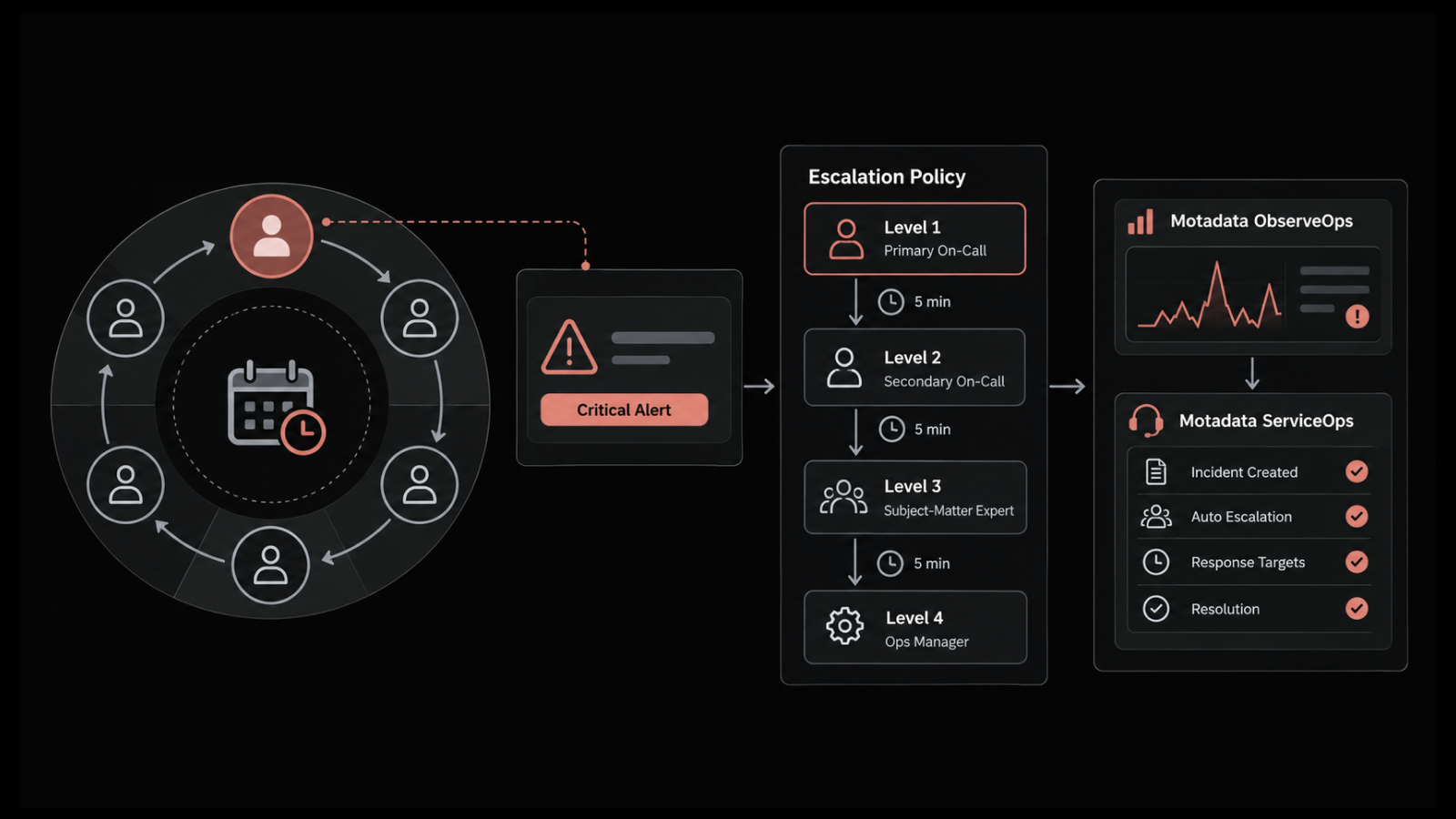
Escalation: Configurable rules that trigger before a target is missed, with automatic reassignment after a breach
Priority: Schemes that weight citizen impact and statutory deadlines above internal convenience
Intake: Email, web portal, phone, mobile, and chat platforms including Microsoft Teams and Slack
The intake point matters most at field locations. A district officer with no ticketing training can raise a request through whichever channel is already open on their desk.
2. Service Level Commitments That Can Be Evidenced
Service targets in government are frequently published, which changes how they need to be recorded. A platform has to do four things with service level agreements before the published figures will hold up under outside scrutiny:
Tracking: Response and resolution times measured against the target set for each service
Escalation: Alerts raised while there is still time to act on a target at risk
Reporting: Compliance reports a reviewer can read without an explanation from the IT team
Per-service targets: A distinct SLA on each catalog item, so a password reset and a land records portal outage never share one clock
Reporting is the part commercial buyers underestimate. An internal dashboard satisfies a CIO. An oversight committee asking why a share of last quarter's grievances missed their commitment needs the individual records sitting behind that percentage.
3. Citizen and Internal Requests on One Service Catalog
Requesters should not need to know the organization chart. The IT service catalog sends each request to the team that owns it, using four things configured on the catalog entry itself:
Plain-language listings: Services named the way a requester would describe them
Per-item templates: Each service carrying its own form, approval chain, and service target
Multi-level approvals: Sign-off chains for requests crossing a financial threshold or needing departmental authorization
Non-IT services: HR, finance, facilities, and administration on the same catalog, which is where ESM in government begins
A knowledge repository backs the catalog and can be made readable without login. Staff at locations with no technical support on site can then answer routine questions without raising a ticket.
4. Asset and Configuration Records That Hold Up in an Audit
Government asset registers are audited, and the audit compares the register against what is physically present. Automated asset discovery keeps the register and the physical inventory in step, and four things decide whether it survives that comparison:
Discovery: Agent-based or agentless scanning of hardware, software installations, and license position
Non-IT assets: Vehicles, furniture, and equipment held on the same register as IT items
Financial fields: Purchase cost, warranty, contract, depreciation, and total cost of ownership against each record
Physical verification: Barcode support for verification rounds across distributed offices
The CMDB records how those assets connect to each other. When a change is proposed against a server, impact analysis shows which configuration items and business services depend on it, which separates an informed approval from a signature on a form.
5. Software Licenses and Contracts Tied to the Asset Register
License position is audited separately from hardware, and the question is usually whether entitlements match installations. Software license management tracks allocation against actual usage. That shows where the organization is under-licensed and exposed, and where it is paying for licenses nobody uses.
Contracts belong in the same place. Contract management holds vendor agreements, maintenance cover, and renewal dates against the assets they apply to, so a maintenance contract expiring in March is visible while there is still time to act inside the financial year.
Together they change the renewal decision. When a department can see which licenses go unused and which contracts are due, the renewal conversation starts from evidence instead of from last year's figure.
6. Legacy Systems Integrated Instead of Replaced
Most government applications outlive several IT leadership changes, and replacing them needs a budget line that does not exist. The workable position is to keep the application running and manage it through the service desk, so faults, changes, and dependencies get recorded even when the system itself cannot be updated.
Third-party system integration connects those applications to the service desk, so a fault in a decades-old registry application raises a ticket in the same place as everything else. The record then exists regardless of whether the application can produce one itself.
The CMDB handles the dependencies. Mapping what a legacy application relies on tells the organization what will break when the server beneath it is patched, which is usually the one question nobody can answer about a system that old.
7. Workload Reporting That Supports a Staffing Case
Public sector IT teams rarely win new posts by asking for them, and approval usually follows evidence of sustained load. Reporting covers ticket volumes, resolution times, SLA compliance, and technician performance, which together show where the work is concentrated.
Twenty or more dashboards ship ready to use, and reports can be scheduled and mailed to stakeholders without anyone writing a query. That matters when the reader is a department head who will never build a report themselves.
Those reports are what a staffing request gets built on. A team that can show which unit absorbs the most volume, and how much of it arrives outside working hours, is arguing from its own data instead of from an impression.
How Motadata ServiceOps Covers These Use Cases
Government IT pressure | What Motadata ServiceOps does |
Citizen or personnel data cannot leave a government-controlled environment | Runs on-premises, on private cloud, or on public cloud, chosen at deployment |
One IT function supports several departments or separate entities | Multi-tenant operation manages multiple entities from a single instance |
The same fault recurs across offices with nobody owning it | Problem management identifies and removes the root cause behind repeat incidents |
Field staff need to raise requests without training | Virtual agents on Microsoft Teams, Slack, WhatsApp, and Line accept requests in plain language |
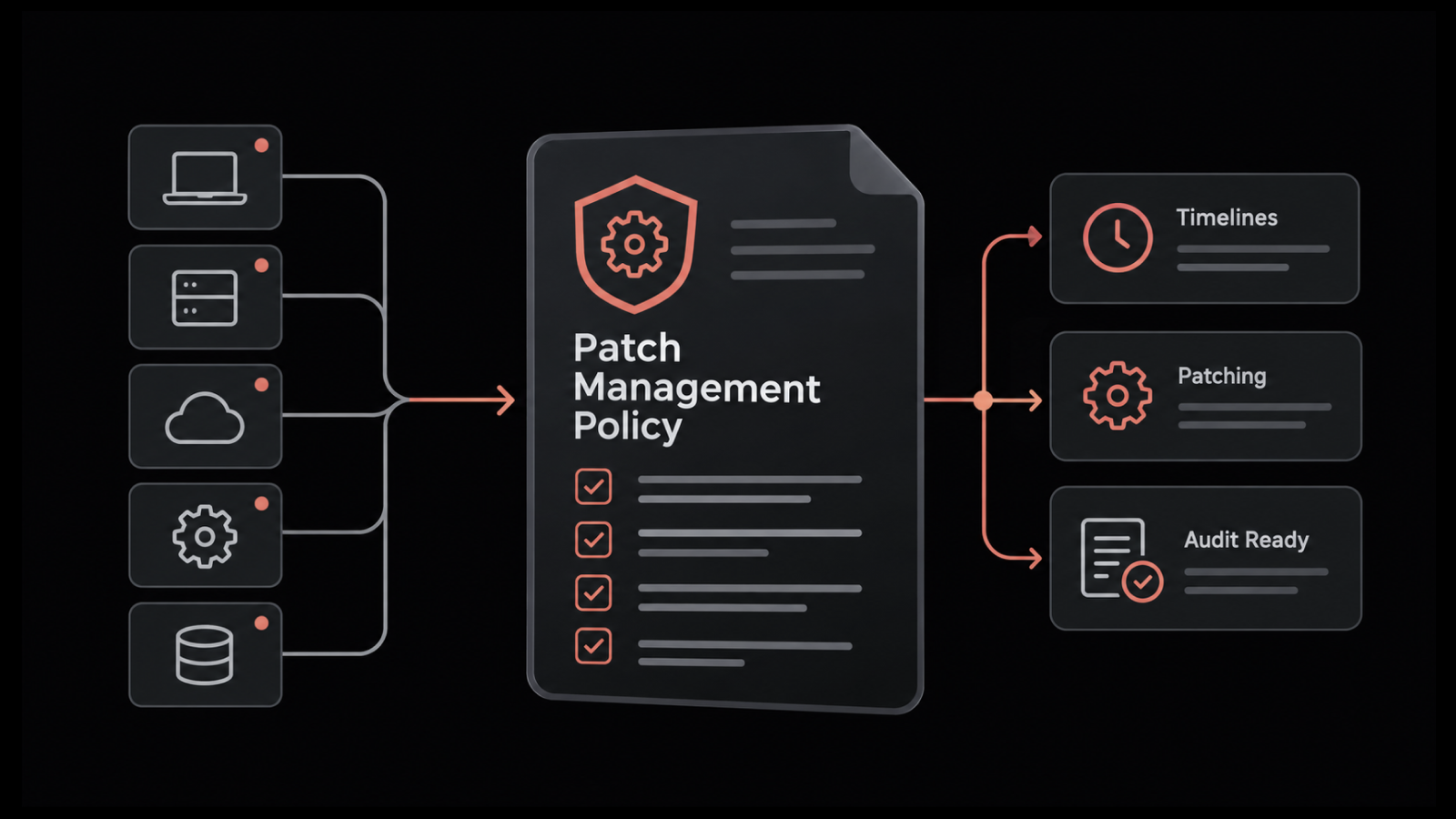
Endpoints across distributed offices fall behind on updates | Patch management covers Windows, macOS, and Linux from the same platform |
Approvals and edits have to hold up under later inspection | Audit trails, change tracking, and policy enforcement apply across records |
New staff need a standard software set from their first day | Onboarding automation installs the standard build without a manual request |
Oversight bodies expect the same report every quarter | Scheduled reports generate and distribute to named stakeholders automatically |
What Are the Business Benefits of ITSM for Government Organizations?
The business benefits of ITSM for government are easier to defend to a finance committee than most IT purchases, because they are measured in cost, accountability, and staff capacity before technical capability enters the discussion. Five come up consistently once government ITSM runs across departments.
Lower total spend on tooling: Consolidating separate departmental trackers, asset spreadsheets, and patching tools onto one platform removes duplicate licenses and the integration work that holds them together
Shorter audit preparation: Evidence accumulates through the year instead of being reconstructed before an inspection, which turns weeks of staff effort into a report anyone can run
Defensible service commitments: Published performance figures arrive with the individual records behind them, so a number in an annual report can be substantiated when it is questioned
More capacity from the same headcount: Self-service and automated routing absorb routine volume, letting a small technical team cover more offices without new sanctioned posts
Faster restoration of citizen services: A single intake and a priority model weighted to citizen impact shorten the time a public service stays unavailable
The funding case usually rests on the first two. ITSM software for government agencies competes for the same budget as roads, staffing, and welfare delivery, so a proposal that quantifies license consolidation and audit effort survives scrutiny better than one built on service quality alone.
What Should Public Sector Organizations Consider When Procuring an ITSM Platform?
Public sector organizations should evaluate an ITSM platform against seven criteria that rarely appear on a commercial shortlist, because government IT procurement rules and statutory obligations decide what is buyable before capability is weighed.
Deployment model against data rules: Establish first whether citizen or personnel data can leave a national boundary or a government data center. Where it cannot, on-premises or private cloud stops being a preference and becomes the only permissible option.
Audit trail depth and retention: Ask how long the platform holds record history, whether deleted records remain recoverable for audit, and whether the trail captures approvals and field-level changes alongside status transitions.
Procurement route: Confirm the vendor is reachable through the channel your rules require. Motadata's Government e-Marketplace listing places its IT operations suite on the Indian government's procurement portal under enterprise management system software, which removes a step for departments and public sector undertakings that must buy through GeM.
Total cost across the contract term: Annual license cost is the smallest part of the total. Implementation, integration with identity systems, training across distributed offices, and renewal at year three usually decide which bid is genuinely cheaper.
Identity integration: Directory and single sign-on integration through SAML, LDAP, or Active Directory determines whether staff at forty offices get access in a week or a quarter.
Language coverage: Where public services are delivered in more than one official language, interface language support affects adoption at the field level far more than it affects head office.
Fit within the budget cycle: Confirm that implementation can complete inside the financial year the funds are sanctioned against, because carrying an unspent allocation forward is often harder than spending it.
Consider a municipal corporation that shortlists on features in November and learns in February that its preferred vendor is absent from the empanelment list. The requirement moves to the next financial year, and the shortlist is rebuilt from the beginning.
That is why the order matters. Filter for what procurement permits first, then compare service desk software across whatever survives, because public sector service desk software chosen on capability alone tends to produce a shortlist that procurement rejects.
How Do You Roll Out ITSM in a Government Organization Without Disrupting Services?
You roll out ITSM in a government organization by sequencing it in four phases, starting with a single department and a narrow service set, then widening scope only once the routing and approval logic hold under real volume.
Phase one, one department and core incidents: Take the department with the highest ticket volume and configure incident intake, categorization, and assignment for it alone. Two to four weeks of live running exposes routing gaps that no design workshop finds.
Phase two, catalog and approvals: Publish the twenty or so services that account for most request volume, attach approval chains to those that need them, and automate the repetitive steps behind them. Resist publishing the full catalog at this stage.
Phase three, assets and CMDB: Run discovery, reconcile the output against the existing asset register, and resolve the differences before mapping configuration items to services. The reconciliation always takes longer than planned, and doing it before go-live is cheaper than doing it during an audit.
Phase four, wider departments and citizen intake: Extend to remaining departments and, where relevant, open the citizen-facing route. By this point the priority model has been tested by internal users, which is the safer order.
The order of a public sector rollout matters more than its speed, and getting that order wrong is the most common reason a deployment stalls. This diagram lays out the four phases and what each one has to prove before the next begins.
Two things reliably slow a public sector rollout down. Data cleanup on the existing asset register is the first, and identity integration across distributed offices is the second, so both belong in the project plan from week one, before they arrive as surprises in month four.
Give Every Department One Accountable Service Record with Motadata ServiceOps
Fragmented departmental tracking is the condition most government IT teams inherit, and it fails in the same two places every time: nobody can see the whole picture during an outage, and nobody can produce the evidence afterward. Motadata ServiceOps consolidates service desk, IT asset management, and patch management into one ITIL 4 aligned platform, with on-premises, private cloud, and public cloud deployment, so the choice of hosting follows your data rules instead of a vendor's roadmap.
One category-level caveat is worth stating. No ITSM platform fixes a broken process, and a department that has never defined who approves a change will not acquire that definition by buying software. The tool enforces the process you write, which makes the writing the first job.
FAQs
What is ITSM in government?
ITSM in government is the structured delivery of IT services to public sector staff and citizens through defined processes for incidents, requests, changes, and assets. It differs from corporate ITSM because records carry statutory retention, priority weighs citizen impact, and procurement rules limit which platforms are permissible.
How does ITIL apply to the public sector?
ITIL applies to the public sector the same way it applies anywhere, by defining practices for incident, problem, change, and service level management. Most government organizations adopt it selectively, because the complete practice set assumes staffing levels that district and field offices rarely have available.
What is the difference between ITSM and ESM in a government organization?
ITSM covers IT services such as application faults, access requests, and infrastructure changes. ESM extends the same catalog, workflow, and approval structure to HR, finance, facilities, and administration. In government the distinction blurs, because one citizen request often crosses IT and non-IT departments before closing.
How do government agencies procure ITSM software?
Government agencies procure through tenders, framework agreements, or public procurement portals, depending on jurisdiction and value threshold. In India, departments and public sector undertakings buy through the Government e-Marketplace, where Motadata's IT operations suite is listed, so they can procure without running a separate tender.
Can a government ITSM platform be deployed on premises?
Yes. Where data residency or sovereignty rules prevent citizen or personnel data leaving a government-controlled environment, on-premises deployment is usually the only permissible option. Motadata ServiceOps supports on-premises, private cloud, and public cloud deployment, so the hosting decision can follow the organization's own data rules.
Author
Poonam Lalani
Content Strategist
Poonam Lalani is a B2B content strategist and writer with a background in computer engineering and experience across enterprise technology domains, including AI, cloud, DevOps, data engineering, and IT operations. She specializes in creating research-driven content that simplifies complex ideas and supports product education, thought leadership, and business growth.