What Is Network Design? Steps and Best Practices for Growing Networks
Most networks were never designed. They were extended, one switch and one VLAN at a time, until a single core failure took the site down and nobody could find the diagram.
According to the Uptime Institute Annual Outage Analysis 2026, 57 percent of organizations said their most recent major outage cost more than $100,000. Network design is how you stop paying that bill. You decide the network topology, the addressing and the hardware on purpose, before the cabling goes in.
In this blog, you will:
Learn the definition of network design: And see where it stops and topology begins.
Learn the three-layer model: Core, distribution and access, and when to collapse them.
Follow the five design steps: From requirements to handover.
Apply seven best practices: The ones that still hold when the network doubles.
By the end, you can scope a redesign or defend the one you have.
What Is Network Design?
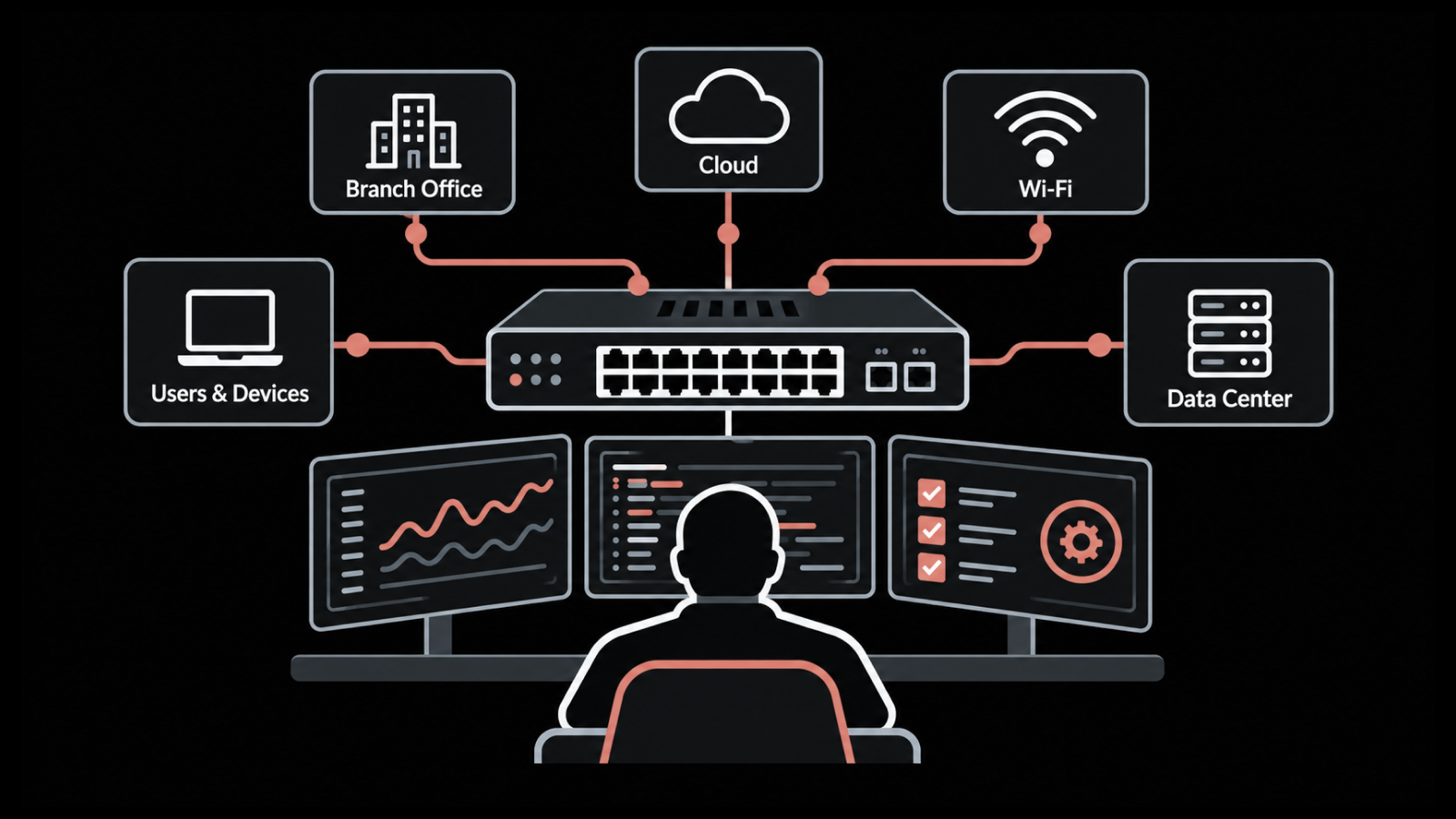
Network design is the process of planning a network's structure before anything is deployed. It runs from business requirements through to the topology, the IP addressing scheme, the hardware selection and the implementation plan.
The output is a set of documents someone else could build from.
Physical diagram: Racks, cabling and switch ports.
Logical diagram: The network infrastructure boundaries, such as VLANs and subnets.
IP plan: Every subnet, gateway and reserved range.
Bill of materials and rollout sequence: What to buy and in what order to install it.
A design that lives only in one engineer's head counts as a sketch. People often use network design and network topology as if they meant the same thing. Topology means the shape (star, mesh, spine-leaf) and the diagram that shows it.
Design covers every decision behind that shape, including budget, security and who supports it at 2 a.m. Topology comes out of design as one deliverable.
Why Does Network Design Matter More as a Network Grows?
A 30-user office can run on one switch and one firewall with almost no design at all. Growth turns the missing decisions into outages.
We see the same three symptoms across estates.
The flat network: It worked at 200 devices and starts broadcasting itself to death at 800.
The single core: Nobody worried about it until its reboot emptied the building.
VLAN sprawl: VLANs got created by whoever was on shift, and three years later nobody knows what VLAN 47 carries.
The operations data backs this up. According to EMA's Network Management Megatrends 2026, only 31 percent of enterprises describe their network operations strategy as fully successful, and 52 percent struggle to hire people with network expertise.
A network that grew without a design needs more of exactly the people nobody can hire.
Design costs less than the alternative because it front-loads the decisions. Choosing an IP plan with room for ten more sites takes an afternoon. Renumbering a live estate because the plan ran out took one team we worked with a full quarter.
What Are the Three Layers of Hierarchical Network Design?
Hierarchical design splits the network into core, distribution and access layers and gives each one a single job. The split lets you grow one layer and leave the other two alone.
Here is what each layer does and what usually lives in it.
Layer | Job | Typical Hardware | What to Avoid Here |
Core | Move traffic between distribution blocks and sites as fast as possible | A redundant pair of high-throughput Layer 3 switches or routers | Access control lists, packet inspection, anything that slows forwarding |
Distribution | Route between VLANs, apply policy, aggregate access switches | Layer 3 switches, one pair per building or floor block | End devices plugged straight in |
Access | Connect users, phones, printers, access points and cameras | Stackable PoE switches with two uplinks each | Routing decisions, servers, inter-VLAN traffic |
Two variations matter for growing networks.
Collapsed core: Merges the core and distribution layers into one redundant pair. It fits most single-building estates up to a few thousand ports.
Spine-leaf: Replaces the three tiers in data centers where servers talk to each other more than to users. Every leaf sits one hop from every other leaf.
When the second building arrives, the paper design becomes the real one and nothing at the access layer has to change.
How Do You Design a Network Step by Step?
The design process runs in five steps, and the order matters. Teams that jump to hardware selection buy the wrong switches for requirements they never wrote down. We have unboxed those switches with them.
1. Gather the Business and Technical Requirements
Start with what the business needs the network to do, in its own words. Support a new site. Pass a PCI audit. Cut the WAN bill. Keep the warehouse scanners online during a core failure. Each one turns into a technical requirement you can test.
Technical requirements come as numbers you can test against later.
Bandwidth: Per user and per uplink.
Latency: To the applications that matter, measured, not guessed.
Availability: Uptime targets in nines and recovery time after a failure.
Compliance: The controls that apply, such as PCI DSS segmentation.
Write down the constraints too. The budget, the legacy application that only speaks IPv4 and the lease that ends in 2028 shape the design as much as the goals do.
2. Assess the Network You Have
Almost nobody designs from a clean slate. Before drawing anything new, find out what exists. That means every switch and router, the firmware it runs, the VLANs configured on it, which ports carry what, and where the traffic actually flows.
Stale diagrams will lie to you here. Run a discovery against the live network and compare it with the documentation. The gap between the two marks the real starting point.
3. Design the Topology and the Address Plan
The topology has a physical side and a logical side, and both need a diagram. The table below shows what each one has to settle.
Physical Design Decides | Logical Design Decides |
Cable runs, fiber versus copper | The IP plan and subnet sizes |
Port counts per closet | The VLAN scheme and what each VLAN carries |
Access point placement and rack layout | Routing boundaries and where traffic may cross them |
Power and cooling per rack | Redundancy: which uplinks, cores and gateways get a partner |
Do not skip the power row. We have seen a closet design fail on a 15-amp circuit. Leave room in the addressing too.
A /16 carved into /24s per site and per function, with half the space held back, costs nothing now and saves a renumbering later. Settle the redundancy at this step as well, so every partner device exists before the bill of materials does.
4. Select the Hardware and Software
Only now do you pick products, and the requirements pick most of them for you. Port counts and PoE budgets decide the access switches.
Throughput and feature needs decide the core. Standardize on as few models as the estate allows, because every extra model adds another firmware train to track.
Check lead times before you commit to a date. A design that depends on a switch with a 26-week backlog carries a 26-week delay built in.
5. Plan the Implementation, the Tests and the Handover
Write the rollout as a sequence of change windows, each with a test and a rollback. Pilot the design on one floor or one branch before it goes everywhere. Pull a cable during the pilot to prove the redundancy does what the diagram says.
Handover is where designs go to die. The operations team needs the diagrams, the IP plan, the config templates and a monitoring baseline on day one, plus the change process that keeps them current.
Running the network on a unified observability and ITSM platform helps here. A device that alerts can raise its own ticket, and the change record sits on the same system as the topology map.
Top-Down or Bottom-Up: Which Approach Fits?
Top-down design starts with the applications and users and works down to the cabling. Bottom-up starts with the hardware you have and builds upward.
Here is how the two compare on the points that decide the choice.
Top-Down | Bottom-Up | |
Starts from | Applications, users and business requirements | The hardware and cabling you already have |
Speed | Slower, because every decision traces to a requirement | Faster, because the physical layer is already decided |
Fits | A new site, a merger, a redesign that must pass an audit | A bandwidth upgrade or closet expansion with unchanged requirements |
Risk | Takes longer than the budget owner expects | Locks in the physical layer before anyone asks what the applications need |
The mistake we see most is bottom-up on a redesign. It produces a faster project and a network that has to be redesigned again.
Seven Network Design Best Practices That Survive Growth
Every guide lists practices. These seven are the ones we have watched pay off two years after the design was signed off, which is the only test that counts.
1. Design Security In From the First Diagram
Security decided at the topology stage costs almost nothing. Security bolted on after go-live means re-cabling, re-addressing or a firewall in a place the traffic was never meant to cross.
We put the segmentation boundaries on the logical diagram before the VLAN numbers exist. Where do guest devices land, where do the cameras live, and which segment can reach the servers? Network segmentation drawn on day one also keeps a broadcast storm or a compromised printer inside one VLAN instead of the whole site.
2. Standardize Everything You Can
Standardization lets an engineer who has never seen a site fix it by phone. Five things to lock down first:
Switch models and firmware: As few of each as the estate allows.
Hostnames: One convention that encodes site, role and number.
VLAN numbers: The same number for the same purpose at every site.
Gateway address rule: First or last address in every subnet, never mixed.
Configuration templates: The written form of all of the above.
Then enforce them. Configuration backup and change detection catch the drift when someone hand-edits a switch at 11 p.m. on a Friday. A bulk configuration push then puts the standard back across hundreds of interfaces in one operation.
3. Add Redundancy Where Downtime Costs More Than the Hardware
Redundancy comes down to a budget decision, so make it with numbers. Work out what an hour of network downtime costs the business. Then compare it with the price of the second core switch, the second uplink and the second circuit.
Dual uplinks from every access switch and a redundant core pair cover the failures that happen most. A second internet circuit covers the one that hurts most. We have only seen full lockstep fault tolerance earn its cost on trading floors and in hospitals.
4. Plan for Growth With Real Headroom Numbers
Growth planning means margins you can measure at go-live.
Ports: Leave 30 to 40 percent of access ports free.
Uplinks: No access switch above 20-to-1 oversubscription to its distribution pair.
Addressing: Hold back half the IP space.
The traffic profile is changing too. In the same EMA survey, 97 percent of organizations expect to run AI application workloads on-premises or in the cloud within two years.
Those workloads move far more data east-west between servers than a typical office network was built for. A design that assumes user-to-internet traffic only will feel it first at the distribution layer.
5. Document Layers 1 Through 3 and Keep the Documents Alive
A design deliverable includes a Layer 1 diagram (cables and ports), a Layer 2 diagram (switches and VLANs) and a Layer 3 diagram (subnets and routing).
Most teams produce them once. Very few keep them current, and an 18-month-old diagram does more harm than none, because people trust it.
We stopped drawing these by hand years ago. Discovery that maps device-to-device links and refreshes the topology on a schedule gives you a diagram that matches the network on the day you open it.
6. Keep the Design Simpler Than You Are Tempted To
Every protocol, every diagonal uplink and every exception to the standard becomes something the next engineer has to understand at midnight. If a static route and a gateway redundancy protocol solve the problem, leave the dynamic routing protocol off that segment.
We apply one test to every proposed element: name the failure it prevents. If nobody can, it comes off the diagram.
7. Monitor From Day One and Baseline Before Go-Live
Monitoring belongs in the design itself. Decide during step 5 which interfaces, uplinks and standby devices get polled, where the thresholds sit and who gets paged.
Baseline the new network in its first quiet week, so you can show what normal looked like when the first complaint arrives. Flow data on the uplinks tells you which applications and users consume the bandwidth. That number opens the next growth conversation.
Which Tools Support the Network Design Process?
Design work spans three tool categories, and most teams need something from each. The table below shows the categories and the jobs they cover.
Category | Job in the Design Process | Examples |
Diagramming | Draw the physical and logical topology during steps 3 and 5 | Microsoft Visio, draw.io, Lucidchart |
Source of truth and IPAM | Hold the intended IP plan, VLANs and device inventory | NetBox, phpIPAM |
Discovery, configuration and monitoring | Show the network as built, enforce the standards, baseline performance | Motadata ObserveOps, SolarWinds, Auvik |
Diagramming tools carry the intent, and the source of truth carries the plan. The third category shows what actually got built, which is where the design meets reality.
For that third job we point teams at Motadata ObserveOps, because three of its modules map straight onto the practices above.
Topology mapping (practice 5): Auto-discovery over CDP and LLDP maps device-to-device connections, and the topology map refreshes on its own through a topology scanner. Historical snapshots let you compare the network before and after a change window.
Configuration and compliance management (practice 2): Backs up every device configuration, flags changes as they happen and checks configurations against CIS, GDPR, HIPAA and SOX baselines, so the standards get enforced instead of hoped for.
Flow analysis (practice 4): NetFlow, sFlow, jFlow and IPFIX show bandwidth use per user and per conversation, which feeds the headroom numbers.
In the Infinity edition, monitoring and topology ship in the base platform with no upgrade tier between them.
How to Start Your Network Design This Quarter
You do not need a full redesign to start designing. We suggest the three steps that pay back fastest on a network that grew without a plan.
Run a discovery and reconcile it against whatever documentation exists. The gaps become your requirements list.
Write the standards you wish the network already followed (hostnames, VLAN numbers, gateway rule, switch models) and apply them to every new device from now on.
Draw the target topology, even if the budget sits two years out, so every interim purchase moves toward it.
Each of those steps works better with the current state of the network in front of you, and that state takes one discovery run to produce.
Design the Network You Can Still Explain in Three Years
A network design earns its keep the day something fails and the failure stays small. The three-layer model, the five steps and the seven practices all serve that one outcome, a network whose behavior under stress was decided in advance.
The hard part comes after go-live. Every undocumented switch and every hand-edited VLAN takes a small loan against the design, and the interest comes due during an outage.
The teams we see recover fastest keep the standards enforced and the diagrams current, so they spend that hour fixing the fault instead of finding it.
Pair the design with network monitoring best practices from the first week. The next growth spurt then becomes a capacity decision you make on purpose, with the headroom numbers in front of you.
FAQs
What is the difference between network design and network architecture?
Network architecture is the set of principles and standards a network follows, such as the three-layer model or a zero-trust access policy. Network design applies those principles to one specific network, producing the topology, IP plan and hardware list for that site.
How often should a network design be reviewed?
Review the design once a year and after any major change, such as a new site, a merger or a cloud migration. The review compares the live discovery against the documented design and turns every gap into either a fix or an update to the documents.
What is a collapsed core, and when does it fit?
A collapsed core merges the core and distribution layers into one redundant pair of Layer 3 switches. It fits single-building networks up to a few thousand ports, where a separate distribution layer would add cost without adding a failure domain worth isolating.
Which documents should a network design deliver?
A complete design hands over Layer 1, Layer 2 and Layer 3 diagrams, an IP and VLAN plan, configuration templates, a bill of materials, a rollout sequence with test and rollback steps, and a monitoring baseline that operations can alert against from day one.
How does network monitoring feed back into network design?
Monitoring shows where the design is running out. Uplink utilization, interface errors and flow data reveal which links need more capacity and which segments carry traffic the design never anticipated. In ObserveOps, the topology map and flow analysis supply those numbers without a manual audit.
Author
Ramya Shah
Technical Writer
Ramya Shah is a technical content writer with a computer engineering background and roots in automotive journalism. He covers IT Service Management, observability, IT operations, and AI-driven automation. An early adopter of AI-assisted writing workflows, he turns complex IT processes into clear, engaging content optimized for search and answer engines (AEO), lifting content output and organic visibility.