How to Choose the Right ITSM Solution for Your Business
How do you tell which ITSM solution will actually fit your team when every vendor promises the same faster resolutions and lower costs? The tools look alike in a demo. The differences surface later, once your team has spent a few weeks actually using the tool.
So much of it comes down to fit. A tool that suits your team's size, works the way you already do, and stays within budget will serve you far longer than a flashier one that doesn't. Features can't rescue software that keeps fighting your process, and when the fit is wrong, the friction turns up daily, in slow fixes and the workarounds people cobble together to get by.
Choose well and the gains show up quickly. You start to see the benefits of ITSM teams actually care about: quicker fixes and a lower support bill. Ahead, we get into the main types of ITSM solutions, what really separates a strong fit from a weak one, how to match a tool to your team, and how to weigh a vendor before you commit. Stay with it to the end, and building a shortlist you trust becomes a lot simpler.
What Is an ITSM Solution?
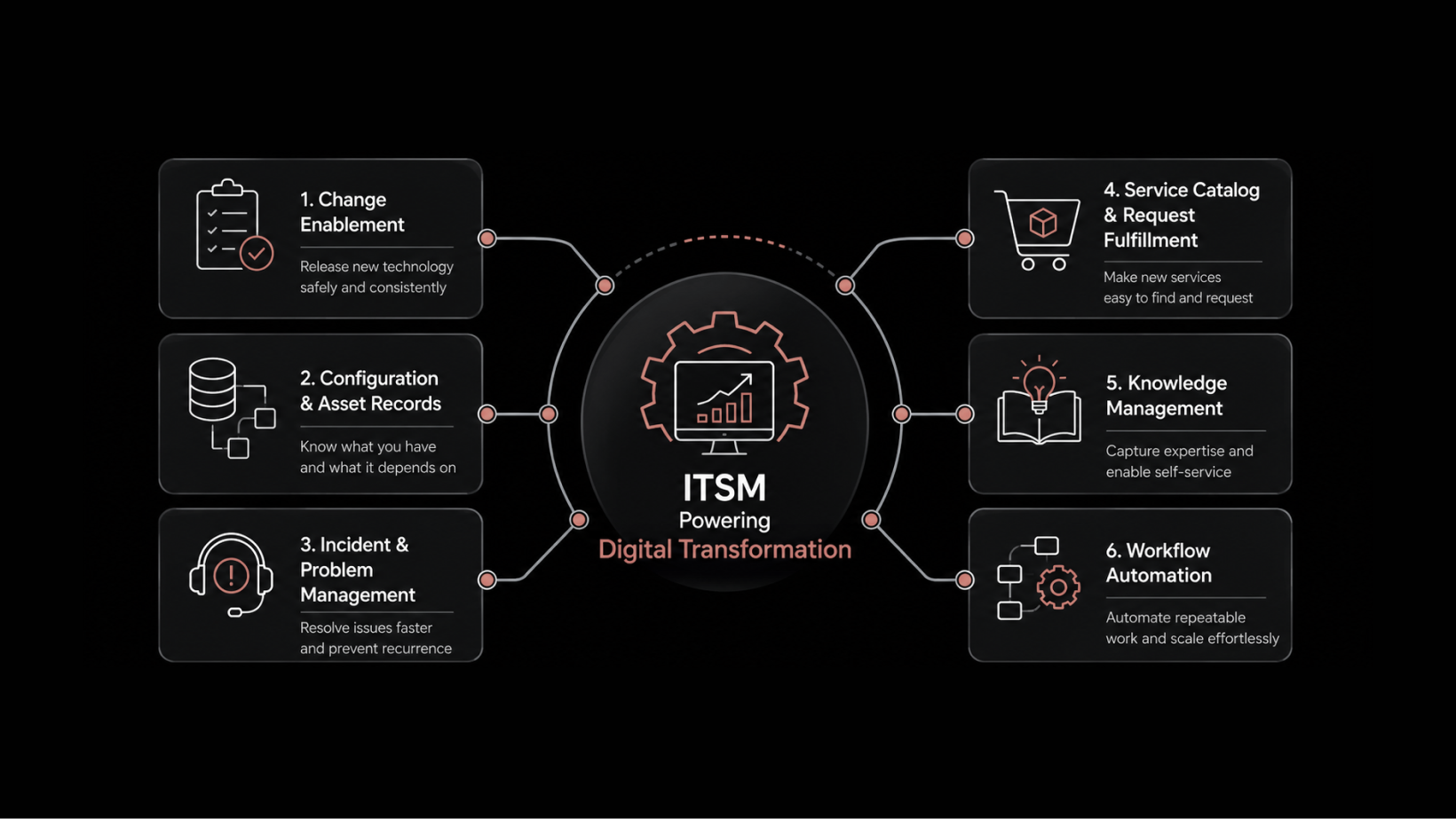
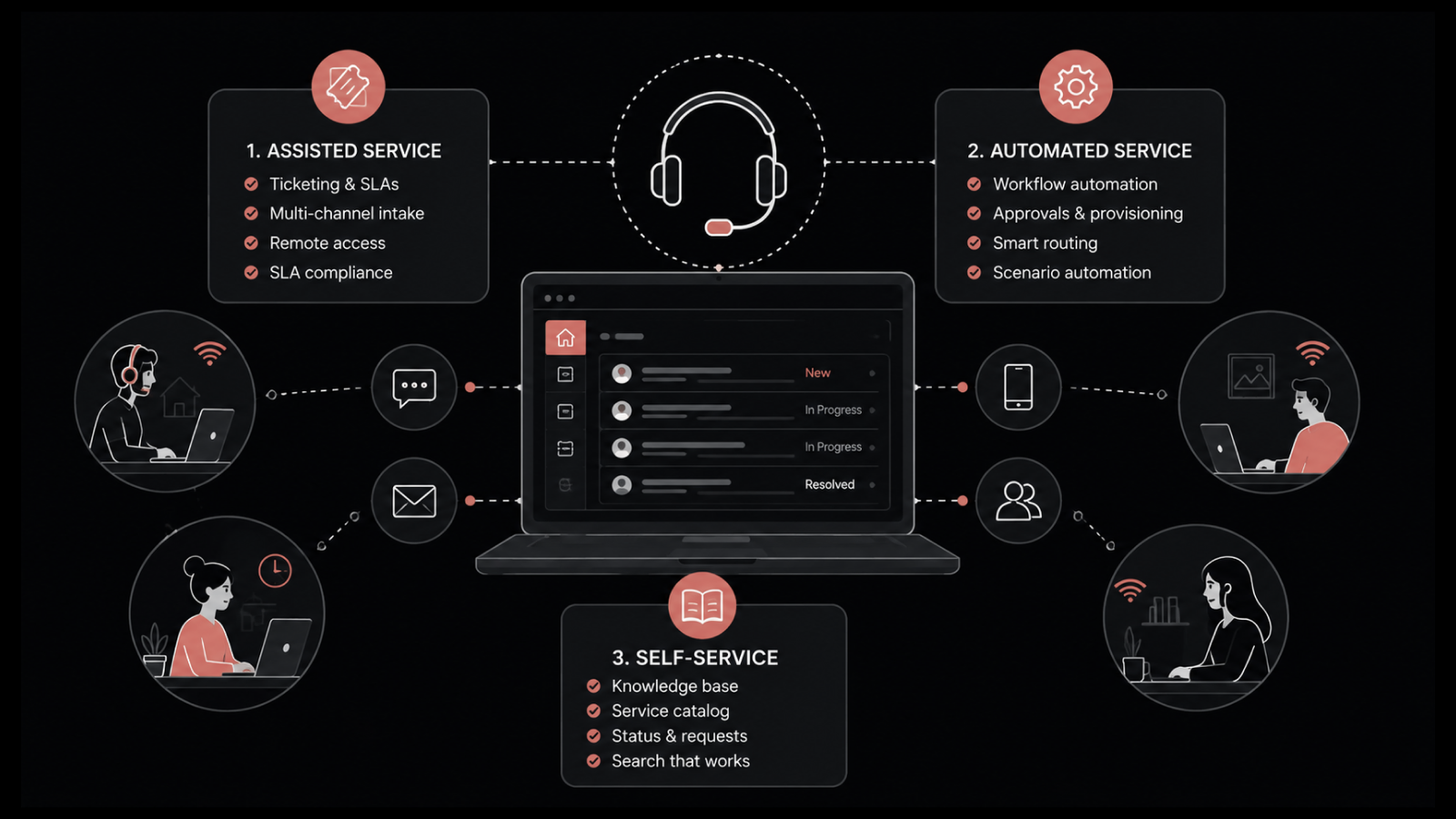
Put simply, an ITSM solution is what carries IT service management into the day-to-day. In one place, your team can log tickets, route requests, track changes, and gauge how well IT is serving the rest of the business.
The same thing goes by several names, ITSM solution, system, software, or tool, and in practice people use them interchangeably. Scope is the real dividing line. A basic tool just works tickets, while a full platform ties incidents, changes, assets, and knowledge together on shared data.
Most solid options follow ITIL, the framework most IT teams rely on for service management. You won't need every ITIL process from day one. Choose one you can grow into, since the team will reach for more of those processes as it matures.
Why Does Choosing the Right ITSM Solution Matter?
The right ITSM solution has a direct hand in two things: how quickly your team clears issues, and how much manual work lands on them week to week. Small gaps compound. Spread across thousands of tickets a year, the distance between a good fit and a poor one becomes real hours and real money.
And when IT goes down, the bill lands fast. Uptime Institute's outage analysis puts it plainly: 54% of organizations said their most recent major outage cost them more than $100,000.
The Cost of Choosing the Wrong ITSM Solution
A poor ITSM choice rarely fails on day one. It fades instead. Adoption drops off, people stop trusting the data, and small workarounds spread until the tool costs more time than it gives back.
Weak processes cause as many failures as weak software. Uptime Institute found that four in five serious outages could have been prevented with better management, processes, and configuration.
Most teams can sense a tool slipping long before they act on it. If you want the early warning signs, we've written up why teams replace their ITSM tools.
What Are the Main Types of ITSM Solutions?
You'll generally find ITSM solutions in one of four shapes: cloud-based, on-premises, hybrid, and open-source. The right shape depends on the compliance rules you answer to and how much infrastructure you'd rather keep off your own plate.
1. Cloud-Based ITSM
Cloud-based ITSM runs on the vendor's servers and reaches you through a browser. Setup is fast, you pay by subscription, and there's next to no hardware on your plate. It's where most small and mid-sized teams begin, though it pays to know what to weigh before moving to cloud-based ITSM.
2. On-Premises ITSM
With on-premises ITSM, the software runs on servers you own. You get full say over where the data lives and how it's secured, which matters a great deal in regulated industries. The cost of that control is more setup, more upkeep, and someone on staff keeping it healthy.
3. Hybrid ITSM
Hybrid ITSM lands somewhere between the two. The data you most need to protect stays on servers you own, and the rest of the work runs in the cloud. That balance suits teams that have to keep certain data locked down but still want easy access everywhere else.
4. Open-Source ITSM
Open-source ITSM removes the license fee and hands you the source code to shape as you please. Ownership is the trade-off. The jobs a vendor would normally shoulder, from integrations to security patches to support, all shift onto your own team.
What Factors Should You Consider When Choosing an ITSM Solution?
When you weigh ITSM solutions, a few things carry most of the decision: what you actually need, the core service management features, integrations, the deployment model, ease of use, and total cost. Deal with them one by one, and the weaker options tend to sink on their own.
1. Start With Your Business Needs
Begin before you take a single demo call. Write down what the tool has to do, where your current process breaks, and which teams beyond IT might use it too. Keep that requirements list short and concrete, and it will hold sales reps to the point while sparing you features you'll never turn on.
2. Core Service Desk and ITIL Processes
At a minimum, your ITSM solution should cover incident, request, problem, and change management, with knowledge management close behind. Confirm it aligns with ITIL, and look for an independent certification such as PeopleCert ATV that stands behind the vendor's claims. If the framework still feels hazy, our take on ITSM and ITIL clears it up.
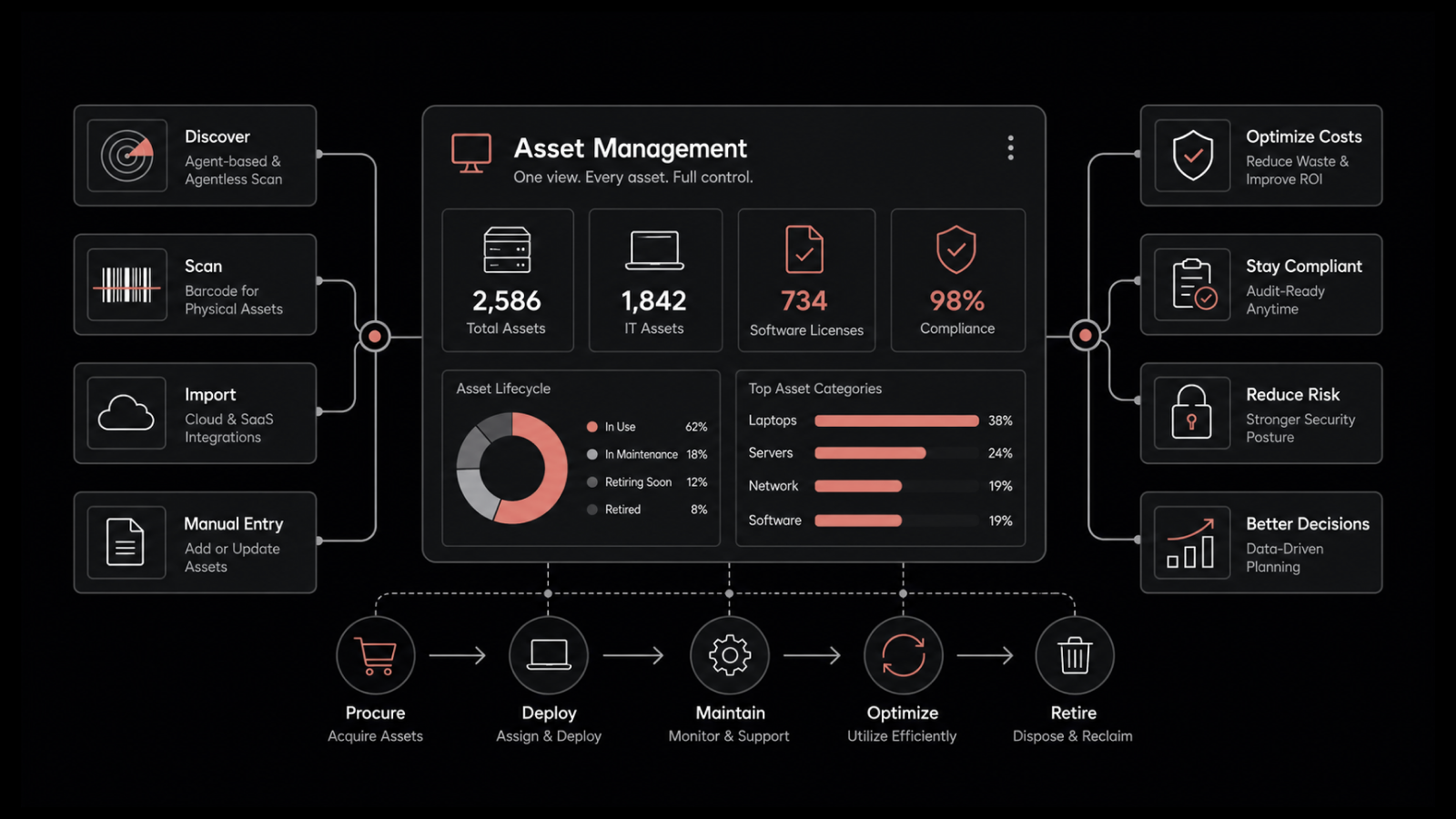
3. Asset Management and CMDB Depth
A service desk is at its best when it has a clear picture of what it supports. The better tools attach each ticket to the asset behind it and to a CMDB, so the hardware, software, and dependencies all sit in front of the technician together. Don't just confirm asset management exists; check how far it actually reaches.
Teams weighing that depth often check peer reviews first, and this one speaks to the asset side directly:
4. Automation and AI
Automation is where a modern ITSM solution repays you fastest. Routing a ticket, clearing an approval, resetting a password, tasks like these run without pulling in a technician at all. Gartner expects agentic AI to resolve 80% of common customer service issues on its own by 2029 and cut operating costs by 30%, and that same shift is already working its way into IT service desks through ITSM automation.
5. Integration With Your Current Stack
The value of an ITSM solution shows up in how well it connects to everything around it. It has to work with your identity provider, your monitoring tools, the apps your team already lives in such as Teams and Slack, and anything that opens or closes a ticket. Where those connections are native, you spare yourself a pile of fragile, hand-built links down the road.
6. Deployment Model and Scalability
Pick a deployment model that fits both your compliance obligations and where the business is heading. SaaS gets you live quickly. Going on-premises means giving up a little of that speed for full control over where your data sits, and whichever route you take, the platform has to scale as your tickets, assets, and headcount climb, or you'll be shopping for a replacement again within a couple of years.
7. Usability and Time to Deploy
A tool your team quietly avoids is a wasted budget. It's better to have a low-code platform your own admins can adjust than one that needs a developer for every small change. Get each vendor to commit to a realistic go-live date as well, since heavily coded systems often take months longer to stand up than a clean, point-and-click setup.
8. Total Cost of Ownership (TCO)
Sticker price tells you very little; the number that counts is the total cost of ownership, or TCO. On top of the license fee, factor in implementation, training, support, upgrades, and any modules you add on later. A cheap tool that needs heavy customizing can cost you more across three years than one that works out of the box.
Use this checklist to keep a shortlist honest:
Selection area | What to confirm before you buy |
Core processes | Incident, request, problem, change, knowledge covered |
Automation and AI | Routing, approvals, self-service, AI depth |
Asset and CMDB | Assets linked to tickets and dependencies |
Integrations | Identity, monitoring, Teams or Slack, APIs |
Deployment | SaaS, on-prem, or hybrid fits compliance |
Usability | Low-code changes and a realistic go-live date |
Reporting | Live dashboards and SLA tracking you trust |
Total cost | License plus implementation, training, upgrades |
How Do You Match an ITSM Solution to Your Team Size?
Matching the solution to your team size stops you overpaying for enterprise features you will never open, and it stops you settling on something you outgrow within the year. A good fit isn't fixed; it moves as you scale.
A small, lean IT team is usually better served by quick setup, self-service, and a low per-agent price than by deep customization. Mid-market teams lean the other way, wanting ITIL processes, asset management, and automation that scale without enterprise pricing or a half-year rollout. Once you reach larger enterprises, particularly those spanning several business units, the priorities become multi-tenant support, fine-grained access control, and the choice of on-prem or private cloud.
A modular platform can stretch across all three, so long as the tier you're quoted actually includes what your size needs. And if assets are the main reason you're buying, our guide to choosing ITAM software digs in further.
How Should You Evaluate an ITSM Vendor Before You Buy?
There are two halves to vetting a vendor, and most buyers only do one. Testing the tool with your own data is the obvious half. The harder one is sizing up the company behind it, its support quality, its track record, and where the roadmap is heading.
A demo shows the software on its best day. The truer test is a trial, where you see how it holds up once your own real, messy tickets are loaded in. Ask companies your size, or in your field, for references and case studies, and read them for the concrete before-and-after rather than the name on the logo.
Then run your own trial. Load in real tickets, push them through your approval chains, and watch for the points where the tool starts to resist. Settle the support model and rollout plan before you sign, too, because a lot of failed go-lives trace back to implementation pitfalls a good vendor would have raised on the first call.
Why Choose Motadata ServiceOps for ITSM?
Motadata ServiceOps is built for teams that want real ITIL maturity without an enterprise-sized invoice. We kept hearing the same request from mid-sized and growing IT teams. They wanted ITIL-aligned workflows, asset management, and patching under one roof, and they wanted it without a six-month rollout to get there.
So ServiceOps brings the service desk, IT asset management, and patch management onto one shared CMDB, with AI built into each module rather than sold as an extra. It's certified ITIL 4 compliant by PeopleCert ATV, and you can run it in the cloud or on your own servers.
It isn't the lightest option, and we won't pretend it is. If all you need is a basic ticket queue, a full platform is more than you'll ever use, and the enterprise pricing is quoted per environment rather than listed on a page. Weighing it against the field is only fair, so we keep a running rundown of the best ITSM tools if you want a wider view.
What it really comes down to is this: the best ITSM solution is the one your team keeps opening week after week. Start from your requirements, put the shortlist through a genuine trial, and settle on the platform that suits how you already work. Do that, and the service desk stops being a bottleneck and turns into something the team leans on, handing IT back the hours to spend on work that moves the business.
FAQs
What is an ITSM solution?
An ITSM solution is software that helps your team deliver and manage IT services across their lifecycle, from logging a ticket to tracking changes and assets. It gives IT one place to run incidents, requests, problems, changes, and knowledge. Most teams use it to make support faster and more consistent.
How do I choose the right ITSM solution for my organization?
Start with your requirements, then compare tools on core ITIL processes, automation, integrations, deployment model, and total cost. Match the platform to your team size so you don't overpay or outgrow it. Test your shortlist with a trial using your own tickets before you commit.
What features should a small business look for in an ITSM tool?
Small businesses should prioritize fast setup, a clean self-service portal, core ticketing, and a low per-agent price over deep customization. Automation for common requests like password resets pays off quickly on a lean team. Cloud deployment keeps infrastructure overhead low.
What is the difference between an ITSM system and an ITSM tool?
The terms ITSM system, tool, software, and solution are mostly used interchangeably. The real difference is scope. A basic tool handles tickets, while a full ITSM system connects incidents, changes, assets, and knowledge on shared data.
How much does an ITSM solution cost?
Most ITSM solutions use subscription pricing based on the number of agents or assets, with modular options if you only need part of the platform. Total cost also includes implementation, training, support, and upgrades. Many vendors offer a free trial, so you can test fit before committing a budget.
Author
Poonam Lalani
Content Strategist
Poonam Lalani is a B2B content strategist and writer with a background in computer engineering and experience across enterprise technology domains, including AI, cloud, DevOps, data engineering, and IT operations. She specializes in creating research-driven content that simplifies complex ideas and supports product education, thought leadership, and business growth.