Things To Consider Before Moving To Cloud-Based ITSM
What Is Cloud-Based ITSM?
Cloud-based ITSM is IT Service Management software delivered as a service (SaaS) through the cloud, rather than installed and maintained on local servers. Instead of owning and managing the hardware, operating system, database, and application stack yourself, you subscribe to a cloud-hosted platform that the vendor maintains, updates, and secures. You access it through a web browser, and the vendor handles infrastructure, patching, backups, and availability.
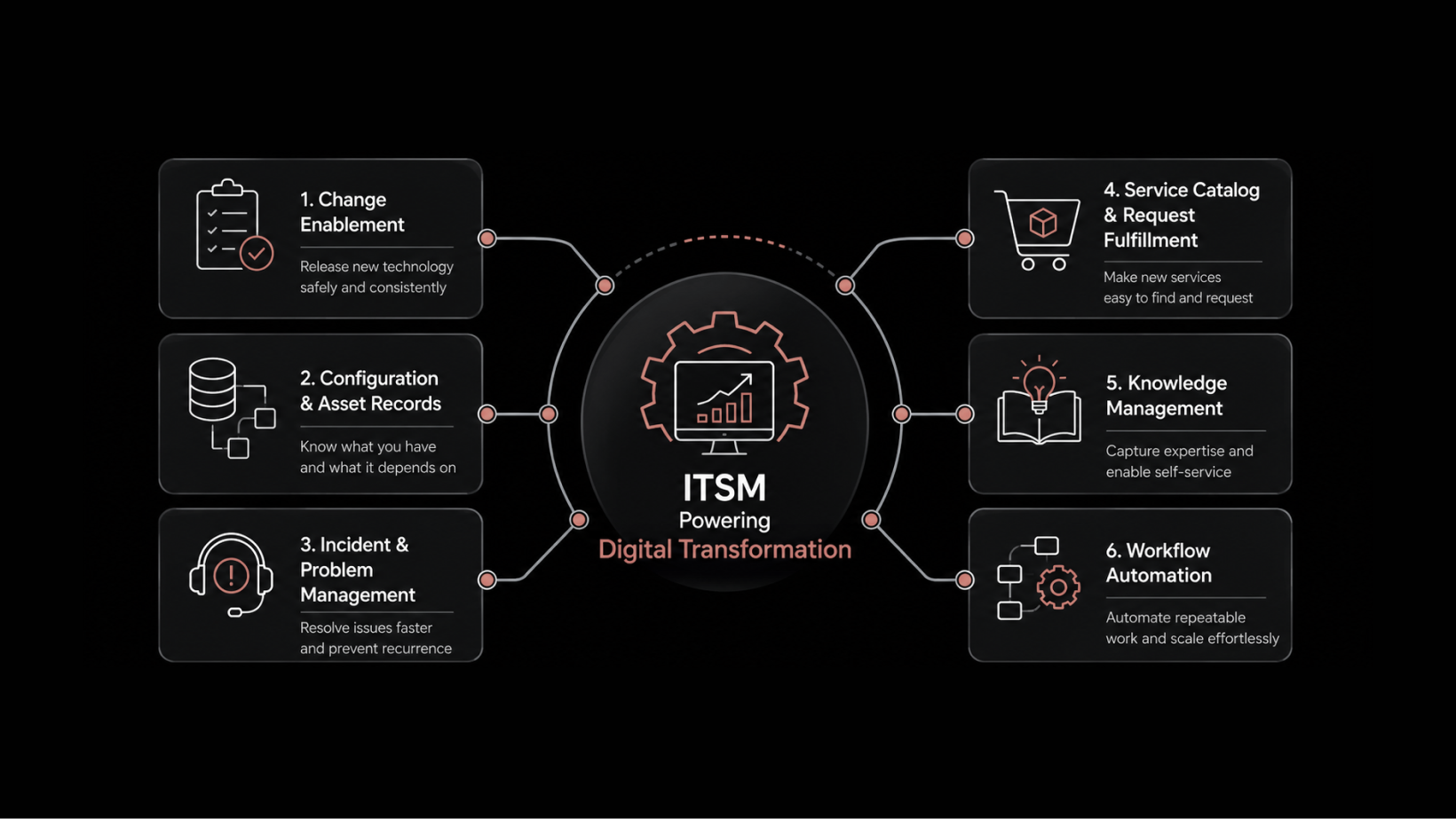
Cloud-based ITSM gives organizations the same service management capabilities — incident management, change management, asset management, request fulfillment, knowledge management — without the overhead of maintaining the underlying infrastructure.
The Migration Decision Is About More Than Technology
Organizations of all sizes depend on ITSM solutions to manage IT services effectively. Cloud technology has opened up a compelling alternative to on-premises deployments, offering benefits in scalability, cost structure, and operational simplicity.
But moving to cloud-based ITSM isn't as simple as flipping a switch. It's a strategic decision that affects security posture, integration architecture, operational workflows, and budget allocation. Organizations that rush the decision often end up with a cloud platform that doesn't fit their compliance requirements, doesn't integrate with their existing tools, or costs more than expected because they didn't plan the migration properly.
Gartner estimates that by 2025, over 85% of organizations will adopt a cloud-first strategy. But "cloud-first" doesn't mean "cloud-only" or "cloud-without-thinking." The organizations that get the most value from cloud ITSM are the ones that evaluate their specific needs, understand the tradeoffs, and plan the transition deliberately.
This guide covers the factors that should drive your decision — and the questions you need to answer before you commit.
On-Premises vs. Cloud ITSM: Understanding the Tradeoffs
Before deciding to migrate, understand what you're moving from and what you're moving to. Both deployment models have legitimate strengths and limitations.
Factor | On-Premises ITSM | Cloud-Based ITSM |
|---|---|---|
Infrastructure | Hosted on local servers, managed by your IT team | Hosted by the vendor, accessed via web browser |
Ownership | You own the software license and hardware | You subscribe to the service; vendor owns the infrastructure |
Updates | Manual updates managed on your schedule | Automatic updates pushed by the vendor |
Security | You control security entirely — but you also bear all responsibility | Vendor provides security infrastructure, certifications, and compliance; shared responsibility model |
Scalability | Requires hardware procurement and capacity planning | Scale up or down based on demand, typically within minutes |
Upfront Cost | High CapEx (hardware, licenses, implementation) | Low upfront cost; subscription-based OpEx model |
Customization | Deep customization possible — but increases upgrade complexity | Configurable within the platform's boundaries; less custom code |
Maintenance | Your team handles patching, backups, monitoring, and DR | Vendor handles all infrastructure maintenance |
Neither model is universally better. The right choice depends on your organization's security requirements, compliance obligations, technical capabilities, budget structure, and growth trajectory.
Factor 1: Recognizing When It's Time to Move
Not every organization needs to migrate immediately. But certain signals indicate that your on-premises deployment is becoming a liability rather than an asset:
Hardware depreciation. Your servers are aging, performance is degrading, and replacement costs are significant.
Compatibility gaps. Your ITSM platform can't integrate with newer tools, APIs, or cloud services.
Growing maintenance burden. Your IT team spends increasing time on infrastructure upkeep — patching, backups, monitoring — instead of service improvement.
Scaling limitations. Adding users, sites, or services requires hardware procurement and lengthy provisioning cycles.
Disaster recovery gaps. Your on-premises DR capabilities are inadequate, and building proper redundancy is prohibitively expensive.
When the cost and effort of maintaining your on-premises deployment exceed the value it delivers, it's time to evaluate cloud alternatives seriously.
Factor 2: Security and Compliance Requirements
Security is the most common concern organizations raise about cloud ITSM — and it deserves careful evaluation, not dismissal.
Before selecting a cloud ITSM vendor, answer these questions:
What compliance certifications does the vendor hold? Look for ISO 27001, SOC 2 Type II, GDPR compliance, and any industry-specific certifications relevant to your sector (HIPAA for healthcare, PCI DSS for financial services).
Where will your data be stored? Data residency requirements may dictate which cloud regions are acceptable. Some regulations require data to remain within specific geographic boundaries.
What's the vendor's security architecture? Understand their encryption practices (at rest and in transit), access controls, network isolation, and vulnerability management processes.
How does the shared responsibility model work? In cloud deployments, the vendor secures the infrastructure, but you're still responsible for access management, user provisioning, and data classification within the platform.
What's the incident response process? If there's a security breach, how quickly will the vendor notify you? What forensic data will they provide? What SLAs apply?
Don't accept vague assurances. Request the vendor's security documentation, audit reports, and penetration testing results. If a vendor can't provide these transparently, that's a disqualifying signal.
Factor 3: Integration With Your Existing Tool Ecosystem
Most organizations don't operate with a single IT management tool. They use monitoring systems, asset management platforms, patch management tools, CMDB solutions, identity providers, and communication platforms. Your cloud ITSM solution needs to work with all of them.
Evaluate integration on three dimensions:
API availability and quality. Does the platform offer well-documented REST APIs? Can you build custom integrations without vendor dependency?
Pre-built connectors. Does the vendor offer native integrations with your existing monitoring, asset management, and identity management tools?
Data flow architecture. Can data flow bidirectionally between systems in real time, or are you limited to batch imports and exports?
Integration failures are one of the top reasons cloud ITSM migrations underperform. If your cloud ITSM platform can't pull alerts from your monitoring tool, sync assets from your CMDB, or authenticate against your identity provider, you'll end up with data silos and manual workarounds that negate the cloud's efficiency benefits.
Factor 4: Scalability and Growth Alignment
One of cloud ITSM's strongest advantages is its ability to scale with your business. But scalability isn't just about adding users — it's about how the platform handles growth across multiple dimensions:
User scaling. Can you add technicians, agents, and end users without performance degradation or architectural changes?
Geographic scaling. If you expand to new regions, does the platform perform well globally? Are there edge nodes or regional data centers?
Service scaling. Can you add new service categories, workflows, and automation rules without hitting platform limitations?
Data scaling. As ticket volume grows over years, does performance remain consistent? How does the platform handle historical data archival and reporting?
Cloud ITSM's pay-as-you-grow model means you're not over-provisioning hardware for future demand. But verify that the vendor's pricing model doesn't penalize growth disproportionately. Some vendors offer attractive base pricing but charge steeply for additional modules, users, or API calls.
Factor 5: Total Cost of Ownership Analysis
Cloud ITSM's subscription model is often presented as cheaper than on-premises. That's usually true for direct infrastructure costs, but total cost of ownership (TCO) requires deeper analysis.
Costs that decrease with cloud migration:
Hardware procurement and refresh cycles
Data center space, power, and cooling
Infrastructure maintenance staff time
Backup infrastructure and disaster recovery systems
Software patching and upgrade labor
Costs that persist or may increase:
Subscription fees (which grow with user count and module adoption)
Integration development and maintenance
Data migration effort
Training on the new platform
Potential premium charges for advanced features, higher API limits, or dedicated support
Build a 3-5 year TCO model that accounts for both deployment options. Factor in not just direct costs but also the opportunity cost of engineering time spent on infrastructure maintenance versus service improvement.
Factor 6: Data Migration and Transition Planning
Data migration is where many cloud ITSM projects encounter unexpected complications. Moving historical tickets, asset records, knowledge base articles, configuration items, user data, and workflow configurations requires careful planning.
Key migration considerations:
Data mapping. Your on-premises data model and the cloud platform's data model won't match exactly. Plan field-by-field mapping and transformation rules before migration begins.
Data cleansing. Migration is an opportunity to clean up stale records, duplicate entries, and inconsistent data. Don't migrate garbage — clean it first.
Historical data strategy. Decide how much historical data to migrate. Moving 10 years of closed tickets may not add value but will slow migration significantly. Consider archiving historical data separately.
Validation and testing. Run migration in a test environment first. Validate record counts, field mappings, and relationship integrity before going live.
Rollback plan. Maintain your on-premises environment in parallel during the transition. Define clear criteria for declaring migration successful and decommissioning the old system.
Factor 7: Simplified Operations and Reduced Maintenance
Cloud-based ITSM fundamentally changes your operations model. The vendor handles infrastructure management — patching, backups, monitoring, capacity management, and high availability — freeing your IT team from these responsibilities.
This means:
Automatic updates. New features and security patches are deployed by the vendor, often without downtime. You don't need to schedule maintenance windows or manage upgrade projects.
Centralized management. Manage your entire ITSM platform from a single web console, regardless of how many sites or user groups you support.
Built-in high availability. Cloud vendors typically offer 99.9%+ uptime SLAs with redundant infrastructure — a level of availability that's expensive to achieve on-premises.
Reduced operational risk. Infrastructure failures, capacity shortfalls, and security patching are the vendor's responsibility, reducing your team's operational burden.
However, "simplified" doesn't mean "zero effort." You still need to manage platform configuration, user administration, workflow design, reporting, and governance. The operational model shifts from infrastructure management to service management — which is where your team's expertise should be focused anyway.
Factor 8: Business Agility and Flexibility
Cloud ITSM enables faster response to changing business needs:
Rapid deployment. New workflows, service categories, and automation rules can be configured and deployed in hours, not weeks.
Remote accessibility. Teams access the platform from anywhere with a browser — no VPN required, no on-premises network dependency.
Quick onboarding. New users and technicians can be provisioned immediately, supporting rapid team scaling.
Faster experimentation. Try new processes, test workflow changes, and iterate without infrastructure constraints.
This agility is especially valuable for organizations in growth phases, undergoing mergers, or operating across distributed locations where centralized on-premises access is impractical.
Moving to cloud-based ITSM is a sound strategic decision for most organizations — but only when it's planned and evaluated properly. The technology is mature, the security models are well-established, and the operational benefits are real.
The organizations that get the most value from cloud ITSM are the ones that treat the migration as a strategic initiative, not a technology swap. They evaluate security and compliance requirements upfront, plan integrations before selecting a vendor, build realistic TCO models, and execute data migration with discipline.
Don't rush the decision, and don't avoid it out of inertia. Evaluate your current environment honestly, understand the tradeoffs, and plan a migration approach that fits your organization's specific needs, timeline, and risk tolerance.
Make the Move to Cloud ITSM With Motadata ServiceOps
Motadata ServiceOps is an AI-native, cloud-ready ITSM platform built for organizations that want the full power of enterprise service management without the infrastructure overhead. With pre-configured ITIL-aligned workflows, native integrations for monitoring and asset management, role-based access controls, and built-in reporting, ServiceOps delivers everything you need from day one. The platform scales with your organization, supports global deployments, and includes AI-powered automation for ticket routing, knowledge suggestions, and SLA management. Start your 30-day free trial or schedule a demo to evaluate ServiceOps for your cloud ITSM migration.
FAQs
Is cloud-based ITSM secure enough for regulated industries?
Yes, if you select a vendor with the right certifications and security architecture. Leading cloud ITSM vendors hold ISO 27001, SOC 2, and industry-specific certifications. The shared responsibility model means the vendor secures infrastructure while you manage access controls and data classification. Evaluate the vendor's security posture against your specific regulatory requirements.
How long does a cloud ITSM migration typically take?
For mid-size organizations, a well-planned migration takes 3-6 months from planning through go-live. Complex migrations with extensive data, integrations, and customizations may take 6-12 months. Phased approaches — migrating one module at a time — reduce risk and allow teams to adjust incrementally.
Can I run cloud and on-premises ITSM in parallel?
Yes. Many organizations adopt a hybrid approach during migration, running both systems simultaneously while validating the cloud deployment. Some organizations maintain hybrid deployments long-term when specific workloads have requirements that cloud can't satisfy.
What happens to my data if I switch cloud ITSM vendors?
Data portability should be evaluated before you sign a contract. Ensure the vendor provides data export capabilities in standard formats. Review contract terms for data retention after termination and the vendor's obligation to assist with data extraction.
Author
Rosy Cordeiro
Content Writer
Rosy Cordeiro is a seasoned documentation expert with over a decade of experience spanning ITSM, Telecom, and Security domains. Throughout her career, she has worked with diverse teams, collaborating with SMEs, engineers, and developers to create technical documents for several projects in the sectors like banking, education, security etc.