11 Best ITSM Tools in 2026 [Reviewed and Compared]
How do you choose the best ITSM tool for your team when 20 vendors all promise the same three things: native AI, ITIL alignment, and a single system to run your whole IT operation?
It is the fair question we hear most from IT managers and service desk leads, and the cost of getting it wrong is high.
An ITSM platform is a multi-year commitment where your team works inside every day, so a poor fit shows fast as slow tickets, manual workarounds, and a migration nobody wants to repeat.
So we put the field side by side. This guide reviews the 10 best ITSM tools of 2026 and compares them on what actually decides a purchase: ITIL certification, native AI, CMDB and asset depth, deployment, reporting, integrations, and total cost.
Each review lays out what the tool does, who it fits, its standout capabilities, honest pros and cons, pricing, and current G2 and Capterra ratings.
A comparison table and a checklist that match every platform to the team it serves best, including the cases where a competitor is the stronger pick.
What is an ITSM Tool?
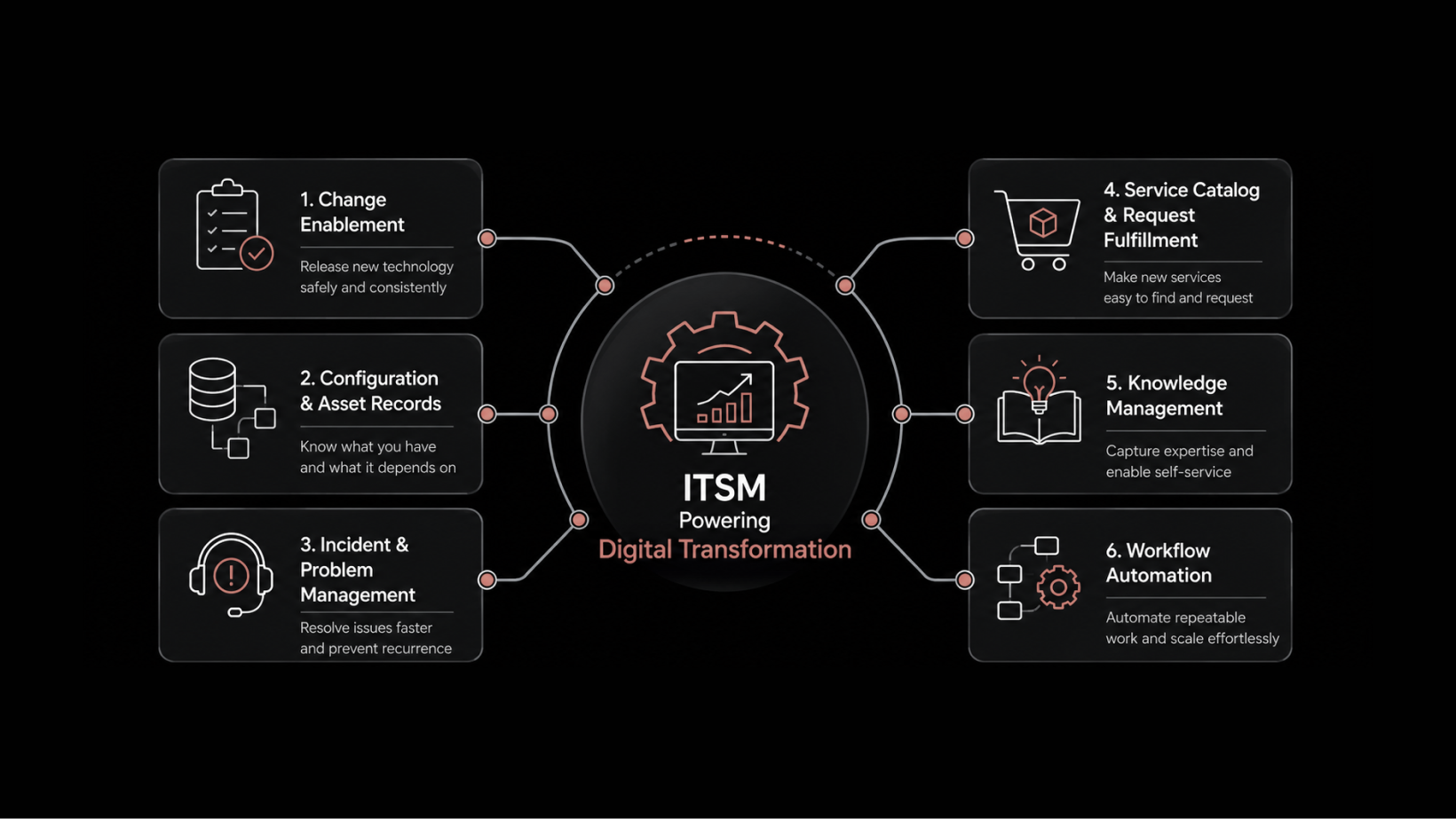
An ITSM tool is the system your IT team uses to receive, track, and resolve service requests and incidents, and to manage the assets and changes behind them. Most platforms align to ITIL practices, which set the common language for incident, problem, change, and service request work.
A modern ITSM platform usually covers:
Incident and request management for day-to-day support.
Problem and change management to control risk.
Asset management and a CMDB for visibility into what you run.
Reporting and AI-driven automation that routes work without manual sorting.
The category has widened. The good platforms now span the service desk, IT asset management, patch work, and an AI layer that suggests resolutions and predicts breaches before they hit an SLA.
If you want the longer primer first, our guide on what ITSM is walks through the practices and where a tool fits.
How Did We Evaluate These ITSM Tools?
Here is how we approached the ranking, and where the limits are:
Capabilities: We compared each platform's core features, from the service desk and CMDB to AI, reporting, integrations, and deployment, against the vendor's own documentation.
Strengths and limitations: We weighed the honest pros and cons of every tool, including the one we build, rather than listing only what each does well.
Community signal: We read what practitioners say in the open, on Reddit threads like r/sysadmin where buyers ask peers what to choose, alongside G2, Capterra, and Gartner Peer Insights reviews, since the unfiltered complaints and praise surface there first.
Weighting: We weighed toward what decides a multi-year purchase: ITIL maturity, native AI and CMDB depth, deployment flexibility, and cost against capability.
What we did not test: We did not run a fresh head-to-head lab test of all ten under identical load.
Pricing and ratings: Prices are the publicly listed entry point as of June 2026, several vendors quote only on request, and ratings move week to week, so confirm the live figure before you commit.
A Quick Valuable Comparison of the 10 Best IT Service Management Tools
The table gives you the shape of the field at a glance. The detailed reviews below carry the nuance.
Tool | Best For | ITIL Certification | Native AI | Deployment | Starting Price |
Motadata ServiceOps | Mid-market and regulated teams | PinkVERIFY + PeopleCert ATV (ITIL 4) | Yes, built in | On-prem, private, public cloud | Custom quote, 30-day trial |
ServiceNow ITSM | Large enterprise | ITIL-aligned | Yes, premium tier | Cloud | Quote only |
ManageEngine ServiceDesk Plus | SMB to mid-market value | PinkVERIFY | Add-on | Cloud and on-prem | Free tier, from about $16/tech/mo |
Freshservice | Fast onboarding | PinkVERIFY | Yes, Freddy AI | Cloud | From $19/agent/mo |
Jira Service Management | Atlassian-native teams | ITIL-aligned | Yes, Atlassian AI | Cloud and data center | Free tier, paid per agent |
Ivanti Neurons for ITSM | Endpoint-heavy enterprise | 14 ITIL 4 practices | Yes | Cloud, on-prem, hybrid | Quote only |
BMC Helix ITSM | Complex multi-cloud | ITIL-aligned | Yes | Cloud, hybrid, on-prem | Quote only |
SolarWinds Service Desk | Cloud-first SMB | ITIL-aligned | Yes | Cloud | Tiered, quote-based |
NinjaOne | Endpoint-heavy IT teams and MSPs | Not ITIL-certified | Yes, AI ticketing | Cloud only | Quote, per device |
SysAid | AI-driven mid-market ITSM | ITIL-aligned | Yes, Copilot + AI agents | Cloud and on-prem | Quote, from ~$79/agent/mo |
InvGate Service Management | Enterprise teams replacing legacy ITSM | ITIL accredited vendor in 15 practices | Yes, embedded | Cloud, on-premises | $1,499/yr for 5 agents, 30-day trial |
We Have Compared Top 10 ITSM Tools in Detail
Each review follows the same shape: who it suits, how it performs, key features, honest pros and cons, pricing, and current ratings. We start with our top pick. Ratings below are from G2 and Capterra as of June 2026 and shift over time.
1. Motadata ServiceOps
Best for: Mid-market and regulated IT teams that want ServiceNow-class capability at a more reachable cost.
Ratings:
G2: 4.5 out of 5
Capterra: 4.5 out of 5
Motadata ServiceOps is an AI-enabled, ITIL v4-aligned ITSM platform that combines the service desk, IT asset management, and patch and package management in one product on a shared CMDB.
It is built for mid-market and regulated IT teams that need full ITIL coverage and data residency without ServiceNow-class pricing.
Because the three functions run on one data model, an incident opens with the affected asset already attached, and a change shows its impact on related assets before it is approved.
The platform runs on Motadata's deep learning framework, DFIT, which also powers Motadata ObserveOps.
AI is native rather than a paid add-on: ticket routing assigns work by skills, workload, and availability, while smart suggestions and breach prediction run across modules on your own data with no training period.
For BFSI, government, and manufacturing buyers, the deciding factors are usually deployment and proof, and ServiceOps covers both with on-premises, private cloud, and public cloud options, audit trails, and two independent ITIL certifications.
Here are the key differentiators:
Unified platform on one license: The service desk, ITAM, and patch management share a single CMDB and AI engine, removing the need to license or integrate three separate products.
Dual ITIL certification: ServiceOps is PinkVERIFY certified by Pink Elephant and listed in the PeopleCert ATV directory as ITIL 4 compliant across 12 practices.
Deployment for regulated industries: On-premises, private cloud, and public cloud, with audit trails and an Arabic-language interface for BFSI, government, telecom, and GCC teams.
Enterprise service management: The catalog, workflows, and approvals extend to HR, facilities, and finance, not only IT.
Closed loop with observability: Paired with ObserveOps on the shared DFIT foundation, monitoring alerts open and resolve tickets automatically.
Conversational AI and MSP support: Virtual agents run on Microsoft Teams, Slack, and WhatsApp, and native multi-tenancy lets providers manage many customers from one instance.
For teams weighing capability against cost, ServiceOps delivers enterprise-grade ITSM at mid-market pricing, with deployment flexibility most rivals reserve for their top tier.
You can book a ServiceOps demo and run a live change through it with your own team before deciding.
Pros
- Unifies service desk, asset, and patch management on one license.
- Holds dual ITIL certification through PinkVERIFY and PeopleCert ATV.
- Runs native AI across every module instead of a paid add-on.
- Deploys on-premises or in a private cloud for data residency.
- Costs meaningfully less than large enterprise vendors.
Cons
- Takes time to set up and customize, with a short learning curve.
- Offers only 30 days of free trial.
Pricing
Motadata offers modular subscription, with ITSM, ITAM, and patch licensable together or apart, plus a 30-day free trial. Pricing is by quote rather than a public list.
2. ServiceNow ITSM
Best for: Large enterprises that need the deepest platform and have the budget and admin headcount to run it.
Ratings:
G2: ~4.3 out of 5
Capterra: ~4.5 out of 5
ServiceNow ITSM is an enterprise IT service management platform that runs the full service lifecycle on a single data model and extends into HR, security, and finance.
It is built for large organizations consolidating many tools onto one system, and it remains the depth benchmark the rest of the market is measured against. For a global operation retiring a dozen point tools, few platforms match its breadth.
Its AI layer, NOW Assist, works directly on the same data model as the workflows, with live access to the CMDB, incident history, and change schedules.
The catch is cost and complexity. Implementation is involved; the platform usually needs dedicated administrators, and licensing spans many modules, which makes total cost hard to forecast and often more than smaller teams need.
Here are the key differentiators:
Runs ITSM on the ServiceNow AI Platform alongside ITOM, HR, security, and finance, for organizations standardizing on one vendor.
NOW Assist AI operates on live CMDB, incident, and change data rather than a separate dataset.
Includes a deep CMDB with automated discovery and service mapping.
Pricing is quote-based and positioned at the premium end of the market.
ServiceNow fits large enterprises with the budget and staff to use its depth. For mid-market teams, it is usually more platform than the requirement calls for.
Pros
- Offers the broadest capability in the category.
- Provides a strong CMDB and discovery engine.
- Scales to the largest environment.
- Backs you with a vast partner and developer community.
Cons
- Costs a great deal to license and implement.
- Demands a steep learning curve and dedicated expertise.
- Makes pricing hard to forecast across modules.
Pricing
Quote only, positioned at the premium end of the market.
3. ManageEngine ServiceDesk Plus
Best for: SMB and mid-market teams that want ITIL coverage at a sensible price.
Ratings:
G2: ~4.2 out of 5
Capterra: 4.4 out of 5
ManageEngine ServiceDesk Plus is an ITIL-aligned service desk and asset management tool aimed at SMB and mid-market IT teams.
It covers incident, change, and problem management, with a CMDB in its higher tiers, and runs in both cloud and on-premises editions. A free five-technician Standard edition lets small teams start at no cost.
The product is PinkVERIFY certified and integrates natively with the wider ManageEngine suite, including Endpoint Central and OpManager, alongside Jira, Microsoft Teams, and Power BI.
The main limitations are interface and packaging: the UI can feel dated and slow in large environments, deeper configuration takes hands-on effort, and the full ITIL scope sits in the Enterprise edition, so cost rises as modules are added.
Our ServiceOps versus ServiceDesk Plus comparison details the differences.
Here are the key differentiators:
ManageEngine reports more than 100,000 organizations and 750,000 technicians across 185 countries, in three editions and 29 languages.
Pricing is per technician with unlimited end users, plus a free five-technician edition.
Integrates natively across the ManageEngine suite and common third-party tools.
Deploys in cloud or on-premises.
For SMB and mid-market teams that want proven ITIL coverage without overspending, ServiceDesk Plus is a sensible, well-established choice.
Pros
- Delivers strong value for the price.
- Offers a free tier and a 30-day trial.
- Supports both cloud and on-prem deployment.
- Covers a broad feature set.
Cons
- Feels heavy and occasionally slow in large environments.
- Draws inconsistent feedback on support quality.
- Gates advanced reporting and CMDB to higher editions.
Pricing
Free five-technician Standard edition; paid cloud from about $16 per technician per month, with Professional and Enterprise higher; on-prem licensing also available.
4. Freshservice
Best for: Teams that want a clean interface and fast onboarding over deep configuration.
Ratings:
G2: 4.6 out of 5
Capterra: 4.5 out of 5
Freshservice is a cloud-based ITSM platform from Freshworks, positioned around ease of use and fast onboarding.
It unifies ITSM, ITOM, ITAM, and enterprise service management on one data layer, and suits teams that want agents to be productive quickly without an implementation project. The product is PinkVERIFY certified.
Its AI layer, Freddy, provides an agent copilot for ticket summaries and response suggestions, plus self-service deflection inside Slack and Microsoft Teams.
The main constraints are depth and pricing: reporting is limited out of the box and often needs workarounds, the asset module is thinner than specialist tools, and the better AI and several modules sit in higher tiers, so cost rises with scale.
Here are the key differentiators:
Unifies ITSM, ITOM, ITAM, and enterprise service management on one shared data layer.
Freddy AI provides summaries, suggestions, and self-service in Slack and Teams.
PinkVERIFY certified, with more than 50 integrations, including Jira, Okta, and Google Workspace.
Cloud-only, with per-agent pricing from $19 per month billed annually.
Freshservice is the right pick when a fast, clean rollout matters more than deep customization, provided you plan for higher tiers as needs grow.
Pros
- Onboards faster than anything else on this list.
- Presents a clean, modern interface.
- Automates across workflows.
- Backs users with responsive support.
Cons
- Limits out-of-the-box reporting.
- Offers a thinner asset module than specialist tools.
- Raises costs as you add AI and advanced tiers.
Pricing
Starter from $19 per agent per month billed annually, Growth $49, Pro $99, Enterprise by quote, with a free trial.
5. Jira Service Management
Best for: Teams already living inside Atlassian who want IT and engineering work in one place.
Ratings:
G2: 4.3 out of 5
Capterra: 4.5 out of 5
Jira Service Management is Atlassian's ITSM tool, built on the same platform as Jira Software and Confluence.
It brings ITIL workflows, change control, SLAs, and asset tracking into the Atlassian environment, and is designed for teams that want IT support and engineering work connected in one system.
Its core strength is the short path between a service ticket and the development work behind it. Atlassian Intelligence handles request triage, routing, and response drafting inside the tool.
The constraints appear outside the Atlassian ecosystem: setup has a steep curve, integrations with non-Atlassian tools can be brittle, automation usage carries added cost, and user management can add billable agents.
The platform returns the most value when Atlassian is already central to how the team works.
Here are the key differentiators:
Built on the Atlassian platform used by more than 300,000 companies, sharing users, permissions, and projects with Jira Software and Confluence.
Deploys in cloud or data center, with per-agent pricing across Free, Standard, Premium, and Enterprise tiers.
Atlassian Intelligence assists triage, routing, and response drafting.
Includes native asset and configuration management.
For Atlassian-native teams, Jira Service Management is the natural fit. The further a team sits from Atlassian, the weaker the case becomes.
Pros
- Fits Atlassian-native teams better than any rival.
- Structures workflows and SLAs well.
- Ties service work tightly to engineering.
- Automates flexibly across the platform.
Cons
- Demands a steep learning curve and complex setup.
- Integrates poorly with non-Atlassian tools.
- Let agent counts and automation costs creep.
Pricing
Free for up to three agents, then per-agent Standard and Premium tiers, with Enterprise billed annually.
6. Ivanti Neurons for ITSM
Best for: Enterprises with large, complex endpoint estates that want ITSM and device management close together.
Ratings
G2: ~4.2 out of 5
Capterra: ~4.2 out of 5
Ivanti Neurons for ITSM is an enterprise service management platform that sits within Ivanti's broader endpoint and security suite.
It is the successor to Ivanti Service Manager, formerly HEAT, and suits organizations managing large device estates that want service management and endpoint management connected.
It certifies 14 ITIL practices and deploys in cloud, on-premises, or hybrid models.
The platform supports self-healing automation that can resolve recurring endpoint issues, such as service restarts, without manual intervention, and licenses per analyst and per asset.
The drawbacks are a steep learning curve, an administrative interface that feels dated, and reporting that needs customization effort. Implementations often involve partners, which adds to cost.
Here are the key differentiators:
Successor to Ivanti Service Manager, formerly HEAT, within Ivanti's endpoint and security suite.
Certifies 14 ITIL practices and licenses per analyst and per asset.
Supports self-healing automation for recurring endpoint issues.
Deploys in cloud, on-premises, and hybrid models.
Ivanti Neurons fits enterprises that need ITSM and endpoint management in one place, provided they plan for the setup effort and partner support it typically requires.
Pros
- Customizes deeply to fit complex workflows.
- Ties ITSM tightly to endpoint and asset management.
- Deploys flexibly across environments.
- Automates capably at scale.
Cons
- Carries a steep learning curve.
- Shows a dated administrative interface.
- Makes report customization awkward.
- Runs up cost and consulting time.
Pricing
Subscription based pricing on per asset, quoted on request.
7. BMC Helix ITSM
Best for: Large enterprises running complex, multi-cloud environments with heavy service management needs.
Ratings:
G2: ~3.7 out of 5
Capterra: ~4.0 out of 5
BMC Helix ITSM is an enterprise-grade service management suite for large, complex, multi-cloud environments.
It provides deep ITIL coverage, context-aware ticket routing, change management with risk analytics, and AI-driven classification, and integrates with BMC Helix Discovery to populate and maintain the CMDB.
It is built for organizations with the scale and process maturity to use that depth.
Deployment runs on cloud, hybrid, or on-premises. As with most legacy enterprise suites, the drawbacks are a user experience that can feel dated, a long and complex implementation, and a cost that returns value only over a multi-year horizon.
Smaller and mid-market teams will find it heavier than their needs require.
Here are the key differentiators:
Integrates with BMC Helix Discovery to map infrastructure and feed the CMDB.
Cognitive automation classifies and assigns tickets, and change management includes risk analytics.
Deploys on cloud, hybrid, or on-premises.
Quote-based pricing at the premium enterprise tier.
BMC Helix suits large enterprises with mature processes and multi-cloud complexity. For anything smaller, it is more platform than the workload justifies.
Pros
- Covers ITIL processes very deeply.
- Customizes extensively.
- Discovers and maps infrastructure well.
- Handles very large scale.
Cons
- Takes a long, complex deployment.
- Shows a dated user experience.
- Costs a premium.
- Overshoots what smaller teams need.
Pricing
Quote only, at the premium enterprise tier.
8. SolarWinds Service Desk
Best for: Cloud-first SMB and mid-market teams that want ITIL basics without heavy setup.
Ratings:
G2: ~4.3 out of 5 (764 reviews)
Capterra: 4.6 out of 5 (577 reviews)
SolarWinds Service Desk is a cloud-based ITSM tool covering incident, problem, change, and release management, with asset management, a CMDB, and a self-service portal.
It belongs to the wider SolarWinds IT management family, which makes it a natural fit for teams already using SolarWinds monitoring.
It is aimed at cloud-first SMB and mid-market teams that want core ITIL processes without a heavy setup.
AI features assist agent efficiency, and the platform is cloud-only with a 30-day trial.
The limitations sit at the edges rather than the core: the interface can feel busy with a learning curve, reports load slowly, and the platform strains in very large environments. It is a capable mid-tier tool rather than an enterprise platform.
Here are the key differentiators:
Part of the wider SolarWinds IT management family.
Covers incident, problem, change, and release, with asset management, a CMDB, and a self-service portal.
Includes AI features for agent efficiency.
Cloud-only, with tiered, quote-based pricing and a 30-day trial.
For a cloud-first SMB that wants the ITIL essentials without overhead, SolarWinds Service Desk covers the core well.
Pros
- Delivers clean cloud service desk basics.
- Handles core ITIL processes well.
- Fits neatly into the SolarWinds ecosystem.
- Tracks assets reliably.
Cons
- Presents a learning curve from a busy interface.
- Loads reports slowly.
- Strains in very large environments.
- Needs extra setup for some integrations.
Pricing:
Tiered and quote-based, with a 30-day trial.
9. NinjaOne
Best for: IT teams and MSPs managing large endpoint estates that want ticketing tied directly to device management.
Ratings:
G2: 4.7 out of 5
Capterra: 4.8 out of 5
NinjaOne is a cloud-native IT operations platform built around remote monitoring and management, endpoint management, patching, and automation, with an integrated ticketing module.
It is designed for IT departments and managed service providers that run large or distributed device fleets and want support tickets tied to the same console used for patching, scripting, and remote access.
It is not a full ITIL ITSM suite in the way ServiceNow or Motadata ServiceOps are; its strength is endpoint operations, with ticketing built in rather than as the centerpiece.
The platform is consistently rated the easiest to use in its category, with most teams live within a week, and it holds a 2026 Gartner Magic Quadrant Leader position for endpoint management tools. AI features add ticket categorization and routing, plus anomaly detection that flags failing devices before users report them.
The limitation is the service desk itself: reviewers describe the ticketing as functional rather than advanced, with limited SLA tracking, workflow depth, and reporting compared with dedicated ITSM platforms, and there is no formal CMDB or full ITSM workflow engine.
Here are the key differentiators:
Combines RMM, endpoint management, patching, scripting, remote access, and ticketing in one console, with backup and MDM as paid add-ons.
Holds a Gartner Magic Quadrant Leader position for endpoint management tools and is used by more than 17,000 MSPs and IT teams.
Adds AI-assisted ticket routing and categorization, plus anomaly detection for proactive support.
Runs cloud-only, with per-device pricing quoted on request and annual billing.
NinjaOne fits endpoint-heavy IT teams and MSPs that want one console for device management and support. Teams that need formal ITIL change, problem, and CMDB workflows will find it lighter than a purpose-built ITSM platform.
Pros
- Rated among the easiest platforms to use, with fast onboarding.
- Ties support tickets directly to endpoint and patch data.
- Includes free, unlimited onboarding and support on every plan.
- Consolidates several point tools into one console.
Cons
- Ticketing is lighter than dedicated ITSM tools, with limited SLA and workflow depth.
- Has no formal CMDB or full ITIL workflow engine.
- Does not publish pricing and bills annually only.
- Mobile app trails the desktop console.
Pricing
Per-device and quote-based, with reported rates around $3 to $5 per device per month for core functions, billed annually, with a free trial.
10. SysAid
Best for: Mid-market and enterprise IT departments that want full ITIL coverage with AI handling the repetitive work.
Ratings:
G2: 4.5 out of 5
Capterra: 4.5 out of 5
SysAid is an ITSM platform that has been in the market since 2002 and has rebuilt itself around generative and agentic AI.
It covers the full ITIL module set, incident, problem, change, asset management, CMDB, service catalog, and knowledge base, and is aimed at IT departments of roughly 50 to 5,000 employees that run ITIL-aligned workflows and want AI to cut manual overhead without replacing their service structure.
The AI is embedded across the platform rather than bolted on.
Its AI layer, SysAid Copilot, handles ticket categorization, routing, summaries, and sentiment analysis, and an AI Agent Builder lets teams deploy agents that resolve routine requests such as password resets on their own.
The platform deploys in the cloud or on-premises and carries SOC 2 and ISO 27001 certifications, which suits regulated buyers.
The drawbacks are an interface that can feel dated in some modules, an admin learning curve from the depth of customization, and AI that arrives as a paid Copilot add-on rather than in the base price.
Here are the key differentiators:
Covers the full ITIL module set: incident, problem, change, asset management, CMDB, service catalog, and knowledge base.
Embeds SysAid Copilot and an AI Agent Builder for categorization, routing, summaries, and autonomous resolution of routine requests.
Deploys in cloud or on-premises, with SOC 2 and ISO 27001 certification and more than 40 integrations, including Teams, Intune, and Lansweeper.
Prices by quote across Help Desk, ITSM, and Enterprise tiers, with Copilot as an add-on.
SysAid fits mid-market and enterprise IT teams that want mature ITIL workflows and genuine AI automation at a cost below the large enterprise platforms. Teams wanting AI included in the base price, or a polished mobile app, should weigh those gaps.
Pros
- Covers the full ITIL suite without heavy developer effort.
- Embeds generative and agentic AI across the platform.
- Deploys in cloud or on-premises with strong security certifications.
- Customizes deeply to fit team workflows.
Cons
- Interface feels dated in some modules.
- Carries an admin learning curve from its depth.
- Prices AI as a paid Copilot add-on, not in the base plan.
- Mobile app is weak, a recurring reviewer complaint.
Pricing:
Quote-based across Help Desk, ITSM, and Enterprise tiers, with reported entry around $79 per agent per month, plus a one-time onboarding fee and Copilot as an add-on. Free trial available.
11. InvGate Service Management
Best for: Enterprise IT teams moving off a legacy ITSM suite who want no-code configuration and fast time to value.
Ratings:
G2: 4.6 out of 5
Capterra: 4.6 out of 5
InvGate Service Management is a no-code IT service management platform built for growing IT teams that have outgrown a basic help desk or are stepping away from an aging suite. It pairs natively with InvGate Asset Management, so a ticket opens with the hardware or software behind it already attached.
Admins build workflows, forms, and approval chains through a visual interface, then adjust them again later without opening a ticket with a vendor. The platform deploys in the cloud or on-premises, and is an ITIL accredited vendor.
It connects to Microsoft Teams, Slack, WhatsApp, Active Directory, and more, and its portal extends the same catalog to HR, Legal, Facilities, and Finance without a second license.
The main gaps sit outside core ITSM: project tracking isn't built for formal project work, and support runs business hours rather than around the clock.
Here are the key differentiators:
Recognized in Gartner Peer Insights Customers' Choice for 2025 and referenced in Gartner's Market Guide for IT Service Management Platforms.
Configuration changes are built and changed by IT admins directly, with no partner or certification required.
Agents see hardware and software context on the ticket without switching tools.
AI-powered capabilities included on all tiers for cloud and on-premise clients.
For a team that wants configuration control and live asset visibility, InvGate Service Management delivers both when paired natively with InvGate Asset Management.
Pros
- Admins make configuration changes in-house, no consultant required.
- Pairs with InvGate Asset Management for ticket-level context.
- Extends to HR, Legal, Facilities, and Finance on one license.
- ITIL accredited, with no professional-services engagement needed.
Cons
- Project management capabilities are limited.
- Support doesn't run 24/7.
Pricing:
$1,499 per year for a five-agent Starter plan; $500 per agent per year for Pro, covering 5 to 50 agents; Enterprise by custom quote; 30-day free trial on every tier.
What Makes an ITSM Tool Worth Choosing?
A demo makes every tool look the same. The differences show up in month three, when you are configuring workflows your vendor never anticipated. These are the criteria that actually separate the field:
ITIL alignment and certification: Many tools claim ITIL alignment. Fewer hold formal third-party certification like PinkVERIFY or a PeopleCert ATV listing, which tells you the processes were assessed by an outside body, not marketed.
AI and automation: Look for AI that ships inside the platform and works on your own data, not a paid add-on that needs weeks of training. Ticket routing, summaries, and breach prediction are where AI in ITSM earns its keep.
CMDB and asset depth: A shared configuration management database connects an incident to the asset that caused it, so impact analysis stops being guesswork.
Reporting: Reporting is the single most searched question buyers bring to this category, and it is where many tools fall short out of the box. Ask whether you need SQL to build a custom report.
Integrations: Your ITSM tool has to talk to the identity, monitoring, and collaboration systems you already run.
Deployment and data residency: On-premises and private cloud options matter for banking, government, and any team with strict residency rules.
Total cost: Per-agent pricing looks simple until add-ons, modules, and higher tiers stack up.
Weigh these against how your team actually works, not against a feature checklist. A tool that wins on paper can still lose on the workflow you run a hundred times a day.
Which ITSM Tool Is Right for Your Team?
The best tool is the one that matches your size, budget, and constraints, not the one with the longest feature list. Here is how the field sorts by reader type:
Mid-market or regulated team that needs enterprise capability without enterprise cost: Motadata ServiceOps, with dual ITIL certification, native AI, and on-prem or private cloud for data residency. Our guide on selecting the right ITSM solution walks the decision in more detail.
Large enterprise consolidating many tools with budget and admin staff to spare: ServiceNow, if you can fund and resource it; BMC Helix for very complex multi-cloud estates.
Small or mid-sized team that wants value and a quick start: ManageEngine ServiceDesk Plus or SolarWinds Service Desk.
Team that prizes ease of use and fast onboarding above deep configuration: Freshservice.
Atlassian-native shop linking IT and engineering work: Jira Service Management.
Endpoint-heavy enterprise wanting ITSM beside device management: Ivanti Neurons.
MSP or IT team that wants endpoint management and ticketing in one console: NinjaOne.
Mid-market or enterprise team that wants full ITIL coverage with AI doing the repetitive work: SysAid.
If you run observability alongside service management, the closed loop matters too.
Pairing ServiceOps with Motadata ObserveOps lets monitoring alerts open tickets automatically and close the path from detection to resolution.
Where are ITSM Tools Heading in 2026?
The category is moving faster than it has in years, and the platform you choose now should still fit two or three years out. A few shifts are worth weighing before you commit, because they separate tools built for where IT is going from tools built for where it has been.
Agentic AI is replacing the copilot: The first wave of AI added suggestions and summaries. The next wave acts: triaging, routing, drafting, and resolving routine tickets without a human in the loop. Platforms like ServiceNow, Freshservice, and Motadata ServiceOps are already moving from assistance toward autonomous action, and the gap between tools that work on your own data and tools that need weeks of calibration is widening.
Observability and ITSM are converging: Teams are tired of an alert sitting in one tool and a ticket in another. The direction is a closed loop where a monitoring signal opens, enriches, and helps resolve a ticket on its own. Motadata builds this on a shared DFIT foundation across ObserveOps and ServiceOps, and the wider market is moving toward predictive IT operations.
Service management is outgrowing IT: Enterprise service management is pushing the same catalog, workflows, and approvals into HR, finance, and facilities. The platforms that handle enterprise service management well let a company standardize on one system instead of buying a separate tool for each department.
Data residency is becoming a first question: For BFSI, government, and teams in regulated regions, where the data lives and who can audit it increasingly decides the shortlist before features come up, which keeps on-premises and private cloud options in demand.
Consolidation is the quiet trend: Tight budgets are pushing teams to replace several point tools with one unified platform, so the total cost of the whole stack, not the entry price of a single tool, is what more buyers now compare.
For a business buying this year, the takeaway is to weight the decision toward the future, not just the demo.
Favor native AI that runs on your own data, a shared CMDB that ties service to assets, deployment that matches your compliance rules, and a roadmap pointed at autonomous operations rather than another dashboard.
The right platform should still be the right platform after your next two renewal cycles.
Pick the Best IT Service Management Platform for Your Business Needs
Now that you’ve gone through the comparison, you should have a clearer view of what each platform brings to the table.
If you’re still deciding, the right choice is the one that helps you:
Run IT operations with strong ITSM and ITOM capabilities
Use AI to cut through noise and improve response times
Keep all your assets, services, and dependencies in a unified CMDB
Choose a deployment model that fits your security and infrastructure needs
When these elements come together in one platform, your operations become easier to manage and scale without unnecessary complexity.
Try Motadata ServiceOps and see how it fits into your day-to-day workflows.
FAQ
What are the best tools for ITSM reporting?
Reporting strength varies more than buyers expect. ServiceNow and Motadata ServiceOps offer deep dashboards and analytics out of the box, while Ivanti and SysAid are capable but can need custom work for advanced reports. Freshservice and NinjaOne are praised for ease of use but are frequently called limited on out-of-the-box reporting, so test report building during your trial.
What are the best ITSM service management tools for 2026?
For 2026, look for tools with native AI that works on your own data, a shared CMDB, and certified ITIL practices. Motadata ServiceOps, ServiceNow, Freshservice, and Jira Service Management all meet that bar, with Motadata standing out for dual ITIL certification and flexible deployment at mid-market cost.
What is the difference between ITSM and a help desk?
A help desk handles tickets and user requests. An ITSM tool covers that and adds the wider discipline of incident, problem, change, asset, and service request management, usually aligned to ITIL. In short, every ITSM platform includes a help desk, but a help desk on its own is not a full ITSM platform.
Are there free ITSM tools?
Yes, a few. ManageEngine ServiceDesk Plus offers a free five-technician Standard edition, and Jira Service Management is free for up to three agents. These suit small teams, but full ITIL coverage, asset management, and advanced reporting usually sit in paid tiers.
Which ITSM tool has the best AI?
Native AI is now common, but the depth differs. ServiceNow and Motadata ServiceOps embed AI across the platform on a shared data model, Freshservice ships Freddy AI for self-service and summaries, and Jira uses Atlassian AI for triage. The test is whether the AI runs on your own data without weeks of training and without a separate license.
Do ITSM tools support on-premises deployment?
Some do, and it matters for regulated industries. Motadata ServiceOps, ManageEngine ServiceDesk Plus, Ivanti Neurons, BMC Helix, and SysAid offer on-premises or hybrid options, while Freshservice, SolarWinds Service Desk, and NinjaOne are cloud-only. If you have data residency rules, confirm the deployment model before you shortlist.
How much do ITSM tools cost?
Entry pricing ranges from free tiers to about $19 per agent per month for Freshservice and around $16 per technician per month for ManageEngine, while ServiceNow, BMC Helix, and Ivanti quote on request at the higher end. Watch for add-ons, AI tiers, and modules, since the headline price rarely reflects the full bill.
Author
Jagdish Sajnani
Senior Content Strategist
Jagdish Sajnani is a B2B SaaS content strategist and writer. He has experience across different B2B verticals, including enterprise technology domains such as IT Service Management, AI-driven automation, observability, and IT operations. He specializes in translating complex technical systems into structured, engaging, and search-optimized content. His work improves product understanding, strengthens organic visibility, and supports B2B demand generation.