All Features
Service Management
Request Management Software
Motadata ServiceOps Request Management captures IT requests from every channel and tracks them through triage, routing, SLA enforcement, and resolution in one record.
Centralized Request Tracking from Intake to Resolution
A request, whether a service outage or a hardware refresh, requires structured tracking to resolve quickly. Motadata ServiceOps Request Management provides a unified platform to capture, classify, route, and resolve IT requests while maintaining visibility, consistent workflows, and full auditability.
Every request enters through the user's preferred channel, creates a central record, and attaches critical context including classification, linked tickets, SLA timers, and historical notes. Support teams get immediate access to necessary information without manual intake steps or administrative delays.
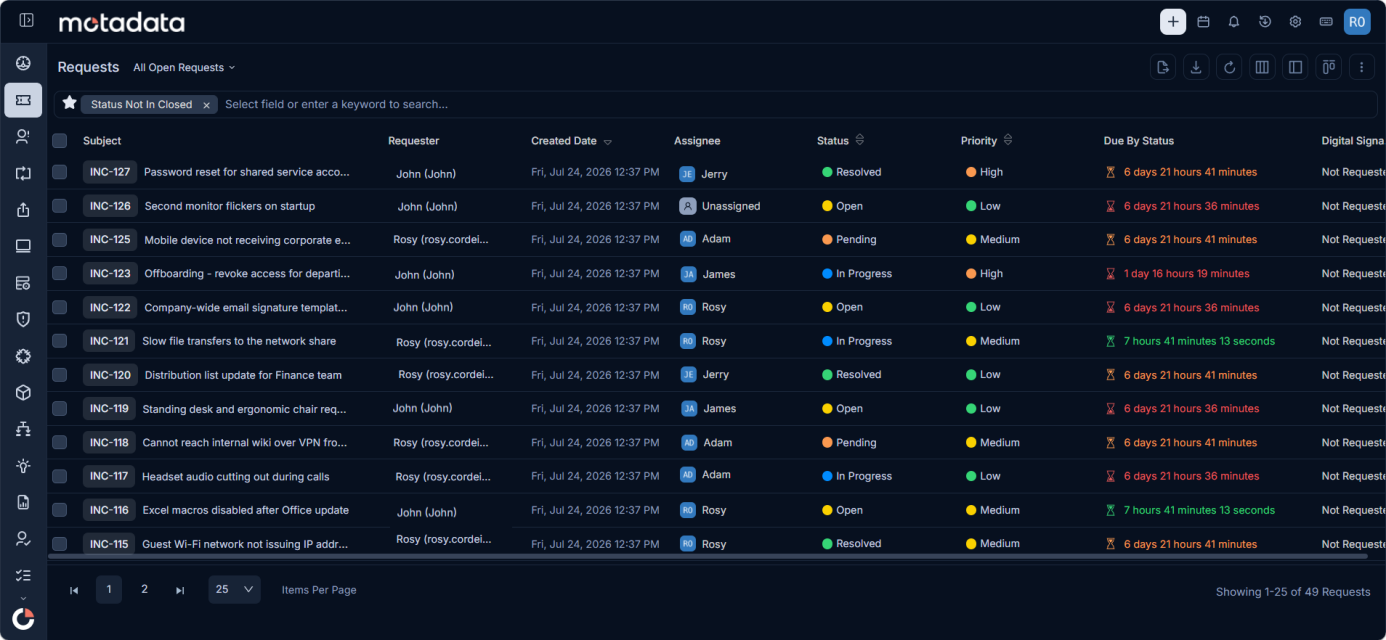
Capture Requests From Every Channel
Requesters use multiple communication channels, and IT service desks need to accommodate them directly. ServiceOps ingests requests through the Support Portal, Technician Portal, monitored email addresses, or interactive chatbots, automatically formatting input into structured tickets.
Direct integrations with Microsoft Teams and Slack allow users to submit requests, monitor status, and communicate with technicians within their daily messaging apps. Standard email parsing turns incoming messages into tracked service desk tickets automatically.
Each ticket is designated as an Incident Request (for service interruptions) or a Service Request (for standard fulfillments such as password resets or new equipment). This categorization determines priority scoring, approval workflows, and SLA targets from the moment of creation.
Prioritize, Classify, and Route Automatically
Automated classification places high-impact requests at the top of the queue. Configurable rules evaluate Status, Priority, Urgency, and Impact across all incoming tickets, while Technician Group assignments route work to qualified teams.
Technicians can tag tickets for rapid lookup, and automated rules apply tags based on ticket state and resolution actions. This builds a searchable historical record as work progresses.
Automated routing distributes tickets to designated support groups based on category and workload. Technicians can claim, reassign, or hand off tickets to balance queue volume, while configurable scenario automation executes multi-step actions including field updates, notifications, and escalations.
Coordinate Work, Linked Processes, and Assets
Technicians manage resolution activities within a single ticket interface. Dedicated workspace tabs isolate requester communications, internal notes, team collaboration, and task assignments, preventing fragmented discussions across tools. Built-in operations allow technicians to merge duplicate tickets, split complex requests into sub-tickets, or apply bulk updates across related records.
Tickets link directly to related Problem records, Change requests, or past incident resolutions. Similar Ticket detection automatically surfaces prior fixes to prevent technicians from troubleshooting recurring issues from scratch.
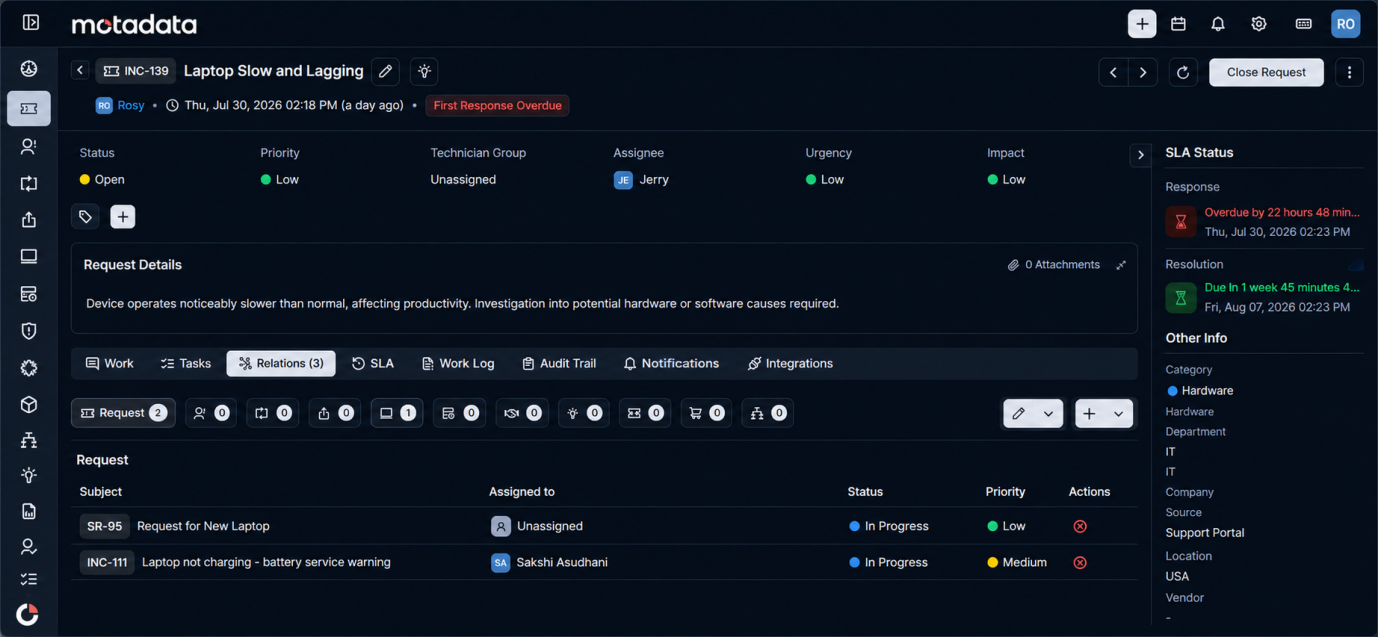
Tickets also connect directly to affected hardware, software, and IT services. When working on a request for a workstation or server, technicians view configuration details, maintenance history, and linked problems or changes without leaving the module. Viewing an Asset or CI details page displays all active requests and incidents bi-directionally.
Maintain Record Discipline, SLAs, and Auditability
Out-of-the-box SLA policies enforce response and resolution timelines across Low, Medium, High, and Urgent priorities. Automated notifications trigger prior to SLA breaches, enabling technicians to intervene before commitments are missed.
Workflows enforce accountability across every stage. Automated approval rules route requests to designated managers or CAB members, while immutable audit logs record status changes, assignments, and notes automatically. Standardized closure rules require mandatory fields before ticket resolution, allowing technicians or requesters to resolve, close, or reopen tickets in a single step.
Measure Satisfaction and Convert Ticket Types
Feedback forms collect requester input automatically upon ticket closure. For advanced tone evaluation across open-text feedback comments, the Agentic AI module provides natural language evaluation alongside standard ratings.
If an incident is reclassified as a service request during investigation (or vice versa), technicians convert the record type directly. ServiceOps transfers ticket details, history, and attachments into the appropriate workflow without requiring the user to resubmit. When a service request specifies the wrong catalog item, the Change Service function reassigns the ticket to the correct catalog item while preserving history and updating approval dependencies.
Deflect Tickets and Assist Technicians with Agentic AI
Virtual agents resolve common inquiries through conversational chat in the Support Portal, Teams, or Slack. Users complete password resets and standard requests without opening a support ticket.
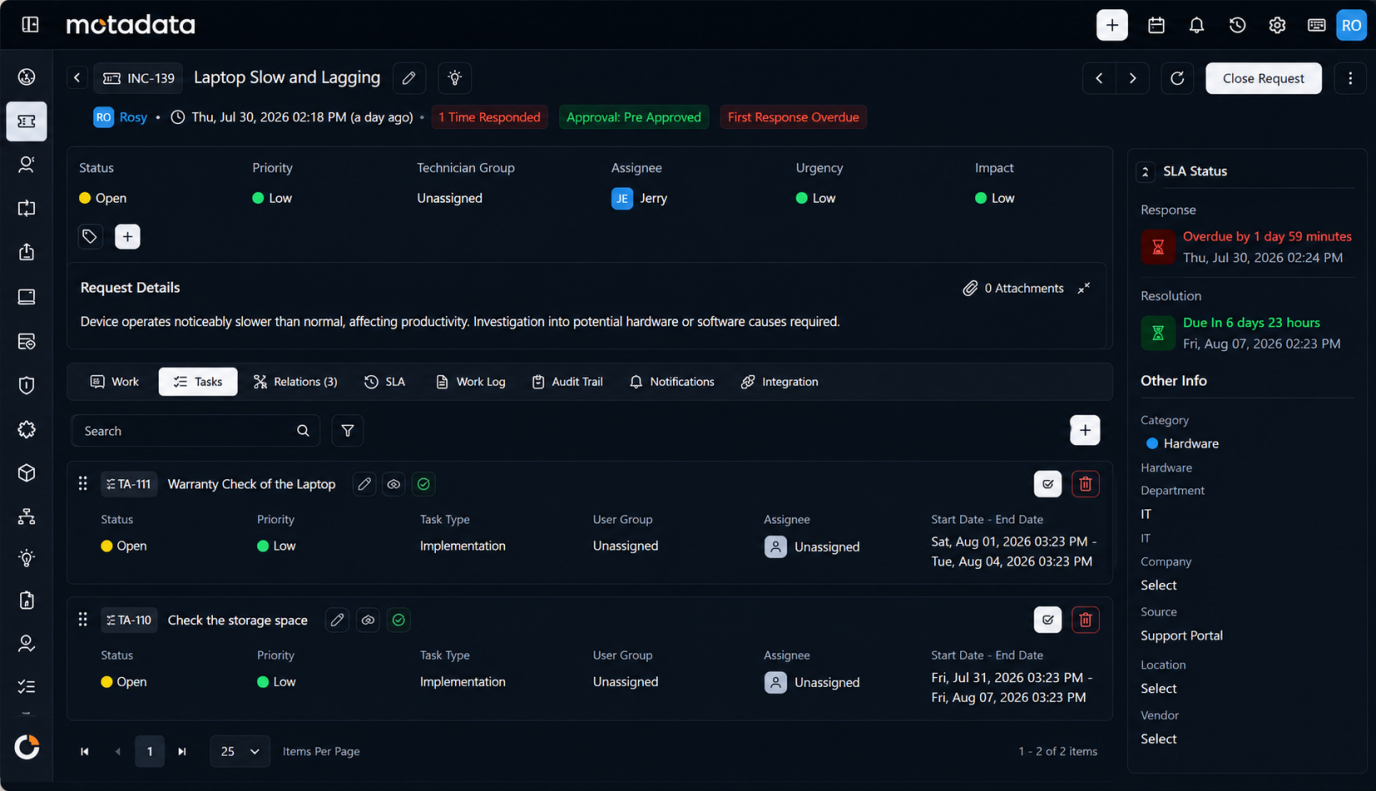
For open tickets, AI assistance searches knowledge base articles and historical resolutions to recommend fixes. Technicians can generate response drafts or summarize lengthy ticket threads instantly.
Accelerate IT Service Delivery
ServiceOps consolidates request management by combining multi-channel intake, automated triage, asset mapping, and SLA tracking into a unified interface.
Intelligent routing, automated scenarios, and virtual agent deflection reduce manual overhead, allowing support teams to focus on rapid ticket resolution.
Ready to implement Request Management Software?
Discover how Motadata ObserveOps can help you monitor your infrastructure in real-time and respond to issues instantly.