Observability vs Monitoring: Key Differences, When to Use Each, and Why You Need Both
Observability vs monitoring in short: Monitoring tells you something is wrong. Observability tells you why it's wrong, where it started, and what else it's affecting. Monitoring watches for known problems. Observability helps you investigate the ones you didn't predict.
An SRE team at a fintech company had 47 monitoring alerts configured across their payment processing pipeline. Every known failure mode was covered — database connection drops, API timeouts, queue depth thresholds. Then a latency spike hit that matched no existing alert. Transactions slowed by 300ms. No threshold was breached. No alert fired. Users complained for 40 minutes before anyone noticed.
Their monitoring was working perfectly. It just couldn't see a problem it wasn't looking for.
That's the core distinction. Monitoring answers "is it working?" Observability answers "why is it behaving this way?" You need both — but confusing them is how teams end up with dashboards full of green lights and users full of frustration.
What Is Monitoring?
Monitoring is the practice of collecting, tracking, and alerting on pre-defined metrics to ensure systems operate within expected parameters.
Think of it as setting tripwires. You decide in advance what matters — CPU above 90%, response time above 200ms, error rate above 1% — and the monitoring tool alerts you when a threshold is crossed.
What monitoring does well:
Catches known failure modes quickly
Provides real-time dashboards for operational status
Triggers alerts based on clear conditions
Tracks trends over time for capacity planning
Works well for stable, well-understood systems
Where monitoring falls short:
Can't detect problems you didn't anticipate
Creates blind spots in distributed systems where failures span multiple services
Generates noise when thresholds are too aggressive or too many alerts are configured
Tells you what broke but not why
Example: Your monitoring tool alerts you that the API error rate jumped to 5%. Useful. But was it a deployment issue, a database problem, a network partition, or a third-party dependency failure? Monitoring gives you the symptom. You still need to diagnose the cause.
What Is Observability?
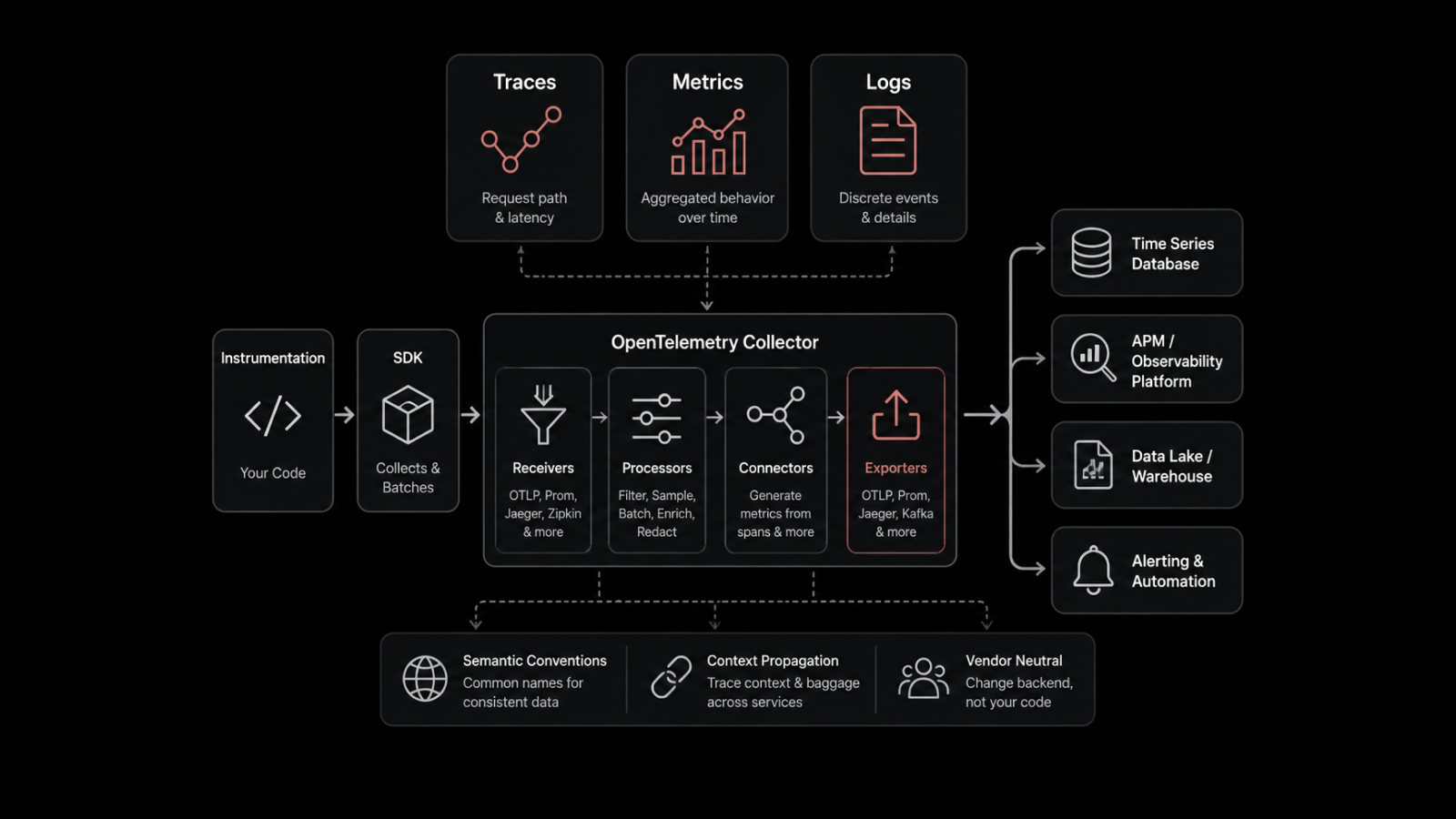
Observability is the ability to understand your system's internal state by examining the data it produces — logs, metrics, traces, and their correlations.
It comes from control theory: a system is "observable" if you can determine its internal state from its external outputs. In IT terms, that means you can ask any question about system behavior and find the answer in your telemetry data — even questions you didn't think to ask in advance.
What observability does well:
Investigates unknown unknowns — problems no one anticipated
Correlates events across services, infrastructure, and time
Traces a single request through dozens of microservices
Identifies root causes, not just symptoms
Supports exploratory investigation, not just reactive alerting
Where observability requires more:
More data instrumentation effort upfront
Higher data volume and associated storage costs
Requires team skills beyond dashboard-watching
Takes longer to mature than basic monitoring
Example: The same API error rate spike. With observability, you'd trace affected requests through your service mesh, correlate the timing with a deployment event in your CI/CD pipeline, identify that a schema migration on the EU database shard caused query plan changes, and pinpoint the exact commit that introduced the regression. In 15 minutes, not 4 hours.
Observability vs Monitoring: The Comparison Table
Dimension | Monitoring | Observability |
|---|---|---|
Core question | "Is it working?" (yes/no) | "Why is it behaving this way?" (open-ended) |
Problem coverage | Known failure modes only | Known and unknown failures |
Data approach | Pre-defined metrics and thresholds | All available telemetry — logs, metrics, traces, correlated |
Alert philosophy | Static thresholds trigger alerts | Dynamic baselines + anomaly detection |
Root cause analysis | Manual — engineer investigates | ML-assisted — platform correlates events |
Architecture fit | Monoliths, stable systems | Distributed systems, microservices, cloud-native |
Investigation style | Check the dashboard, follow the runbook | Explore data, form hypotheses, correlate across sources |
Setup effort | Low — configure thresholds and alerts | Medium-high — instrument applications, define SLOs |
Data volume | Low-medium — specific metrics | High — comprehensive telemetry |
Best for | Known knowns and known unknowns | Unknown unknowns |
How Monitoring and Observability Work Together
They're not competing approaches. They're layers.
Layer 1: Monitoring as the Alert System
Monitoring handles the known problems. CPU thresholds, disk space, service health checks, SLA compliance. These are the problems where the response is documented — often in a runbook. Alert fires. Engineer follows steps. Issue resolved.
For stable infrastructure with predictable failure modes, monitoring is efficient and effective.
Layer 2: Observability as the Investigation System
When monitoring detects something unusual but can't explain it, observability takes over. The alert says "response time increased." Observability lets you trace affected requests, correlate with deployment events, check database query performance, and identify the root cause.
Observability is most valuable when things break in ways nobody predicted — which, in distributed systems, happens regularly.
The Handoff in Practice
Monitoring detects: "Payment API error rate exceeded 2% threshold"
Observability investigates: Trace affected requests → identify failed calls to payment gateway → correlate with network latency spike between availability zones → confirm ISP routing issue at 14:23 UTC
Resolution: Route traffic to backup payment endpoint in secondary region
Monitoring confirms: Error rate returns to baseline
Without observability, step 2 would take hours of manual log-grepping, SSH-ing into servers, and guessing. With it, the investigation takes 15-20 minutes.
When Is Monitoring Enough? When Do You Need Observability?
Scenario | Monitoring Enough? | Observability Needed? |
|---|---|---|
Single monolithic app on 5 servers | ✅ Usually | Optional |
20+ microservices with API dependencies | ❌ | ✅ Required |
On-prem only, stable infrastructure | ✅ Usually | Helpful but not critical |
Hybrid cloud (on-prem + 2+ cloud providers) | ❌ | ✅ Required |
Deployments once a month | ✅ Usually | Optional |
Multiple deploys per day (CI/CD) | ❌ | ✅ Required |
Team of 3 engineers | ✅ Manageable | Helpful for MTTR |
Team of 30+ across multiple squads | ❌ | ✅ Required for coordination |
The rule of thumb: If your team can mentally model every failure mode in your infrastructure, monitoring is enough. The moment that stops being true — too many services, too many dependencies, too many deployment events — you need observability.
Evolving from Monitoring to Observability: A Maturity Model
Stage 1: Reactive Monitoring
Threshold-based alerts
Dashboards for known metrics
Manual investigation
MTTR measured in hours
Stage 2: Proactive Monitoring
Anomaly detection alongside thresholds
Log management centralized
Basic correlation between metrics and logs
MTTR measured in hours, trending down
Stage 3: Structured Observability
Full instrumentation (logs, metrics, traces)
Distributed tracing across services
Correlation across telemetry types
SLO-based alerting
MTTR measured in minutes to hours
Stage 4: Full-Stack Observability
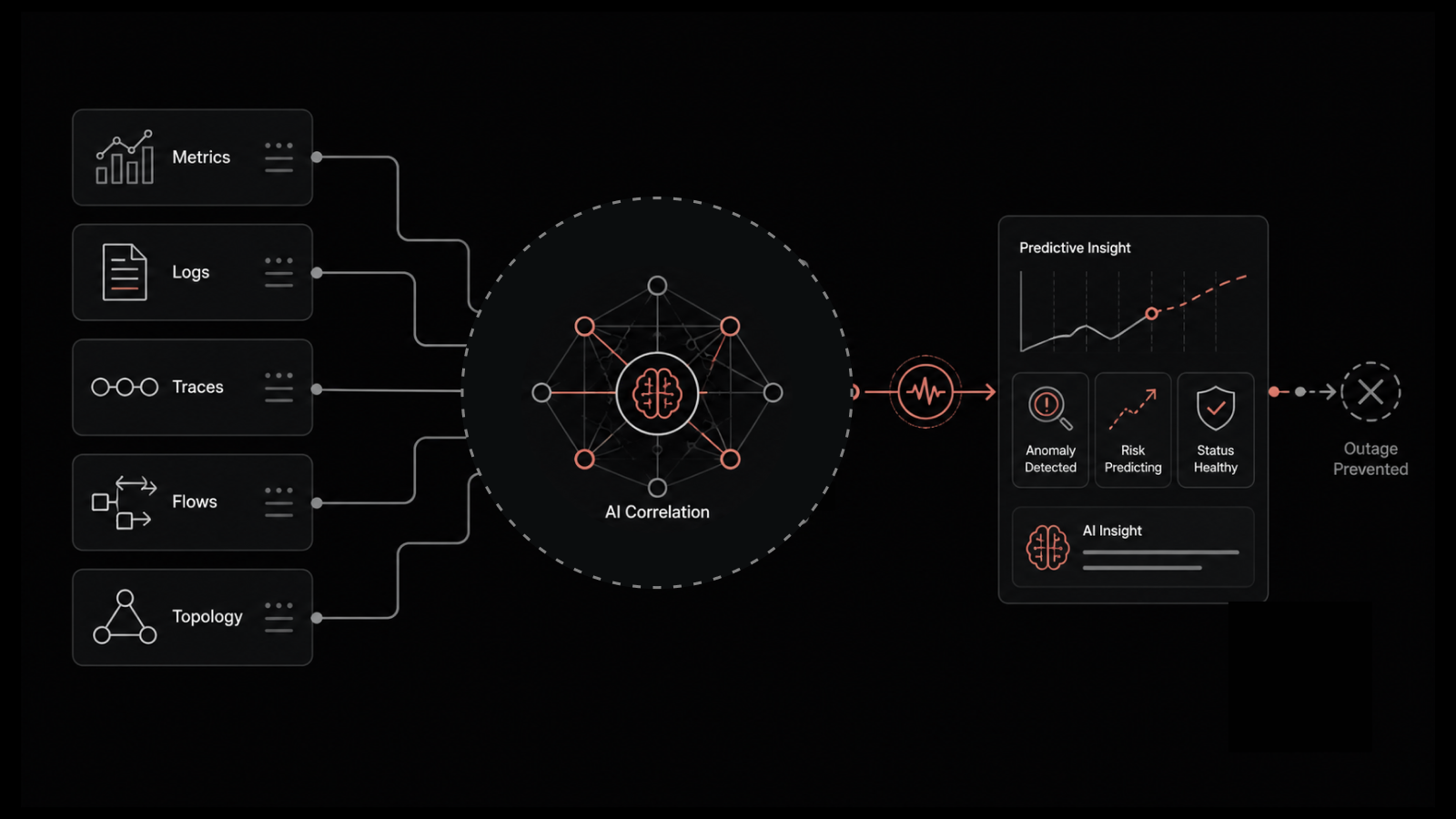
AI/ML-driven anomaly detection and root cause analysis
Automated event correlation across infrastructure, application, and network
Real User Monitoring for end-user experience visibility
Proactive incident prevention
MTTR measured in minutes
Most organizations are at Stage 1 or 2. The goal isn't to jump to Stage 4 overnight. It's to progress deliberately — each stage delivers measurable MTTR and reliability improvements.
What IT Teams Should Also Understand About Observability vs Monitoring
Can I have observability without monitoring?
Technically no. Monitoring — collecting metrics and alerting on thresholds — is a subset of observability. Every observability practice includes monitoring capabilities. But observability adds correlation, tracing, and investigation on top. Think of it as monitoring plus the ability to ask "why?"
APM (Application Performance Monitoring) is one component of observability, focused specifically on application-layer performance — response times, error rates, transaction traces. Full-stack observability extends beyond applications to include infrastructure, network, and real user experience.
How does AIOps fit into the observability vs monitoring discussion?
AIOps is what you build on top of observability data. It applies machine learning to automate correlation, root cause analysis, and remediation at a scale that humans can't manage manually. If observability is the data foundation, AIOps is the intelligence layer.
What's the cost difference between monitoring and observability?
Monitoring is cheaper to start — fewer data sources, lower storage requirements, simpler tooling. Observability costs more upfront because of higher data volume (traces are expensive) and instrumentation effort. But it pays back through faster incident resolution and prevented outages. Teams typically see ROI within 6 months.
How Motadata Bridges Monitoring and Observability
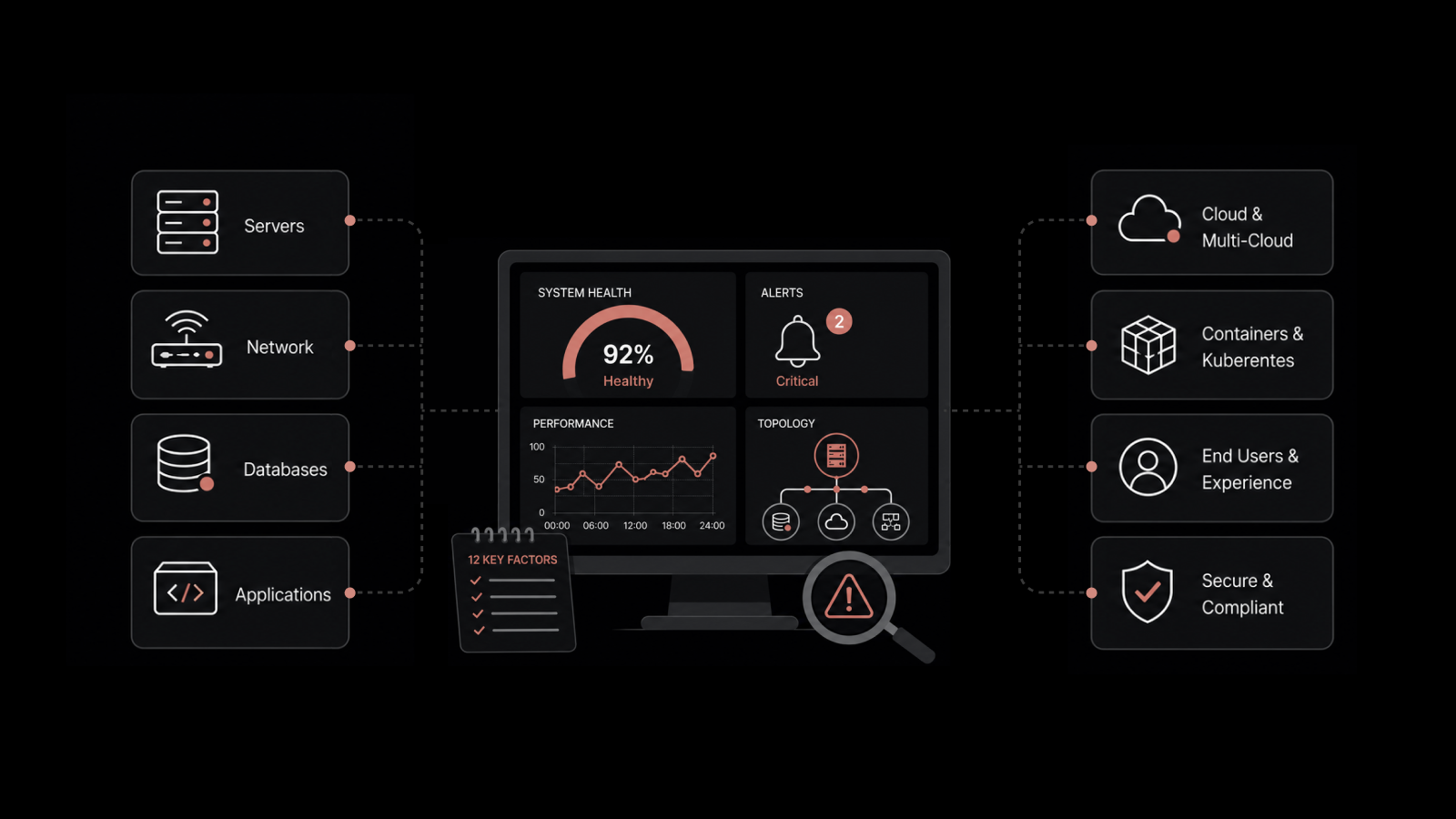
Motadata's AI-native platform combines monitoring and observability in a single console. Instead of running separate tools for metrics, logs, traces, and network monitoring, teams get unified visibility with AI/ML-powered anomaly detection, automated event correlation, and dynamic topology mapping.
The platform meets teams where they are — providing threshold-based monitoring for stable components while delivering full observability for complex, distributed services. Auto-discovery maps your environment's dependencies, and ML models learn normal behavior within weeks.
If you're ready to move beyond reactive monitoring, request a demo to see how Motadata helps teams investigate faster and prevent incidents proactively.
Frequently Asked Questions
Do I need both monitoring and observability?
For most modern IT environments, yes. Use monitoring for known failure modes with documented responses. Use observability for investigating complex, unexpected issues where root cause isn't obvious. The two work together — monitoring detects, observability investigates.
What are the three pillars of observability?
Logs (timestamped event records), metrics (numerical performance measurements), and traces (request paths through distributed services). All three are necessary for full visibility, but modern observability also requires correlation across these data types, topology awareness, and real user monitoring.
When should I invest in observability over monitoring?
When your infrastructure complexity exceeds your team's ability to mentally model every failure mode. Specific triggers: running 20+ microservices, deploying multiple times per day, operating across hybrid/multi-cloud environments, or experiencing incidents where root cause takes hours to identify.
How does observability reduce MTTR?
Observability reduces MTTR by eliminating the investigation phase that slows incident resolution. Instead of spending 2 hours manually correlating logs across services, engineers can trace affected requests, see correlated events on a timeline, and identify root cause in minutes. Teams with mature observability report 60-70% MTTR reduction compared to monitoring-only approaches.
What is the main difference between observability and monitoring?
Monitoring checks for known problems using pre-defined metrics and thresholds. Observability lets you investigate any problem — including ones you didn't anticipate — by exploring correlated telemetry data (logs, metrics, traces). Monitoring tells you something broke. Observability tells you why it broke and what else it's affecting.
Author
Motadata Team
Content Team
Articles produced collaboratively by our engineering and editorial teams bear the collective authorship of Motadata Team.