Enhanced Change Management: 7 Tips to Simplify IT Change with Motadata ServiceOps
IT change management is the structured process of planning, evaluating, approving, and implementing changes to IT infrastructure and services. It ensures that modifications — whether technical, procedural, or organizational — are delivered with minimal risk and maximum transparency.
One Unplanned Change Can Cost You More Than You Think
A routine server patch goes live on a Friday afternoon. No impact assessment. No approval trail. By Monday morning, three downstream services have failed, 200 support tickets have piled up, and the incident team is scrambling to roll back a change that should've taken five minutes.
This scenario plays out in organizations every week — and it's almost always preventable. The difference between chaos and control isn't the complexity of the change. It's the maturity of the change management process behind it.
As digital transformation reshapes how businesses operate, the volume and velocity of IT changes are accelerating. New deployments, configuration updates, security patches, and infrastructure migrations happen constantly. Without a structured approach, each change introduces risk that compounds over time.
That's where enhanced change management comes in — and where the right tooling makes all the difference.
Understanding IT Change Management with Motadata
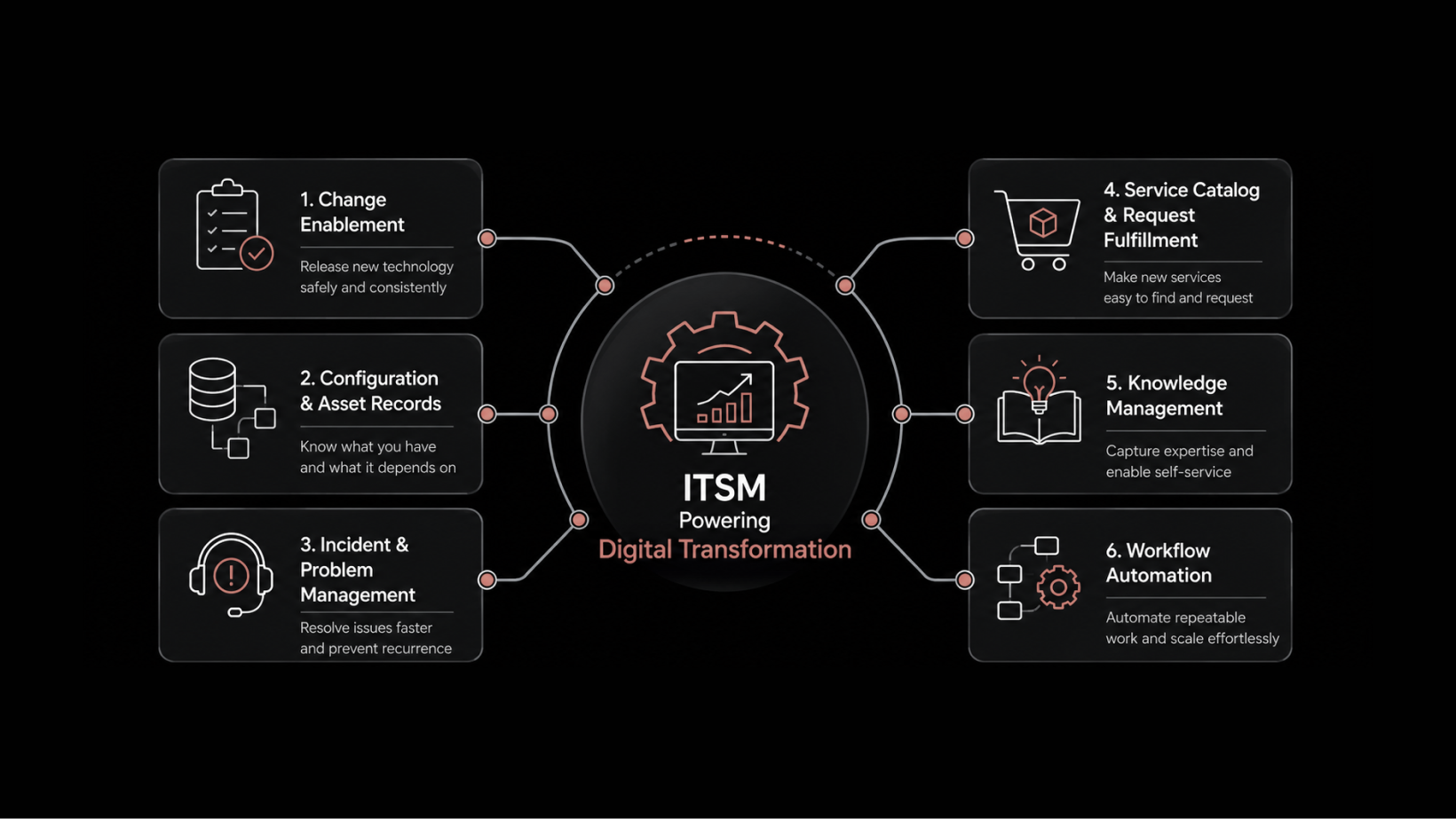
Motadata's ITIL Change Management Tool provides a structured, process-driven approach to handling IT changes at every scale. It's built to help IT teams plan, evaluate, approve, and implement changes from a single platform — with full visibility at every stage.
Here's what makes it effective:
End-to-end tracking of change requests from submission through implementation and review
Automated approval workflows that route changes to the right stakeholders without manual intervention
Impact assessment tools that evaluate risk and dependencies before changes go live
Audit trails that document every decision, modification, and approval for compliance and accountability
Pre-built templates that standardize common change types and reduce setup time
Whether it's a minor configuration update or a major infrastructure migration, Motadata gives change managers the control and visibility they need to deliver changes confidently.
7 Tips for Simplifying Change Implementations with Motadata
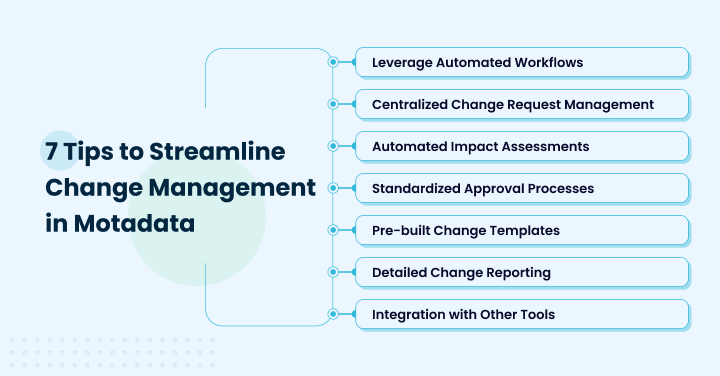
1. Leverage Automated Workflows
Automation is the foundation of efficient change management. Manual processes — sending email notifications, updating spreadsheets, chasing approvals — are slow, error-prone, and difficult to audit.
Motadata's automated workflows guide change requests through predefined stages, ensuring that every required approval and review is completed before the change proceeds. This eliminates manual handoffs and creates a predictable, repeatable process.
What automated workflows deliver:
Faster cycle times — changes move through stages automatically instead of waiting in someone's inbox
Fewer human errors — predefined rules prevent steps from being skipped
Better collaboration — stakeholders receive automatic notifications when their input is needed
Full transparency — every stage transition is logged and auditable
Organizations that adopt automated change workflows typically see a 40–60% reduction in change cycle times and a significant drop in failed changes caused by process gaps.
2. Centralize Change Request Management
When change requests are scattered across emails, ticketing systems, and spreadsheets, visibility evaporates. Teams don't know what changes are in flight, who approved them, or what their status is.
Centralizing change request management into a single platform solves this by providing:
A single source of truth for every change request, its history, and its current status
Real-time visibility for stakeholders at every organizational level
Simplified compliance with regulatory standards through consistent documentation
Improved collaboration because everyone works from the same up-to-date information
With Motadata, every change request — standard, normal, or emergency — lives in one place. Managers can filter by priority, type, risk level, or assigned team to understand exactly what's happening across their change portfolio.
Read Also: Understanding Change Management and Its Importance Within Your Organization
3. Use Automated Impact Assessments
Understanding the potential impact of a change before it's implemented is the single most effective way to reduce failed changes. Guessing isn't good enough when a configuration update could cascade through dependent services.
Motadata's automated impact assessment tools help teams:
Identify risks and dependencies at the planning stage, not after something breaks
Prioritize changes by impact level — high-impact changes get more scrutiny, low-risk changes move faster
Evaluate technical, process, and organizational effects of each proposed change
Allocate resources efficiently by understanding which changes need the most support
For example, if a proposed network change affects three production applications and a customer-facing API, the impact assessment flags those dependencies upfront. The change advisory board can then assign appropriate review depth and schedule the change during a low-risk maintenance window.
4. Standardize Approval Processes
Inconsistent approval processes are a top source of bottlenecks and confusion. When different teams follow different rules for evaluating and approving changes, delays multiply and accountability becomes unclear.
Standardized approval processes ensure that:
Every change type follows a predefined evaluation path — standard changes get fast-tracked, major changes get full CAB review
Approval criteria are clear and consistent across teams and business units
Delays are reduced because stakeholders know exactly what's expected of them and when
Decision quality improves because evaluators use the same criteria for similar change types
Motadata lets you configure approval workflows by change type, risk level, and organizational scope — so the process matches the change, not the other way around.
5. Use Pre-Built Change Templates
Starting from scratch for every change request wastes time and introduces inconsistency. Pre-built change templates provide a structured starting point based on industry best practices.
Motadata's templates cover:
Standard changes — routine, pre-approved modifications with minimal risk
Normal changes — planned modifications that require evaluation and approval
Emergency changes — urgent modifications that follow an expedited process with post-implementation review
Infrastructure changes — server, network, and storage modifications with built-in checklists
Each template includes predefined fields for risk assessment, stakeholder identification, implementation steps, rollback plans, and success criteria. Teams simply fill in the specifics instead of designing a process from scratch.
This saves time, enforces consistency, and improves the success rate of change implementations — especially for organizations managing high volumes of recurring changes.
6. Invest in Detailed Change Reporting
You can't improve what you don't measure. Detailed change reporting gives organizations the data they need to identify patterns, track KPIs, and continuously improve their change process.
With Motadata's reporting capabilities, teams can:
Track change success and failure rates over time to identify trends
Monitor approval cycle times to spot bottlenecks in the review process
Assess the financial impact of change initiatives, including cost savings and ROI
Generate compliance reports that demonstrate adherence to regulatory requirements
Identify recurring problem areas — if a specific change type consistently causes incidents, the data will show it
Comprehensive reporting transforms change management from a reactive task into a strategic function. Leaders can make data-driven decisions about process improvements, resource allocation, and risk tolerance.
7. Integrate with Other IT Management Tools
Change management doesn't happen in isolation. Changes affect configuration items, trigger incidents, and interact with monitoring, asset management, and service desk systems.
Motadata's seamless integration with other IT management solutions provides a connected view of how changes affect the broader IT infrastructure. Key integration points include:
Configuration Management Databases (CMDBs) — real-time updates on asset status and dependencies ensure accurate impact assessments
Service desks — linking changes to related incidents and service requests provides context for decision-making
Monitoring systems — connecting changes to performance data helps teams correlate change implementations with service health
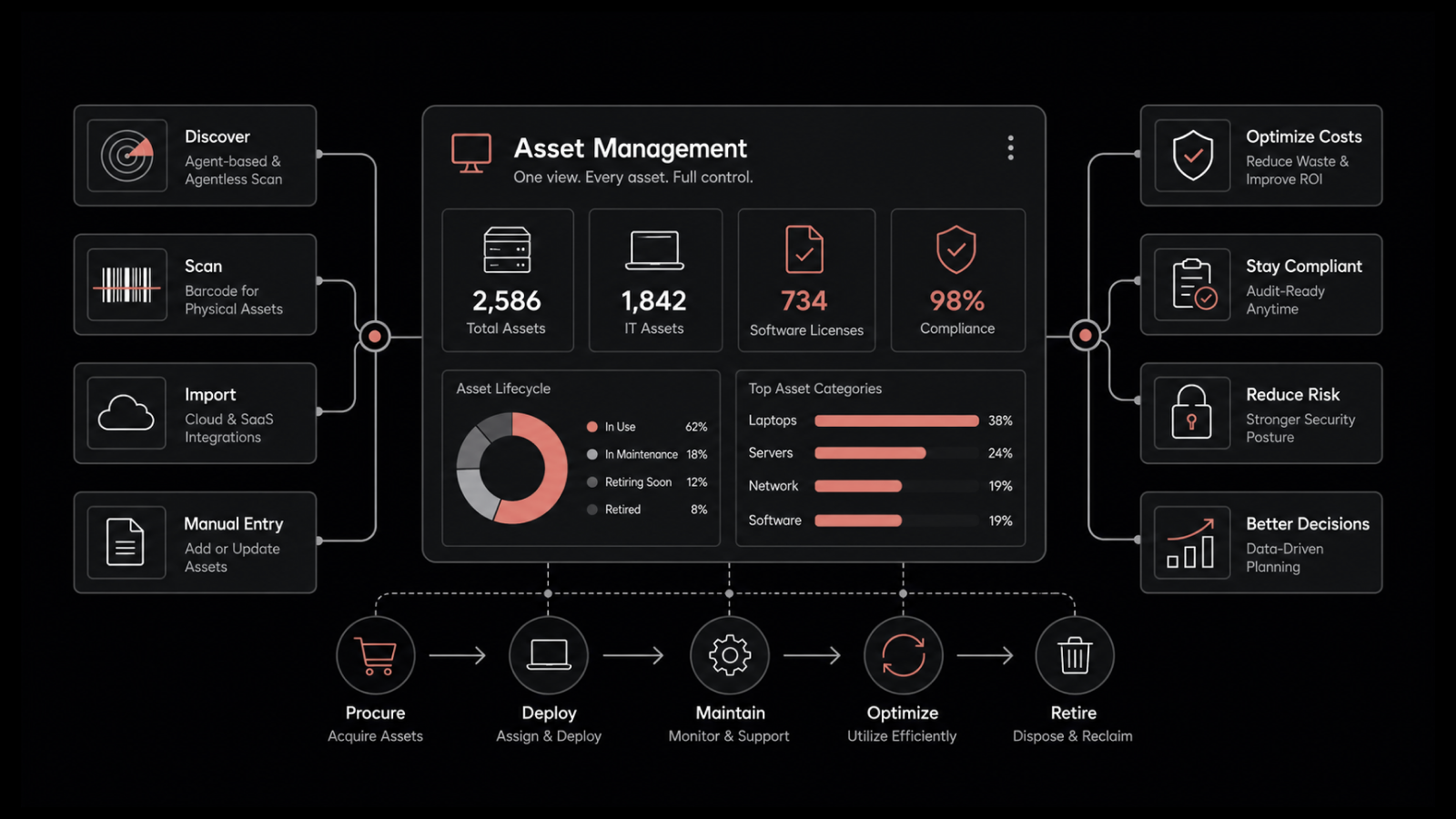
Asset management — tracking which assets are affected by which changes improves planning and rollback capability
When these tools work together, change management becomes a connected process rather than a siloed activity — and the entire organization benefits from better coordination and faster decision-making.
Simplify Your Change Management with Motadata ServiceOps
Motadata ServiceOps gives your IT team the structure, automation, and visibility needed to deliver changes confidently — every time. From automated workflows and impact assessments to pre-built templates and detailed reporting, it's built to simplify change at every scale.
Start your free trial and experience how streamlined change management reduces risk, speeds delivery, and keeps your services running smoothly.
FAQs
What are the main benefits of using Motadata's change management features?
Motadata provides a centralized platform for tracking, managing, and approving change requests with full visibility and collaboration. Key benefits include automated impact assessments that catch risks early, standardized approval processes that eliminate bottlenecks, pre-built templates that save setup time, comprehensive reporting for continuous improvement, and seamless integration with existing IT management tools.
How can Motadata's automated workflows help with change implementation?
Automated workflows guide change requests through predefined stages, handling approvals, notifications, and documentation automatically. This reduces manual effort, prevents steps from being skipped, accelerates cycle times, and provides a complete audit trail. Stakeholders receive automatic alerts when their input is needed, improving collaboration and reducing delays.
Can Motadata integrate with my existing IT management tools?
Yes. Motadata integrates with service desk solutions, configuration management databases (CMDBs), monitoring systems, and asset management platforms. This connected approach ensures that change data flows across your IT ecosystem, providing complete context for impact assessments, incident correlation, and compliance reporting.
Author
Arpit Sharma
Senior Content Marketer
Arpit Sharma is a Senior Content Marketer at Motadata with over 8 years of experience in content writing. Specializing in telecom, fintech, AIOps, and ServiceOps, Arpit crafts insightful and engaging content that resonates with industry professionals. Beyond his professional expertise, he is an avid reader, enjoys running, and loves exploring new places.