What is Cloud Native Infrastructure? A Complete Guide
How do modern systems stay available, scale on demand, and recover quickly when things go wrong in distributed environments?
If you have ever struggled with slow scaling, failed deployments, or systems that are hard to manage, this is a common challenge.
Cloud native infrastructure is built to solve it.
Modern systems operate in environments where change is constant. Workloads fluctuate, services are spread across regions, and traditional infrastructure often becomes difficult to manage under pressure.
Cloud native infrastructure changes this approach. It uses automated, cloud-based, and modular systems instead of static setups.
This guide explains what cloud native infrastructure is and how it works at scale.
What is Cloud Native Infrastructure
Cloud native infrastructure is the base layer of computing, networking, and storage that runs applications built for the cloud. It includes software that sets up, scales, and replaces these resources automatically, so people do not have to configure them manually.
Instead of installing one large application onto a fixed server, you package the application as many small services, drop each one into a container, and let an orchestration platform decide where those containers run.
The Cloud Native Computing Foundation frames the approach around a few building blocks that work together:
Containers, which package each service so it behaves the same way everywhere it runs.
Microservices, which split an application into small parts that deploy on their own.
Service meshes, which manage how those parts find and talk to each other.
Immutable infrastructure, where you replace components instead of patching them in place.
Declarative APIs, where you describe the desired end state and let the platform reach it.
Put together, these create loosely coupled systems that are resilient, manageable, and observable.
The practical difference is who makes the decisions. In a traditional setup, a person picks the server, installs the software, and patches it over time.
In cloud native infrastructure, the platform handles placement, scaling, and recovery on its own, guided by rules you define once and store as code.
That single change is what gets frequent releases and automatic scaling, and it is also what introduces most of the operational complexity covered later in this guide.
Cloud Native Infrastructure vs Cloud Native, Cloud Native Development, and Cloud Infrastructure
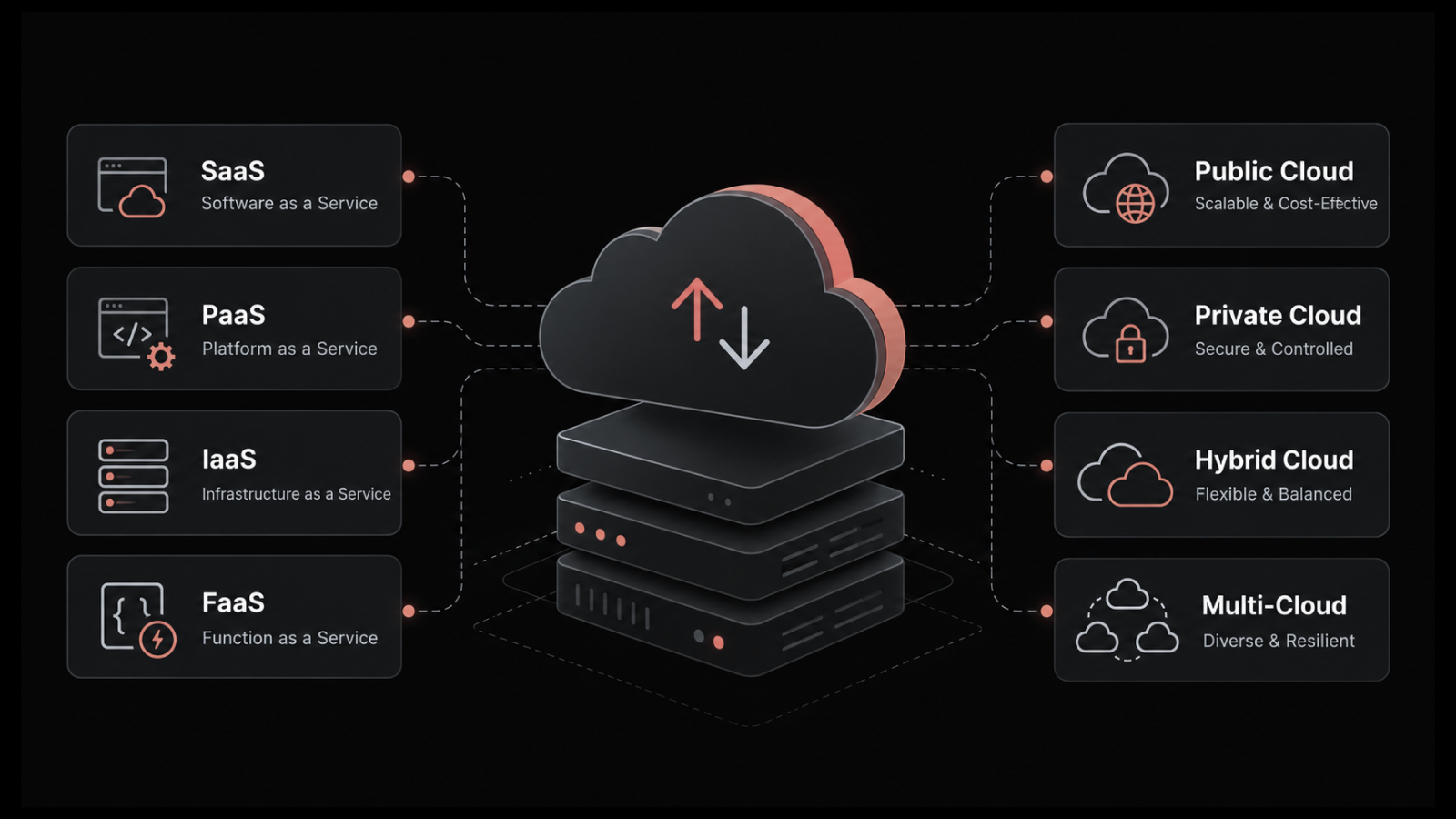
These four terms sit close together and get swapped around in vendor decks, which leads to confused planning conversations. They describe different layers of the same world.
Term | What it refers to | Where it sits |
Cloud native | The overall approach to building and running apps for the cloud | The philosophy and operating model |
Cloud native infrastructure | The platform that runs those apps, defined and managed as code | The foundation under the applications |
Cloud native development | The practice of writing apps as microservices with CI/CD | The application-building side |
Cloud infrastructure | Any compute, storage, and network rented from a provider | The broad resource layer |
Read it from the top down. Cloud native is the mindset, the decision to design software so it takes full advantage of distributed cloud platforms.
Cloud native development is how engineers build the software under that mindset, breaking applications into independent services and shipping them through automated pipelines. Cloud native infrastructure, our subject here, is the platform those services land on once they are built.
Cloud infrastructure is the term that trips people up most. You can rent cloud infrastructure and still run a single monolithic application on one large virtual machine, which is cloud hosting, not cloud native.
The native part means the infrastructure is designed around containers, automation, and declarative configuration from the start, not a legacy system relocated into someone else's data center.
The distinction matters because a lift-and-shift migration gives you cloud infrastructure without the agility, and teams that miss this end up paying cloud prices for data center behavior.
How Does Cloud Native Infrastructure Work?
Cloud native infrastructure runs as a continuous loop, and once it is set up, each stage happens on its own. A single change moves through five stages, from a developer's commit to live, scaled traffic.
A developer writes or updates a service and commits the code to version control, which starts the process.
A continuous integration pipeline builds that code into a container image automatically, with no manual packaging.
The orchestration platform, usually Kubernetes, schedules the image onto whatever capacity is free across the cluster.
As traffic rises, the platform launches more copies of the service and spreads requests across them, then scales back down when the load eases.
If a container crashes or a host drops, the platform reschedules the work onto healthy capacity without waiting for anyone to step in.
Two principles hold this loop together. The first is immutable infrastructure, which means a running container is never patched in place.
To change it, you build a fresh image and replace the old one, so every copy stays identical and predictable.
The second is declarative configuration, where you describe the end state you want and let the platform work out how to reach it, rather than running manual steps in order.
Together, these two ideas are what let cloud native infrastructure heal itself and scale without constant human intervention.
7 Core Components of Cloud Native Infrastructure
Seven components show up in almost every cloud native stack. Each one solves a specific problem, and they only deliver their full value when they work together.
1. Containers
A container packages a service with everything it needs to run, so it behaves the same on a laptop, a test cluster, and a production node. Containers start in seconds, use far less overhead than full virtual machines, and make it cheap to run many copies of a service at once.
2. Container Orchestration with Kubernetes
Once you have hundreds of containers, something has to schedule them, restart the failed ones, and scale the busy ones. Kubernetes has become the standard for this, automating deployment, scaling, and recovery across a cluster of machines.
Running it well is its own discipline, which is why Kubernetes monitoring becomes a first-order concern rather than an afterthought.
3. Microservices
Microservices break an application into small, independent services that each own one job and communicate over well-defined APIs.
Because each service deploys on its own, a team can fix or improve one part without redeploying the whole application.
The trade-off is that a request now crosses many services, which is exactly what makes container monitoring and tracing harder than in a monolith.
4. Infrastructure as Code
Infrastructure as code defines servers, networks, and policies in version-controlled files instead of manual console clicks.
Every change is reviewable, repeatable, and reversible, which removes the configuration drift that quietly breaks environments over time. It also means a new environment can be rebuilt from the same definitions in minutes.
5. Service Mesh
A service mesh manages how microservices talk to each other, handling traffic routing, retries, encryption, and telemetry between services.
Tools such as Istio and Linkerd take that wiring out of application code and into the platform. The payoff is consistent security and visibility across every service, without each team reinventing it.
6. Observability and Monitoring
Cloud native components are dynamic and short-lived, so static dashboards built for fixed servers stop working. You need observability that ties metrics, logs, and traces together across services that appear and disappear by the minute. This is the component most stacks underinvest in, and it gets its own section below.
7. Security and Policy
A distributed system has a wider attack surface than a single server, with more APIs, more open ports, and more third-party images in play.
Cloud native security leans on layered controls: image scanning, least-privilege access, and policy enforced as code so it travels with every deployment.
Done early, it shifts security left into the pipeline instead of bolting it on after release.
Cloud Native Infrastructure vs Traditional Infrastructure
Let’s understand the key differences between cloud native infrastructure vs traditional infrastructure.
Dimension | Traditional Infrastructure | Cloud Native Infrastructure |
Deployment unit | A whole application on a fixed server | Small, independent containerized services |
Provisioning | Set up and configured by hand | Automated and defined as code |
Scaling | Vertical and manual, often slow | Horizontal and automatic, on demand |
Release cadence | Infrequent, full application redeploys | Frequent, independent service updates |
Failure handling | Manual recovery, usually with downtime | Self-healing, workloads reschedule automatically |
Resource use | Provisioned for peak, often left idle | Allocated to actual demand in use |
Cost model | Fixed capacity paid for upfront | Pay for what you actually consume |
Updates and patching | Patched in place on the live host | Replaced with new immutable images |
Portability | Tied to specific servers and setups | Runs anywhere containers can run |
Operations model | Manual config that drifts over time | Versioned, declarative, and automated |
Visibility | Static, host-based dashboards | Dynamic, correlated observability |
The table makes the upside obvious, but it hides the catch. Traditional infrastructure puts complexity in the hardware, where it sits still and stays visible.
Cloud native infrastructure moves that complexity into operations, where it becomes dynamic and much harder to see.
You gain speed and elasticity, and you take on a system with many more moving parts to watch, which is why the visibility row at the bottom of that table tends to decide whether the rest of it pays off.
4 Key Benefits of Cloud Native Infrastructure
Cloud native infrastructure brings four benefits that show up across almost every team that adopts it.
1. Faster Releases
Faster releases mean shipping an update the moment it is ready, instead of holding it for a fixed quarterly window. Because each microservice deploys on its own through an automated pipeline, a team can push a fix or a feature to one service without rebuilding or retesting the whole application.
A payments team can patch its own service in the afternoon while the search team ships something unrelated the same hour, and neither one waits on the other. The practical result is that fixes and features reach users in hours rather than weeks.
2. Elastic Scaling
Elastic scaling is the platform that adds and removing capacity automatically as demand rises and falls. When traffic climbs during a sale or a campaign, the orchestrator launches more copies of the busy services and spreads the load across them, then scales them back once the surge passes.
You handle the peak without anyone provisioning servers by hand, and you stop paying for that capacity the moment it is no longer needed. Capacity follows actual demand rather than a fixed guess made months earlier.
3. Higher Resilience
Higher resilience means the system keeps serving users even when individual parts fail. A failed container is rescheduled onto a healthy capacity on its own, and because services are isolated, one broken component does not drag the whole application down with it.
A dead node or a bad deploy becomes a contained event rather than an outage your customers notice. You trade the single points of failure in a monolith for a system designed to absorb failure and carry on.
4. Cost Efficiency
Cost efficiency comes from paying for what you actually use rather than provisioning for a worst-case peak that rarely arrives.
Instead of buying servers sized for your busiest hour and leaving them idle for the rest of the time, you match capacity to real usage and release it when demand drops.
The saving is genuine, but it depends on discipline, because untagged workloads and forgotten environments erode it quickly. Done well, it turns infrastructure from a fixed cost into one that tracks the value it supports.
Across all four, the gain leaders feel most directly is speed to market.
When a fix moves from commit to production in minutes instead of weeks, the engineering team spends its energy on new work rather than releasing logistics.
That shorter cycle is the return that justifies the migration to most boards.
What are the Common Challenges of Cloud Native Infrastructure?
Let’s now learn about the challenges faced by cloud native infrastructure.
1. Complexity and Distributed Systems
A single request now hops across APIs, containers, microservices, and a service mesh, spread over a shifting set of hosts. Without the right tooling, no one can keep a clear map of what depends on what, and a small failure in one service can cascade in ways that are difficult to trace.
2. Security in a Moving Target
More services and more open-source images mean a larger attack surface and faster change. Access control across environments and image vulnerabilities both need continuous attention, because the system you secured last month has already been replaced.
3. Observability Across Short-Lived Components
A microservice may run on a hundred nodes, and a hundred microservices may share one node, which produces far more telemetry than fixed-server monitoring was built to handle.
Traditional tools that watch hosts cannot follow workloads that live for minutes, so visibility gaps open exactly where incidents start.
4. Cost Control
The pay-as-you-go model is flexible, and that flexibility is also how budgets get away from teams. According to Flexera's 2025 State of the Cloud Report, wasted cloud spend at 29% and named managing it the top cloud challenge two years running.
Over-provisioned clusters and forgotten test environments add up quietly, which is why disciplined cloud cost optimization has to run alongside adoption rather than after it.
4. Data Consistency
Keeping data synchronized across services and regions, while meeting compliance rules, is one of the harder problems in a distributed system.
A request routed to a different region still has to return correct, current data, which takes deliberate design rather than default behavior.
If most of your effort is going into chasing these problems after they surface, the gap is usually visibility, not effort. Our guide to unified observability for hybrid IT walks through where that breaks down and how to close it.
How to Monitor Cloud Native Infrastructure
Let’s understand what the steps for monitoring cloud native infrastructure are.
1. Decide What to Measure Before You Collect
Start by choosing the indicators that map to user experience, such as latency, error rate, traffic, and saturation, then set service level objectives against them.
This defines what good looks like before you drown in data nobody reads. Skip it and every later step produces volume instead of answers.
2. Instrument Services to Emit Metrics, Logs, and Traces
Add instrumentation so each service reports the three core signals: metrics for what is happening, logs for why, and traces for where a request slows down.
OpenTelemetry has become the common standard for this, so you are not tied to one vendor's agent. Build it into each container from the first deploy, not after an incident forces the question.
3. Bring Every Signal Into One Correlated View
Pull metrics, logs, traces, and topology into a single platform rather than four disconnected tools. Correlation is the whole point, because a spike in one metric should link straight to the logs and the trace from the same moment.
Tracking them separately forces engineers to stitch the story together by hand at 3 a.m., which is the slowest possible time to do it.
4. Map Dependencies and Topology Automatically
A cloud native system changes shape constantly, so the dependency map has to update itself rather than rely on a diagram someone drew last quarter.
Automatic topology mapping shows which service calls which, so when one fails you can see the blast radius instead of guessing at it. That is what turns a vague slowdown into a specific, traceable cause.
5. Replace Static Thresholds With Anomaly Detection
Fixed thresholds break in an environment that scales all day, firing false alerts at the peak and missing genuine ones at the trough.
Anomaly detection learns the normal behavior of each service and flags what is actually off. Pairing it with correlation moves a team from reacting to alerts toward catching problems before users feel them.
6. Use a Unified Observability Platform
This is the step that ties the first five together, and it is where Motadata ObserveOps fits.
It brings metrics, logs, flows, traces, and topology into one platform, and it runs on our DFIT deep learning framework, which applies adaptive AI without the weeks of baseline calibration that some platforms require before they earn their keep.
For cloud native and hybrid estates it maps dependencies automatically, correlates alerts across signals, and cuts the alert volume that buries on-call teams.
Motadata markets outcomes such as an 80% reduction in MTTR and 95% faster incident resolution, and while those are directional figures rather than audited benchmarks, they point at the part of the bill's cloud native complexity inflates most.
5 Best Practices for Cloud Native Infrastructure
Follow these best practices for cloud native infrastructure.
1. Begin With One Pilot Service
Move one non-critical service first, learn how your team operates it, and use that to shape the wider rollout. A contained first step teaches more than a big launch ever does.
2. Define All Infrastructure as Code
If your infrastructure lives in version control, you can review changes, roll them back, and rebuild environments on demand. Manual setup is where drift and surprises quietly creep in.
3. Design Every Service to Expect Failure
Assume containers will die and hosts will drop, then let the platform reschedule work rather than relying on manual recovery. Planning for it upfront is what turns an outage into a non-event.
4. Add Observability Early, Not After You Scale
Visibility is far cheaper to add while the system is small than to retrofit once you are running hundreds of services. Wiring it in early means you can watch the platform grow instead of guessing at what it is doing.
5. Track and Control Costs Continuously
Tag workloads, right-size clusters, and watch for idle capacity, because the pay-as-you-go model only saves money when someone is watching it. Cost discipline is an ongoing task, not a one-time cleanup.
The pattern across all five is the same. Cloud native infrastructure rewards teams that automate and observe early, and it punishes teams that treat both as things to handle later.
Getting Cloud Native Infrastructure Right
Cloud native infrastructure does not remove complexity. It replaces hardware management with distributed software operations. Success depends on automation and observability as core foundations.
Not every workload needs this approach. Stable applications with predictable traffic often perform better in traditional environments.
Forcing them into cloud native setups can add cost without clear benefit. Cloud native works best for systems that require rapid change, elastic scaling, and strong resilience under varying demand.
When applied in the right places, it reduces operational firefighting and frees teams to focus more on building and improving systems. If you want to see how unified observability works in your environment, you can start a free ObserveOps trial.
FAQs
Why do traditional monitoring tools fail on cloud native infrastructure?
Traditional tools were built to watch fixed hosts, so they assume a server stays in place long enough to chart. In a cloud native stack, containers live for minutes and workloads move between nodes, so host-based dashboards lose track of what they were measuring. You need observability that follows the workload and correlates metrics, logs, and traces together, which is what platforms like Motadata ObserveOps are built to do.
What is immutable infrastructure and why does it matter?
Immutable infrastructure means a running component is never modified in place. When you need a change, you build a new container image and replace the old one, so every copy stays identical. This removes configuration drift, makes deployments predictable, and lets you roll back by simply redeploying the previous image.
How do you migrate to cloud native infrastructure without disrupting production?
Start small and move one non-critical service first, so any mistake stays contained and the team learns the operating model at low stakes. Define the new environment as code so you can rebuild or roll it back at will, and design each service to assume failure so the platform recovers on its own. Trying to move everything at once is where most disruptive migrations go wrong.
How does a service mesh improve security and observability?
A service mesh sits between your microservices and controls how they communicate, so it can enforce encryption and access rules consistently without each team coding that logic. Because every request passes through the mesh, it also produces uniform telemetry across services. The result is one consistent layer of security and visibility instead of a patchwork.
Author
Jagdish Sajnani
Senior Content Strategist
Jagdish Sajnani is a B2B SaaS content strategist and writer. He has experience across different B2B verticals, including enterprise technology domains such as IT Service Management, AI-driven automation, observability, and IT operations. He specializes in translating complex technical systems into structured, engaging, and search-optimized content. His work improves product understanding, strengthens organic visibility, and supports B2B demand generation.