Important Service Desk Metrics to Measure in 2026
Your ITSM tool generates hundreds of data points every day. Ticket counts, resolution timestamps, SLA clocks, agent activity logs. The problem isn't a lack of data. It's knowing which numbers actually drive better outcomes.
Service desk metrics are quantifiable indicators that measure the efficiency, speed, cost, and quality of your IT service desk operations. They help IT managers optimize resource allocation, maintain SLA compliance, and improve the end-user support experience.
Your ITSM tool generates hundreds of data points every day. Ticket counts, resolution timestamps, SLA clocks, agent activity logs. The problem isn't a lack of data. It's knowing which numbers actually drive better outcomes.
IT teams that track the right service desk metrics reduce their average resolution time by up to 30% and cut cost per ticket by 15-20% within the first year. Teams that track too many metrics (or the wrong ones) waste hours building reports that nobody acts on.
This guide cuts through the noise. We'll cover 7 service desk KPIs that directly impact productivity, business continuity, service delivery speed, and cost control, plus the common mistakes that undermine measurement efforts and the best practices that make metrics actionable.
Why Service Desk Metrics Matter
Service desk metrics aren't just operational housekeeping. They're the foundation for every decision your IT leadership makes, from staffing levels to tool investments to process redesigns.
Here's what effective metric tracking delivers:
Operational visibility. Without metrics, you're guessing whether your team is performing well. With them, you know exactly where bottlenecks live, which agents need support, and which processes need redesign.
SLA alignment. Service Level Agreements define what your IT organization promises to the business. Metrics are how you prove you're keeping those promises, or identify where you're falling short before it becomes a pattern.
Resource optimization. Staffing decisions based on ticket volume trends beat staffing decisions based on gut feel. Metrics show you when to scale up, when to cross-train, and where automation can replace manual effort.
Customer-centric improvement. Customer satisfaction isn't abstract when you're measuring it. CSAT data pinpoints exactly which interactions leave users frustrated and which processes deliver great experiences.
Training strategy. Agent-level metrics reveal skill gaps before they become performance issues. Instead of blanket training programs, you can target specific areas where individual agents need development.
7 Service Desk Metrics Every IT Team Should Track
1. Ticket Volume Trend
Ticket volume trend measures the total number of incoming tickets over a defined period (daily, weekly, monthly), broken down by category, priority, channel, and team.
Why it matters: Volume trends are your early warning system. A sudden spike might indicate a failed software deployment, a security incident, or a seasonal business cycle. Sustained growth without proportional staffing growth leads to burnout and SLA violations.
What to do with it:
Identify peak load periods and schedule staff accordingly
Build a talent pool or cross-train agents to handle volume surges
Track which ticket categories are growing fastest to prioritize automation and knowledge base investments
Use trend data to forecast hiring needs 1-2 quarters ahead
Motadata ServiceOps provides real-time dashboards with line graphs that highlight ticket volume across custom time frames, making trend analysis simple and visual.
2. Average Resolution Time
Average resolution time calculates the mean time from ticket creation to ticket closure across all resolved tickets in a period. It's one of the most direct indicators of service desk efficiency.
Why it matters: Every extra hour a ticket stays open is an hour a user may be blocked from productive work. This metric also feeds directly into SLA compliance calculations and helps benchmark individual agent and team performance.
Industry benchmark: Most IT service desks target 4-8 hours for high-priority incidents and 24-48 hours for standard service requests.
What to do with it:
Analyze service request patterns to identify common issues that can be pre-documented in a knowledge base
Automate ticket assignment using workflow rules based on category and agent expertise
Properly categorize and prioritize tickets at intake to reduce misrouting
Tag similar tickets so multiple agents aren't solving the same problem independently
3. First Call Resolution (FCR)
A ticket counts as first-call resolved when it's closed at the Tier 1 level without escalation and without requiring extended back-and-forth communication.
Why it matters: High FCR (target: 70-75%) means your frontline agents have the knowledge and tools to solve most issues on the spot. Low FCR means tickets bounce between tiers, resolution time climbs, and users grow frustrated.
What to do with it:
Build a comprehensive, searchable knowledge base that agents can reference during live calls
Identify training gaps by comparing FCR rates across agents and ticket categories
Design intake forms that capture all relevant information upfront, reducing the need for follow-up
Use AI-powered routing to match tickets with agents who have the right expertise
4. Total Downtime
Total downtime measures the cumulative duration during which business-critical IT services were unavailable. IT managers calculate it by summing the resolution times of all service-affecting incidents within a period.
Why it matters: Downtime hits the business directly: lost revenue, lost productivity, and damaged user trust. For organizations with strict SLAs, downtime metrics also determine penalty exposure.
What to do with it:
Plan application upgrades, server migrations, and infrastructure changes to minimize service impact
Conduct post-incident reviews for every significant downtime event
Integrate your ITSM platform with network monitoring tools for automatic incident creation when systems fail
Track downtime trends to identify infrastructure components that need replacement or redundancy
Motadata ServiceOps integrates with leading NMS tools, enabling automatic ticket creation during system failures so no downtime event goes unrecorded.
5. SLA Compliance Rate
SLA compliance rate measures the percentage of tickets resolved within the time frame specified in the associated Service Level Agreement. A ticket is considered violated when resolution exceeds the SLA window.
Why it matters: SLA compliance is the contract between IT and the business. Consistent compliance builds trust. Repeated violations erode confidence and can trigger escalation processes or financial penalties in managed service environments.
Industry benchmark: High-performing service desks maintain SLA compliance above 90%. Top-tier teams exceed 95%.
What to do with it:
Align SLA targets with realistic IT capabilities rather than aspirational goals
Set up automated escalation workflows that trigger before SLA deadlines hit
Brief IT teams on the business impact of SLA violations to build urgency and accountability
Review and adjust SLAs annually as business requirements and IT capabilities evolve
6. Cost Per Ticket
Cost per ticket divides the total operating cost of your IT service desk (salaries, tools, licenses, facilities, overhead) by the number of tickets resolved during the same period.
Why it matters: It's the metric that connects service desk performance to the budget. Industry averages range from $15 to $50 per ticket, depending on complexity and organization size. A rising cost per ticket signals inefficiency; a declining one validates your automation and process improvement investments.
What to do with it:
Identify high-cost ticket categories and target them for automation or self-service deflection
Invest in agent training to reduce handle time on complex tickets
Use workflow automation to assign tickets to the right technician automatically, eliminating manual triage overhead
Build a knowledge base for common issues to reduce time-to-resolution
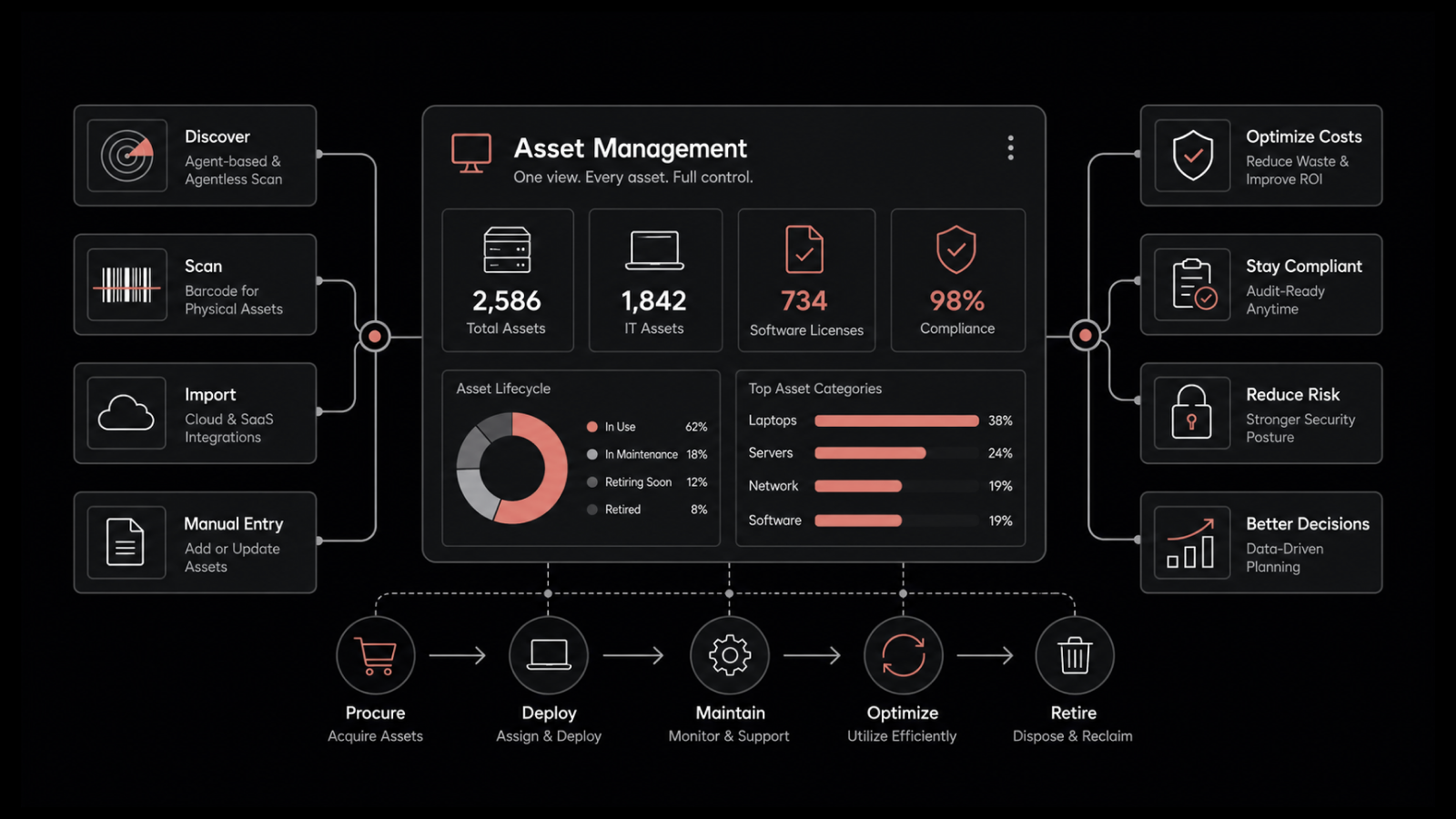
7. Software Asset and License Utilization
This metric tracks how many software licenses are actively in use versus how many were purchased. It directly informs procurement decisions and compliance posture.
Why it matters: Over-purchasing licenses wastes budget. Under-purchasing creates compliance risk. This metric ensures your software investments are optimized and that you're not paying for shelfware.
What to do with it:
If purchased licenses exceed active installations, investigate whether departments have shifted to alternative tools
Use utilization data to right-size license renewals before contract negotiations
Educate employees on compliance risks associated with unauthorized or unlicensed software
Feed utilization data into your CMDB for a single source of truth on IT assets
Common Mistakes When Setting Service Desk Metrics
Selecting the Wrong Metrics
Every metric should serve a specific purpose tied to a business outcome. Before adding a metric to your dashboard, ask: "What decision will this metric help me make?" If you don't have a clear answer, skip it.
Tracking Too Many Metrics
Modern ITSM platforms can generate dozens of reports. That doesn't mean you should run all of them. Focus on 5-7 KPIs that align with your top priorities. Spreading attention across 20 metrics means none of them get the depth of analysis they deserve.
Ignoring Business Context
A metric in isolation tells half the story. Ticket volume spiked 40% last month? That's alarming in isolation. But if you also deployed a major software update to 2,000 users, it's expected. Always analyze metrics alongside the business events that influence them.
Blindly Following Industry Benchmarks
Industry standards provide useful reference points, but they're averages. Your organization's size, complexity, maturity, and industry all affect what "good" looks like. Use benchmarks as directional guides, not absolute targets.
Failing to Update Your Metrics
Business priorities change. Technology stacks evolve. The metrics that mattered during a rapid growth phase may not be the right ones during a cost optimization phase. Review your KPI set at least annually and adjust as needed.
Best Practices to Improve Service Desk Metrics
Track Only What's Relevant to Your Business
Five well-chosen metrics tracked rigorously will outperform twenty metrics tracked loosely. Align your metric selection with your IT organization's top 3-5 priorities for the current year.
Make CSAT Your North Star
Customer satisfaction is the metric that ties everything together. If your FCR, AHT, and SLA compliance are all green but CSAT is declining, something fundamental is broken in the user experience. Survey users after every interaction with simple thumbs-up/thumbs-down mechanisms. Follow up on every piece of negative feedback to understand the root cause.
Deploy Self-Service Options
Research shows that over 80% of users prefer finding answers on their own before contacting support. A well-designed self-service portal with an integrated knowledge base reduces ticket volume, improves user satisfaction, and frees agents for complex problem-solving.
Automate with AI
AI-powered automation handles ticket categorization, intelligent routing, and instant responses for common requests. It reduces response time, improves consistency, and lets your human agents focus on issues that actually require human judgment.
Measure What Matters with Motadata ServiceOps
Knowing which metrics to track is step one. Having a platform that makes tracking effortless is step two. Motadata ServiceOps comes with an integrated reporting module that lets you generate detailed reports, build custom dashboards, and track every KPI discussed in this guide, all from a single interface.
With AI-powered analytics, automated SLA monitoring, and real-time performance dashboards, ServiceOps turns raw service desk data into actionable intelligence.
Start your 30-day free trial | Schedule a demo
FAQs
What is the difference between a service desk and a help desk?
A help desk focuses on break-fix support and incident resolution. A service desk is broader, encompassing incident management, service request fulfillment, change management, and problem management as part of a complete ITSM framework.
How often should service desk metrics be reviewed?
Operational metrics like ticket volume and resolution time should be reviewed weekly or monitored in real-time via dashboards. Strategic metrics like cost per ticket and CSAT trends should be reviewed monthly or quarterly. The KPI set itself should be reassessed annually.
What is a good cost per ticket for IT service desks?
Industry averages for cost per ticket range from $15 to $50, depending on ticket complexity and organization size. The goal isn't necessarily to hit a specific number but to show a declining trend over time as automation and process improvements take effect.
How does Motadata ServiceOps help with service desk metrics?
Motadata ServiceOps provides built-in reporting with customizable dashboards, automated SLA tracking, AI-powered ticket routing, and analytics modules that let you measure, visualize, and act on every key service desk metric from a unified platform.