Hyperconverged Infrastructure (HCI): Benefits, Architecture, and Monitoring
What Is Hyperconverged Infrastructure?
Hyperconverged Infrastructure (HCI) is a software-defined IT infrastructure that combines compute, storage, and networking into a single, unified system managed through one interface. Unlike traditional infrastructure — where servers, storage arrays, and network switches are purchased, configured, and managed separately — HCI consolidates everything into modular nodes that scale by simply adding more units to the cluster.
Data center management shouldn't require a PhD in cable management and a fondness for 3 AM maintenance windows. Yet that's exactly what traditional infrastructure demands — separate teams managing separate hardware stacks, each with its own management console, licensing model, and upgrade cycle. Hyperconverged infrastructure was built to fix this. By collapsing compute, storage, and networking into a single software-defined platform, HCI lets IT teams spend less time managing infrastructure and more time supporting the business. But adopting HCI is only half the story. Monitoring it properly is what determines whether you actually get the benefits you signed up for.
How Traditional Infrastructure Falls Short
In a traditional data center, compute, storage, and networking are handled by separate hardware from separate vendors. Each component has its own management tools, its own upgrade timeline, and often its own specialized team.
This three-tier architecture creates several pain points:
Complexity: Managing three separate technology stacks means more configuration, more compatibility testing, and more potential failure points.
Slow provisioning: Deploying a new workload can take weeks when you need to coordinate across compute, storage, and network teams.
Scaling challenges: Adding capacity often means buying an entirely new storage array or server rack — even if you only need a modest increase.
Higher costs: Separate hardware purchases, separate licensing, separate support contracts, and higher power and cooling requirements all add up.
HCI addresses each of these issues by replacing the three-tier model with a software-defined approach where all resources are pooled and managed centrally.
How HCI Architecture Works
HCI systems consist of two major components:
Hypervisor: Virtualizes server resources, allowing multiple virtual machines (VMs) to run on each physical node. Common hypervisors include VMware ESXi, Microsoft Hyper-V, KVM, and Nutanix AHV.
Storage controller: A software-based controller that runs as a VM on each node, managing a distributed storage pool across all nodes in the cluster.
When you deploy an HCI cluster, each node contributes compute power (CPU and RAM) and storage (SSDs or a mix of SSD and HDD) to a shared resource pool. The storage controller VMs collectively manage this pool using a distributed storage fabric (DSF), which provides built-in redundancy and reliability checks that eliminate the need for traditional RAID configurations.
The result is a system where:
Applications and their hosting servers are managed on a unified platform
Workloads, storage capacity, memory utilization, and network connectivity are all treated as pooled resources
Each workload runs inside a VM or container, making it portable and easy to manage
This architecture gives IT teams a single management interface for everything — provisioning, monitoring, scaling, and troubleshooting.
Key Benefits of Adopting HCI
Faster Deployments
Traditional infrastructure deployments can take weeks or months. HCI appliances arrive pre-configured and can be operational within hours. IT teams spend less time on hardware setup and more time delivering services that the business needs.
Automation That Saves Time
HCI platforms come with built-in automation for common management tasks — VM provisioning, storage allocation, software updates, and health checks. This reduces the manual workload on IT administrators and gives them time to focus on strategic projects rather than routine maintenance.
Lower Total Cost of Ownership
By integrating compute, storage, and networking into a single platform, HCI reduces:
Hardware procurement costs (fewer vendor relationships, fewer support contracts)
Power and cooling expenses (fewer physical devices)
Software licensing costs (no need for separate backup or disaster recovery tools in many cases)
IT labor costs (one team manages one platform instead of three)
HCI also eliminates the need to over-provision. You can start small and add nodes as demand grows, paying only for the capacity you actually need.
Strong Performance for Any Workload
HCI platforms are designed to handle a wide range of workloads — from enterprise applications and SQL databases to virtual desktops and development/test environments. Flash storage tiers within HCI nodes deliver the IOPS and low latency that performance-sensitive workloads demand.
Simple, Horizontal Scalability
Need more capacity? Add a node. The cluster automatically discovers the new node, integrates its compute and storage resources, and rebalances workloads. Some HCI platforms even allow independent scaling of compute and storage, so you can add exactly the resource type you need.
Built-In Security and Data Protection
HCI platforms include security features like self-encrypting drives, role-based access controls, and micro-segmentation. Disaster recovery and backup capabilities are built into the platform rather than requiring separate solutions, which simplifies data protection and reduces recovery time.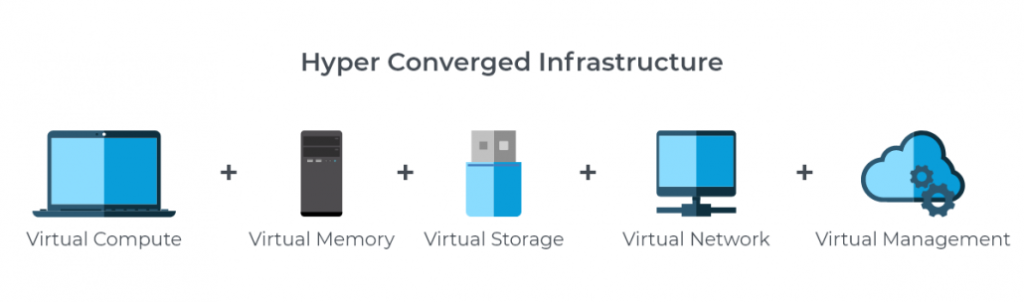
HCI vs. Traditional vs. Converged Infrastructure
Feature | Traditional Infrastructure | Converged Infrastructure | Hyperconverged Infrastructure |
|---|---|---|---|
Architecture | Separate compute, storage, network | Pre-integrated but still distinct components | Fully software-defined, unified system |
Management | Multiple consoles per component | Unified management with some component separation | Single management interface |
Scaling | Scale up (buy bigger hardware) | Scale up or limited scale out | Scale out by adding nodes |
Deployment Time | Weeks to months | Days to weeks | Hours to days |
Cost Model | High upfront, ongoing per-component costs | Moderate upfront, bundled components | Start small, pay as you grow |
Data Protection | Requires separate solutions | Partially integrated | Built-in backup and DR |
Common HCI Use Cases
HCI works well across a wide range of scenarios:
Virtual Desktop Infrastructure (VDI): HCI's consistent performance and simple scaling make it ideal for delivering virtual desktops to distributed workforces.
Edge and remote office deployments: Compact HCI nodes can run independently at remote sites without requiring dedicated IT staff on location.
Database workloads: Flash-optimized HCI clusters deliver the IOPS and low latency that SQL Server, Oracle, and other databases require.
Disaster recovery: Built-in replication and backup capabilities make HCI a natural fit for DR sites.
Dev/test environments: The ability to spin up and tear down VMs quickly makes HCI popular for development and testing workflows.
Industries that have adopted HCI broadly include healthcare, financial services, education, retail, and manufacturing.
Monitoring HCI Environments: Why It Matters
Adopting HCI simplifies infrastructure, but it doesn't eliminate the need for monitoring. In fact, because HCI consolidates so many functions into a single platform, monitoring becomes even more important. A single node failure can affect compute, storage, and networking simultaneously.
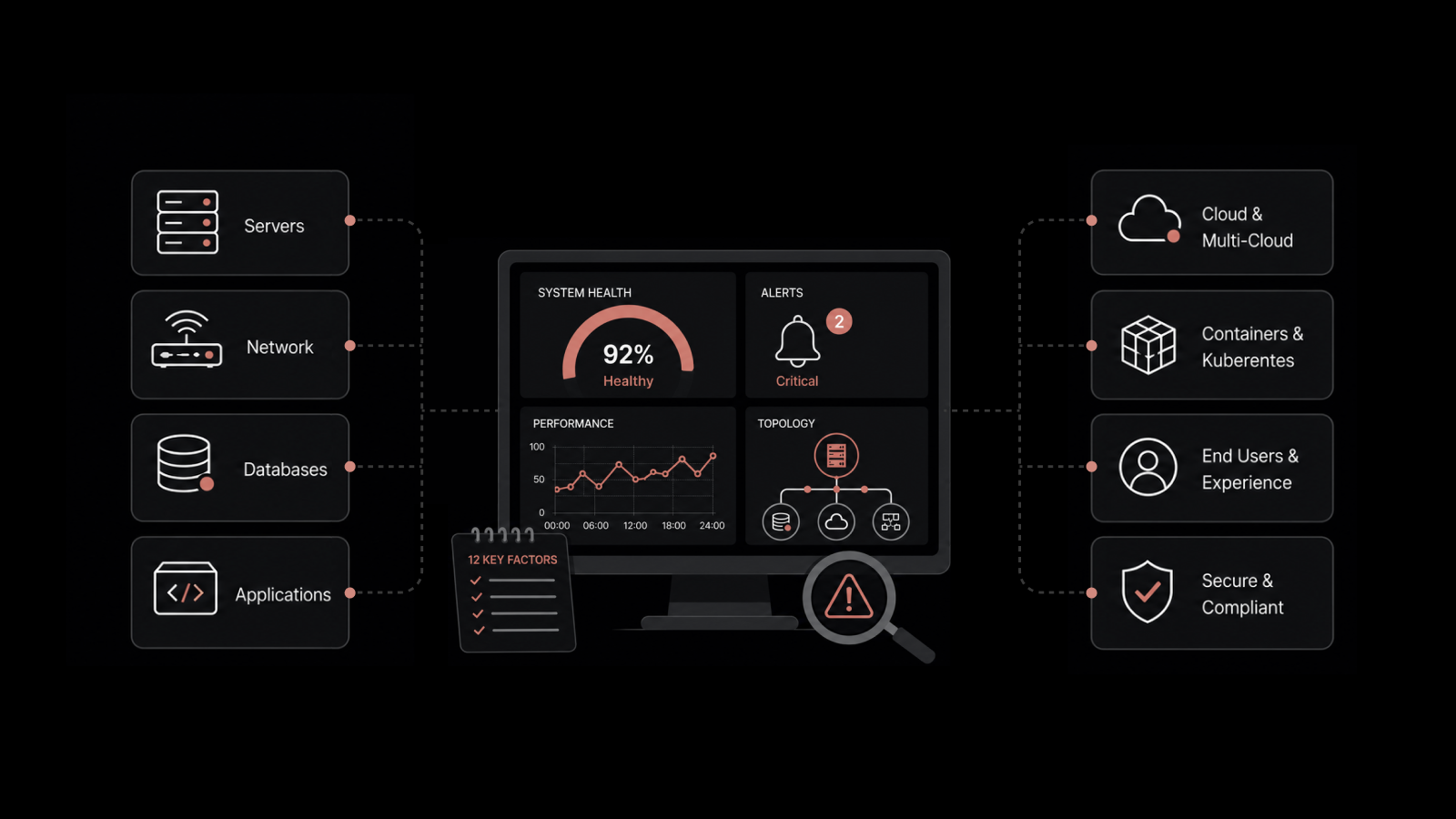
Effective HCI monitoring requires visibility into:
Cluster health: Overall status, node availability, and resource utilization across the cluster
Storage pools: Capacity usage, IOPS, latency, and deduplication/compression ratios
Virtual machines: CPU, memory, and disk usage per VM
Network performance: Bandwidth utilization, packet loss, and latency between nodes
Containers: If your HCI deployment supports containerized workloads, container-level monitoring is also needed
Network monitoring tools that support HCI platforms — including Nutanix clusters, hosts, and VMs — give IT teams a single view of the entire IT infrastructure without switching between management consoles.
People Also Ask
What is the difference between HCI and converged infrastructure?
Converged infrastructure bundles compute, storage, and networking into a pre-integrated package, but each component remains distinct and is managed separately. HCI goes further by making everything software-defined and managed through a single interface. This means HCI is simpler to manage, easier to scale, and typically has a lower total cost of ownership.
Is HCI suitable for small and medium businesses?
Yes. HCI's start-small, scale-as-you-grow model makes it accessible to organizations of any size. Small and medium businesses benefit from the simplified management (requiring fewer IT specialists) and reduced hardware costs. Many HCI vendors offer entry-level configurations with as few as three nodes.
How does HCI handle hardware failures?
HCI uses distributed storage with built-in redundancy. Data is replicated across multiple nodes, so when a node fails, the cluster continues operating using copies of the data stored on other nodes. The system automatically rebalances once the failed node is repaired or replaced.
Can you run containers on HCI?
Yes. Most modern HCI platforms support both virtual machines and containers. Nutanix, VMware, and other HCI vendors have added Kubernetes support and container orchestration capabilities to their platforms.
Monitor Your HCI Environment with Motadata
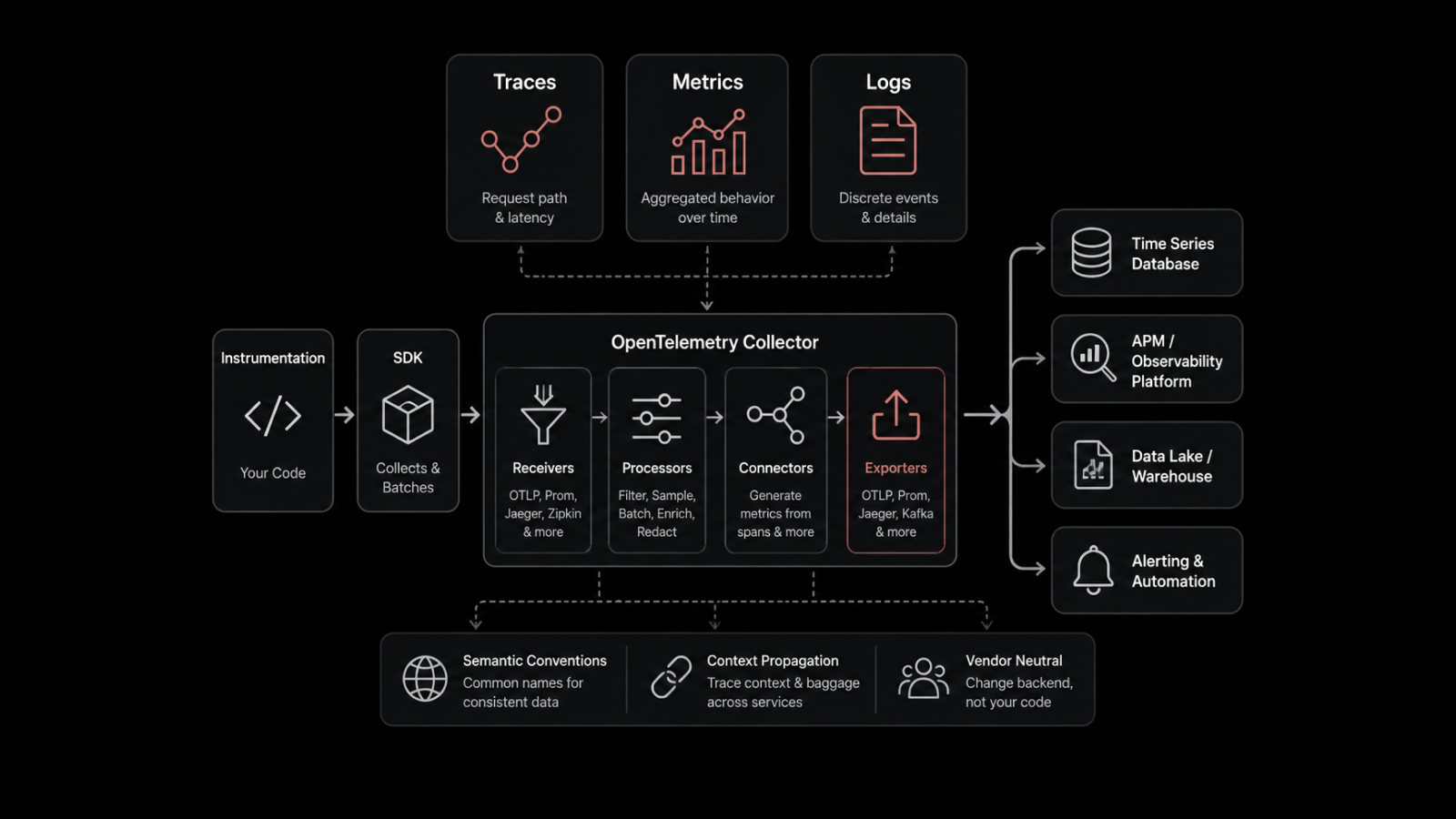
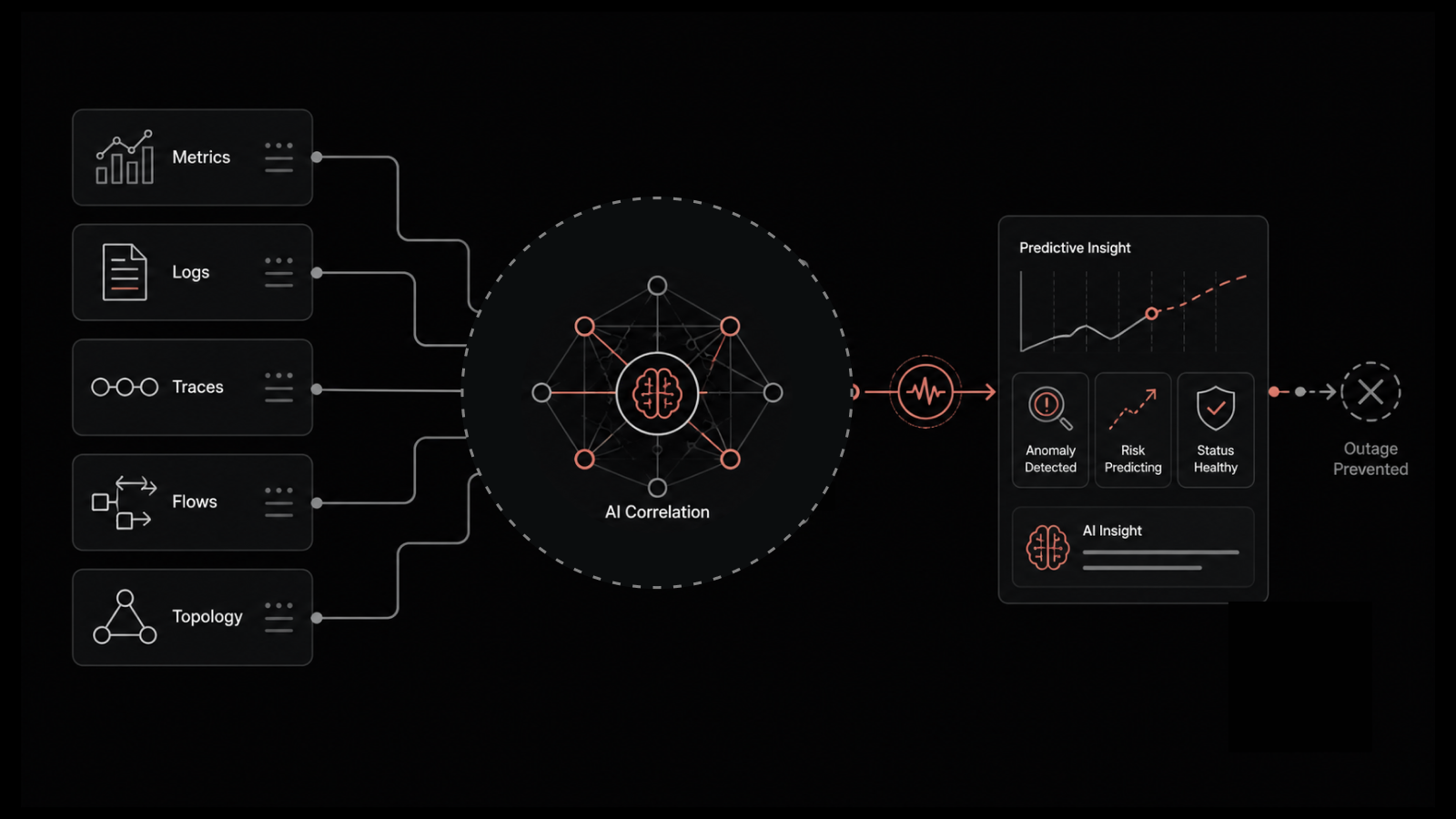
Motadata's AI-native platform provides full-stack monitoring for hyperconverged infrastructure, including Nutanix clusters, hosts, VMs, storage pools, and containers. With support for metrics like latency, IOPS, bandwidth utilization, and node health — all visible from a single dashboard — Motadata helps IT teams maintain the performance and availability that HCI promises. The platform's AIOps capabilities automatically detect anomalies, correlate events across your HCI environment, and alert your team before issues affect end users. Start your free trial and get unified visibility into your hyperconverged infrastructure today.
FAQs
What is Hyperconverged Infrastructure (HCI)?
Hyperconverged Infrastructure (HCI) is a software-defined IT infrastructure that integrates computing, storage, and networking resources into a single system, managed through a unified interface.
How does HCI differ from traditional infrastructure?
Traditional infrastructure uses separate hardware components for computing, storage, and networking, while HCI consolidates these elements into a single, scalable platform.
What are the benefits of adopting HCI?
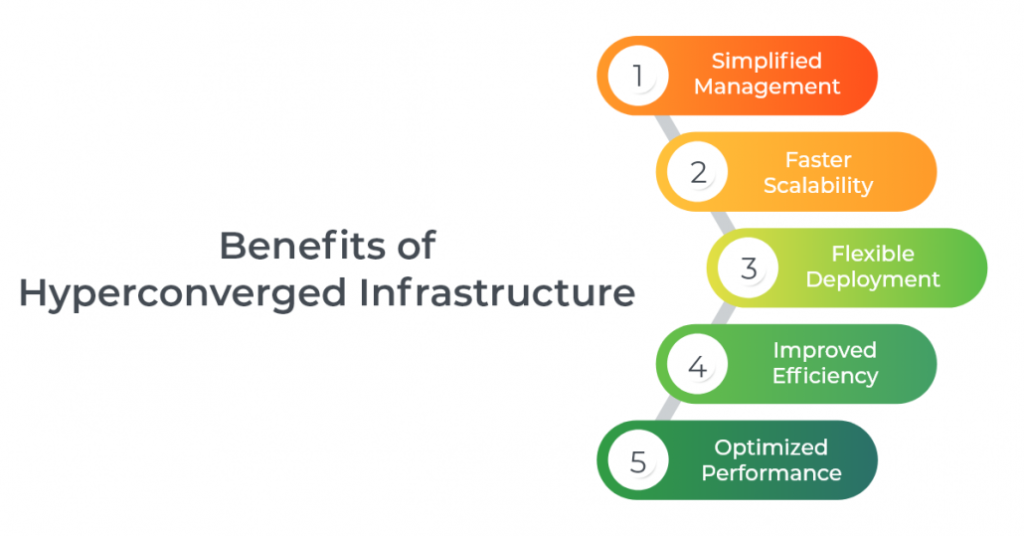
Benefits include simplified management, reduced operational costs, improved scalability, faster deployments, and enhanced performance.
What industries commonly use HCI solutions?
HCI is popular in industries such as healthcare, finance, education, and retail for its ease of management and ability to support virtual desktops, databases, and cloud workloads.