Best IT Help Desk Software in 2026: 10 Tools Compared
How do you pick the right IT help desk software when every vendor calls itself the best?
It comes down to three things. Your team size, your deployment rules, and whether you need full ITSM or plain ticketing.
A five-person startup can run support from a shared inbox. A 200-person IT team cannot.
Add asset tracking, SLAs, and change control, and that inbox falls apart. The right IT support software routes tickets on its own, links every request to the asset behind it, and shows you where time goes. The wrong one just adds another login.
I looked at more than 25 IT ticketing systems and tested the ones that show up most in real buying decisions.
Here is what you will get in this guide:
A use-case shortlist, so you can jump to the tool that fits you.
A side-by-side comparison of all 10 platforms.
A deep, honest review of each, cons included.
A pick-by-team verdict, from small IT shops to regulated enterprises.
Scroll down and find your fit.
Let’s get started.
TL;DR: The Best IT Help Desk Software for Every Use Case
Here is a quick summary for you to pick the tool right away.
Use case | Best tool | Why it wins |
Unified ITSM with on-prem | Motadata ServiceOps | Service desk, assets, and patch on one platform, dual ITIL certified |
Mid-market AI-driven ITSM | Freshservice | Fast setup and Freddy AI, cloud-first |
Self-hosted ITSM with ITAM | ManageEngine ServiceDesk Plus | Mature on-prem service desk and asset management |
Atlassian-stack IT teams | Jira Service Management | Incidents link straight to Jira issues |
Large-enterprise ITSM | ServiceNow | Deepest customization and CMDB, at enterprise cost |
Small teams on a budget | Zoho Desk | Affordable, strong inside the Zoho ecosystem |
IT Help Desk Software Comparison Table
Tool | Best For | Deployment | Native AI | Starting Price | Free Trial |
Motadata ServiceOps | Unified ITSM with on-prem and dual ITIL certification | SaaS, on-prem, private and public cloud | Yes, every module | Custom quote, modular | 30 days |
Freshservice | Mid-market AI-driven ITSM | Cloud only | Add-on and higher tiers | ~$19 per agent/mo | Yes |
ManageEngine ServiceDesk Plus | On-prem ITSM with mature ITAM | On-prem and cloud | Yes | ~$10 per tech/mo | Yes |
Jira Service Management | Atlassian-stack IT teams | Cloud and data center | Yes | Free up to 3 agents | Yes |
ServiceNow | Large-enterprise ITSM | Cloud | Yes | Custom quote | Demo only |
Zendesk | Omnichannel customer support | Cloud | Yes | ~$55 per agent/mo | Yes |
HaloITSM | Configurable ITIL workflows | Cloud and on-prem | Yes | ~$29 per agent/mo | Yes |
SysAid | AI-first service automation | Cloud and on-prem | Yes | Custom quote | Yes |
Zoho Desk | Small teams on a budget | Cloud | Yes, Zia | Free tier, then ~$14 | Yes |
Ivanti Neurons for ITSM | Enterprise, asset-heavy IT | Cloud and on-prem | Yes | Custom quote | Yes |
How I Picked These IT Help Desk Tools
A feature grid tells you what exists. It does not tell you what works when the queue spikes.
So I scored each help desk solution on the jobs a real IT team does every day.
ITSM depth: Does it handle incident, request, problem, change, and release, or is it a shared inbox with a nicer skin?
Native AI: Is automation built into ticket routing and self-service, or bolted on as a paid extra?
Asset management and CMDB: Can it link a ticket to the device, warranty, and owner behind it?
Deployment options: SaaS suits most teams, but regulated buyers need on-premises or private cloud.
Total cost: What you pay once you add the features you actually use, not just the sticker price.
I gave extra weight to two things the market underrates: deployment flexibility and formal ITIL certification.
Most newer platforms are cloud-only and call themselves ITIL-aligned without third-party proof. For enterprise and public-sector buyers, that gap decides the shortlist.
The 10 Best IT Help Desk Software Tools [Compared and Listed]
Let’s now learn about each tool in detail with its description, pros, cons, and pricing, and rest of the details.
1. Motadata ServiceOps
If you want one platform for your service desk, assets, and patching, ServiceOps is the most complete answer on this list.
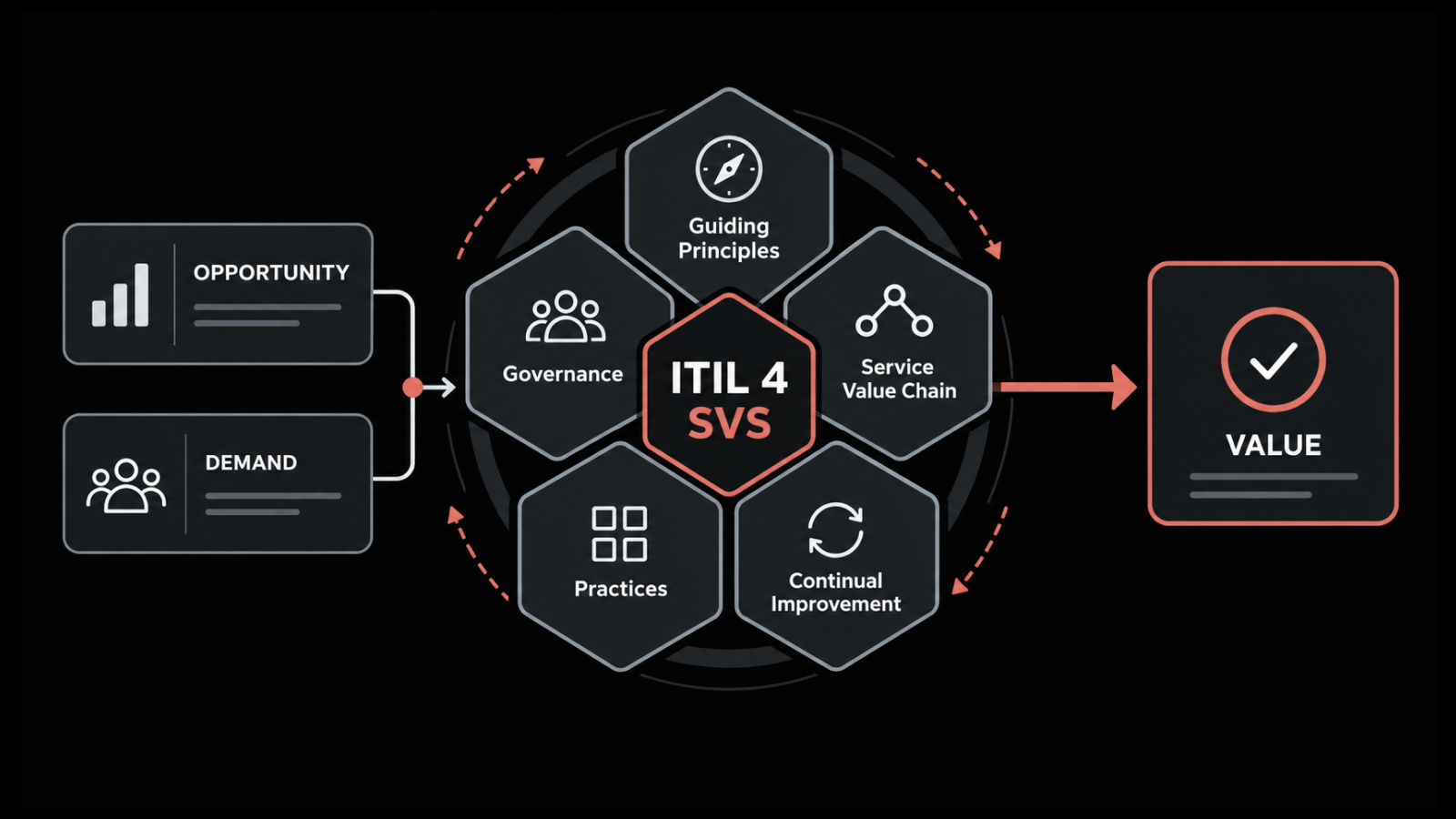
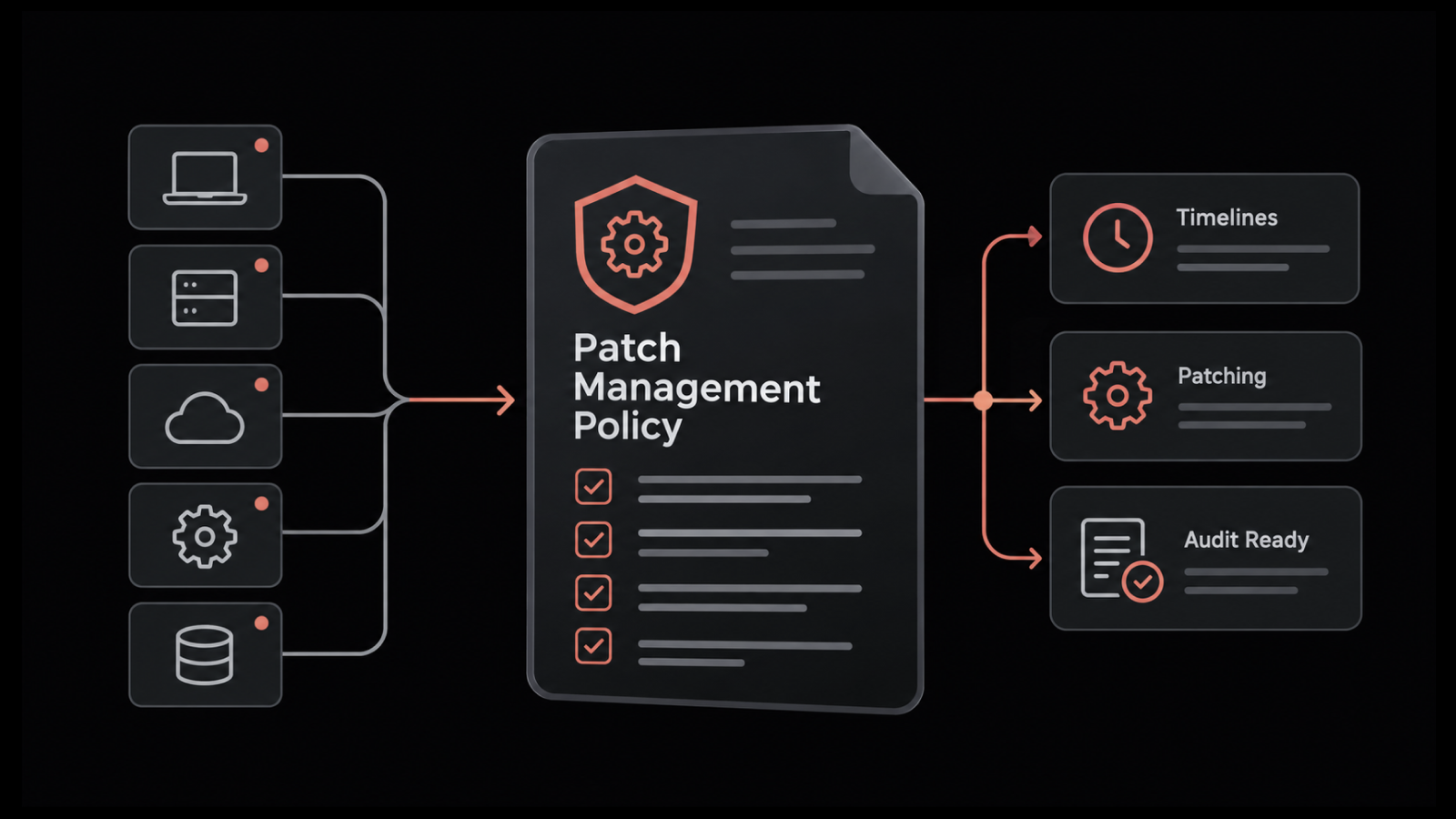
It is an AI-enabled, ITIL v4-aligned IT service management platform. It unifies service management, IT asset management, and patch and package management into one product, built on our own Deep Learning Framework for IT Operations.
Most tools here are strong at one thing. ServiceOps removes the seams between three.
The service desk software covers incident, request, problem, change, release, project, and knowledge management, and it runs on a shared CMDB. So when a ticket comes in about a slow laptop, your agent sees the device history, warranty, and owner in one view, because the IT asset management module and the service desk share a single database.
AI is native to every module, not a separate line item. Ticket routing assigns work by skill, workload, and availability. Virtual agents on Microsoft Teams, Slack, WhatsApp, and Line handle common requests, so a password reset never has to become a ticket.
The certification story sets ServiceOps apart from newer, cloud-only tools. It holds PeopleCert ATV ITIL 4 compliance across 12 practices. Many alternatives claim ITIL alignment. Few carry proof from two independent authorities.
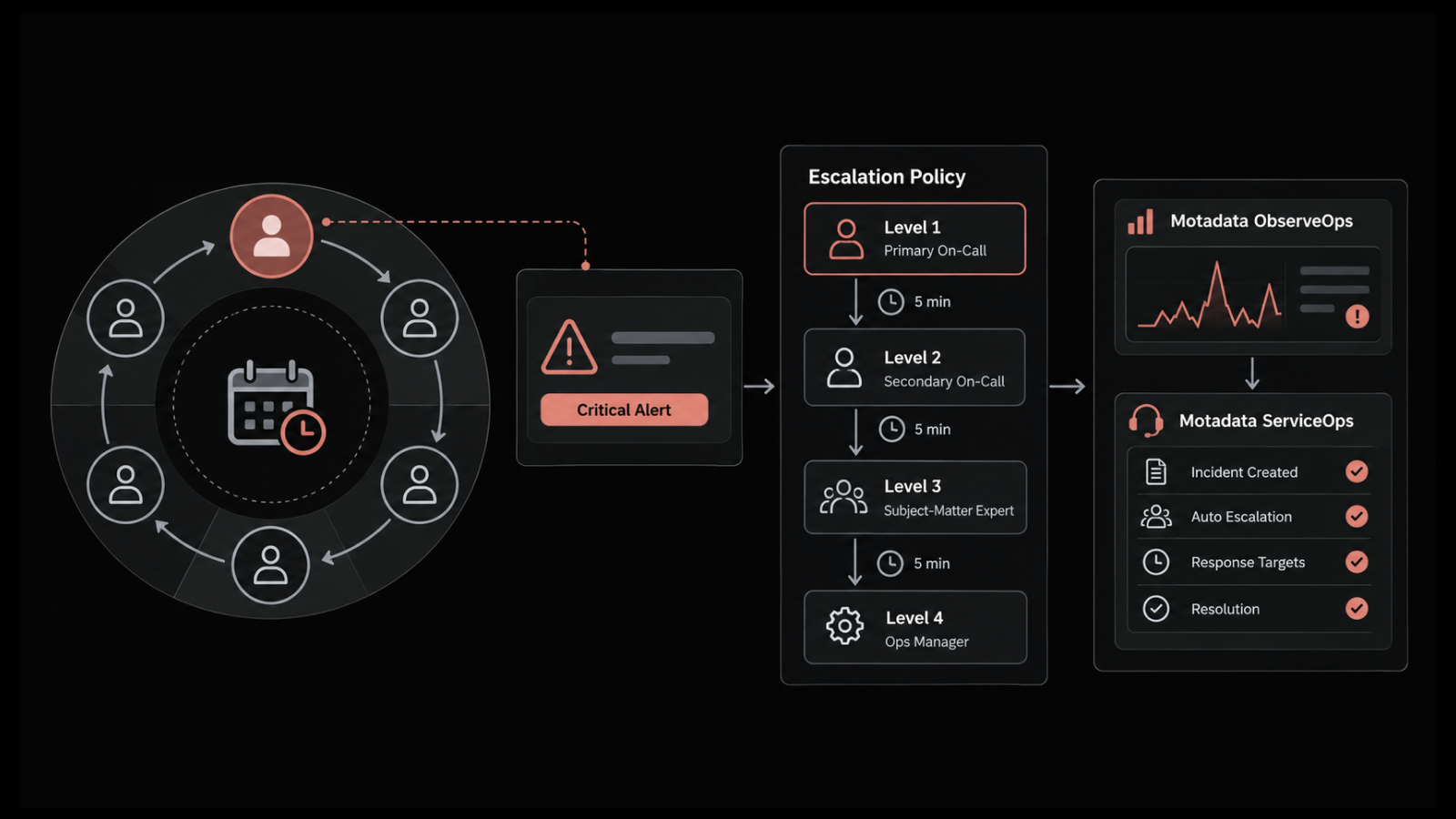
Deployment is where it wins regulated buyers. ServiceOps runs on-prem or in a private cloud with role-based access and audit trails, which is why customers like Central Bank of India and Nuvoco Vistas Corp Ltd standardized on it. It also shares its framework with Motadata ObserveOps, our observability platform, so a monitoring alert can open a ticket on its own and close the loop from detect to resolve.
The reach goes past IT too. The same service catalog, workflows, and approvals run enterprise service management for HR, facilities, and finance, and the multi-tenant edition lets MSPs manage many clients from one instance. The interface ships in Arabic, English, French, Hindi, Portuguese, Spanish, Thai, and more.
Motadata markets outcomes like up to 95 percent faster incident resolution and 80 percent MTTR reduction. Treat those as marketed figures, not audited benchmarks, and test them against your own volume during a trial.
Pros
- One platform for service desk, ITAM, and patch, so you stop stitching three tools together.
- ITIL certification (PeopleCert ATV).
- On-prem, private cloud, and public cloud deployment, built for regulated industries.
- Native AI in every module, including virtual agents on Teams, Slack, WhatsApp, and Line.
- Enterprise service management reach, so HR, facilities, and finance run on the same workflows.
- Multi-tenant support that fits ITSM-focused MSPs.
Cons
- Brand recognition trails ServiceNow and Freshservice in some Western markets, so you may have to make the internal case.
- It is built for IT and enterprise service management, not pure customer-facing support like Zendesk.
- The full ITIL feature set can be more than a three-person team needs at the start, though modular licensing helps.
Pricing
Modular licensing. License service desk, ITAM, and patch on their own or together.
Monthly and annual terms, concurrent or named user licenses.
Custom quote for enterprise deployments.
30-day free trial.
Reviews:
G2: 4.6 out of 5.
Capterra: 4.6 out of 5.
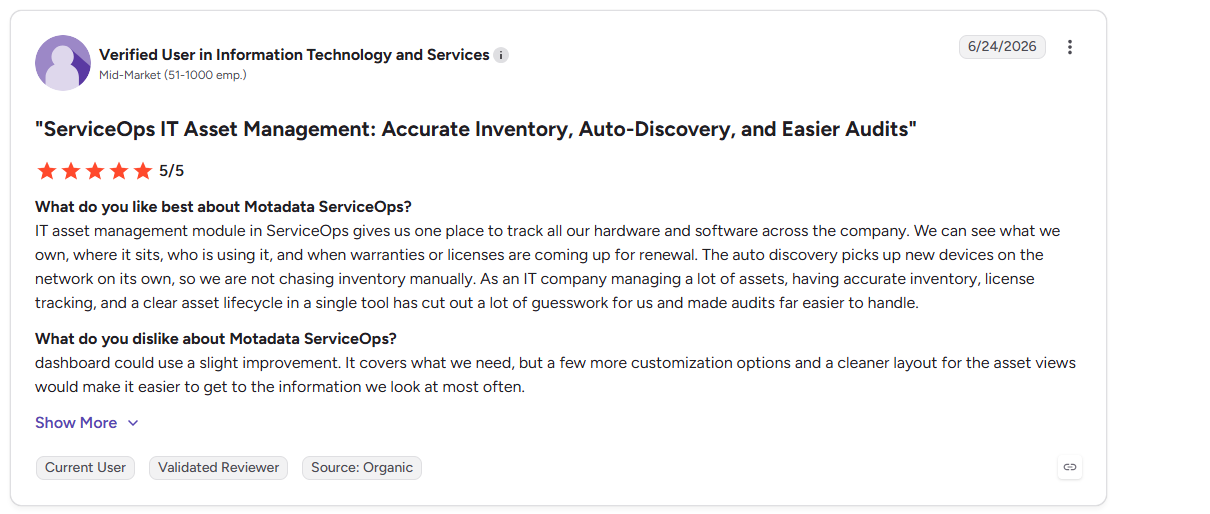
You can check out our more G2 reviews here.
If ServiceOps looks like a fit, you can book a ServiceOps demo and walk a real incident and change through it with our team.
2. Freshservice
The next tool on my list is Freshservice, from Freshworks.
If you want AI-driven ITSM that works out of the box, this is one of the most approachable IT service desk tools on the market.
Setup is fast, the interface is clean, and the ITIL processes are there without heavy configuration.
Its AI copilot, Freddy, drafts replies, summarizes long threads, and writes knowledge articles inside the ticket view. A no-code workflow automator and orchestration center let you build request and approval flows without a developer.
The asset module has grown too, with continuous discovery, dependency mapping, and software license tracking. Freshservice also handles change, release, and project management, plus employee onboarding workflows that reach beyond IT.
It connects to more than 1,200 apps through its marketplace, and the reporting and mobile app are strong for a cloud-first tool.
Pros
- Fast deployment and a low learning curve for new agents.
- A large marketplace with 1,200-plus integrations.
- No-code automation and orchestration for request and approval flows.
- AI woven through the service desk, not parked in a chatbot.
Cons
- Cloud only, which rules it out for teams that need on-prem.
- Costs climb quickly at higher tiers, and the strongest AI sits in those plans.
Pricing
Starts around $19 per agent per month, billed annually.
Higher tiers add AI, orchestration, and enterprise controls.
Free trial available.
Reviews:
G2: 4.6 out of 5.
Capterra: 4.5 out of 5.
3. ManageEngine ServiceDesk Plus
ServiceDesk Plus, part of Zoho Corp's ManageEngine line, is a veteran in this space.
If you need self-hosted ITSM with deep asset management, it belongs on your shortlist.
It pairs a full ITIL service desk with mature IT asset management, and it is one of the few tools here with a real on-prem option.
Incident, problem, change, release, and project management all sit in one console, backed by a CMDB, purchase, and contract management. It ships in Standard, Professional, and Enterprise editions, plus an MSP edition for those who need it.
It also plugs into the wider ManageEngine suite, so tools like OpManager and Endpoint Central extend monitoring and endpoint control from the same stack. That on-prem strength is why it shows up on so many regulated shortlists.
I compare it against ServiceOps in detail on the comparison page below.
Pros
- Genuine on-premises deployment, not just a cloud SKU.
- Mature, well-tested asset, purchase, and contract management.
- A broad edition range, from small teams to large enterprises and MSPs.
Cons
- The interface feels dated next to newer platforms and can need training.
- Higher editions and add-ons push the real cost up.
Pricing
Starts around $10 per technician per month.
Perpetual on-prem licensing also available.
Free trial available.
Reviews:
G2: 4.1 out of 5.
Capterra: 4.4 out of 5.
4. Jira Service Management
Jira Service Management is Atlassian's ITSM tool. It shines when IT and engineering work side by side.
Incidents link straight to Jira issues, so a support ticket and a bug fix stay connected.
Change management and automation rules are solid, and the built-in Assets feature gives you configuration and asset tracking.
It carries full ITIL templates for incident, problem, change, and request, plus on-call and alerting through its Opsgenie lineage.
Atlassian Intelligence adds AI for summaries, virtual agents, and request handling.
If your team already lives in the Atlassian stack, this keeps everything in one place.
Pros
- Deep integration with Jira Software and the wider Atlassian suite.
- Strong workflow automation, change enablement, and on-call alerting.
- A free tier for very small teams.
Cons
- Setup is complex, and a basic help desk takes real admin time to configure.
- The employee experience is portal-first, so Slack-native IT support is limited.
Pricing
Free for up to 3 agents.
Standard and Premium tiers priced per agent.
Reviews:
G2: 4.3 out of 5.
Capterra: 4.5 out of 5.
5. ServiceNow
ServiceNow is the enterprise standard, and for good reason.
Its ITSM depth, CMDB, and platform extensibility are hard to match. The largest organizations build entire service operations on it.
Incident, problem, change, and request management sit on the Now Platform, alongside a powerful CMDB and workflow engine.
Now Assist adds generative AI, and Predictive Intelligence and Performance Analytics bring machine learning and reporting to the queue.
That power comes with weight. Deployments run long, and you usually need dedicated admins or a partner to run it well.
For price-sensitive mid-market teams, it is often more platform than the job requires.
Pros
- Best-in-class depth for complex, large-scale ITSM.
- A powerful, well-supported CMDB and workflow engine.
- Generative AI, predictive intelligence, and a vast app ecosystem.
Cons
- Expensive, with pricing that starts high and grows.
- Long implementations and ongoing admin overhead.
Pricing
Custom quote, enterprise-level.
Reviews:
G2: 4.4 out of 5.
Capterra: not publicly listed.
6. Zendesk
Zendesk built its name on customer service.
It stays the strongest pick for external, omnichannel support. Email, chat, voice, social, and messaging sit in one place, and its AI agents resolve routine requests on their own.
A help center, macros, triggers, and automations round out the agent workspace, and Zendesk AI adds intent detection and reply suggestions. The marketplace is large, so it slots into most CX stacks.
For internal IT service management, though, it is a lighter fit.
It has an employee-service offering, but ITIL depth and asset management are not its home turf.
Pros
- Excellent omnichannel support across every customer channel.
- Mature AI agents and reply suggestions for autonomous resolution.
- A large app marketplace and help center.
Cons
- Built for customer support first, so native ITSM and ITAM are thinner.
- Costs run high once you add AI and premium tiers.
Pricing
Suite plans from around $55 per agent per month.
Reviews:
G2: 4.3 out of 5.
Capterra: 4.4 out of 5.
7. HaloITSM
HaloITSM earns praise for pairing broad ITIL coverage with strong configurability, and it holds the highest review scores on this list.
It handles incident, problem, change, release, request, and SLA management, with a CMDB and asset tracking in the same tool.
Where it stands out is packaging. Features are not gated behind tiers, so you get the full ITIL toolset from the start, on cloud or on-prem.
A self-service portal, workflow automation, and AI-assisted features are built in, and the platform stretches into ESM and customer service management when you need it.
If you want to shape workflows to match your team, that flexibility is the draw.
Pros
- Wide ITIL process coverage with features not locked behind higher tiers.
- Flexible configuration to match your workflows.
- Both cloud and on-prem deployment.
Cons
- The flexibility brings a configuration learning curve.
- A smaller ecosystem and community than the biggest names.
Pricing
From around $29 per agent per month, all-inclusive.
Reviews:
G2: 4.8 out of 5.
Capterra: 4.7 out of 5.
8. SysAid
SysAid leans hard into automation.
The goal is simple. Take repetitive tickets off your team's plate.
It bundles a service desk with asset management, workflow automation, and remote control, and it offers both cloud and self-hosted options.
SysAid Copilot uses AI to resolve common Level 1 requests and draft responses, while a self-service portal deflects routine tickets before they reach an agent.
The workflow builder automates approvals, routing, and escalations.
If most of your volume is routine, that automation focus pays off.
Pros
- A strong focus on automating high-volume, low-value tickets.
- Service desk, asset management, and remote control in one package.
- An on-prem option for teams that need it.
Cons
- Pricing is quote-based, so budgeting takes a sales call.
- The interface and reporting can feel less modern than newer rivals.
Pricing
Custom quote.
Free trial available.
Reviews:
G2: 4.5 out of 5.
Capterra: 4.5 out of 5.
9. Zoho Desk
Zoho Desk is a cost-effective help desk.
It fits neatly if you already run Zoho CRM or other Zoho apps.
Its AI assistant, Zia, predicts fields, flags priorities, reads sentiment, and routes tickets. Multichannel support covers email, phone, chat, and social from one place.
The Blueprint builder turns your process into a guided workflow, and a self-service portal with a knowledge base handles repeat questions. Multi-department support lets other teams run their own desks.
Paid plans scale from Express through Enterprise, and a free tier covers very small teams. For small teams watching budget, it is one of the easier tools to justify.
Pros
- Affordable, with a usable free tier and low entry plans.
- Tight integration across the Zoho ecosystem.
- Zia AI for prediction, sentiment, and routing.
Cons
- Leans toward customer support, so deep ITSM is lighter.
- Value drops if you are not already in the Zoho ecosystem.
Pricing
Free tier available.
Paid plans from around $14 per agent per month.
Reviews:
G2: 4.4 out of 5.
Capterra: 4.5 out of 5.
10. Ivanti Neurons for ITSM
Ivanti Neurons for ITSM pairs a capable service desk with strong asset and endpoint management.
It carries the ITSM heritage of Cherwell and LANDESK, so asset visibility and endpoint control are in its DNA.
Incident, problem, change, and a service catalog sit alongside hyperautomation bots that handle routine, repeatable work. Self-healing and self-service features aim to resolve issues before they reach an agent.
It runs on cloud or on-prem, which suits security-conscious and asset-heavy enterprises.
For those organizations, that heritage shows.
Pros
- Strong asset and endpoint management heritage.
- Hyperautomation bots and self-healing for routine work.
- Enterprise-grade ITSM with on-prem support.
Cons
- Enterprise complexity and cost, better suited to larger teams.
- Setup and administration take real expertise.
Pricing
Custom quote.
Reviews:
G2: 4.2 out of 5.
Capterra: not publicly listed.
Help Desk vs Service Desk vs Ticketing System
These three terms get used as if they mean the same thing. They do not, and the difference changes what you buy.
A ticketing system turns a request into a trackable ticket. It captures the issue, assigns an owner, and records the fix. That is the floor, not the ceiling.
A help desk goes further. It adds a knowledge base, automation, reporting, and a self-service portal. It is reactive by design, focused on fixing what breaks.
A service desk is broader still. On top of everything a help desk does, it adds change management, release management, a service catalog, and ITIL-aligned processes. It treats IT as a set of services the business uses, not a repair shop.
Here is why that matters for your budget. Buy a pure ticketing tool, then need change control and asset tracking later, and you buy again.
We built Motadata ServiceOps so a team can start with a simple help desk and grow into full ITSM on the same platform, with no migration.
Pick the Best IT Help Desk Software for Your Use Case
There is no single best IT help desk software. There is only the best fit for how your team runs.
If you want one platform for the service desk, assets, and patching, with the freedom to run on-prem or in the cloud, choose Motadata ServiceOps.
It is the strongest fit for regulated industries and for teams that want to grow from a simple help desk into full ITSM without switching tools.
If you are a mid-market team that wants AI-driven ITSM fast and lives happily in the cloud, Freshservice is a smart pick. If you need self-hosted ITSM with deep asset management, look at ManageEngine ServiceDesk Plus.
If your IT and engineering teams already run on Atlassian, Jira Service Management keeps everything connected. If you are a global enterprise with the budget and admins for maximum depth, ServiceNow delivers it.
For customer-facing support, Zendesk stays ahead. For the highest configurability, HaloITSM leads. For a tight budget, Zoho Desk stretches furthest.
Each tool solves a different piece of the problem. The trick is naming your non-negotiables first, then shortlisting against them.
Conclusion
The best IT help desk software is not the one with the longest feature list. It is the one that fits your deployment rules, your ITSM maturity, and the way support reaches your team.
Get that match right, and your queue stops running your day.
No tool is perfect. A cloud-only platform will not clear a regulated audit, and a deep ITSM suite is more than a tiny team needs on the first day. Name your non-negotiables first, then shortlist against them.
If your list includes unified ITSM, on-prem freedom, and real ITIL certification, ServiceOps was built for exactly that. To see how it holds up against your own ticket volume, you can start a free ServiceOps trial and run a live incident through it with your team.
FAQs
Is AI replacing IT's help desk?
No, but it is reshaping it. AI now resolves many Tier-0 and Tier-1 requests, like password resets and access requests, without an agent. That frees your team for complex work that needs judgment. The best IT help desk software uses AI to cut handle time and deflect routine tickets, not to remove humans from the loop.
What is the best IT management software?
It depends on scope. For end-to-end IT service management, look at Motadata ServiceOps, Freshservice, or ServiceNow. For teams that also need monitoring, a platform pairing like ServiceOps and ObserveOps covers both service delivery and infrastructure health from one framework.
What is the difference between a help desk and a service desk?
A help desk is reactive and focused on fixing individual issues fast, with ticketing, a knowledge base, and automation. A service desk does all of that and adds proactive IT service management, such as change, release, and a service catalog aligned to ITIL. If you expect to mature your IT processes, buy a service desk platform that can grow with you.
How much does IT help desk software cost?
Entry prices range from free or ad-supported tools to over $100 per agent per month for premium enterprise suites. The sticker price rarely tells the full story, because SLA tracking, AI, and integrations often sit in higher tiers. Price the plan that includes the features you will actually use, and verify current rates on the vendor's page.
Can IT help desk software be deployed on-premises?
Yes, though fewer tools offer it than you might expect. Many newer platforms are cloud-only. If you work in banking, government, or healthcare and need on-prem or private cloud, shortlist tools that support it, such as Motadata ServiceOps, ManageEngine ServiceDesk Plus, and Ivanti Neurons for ITSM.
Author
Jagdish Sajnani
Senior Content Strategist
Jagdish Sajnani is a B2B SaaS content strategist and writer. He has experience across different B2B verticals, including enterprise technology domains such as IT Service Management, AI-driven automation, observability, and IT operations. He specializes in translating complex technical systems into structured, engaging, and search-optimized content. His work improves product understanding, strengthens organic visibility, and supports B2B demand generation.