Server Monitoring Checklist 2026
The server monitoring checklist your team used five years ago was probably a spreadsheet: check CPU, verify disk space, confirm services are running. That approach worked when infrastructure was predictable and on-premises. In 2026, it's no longer enough. Today's infrastructure spans data centers, cloud providers, containerized microservices, and edge nodes -- often simultaneously. Uptime expectations have shifted from "mostly available" to five-nines. Security threats are faster, more automated, and far more targeted. Your monitoring checklist needs to match that reality.
What Server Health Monitoring Means in 2026
For most of the last two decades, server monitoring meant uptime monitoring. If the ping came back, the server was healthy. If a threshold was breached, an alert fired. That model made sense when infrastructure was static and workloads were predictable.
Modern server environments are none of those things. A single business application might run across bare-metal hosts, cloud VMs, Kubernetes pods, and serverless functions -- sometimes simultaneously. "The server" is now a distributed, dynamic construct that spans environments your team directly controls and environments you don't.
In this context, "healthy" means something far more nuanced than "reachable." A healthy server in 2026:
Operates within expected performance envelopes for CPU, memory, storage, and network
Shows no signs of resource exhaustion when trends are projected forward
Passes security and compliance posture checks continuously, not just quarterly
Has its dependencies -- databases, APIs, load balancers -- verified as responsive
Runs current, patched, validated configurations
Has backup, failover, and recovery mechanisms that are tested and confirmed ready
Why a Modern Server Monitoring Checklist Is Non-Negotiable
Infrastructure teams sometimes push back on formal checklists, viewing them as overhead. In 2026, that view is operationally dangerous.
Business dependence has intensified. Revenue, customer experience, regulatory reporting, and internal operations all flow through systems IT teams are responsible for keeping healthy. A degraded server isn't an internal inconvenience -- it's a business risk with measurable financial and reputational consequences.
Downtime tolerance has collapsed. SLAs that once permitted hours of maintenance windows now measure acceptable interruption in minutes. Stakeholders expect not just availability, but consistent performance across global regions and time zones.
Security threats have professionalized. Configuration drift, unpatched dependencies, and expired certificates aren't minor hygiene issues -- they're active exploit vectors that threat actors scan for continuously.
Cost pressures demand efficiency. Cloud infrastructure cost optimization requires accurate, ongoing visibility into utilization trends. Teams lacking this visibility overprovision, incur waste, and still run out of capacity in the wrong places at the wrong time.
A server monitoring checklist isn't a form to be completed and filed. It's the operational backbone of a reliability practice -- the mechanism by which teams catch problems early, respond consistently, and build institutional knowledge about their infrastructure's behavior over time.
Core Server Health Monitoring Checklist
The following sections cover the fundamental signals every team should track. Each area includes not just what to monitor, but why the signal matters.
Compute Health
Signal | What to Track | Why It Matters |
|---|---|---|
CPU utilization and saturation | Average and percentile distributions, not just peaks | A server can show 60% CPU while still saturating under burst workloads |
Load averages | 1, 5, and 15-minute windows | Persistent spikes indicate workload accumulation preceding degradation |
Process health | Zombie processes, runaway scripts, memory-leaking daemons | Most common causes of gradual server degradation |
Memory Health
Signal | What to Track | Why It Matters |
|---|---|---|
RAM utilization trends | Hourly and daily trends over time | A server climbing 2% per day is heading toward predictable failure |
Memory leaks | Per-process memory consumption over time | Surfaces leaks before they cause service interruptions |
Swap usage | Active swap I/O, particularly thrashing | Indicates working memory is exhausted; needs immediate intervention |
Storage Health
Signal | What to Track | Why It Matters |
|---|---|---|
Growth rate analysis, projected exhaustion dates | Disk-full events are almost always foreseeable | |
IOPS and I/O latency | IOPS consumption and I/O wait times | Storage issues are frequently misdiagnosed as CPU problems |
Disk errors | SMART indicators, RAID health, sector errors | Provide advance warning of hardware failure |
Network Health
Signal | What to Track | Why It Matters |
|---|---|---|
Throughput and capacity headroom | Interface utilization relative to capacity | Saturation causes app problems before registering as network issues |
Packet loss and error rates | Low-level packet loss, interface errors | Easy to overlook but have outsized effects on reliability |
Inter-service latency | Latency between servers and critical dependencies | As important as external latency in distributed architectures |
Performance and Availability Checks
Resource metrics tell you how a server consumes resources. Performance checks tell you whether it's actually serving its purpose.
Service response times and latency SLOs -- Monitor whether services meet response time commitments, not just whether they're reachable. A service that responds in 8 seconds is technically "available" but operationally failing.
Endpoint health via synthetic checks -- Checks against critical endpoints should mirror actual user journeys, not just ping responses.
Dependency health verification -- Monitor database, cache, message queue, and external API health separately from application health to distinguish application failures from infrastructure failures.
Scheduled vs. unscheduled downtime tracking -- Distinguishing planned maintenance from unexpected outages is essential for accurate SLA reporting.
Security and Compliance Monitoring
Security monitoring is server health monitoring. A server with a misconfigured access policy, an expired certificate, or an unpatched kernel vulnerability isn't healthy -- it's a liability, regardless of how well its CPU metrics look.
Unauthorized access attempts -- Failed login spikes, off-hours access, and logins from unexpected locations are often the earliest signals of a compromise in progress.
Configuration drift -- Infrastructure that drifts from its hardened baseline is becoming progressively less secure. Continuous configuration monitoring catches drift at occurrence, not months later during a compliance audit.
Patch currency -- The time between vulnerability disclosure and exploitation has shortened dramatically. Track patch status as a health metric with clear aging policies.
TLS certificate expiration -- Certificate expiration causes entirely preventable outages. Monitor with 60, 30, and 14-day alert windows.
Privileged account usage -- Monitoring elevated access provides an audit trail and surfaces unauthorized privilege escalation early.
Capacity Planning and Predictive Health
The difference between reactive and proactive infrastructure management often comes down to whether a team treats capacity planning as a periodic project or a continuous practice.
Trend-based capacity analysis -- Project utilization forward. Which servers will exhaust disk capacity in the next 30 days? Which will hit memory limits at current growth rates?
Resource exhaustion forecasting -- Build automated projections for CPU, memory, storage, and network capacity. Alert when projected exhaustion dates fall inside your provisioning lead time.
Early degradation signals -- Gradual performance degradation often precedes outright failure by days or weeks. Subtle shifts in response time distributions and creeping memory utilization are indicators teams can act on.
Scale readiness validation -- For cloud-native environments, verify that autoscaling policies are configured, tested, and capable of responding to demand spikes before services degrade.
Server Maintenance Checklist for Long-Term Stability
Monitoring tells you what's happening now. A maintenance checklist ensures the practices that prevent future problems are executed consistently.
OS and kernel updates -- Include a defined patching cadence with tested rollback procedures for critical systems.
Firmware and driver currency -- Firmware vulnerabilities carry significant risk for storage controllers, network cards, and BMC interfaces.
Configuration validation -- Periodically validate running configurations against approved baselines.
Backup health verification -- A backup that hasn't been tested isn't a backup. Include regular restore tests and recovery time validation.
Failover and DR readiness -- Include periodic failover tests in the maintenance schedule and document expected recovery time for each critical system.
Log rotation and archival -- Unmanaged log directories cause disk-full events. Verify rotation policies are functioning and storage allocations remain adequate.
Automation and AI in Server Health Monitoring
The scale of modern infrastructure makes comprehensive manual monitoring impractical. Automation and AI-assisted operations are current necessities, not future capabilities.
Automated routine checks eliminate inconsistency and toil. Scheduled health checks, automated patch status reports, and configuration drift detection run more reliably when automated.
Predictive alerting and anomaly detection learn normal behavior patterns and alert on meaningful deviations -- catching problems that threshold alerts miss and reducing noise from alerts that fire without operational significance.
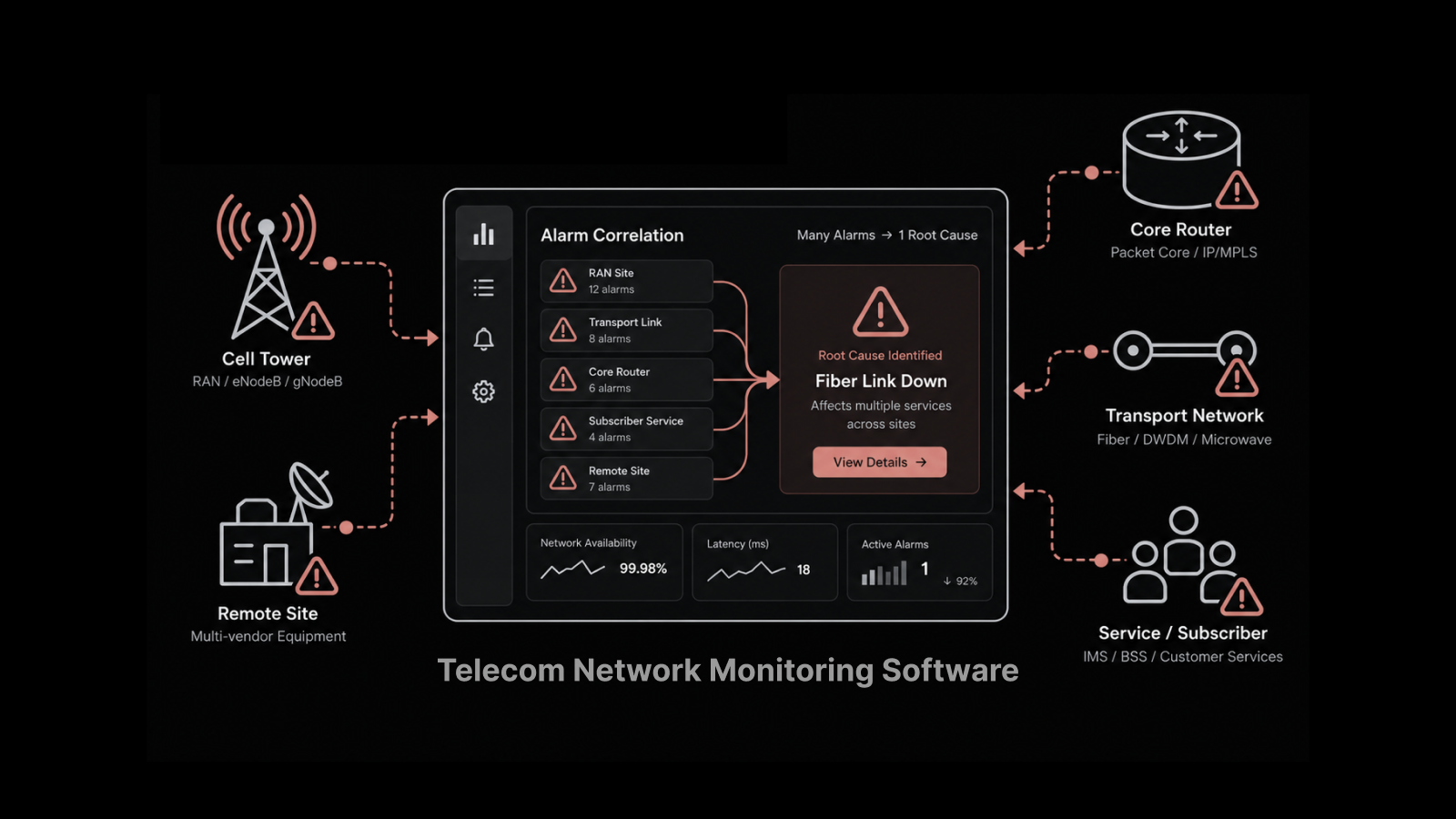
Intelligent alert correlation reduces the "alert storm" problem. When a storage controller fails, it may generate dozens of cascading alerts. AI-assisted correlation identifies the root cause and suppresses the noise.
Runbook automation and self-healing codify responses to known failure patterns. When a disk fills due to log accumulation, an automated runbook clears old logs, alerts the team, and files a ticket.
The goal of automation isn't to replace human judgment. It's to ensure human attention is directed toward decisions that require it, rather than consumed by routine checks and repetitive responses.
Common Server Monitoring Gaps to Avoid
Even well-resourced teams fall into patterns that generate the appearance of observability without the substance.
Monitoring without operational context -- A CPU reading of 75% means nothing without knowing the baseline, workload type, and trend direction. Metrics without context generate alert noise rather than insight.
Ignoring trends for point-in-time readings -- Teams that review dashboards rather than trend data consistently miss slow-building problems.
Alert overload -- Alert fatigue is a leading cause of missed incidents. If more than 20% of alerts require no action, thresholds need recalibration.
Siloed hybrid monitoring -- Teams that monitor on-premises and cloud separately lose cross-environment visibility needed for diagnosing problems that span both.
Separating security from infrastructure health -- Configuration drift, patch status, and access anomalies are infrastructure health signals that need operational context for quick action.
How Motadata Transforms Server Monitoring
Motadata's AI-native server monitoring platform is built to deliver the signal-driven, trend-aware monitoring this checklist demands. Here's what you get:
Unified monitoring across on-premises, cloud, and hybrid infrastructure from a single dashboard
AI-powered anomaly detection that learns your infrastructure's normal behavior and alerts on meaningful deviations
Intelligent alert correlation that groups related alerts, identifies root causes, and suppresses noise
Predictive capacity forecasting that projects resource exhaustion and alerts before impact
Automated health checks for compute, memory, storage, network, security, and availability
Pre-built dashboards with trend visualization and SLA tracking
Author
Arpit Sharma
Senior Content Marketer
Arpit Sharma is a Senior Content Marketer at Motadata with over 8 years of experience in content writing. Specializing in telecom, fintech, AIOps, and ServiceOps, Arpit crafts insightful and engaging content that resonates with industry professionals. Beyond his professional expertise, he is an avid reader, enjoys running, and loves exploring new places.