What Is Cloud Monitoring? Definition, Benefits & Best Practices
Cloud monitoring is the practice of continuously tracking the performance, availability, and security of cloud-based infrastructure, applications, and services using automated tools and predefined metrics.
Your cloud environment is running hundreds of workloads across multiple regions. Dashboards show green across the board. But a support ticket just came in: checkout is timing out for users in Asia-Pacific, and your team didn't catch it for 40 minutes.
That's the gap cloud monitoring is designed to close. It's not just about knowing your servers are up -- it's about understanding how every layer of your cloud stack is performing, where bottlenecks are forming, and what's about to break before users notice.
Key Takeaways
Cloud monitoring tracks the health, performance, and security of all cloud-based resources in real time.
It covers VMs, databases, storage, networks, and applications across public, private, and hybrid environments.
Proactive monitoring reduces downtime, speeds up incident response, and helps teams meet SLAs.
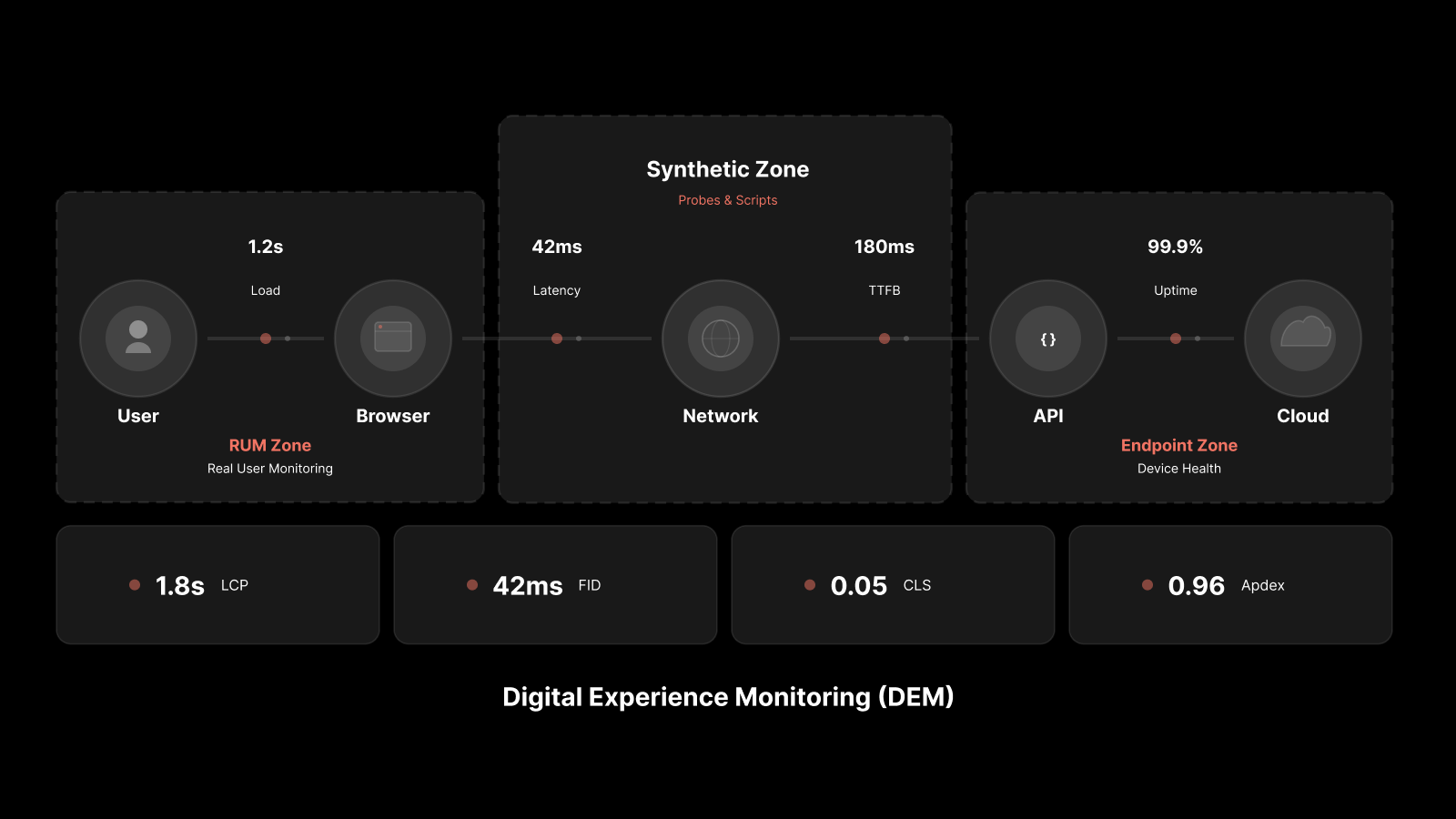
Key metrics include CPU utilization, response time, error rates, network latency, and storage consumption.
AI-driven cloud monitoring tools can predict issues before they affect end users.
Motadata provides unified cloud monitoring across AWS, Azure, and hybrid environments from a single dashboard.
What Is Cloud Monitoring?
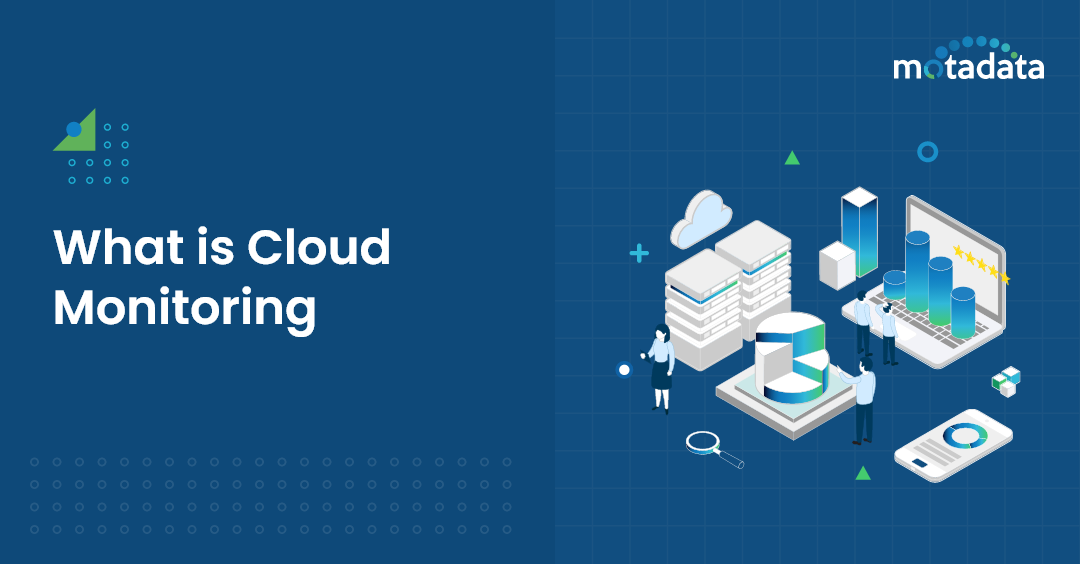
Cloud monitoring is the process of observing, measuring, and managing cloud-based applications, infrastructure, and services. It gives IT teams visibility into how resources are performing and whether they're meeting the thresholds your organization has set.
This involves both manual oversight and automated monitoring through IT operations management (ITOM) and network management tools. The goal is straightforward: make sure your cloud infrastructure runs efficiently, stays secure, and delivers the performance your users expect.
Admins can review the health and operational status of cloud servers, virtual machines, databases, and network components. What you can control depends on your cloud model:
Private cloud gives you full visibility and control over the software stack and underlying systems.
Public cloud limits your control, but monitoring tools can still track performance metrics exposed through provider APIs.
Hybrid cloud requires monitoring across both environments, which introduces challenges around data synchronization, compliance, and consistent visibility.
No matter which model your organization uses, monitoring is a non-negotiable part of performance management and security.
What Cloud Monitoring Includes?
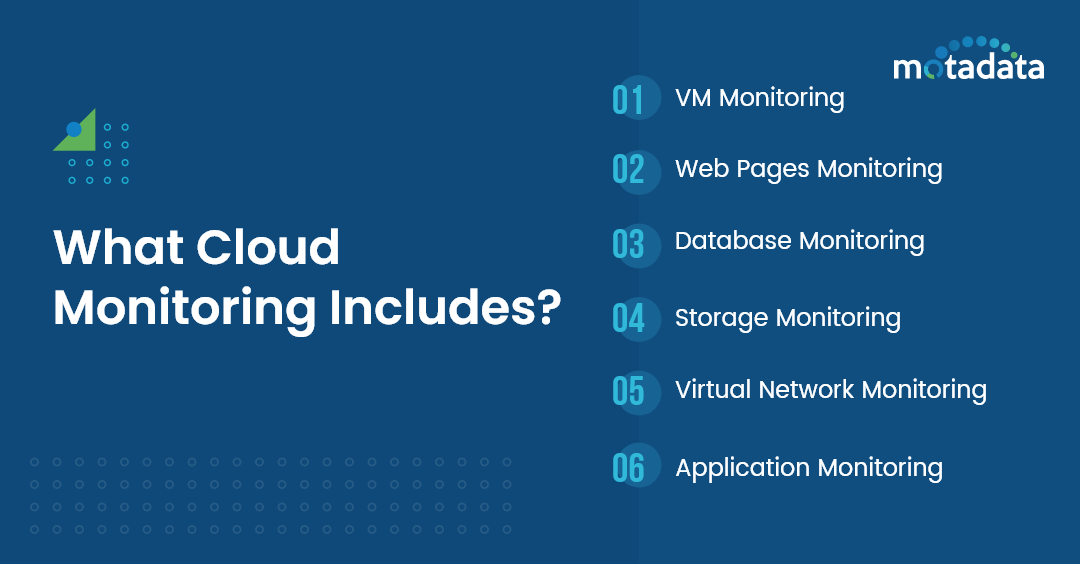
Cloud monitoring tools collect data from every layer of your cloud stack -- compute, storage, network, and application -- and aggregate it into dashboards that your team can act on. Here's what that looks like in practice:
VM Monitoring: Tracks the performance of virtual machines including CPU, memory, disk I/O, and network throughput for each instance.
Website Monitoring: Measures traffic, availability, response times, and resource consumption for cloud-hosted sites.
Database Monitoring: Watches query performance, connection pools, availability, and resource usage across cloud database services like Azure SQL or Amazon RDS.
Storage Monitoring: Monitors storage resources provisioned to VMs, services, databases, and applications -- tracking usage, IOPS, and capacity trends.
Virtual Network Monitoring: Tracks virtual network resources, connections between components, device performance, and latency across regions.
Application Monitoring: Proactively watches the availability and response time of critical applications deployed on AWS, Azure, GCP, or multi-cloud environments.
The data these tools collect feeds into alerting engines that notify your team when thresholds are breached, and into analytics platforms that surface trends over time.
Cloud Monitoring Metrics That Matter
Effective cloud monitoring comes down to tracking the right metrics. Here are the ones that matter most to IT operations teams:
Metric | What It Tells You | Why It Matters |
|---|---|---|
CPU Utilization | How much processing capacity is in use | High CPU signals potential bottlenecks or under-provisioned resources |
Memory Usage | RAM consumption across instances | Memory pressure causes slowdowns and application crashes |
Network Latency | Delay between request and response | Directly impacts user experience, especially across regions |
Error Rates | Frequency of failed requests or transactions | Rising error rates often signal deeper infrastructure issues |
Disk I/O | Read/write performance on storage volumes | Slow disk I/O degrades database and application performance |
Response Time | How fast services respond to requests | The metric users feel most directly |
Uptime / Availability | Percentage of time services are operational | Ties directly to SLA commitments |
Resource Utilization | How efficiently resources are being used | Identifies waste and right-sizing opportunities |
Track these metrics continuously, set realistic thresholds based on historical baselines, and configure alerts that reach the right people at the right time.
Benefits of Cloud Monitoring for IT Teams
Cloud monitoring isn't optional -- it's the foundation of reliable cloud operations. Here's what it delivers:
Reduced Downtime. Proactive monitoring catches performance degradation before it turns into an outage. Teams that monitor effectively can reduce mean time to repair (MTTR) by identifying root causes faster.
Stronger Security Posture. Monitoring data at all endpoints helps minimize risk. Scanning and analyzing incoming traffic blocks malware and prevents breaches before they reach your network. Outbound monitoring catches data exfiltration attempts early.
Cost Optimization. Cloud resources cost money whether you're using them or not. Monitoring helps you identify over-provisioned instances, underutilized storage, and idle resources so you can right-size your infrastructure and cut waste.
Better API Performance. Cloud architectures depend on APIs. Monitoring API response times, error rates, and throughput helps you catch poorly performing integrations before they cascade into bigger problems.
Complete Visibility. A single dashboard view across all cloud resources -- VMs, containers, databases, networks -- gives your team the context it needs to make fast decisions. No more switching between provider consoles.
Scalability on Demand. Cloud monitoring tools scale with your infrastructure. Whether you're running 10 instances or 10,000, you get consistent visibility without adding headcount.
SLA Compliance. Continuous monitoring with automated reporting makes it straightforward to demonstrate SLA compliance to internal stakeholders and external customers.
Types of Cloud Monitoring Services
Different cloud services require different monitoring approaches. What you monitor depends on what you consume and what you're responsible for managing:
IaaS Monitoring: Track VMs, storage, and networking components you manage directly. The cloud provider handles the physical infrastructure; you handle everything above it.
PaaS Monitoring: Focus on application performance, database health, and middleware. The provider manages the OS and runtime; you monitor your code and data.
SaaS Monitoring: Monitor availability, response times, and user experience. You don't manage the infrastructure, but you're still responsible for how your team uses the service.
Multi-Cloud Monitoring: Track resources across AWS, Azure, GCP, and other providers from a unified platform. This is where tool selection matters most -- you need a solution that normalizes data across providers.
For enterprise teams, cloud monitoring is ultimately about watching what you consume (applications, databases, servers, networks) and understanding where your responsibility ends and the provider's begins.
Best Practices for Cloud Monitoring
Getting cloud monitoring right requires more than installing a tool and hoping for the best. Here's what experienced teams do:
1. Define clear monitoring objectives. Know what you're monitoring and why. Align your monitoring strategy with business outcomes -- uptime targets, response time goals, and compliance requirements.
2. Set realistic alert thresholds. Base your thresholds on historical data, not guesswork. Overly aggressive thresholds create alert fatigue. Too loose, and you miss real problems.
3. Monitor across all cloud layers. Don't just watch VMs. Monitor networks, storage, databases, APIs, and applications. Performance problems often originate in one layer and surface in another.
4. Automate incident response. Use your monitoring tool's automation capabilities to trigger remediation workflows -- auto-scaling, service restarts, or ticket creation -- when specific conditions are met.
5. Secure your monitoring data. Monitoring tools collect sensitive operational data. Make sure your monitoring infrastructure follows the same security standards as your production environment.
6. Review and optimize regularly. Cloud environments change constantly. Review your monitoring configuration monthly. Remove stale alerts, update thresholds, and add coverage for new resources.
Monitoring Private, Public, and Hybrid Clouds
Each cloud model presents unique monitoring challenges:
Private cloud gives you the most control. You own the stack, so you can instrument everything. The trade-off is that you're also responsible for maintaining the monitoring infrastructure itself.
Public cloud offers less visibility into the underlying infrastructure. You rely on provider APIs and CloudWatch-style services for base metrics, then layer your own monitoring on top for application-level insights.
Hybrid cloud is the most complex. Data lives in both environments, compliance rules may restrict where monitoring data can be stored, and synchronization between on-prem and cloud resources adds latency. Breaking data into smaller, faster segments helps reduce sync issues.
Even with private cloud's greater control, you still need to monitor workloads continuously. Without clear visibility into workload performance, you can't justify architectural changes, capacity decisions, or technology investments.
How Motadata Supports Cloud Monitoring
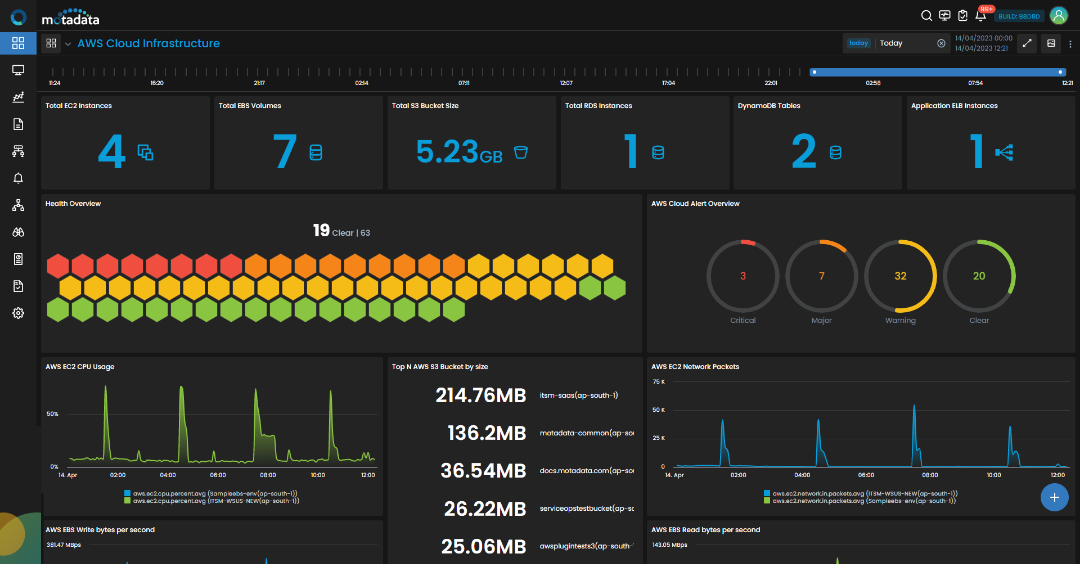
IT monitoring platforms like Motadata give teams the visibility they need to monitor, analyze, and optimize cloud resources across every layer -- from the base infrastructure up to the end-user experience.
Motadata monitors AWS, Azure, Google Cloud, and hybrid environments from a single unified dashboard. The platform tracks metrics like availability, response time, resource utilization, and usage frequency across your entire cloud estate.
AWS Monitoring: Get deep visibility into AWS-hosted applications with AWS monitoring. Drill into individual transactions and extract code-level details to resolve performance issues across distributed applications.
Google Cloud Monitoring: Monitor Google Cloud resources alongside your on-premise networks with full performance and availability tracking.
Microsoft Azure Monitoring: Track Azure workloads and analyze resource utilization by monitoring critical KPIs -- CPU, storage, memory, and overall infrastructure health.
Motadata's cloud monitoring module is part of the broader IT infrastructure monitoring platform, giving you a single view across network, applications, databases, and servers to solve performance and reliability problems quickly and affordably.
Ready to get complete visibility into your cloud resources? Start your free trial today and see how Motadata's cloud monitoring brings your entire infrastructure into a single pane of glass.
FAQs
What is cloud monitoring?
Cloud monitoring is the process of tracking, analyzing, and managing the performance, availability, and security of cloud-based services, infrastructure, and applications. It uses automated tools to collect metrics and alert teams when issues arise.
Why is cloud monitoring important for businesses?
Cloud monitoring ensures optimal performance, catches issues before they affect users, strengthens security, and helps organizations meet SLA commitments. Without it, teams operate blind to problems that directly impact revenue and user experience.
What are the key components monitored in cloud environments?
Key components include virtual machines, databases, storage volumes, network traffic, application performance, API health, and resource utilization across public, private, and hybrid cloud deployments.
How does cloud monitoring differ from traditional IT monitoring?
Traditional IT monitoring focuses on on-premise infrastructure with relatively static configurations. Cloud monitoring must handle dynamic, distributed resources that scale automatically, span multiple regions, and may run across several cloud providers simultaneously.
What metrics should I track for cloud monitoring?
Start with CPU utilization, memory usage, network latency, error rates, disk I/O, response time, and uptime. Then add application-specific metrics like transaction throughput, API response times, and user experience scores based on your business requirements.