9 Data Center Monitoring Best Practices Every IT Team Should Know in 2026
What if your data center looks fully operational on the dashboard while issues are already building in the background?
Most monitoring setups fail not because data is missing, but because early signals are missed or ignored.
Common gaps include:
CPU spikes that do not trigger alerts because thresholds are set too high
Storage degradation that builds slowly without clear warnings
Regional slowdowns that stay hidden due to limited visibility
Alert noise that buries the signals that actually matter
By the time users report the issue, teams are already piecing together logs, alerts, and metrics that should have pointed to the problem earlier.
This guide covers data center monitoring best practices that improve visibility, reduce noise, and help teams detect issues before they impact users, but what best practices should you actually be knowing?
What is data center monitoring?
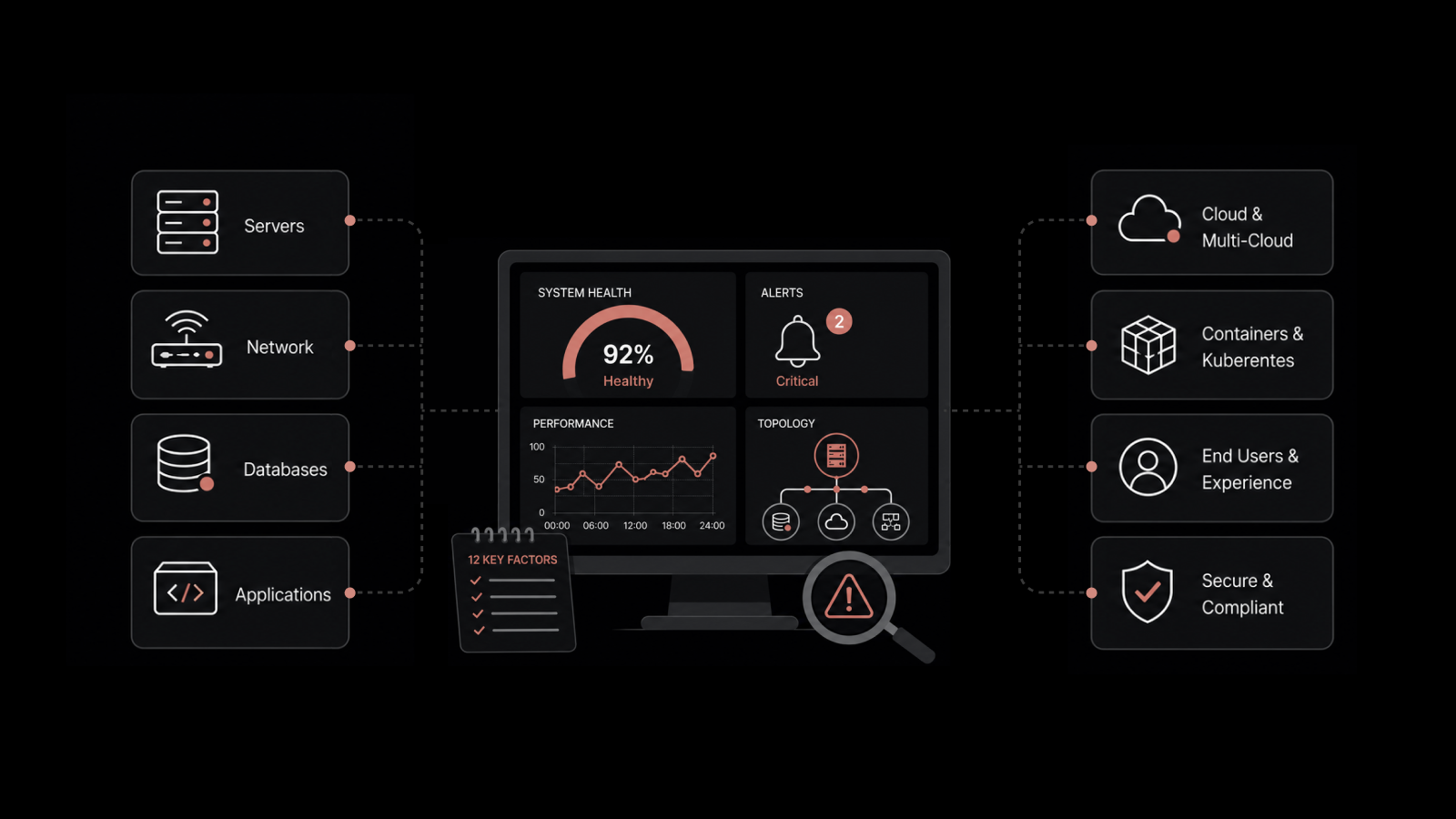
Data center monitoring is the continuous tracking of the servers, network, applications, storage, and environmental systems that keep a data center running.
It collects metrics, logs, and events across those layers, then turns them into alerts and dashboards so teams can spot degradation and act before it becomes an outage.
If it's done well, it covers not just whether hardware is healthy but whether the services running on it are actually working for users.
Top 9 Data Center Monitoring Best Practices to Follow
1. Define What You Monitor Before You Configure Anything
This is the step almost everyone skips, and it explains why most setups drift into chaos by month six. Before you set any threshold, decide in writing what you are protecting and what failure looks like for each service.
Three questions settle the strategy. What are the critical services in your data center, and what does normal look like for each one? What does a degraded state look like before it becomes a full outage? Who needs to know, and how quickly do they need to know it? The answers drive every decision that follows, from what you measure to where thresholds sit and who gets paged.
Skip this and thresholds end up set to round numbers because they sounded about right, so they fire constantly and lose all credibility. Thresholds built on guesses cost you twice, first in the volume they generate and then in the genuine signals that volume buries.
Putting this into practice comes down to a few steps:
List your critical services and the business function each one supports, not only the servers beneath them.
Run the environment for two to four weeks before locking thresholds, so you measure normal behavior instead of guessing at it.
Set warning thresholds at the point where performance begins to degrade, rather than at an arbitrary percentage.
Document the escalation path for each service, including who is paged, who is informed, and how fast each step happens.
2. Monitor the Application and Service Layers, Not Just the Hardware
Most teams already run reasonable hardware monitoring. The blind spots sit one layer higher, at the application and service tier, and that is where the slow, expensive incidents tend to hide.
Hardware tells you a server is healthy, but it does not tell you whether users can complete a transaction. You need response time and error rate from the applications themselves, placed next to your infrastructure metrics, so you can tell whether a CPU spike is harming users or simply reflects a background job doing its work. The gap between a healthy server and a broken service is where MTTR quietly expands.
Covering the layers that matter means doing the following:
Track application response time, error rate, and throughput alongside server and network health.
Watch network metrics at the interface level, including latency, packet loss, bandwidth per interface, and error rates, since a single switch port with rising errors can degrade an entire rack without tripping a server alert.
Add service checks such as ping, port, URL, DNS, and SSL certificate for the services your users depend on directly.
Correlate application symptoms with the infrastructure beneath them, so a degraded service points you at the right component instead of a prolonged hunt.
For the specific network metrics worth tracking and the thresholds that hold up in practice, our network monitoring best practices guide lays them out.
3. Map Service Dependencies Before an Outage Hits
When an outage lands, the first question is rarely what broke. The more useful question is what else this failure will take down with it, and that answer should take seconds rather than hours.
An accurate dependency map shows how each service connects to the database, storage, network path, and physical devices beneath it.
The moment one of those components degrades, you already know which services are affected and which teams belong on the call.
Without the map, you reconstruct that picture during the incident, with several teams reading different dashboards while the clock runs.
Dependency context is the difference between a ten-minute resolution and a two-hour one, and it costs almost nothing to build while everything is perfect.
Building it ahead of time involves a few steps:
Map each critical service from top to bottom, covering the application, database, storage, network path, and the physical devices underneath.
Let your monitoring platform generate the map from discovery data where it can, then verify the critical paths by hand.
Record parent-child relationships so a single root failure appears as one event with its blast radius, rather than dozens of unrelated alerts.
Refresh the map on a schedule and after every major change, so it reflects current architecture instead of last year's.
If you are starting from scratch, application dependency mapping explains how to model these relationships.
4. Replace Static Thresholds with Dynamic Baselines
Static thresholds have their place, but dynamic baselines serve you better, especially in a data center where load follows a predictable schedule.
A fixed limit treats a quiet overnight window and a busy afternoon as identical, which means it either fires too often during peaks or misses early warnings during lulls.
A baseline-aware approach learns the normal pattern for each metric and flags deviation from that pattern, which reduces false positives and surfaces problems a static rule would not catch. This is where behavior analysis and AI earn their place.
Thresholds you do not trust are thresholds you ignore, and ignored thresholds are how genuine degradation slips past unnoticed.
Tuning thresholds that hold up means doing the following:
Baseline each system over two to four weeks before committing to alert levels.
Use dynamic baselines for metrics with daily, weekly, or seasonal patterns rather than a single fixed number.
Review thresholds at least quarterly, since a node that ran at 20 percent when you set the limit may run far higher after a new workload moves in.
Layer anomaly detection on top of fixed thresholds, so unusual behavior gets flagged even when no hard limit is crossed.
5. Reduce Alert Volume Before Your Team Stops Trusting Alerts
Once a team stops trusting its alerts, the monitoring has already failed, even if it keeps running.
A flood of low-value notifications buries the meaningful ones, and a team that learns to ignore the flood will eventually ignore the alert that mattered.
Alert fatigue rarely announces itself, and it usually shows up as a missed incident that, in hindsight, fired a warning nobody read.
Keeping alerts trustworthy means doing the following:
Correlate related events, so a network failure that cascades into dozens of device-unreachable alerts fires as one correlated event rather than dozens of separate pages.
Prioritize in advance by deciding which alerts are critical, which are warnings, and which are informational, and make that call before the incident rather than during it.
Set maintenance windows so the platform stays quiet during planned patch runs instead of paging the on-call engineer through a routine update.
Route alerts by domain, so the right team receives the right alert instead of everyone receiving everything.
For a detailed approach to building an alert strategy that holds up over time, our guide to reducing alert volume goes into the specifics.
6. Catch Silent Failures with Dead-Man Monitoring
Systems fail silently more often than most teams admit, and on a dashboard that silence looks identical to health.
When a monitoring agent stops reporting, no fresh alerts appear and everything seems fine, right up until a genuine incident hits and there is no historical data for that device.
A blind spot you are unaware of is worse than an alert you chose to ignore, because you cannot even decide to act on it.
The remedy is to monitor your monitoring, a practice sometimes called dead-man monitoring. It is one of the most useful and least-used habits in data center operations, and it costs very little to set up.
Catching silent failures means doing the following:
Trigger an alert when a device that is reported regularly goes quiet for longer than its normal interval.
Trigger an alert when event volume from a zone or collector drops below an expected floor.
Monitor the health of the monitoring platform itself, including collectors, agents, and data pipelines.
Treat silence as a possible failure until you have confirmed otherwise, rather than reading it as confirmation that all is well.
7. Plan for Scale and Continuous Change
A monitoring setup that fits your current footprint will struggle the moment you add edge sites, containers, or another cloud region, because the infrastructure underneath it keeps changing.
New devices and services appear constantly, capacity requirements shift, and a tool that demands manual configuration for every host cannot keep pace.
The aim is monitoring that discovers and onboards new resources on its own and forecasts capacity, so you scale ahead of demand instead of reacting once you have already hit a ceiling.
Monitoring that cannot scale becomes the bottleneck it was meant to prevent, and the gaps it leaves behind are where the next surprise outage develops.
Staying ahead of growth means doing the following:
Use auto-discovery so new devices and services join monitoring without manual setup.
Choose an architecture with distributed collectors that can cover branch sites, edge locations, and multiple regions from one view.
Tie capacity planning to business forecasts, so resources scale predictively rather than after a breach.
Re-baseline and revisit coverage whenever you add a site, a cloud, or a major workload.
8. Track Energy Use and Sustainability Metrics
Power and cooling have moved beyond a facilities-only concern into an operational metric, a cost line, and increasingly a reporting obligation, and your monitoring is where those threads come together.
A cooling fault or an unexpected power draw can trigger the same cascade as a failed server, so you want visibility before it escalates.
Tracking environmental data, including temperature, humidity, power distribution, and efficiency, alongside your IT metrics turns energy from a quarterly surprise on the utility bill into something you manage continuously.
Energy-aware monitoring reduces cost, supports sustainability reporting, and catches environmental faults before they become hardware failures.
Bringing energy into the picture means doing the following:
Monitor temperature, humidity, and power distribution alongside server and network health.
Track an efficiency metric such as Power Usage Effectiveness (PUE) so you can spot drift and demonstrate improvement.
Set alerts on environmental thresholds, not only IT thresholds, so a cooling fault pages someone before it damages a rack.
Retain historical environmental data for capacity planning and sustainability reporting.
9. Connect Alerts to Tickets Automatically
An alert that opens a ticket is useful, but an alert that opens a ticket, assigns it to the right team, attaches diagnostic context, and updates the affected service record is a different level of capability.
The lag between detection and someone actively working an incident is usually a workflow gap rather than a technology gap. An alert fires, somebody notices it, somebody else gets notified, and a ticket is opened by hand, by which point valuable minutes have already passed. In a data center spanning network, storage, and application teams, that handoff repeats on every incident.
When monitoring connects directly to incident management, that handoff drops to under a minute, because the ticket already exists with context attached and the right person knows before they have checked their inbox.
Every minute between detection and action is a minute of an outage you have already caught, which is the most frustrating kind to explain afterward.
Closing the loop means doing the following:
Auto-create tickets from alerts, with the alert context and affected service attached.
Route alerts by domain automatically, sending network alerts to the network team, storage alerts to storage operations, and application alerts to the development team.
Map alerts to the CMDB so the affected service record updates on its own and the impact stays visible.
Trigger runbooks for known issues, so common problems begin remediating before a person touches them.
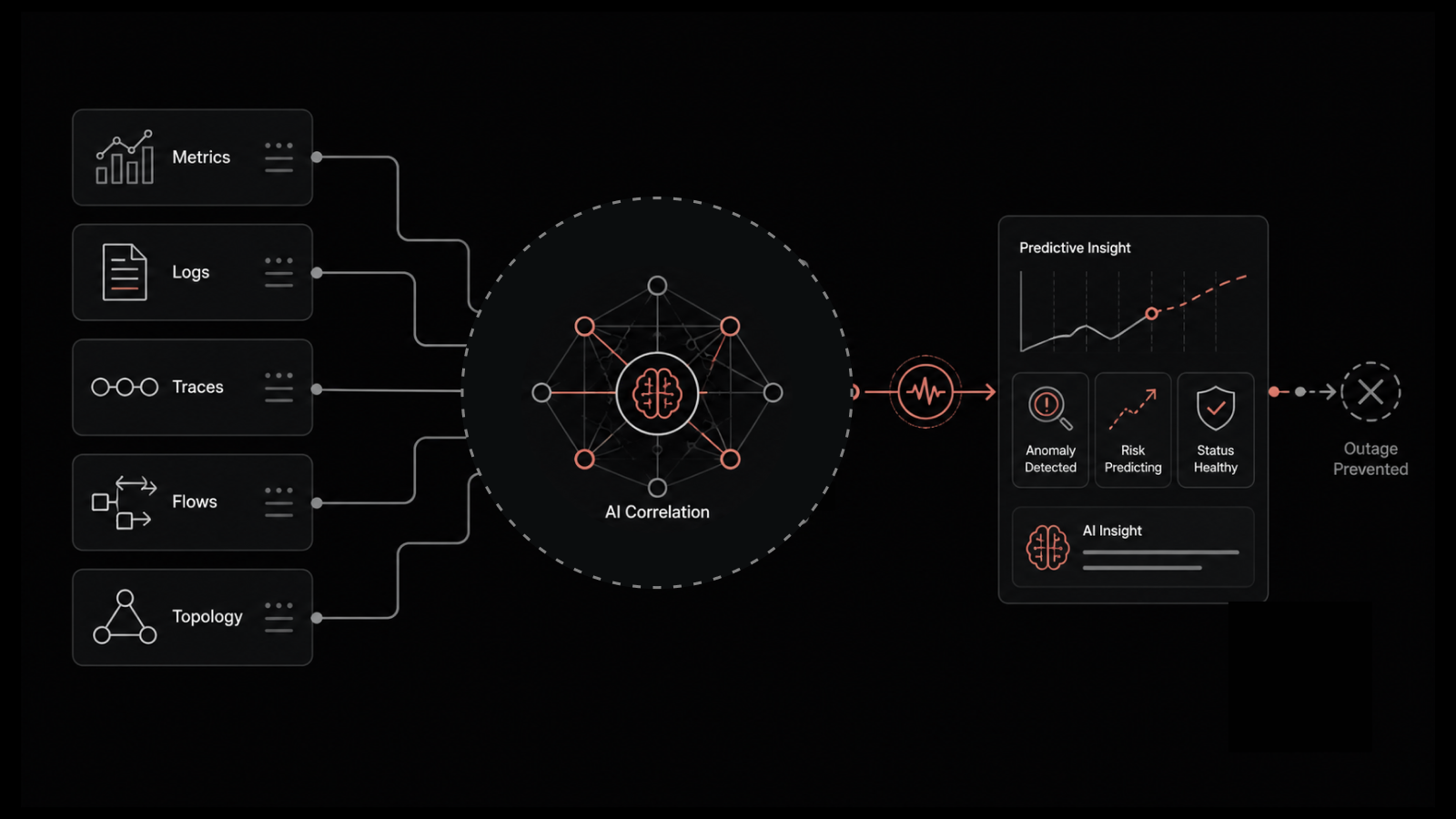
This is where a unified platform earns its place. Motadata ObserveOps delivers full-stack observability across metrics, logs, flows, traces, and topology, and it runs on Motadata's DFIT™ deep learning framework, so anomaly detection and alert correlation work without weeks of baseline calibration.
Because ObserveOps integrates natively with Motadata ServiceOps over a shared CMDB, a detected anomaly can open and route a ticket on its own, closing the gap between detection and response. If you want to test that against your own incident workflow, you can book an ObserveOps demo and walk a scenario through it.
Take the Next Step in Data Center Monitoring
Most data center teams are not struggling because monitoring is missing. The problem is weak visibility, outdated thresholds, and too much alert noise.
Fixing this is not about adding more tools. It is about getting the basics right. Map system dependencies, connect infrastructure and applications, and make sure alerts are meaningful and actionable.
This takes time. You need to baseline systems, tune thresholds, and build proper dependency maps. The effort pays off with faster and more accurate incident response.
Once this foundation is ready, a unified platform helps you run and scale it more effectively across all layers.
If you want to see this in action, you can try a free trial of ObserveOps in your own environment.
FAQ
What should you monitor in a data center?
Everything that a failure would make users feel. That means server CPU, memory, and disk I/O; network device health, bandwidth per interface, and error rates; storage availability and latency; application response times and error rates; and environmental metrics like temperature and power draw. The exact list depends on what runs in your data center and what your SLAs commit to.
What are the most important metrics to track?
Start with the ones tied to availability and user experience for your critical services. At the infrastructure level: CPU and memory trends over time (not just peaks), disk I/O wait, network latency and packet loss. At the application level: error rates and response time per service. PUE matters if energy efficiency is on your radar. Operationally, MTTR and alert-to-resolution time tell you whether your monitoring setup is actually working in practice.
How often should you review your monitoring configuration?
Quarterly at minimum for thresholds. Monthly is better for alert volumes, checking which fired most and whether those alerts were actually useful. Any time infrastructure changes happen, monitoring config should update in the same change window. Not in a follow-up ticket. In the same window.
What is the difference between monitoring and observability?
Monitoring tells you whether a known thing is behaving as expected. Observability lets you ask new questions about why something unexpected is happening, even if you did not think to instrument for it ahead of time. Most data center teams start with monitoring and move toward observability as their environments grow more complex. A platform that combines metrics, logs, and network flows gives you both.
How do you monitor a hybrid data center?
The core challenge with hybrid environments is avoiding the siloed-tool problem on a larger scale. You need a single platform that pulls data from on-premises and cloud environments, normalizes the metrics so they are comparable, and lets you apply consistent policies across both. Teams that manage this well treat the hybrid environment as one thing, not as two separate domains with two separate toolsets.
Author
Jagdish Sajnani
Senior Content Strategist
Jagdish Sajnani is a B2B SaaS content strategist and writer. He has experience across different B2B verticals, including enterprise technology domains such as IT Service Management, AI-driven automation, observability, and IT operations. He specializes in translating complex technical systems into structured, engaging, and search-optimized content. His work improves product understanding, strengthens organic visibility, and supports B2B demand generation.