How to Choose the Right Web Server Monitoring Solution for Your Organization
A single minute of server downtime costs the average enterprise over $5,600, according to Gartner research. For customer-facing web servers, the impact compounds fast -- lost transactions, broken user experiences, and SLA violations that erode trust. The difference between catching a server issue in 30 seconds and discovering it after users start complaining often comes down to one thing: the monitoring solution you've deployed.
But choosing the right web server monitoring tool isn't straightforward. The market is crowded with options ranging from lightweight open-source agents to full-stack enterprise platforms, and the features that matter for a 10-server environment are different from what you need at 500 servers across hybrid infrastructure. This guide breaks down the evaluation process so you can make a confident decision.
Web server monitoring is the continuous process of tracking the health, performance, and availability of servers that host web applications and services. It encompasses real-time metrics collection (CPU, memory, disk, network), alerting on threshold breaches, and trend analysis to prevent outages before they impact users.
What Web Server Monitoring Actually Covers
Web server monitoring tracks the operational health of servers that deliver web content and run web applications. At the infrastructure level, this means tracking CPU utilization, memory consumption, disk I/O, disk space, and network interface throughput. At the application level, it means monitoring HTTP response times, request rates, error rates, and connection pool usage.
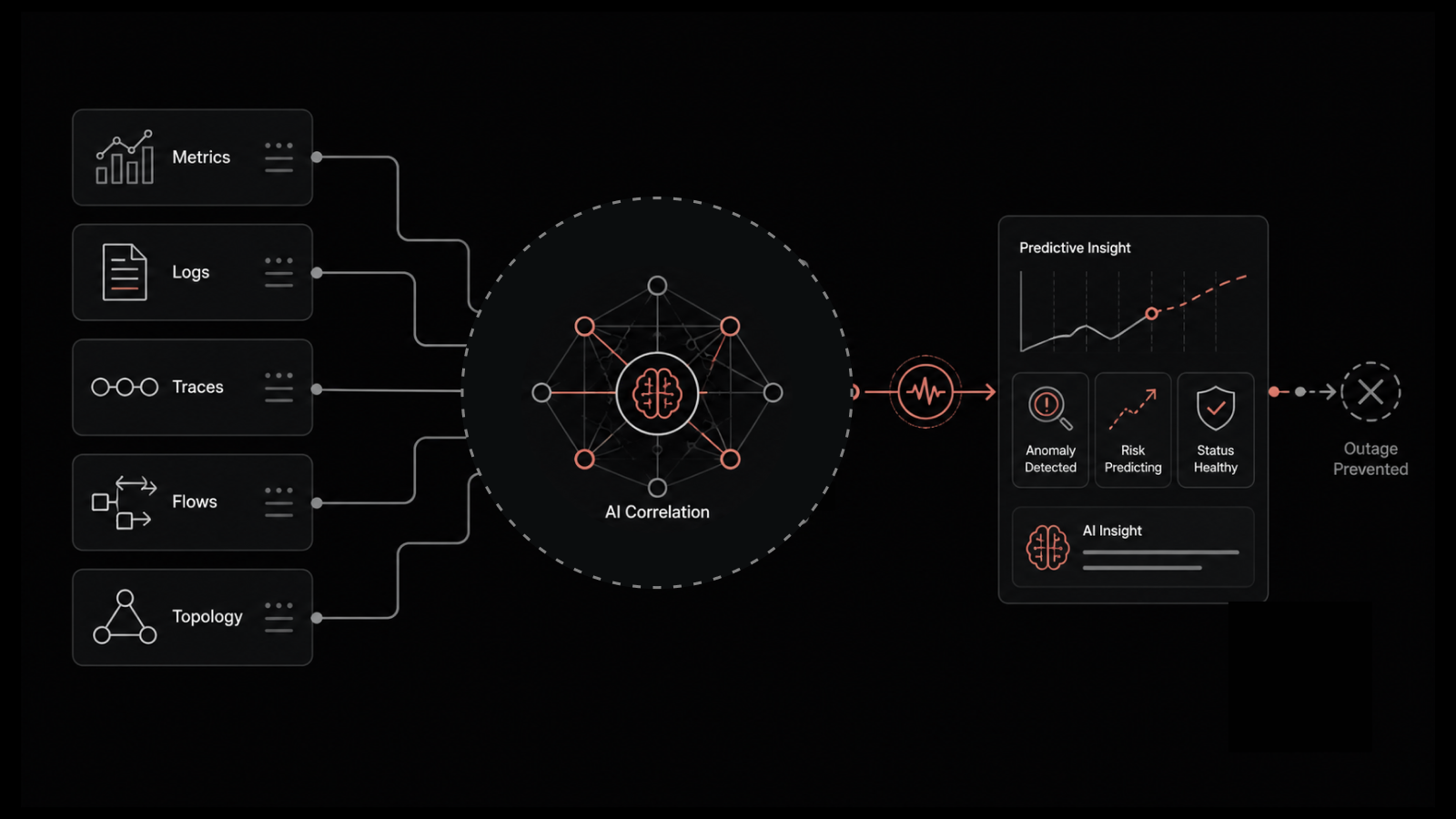
Effective server monitoring software goes beyond collecting metrics. It correlates data across servers to identify patterns, sends alerts when performance degrades, and provides historical trend data for capacity planning.
The scope of web server monitoring typically includes:
Availability monitoring: Is the server reachable and responding to requests?
Performance monitoring: Are response times within acceptable ranges?
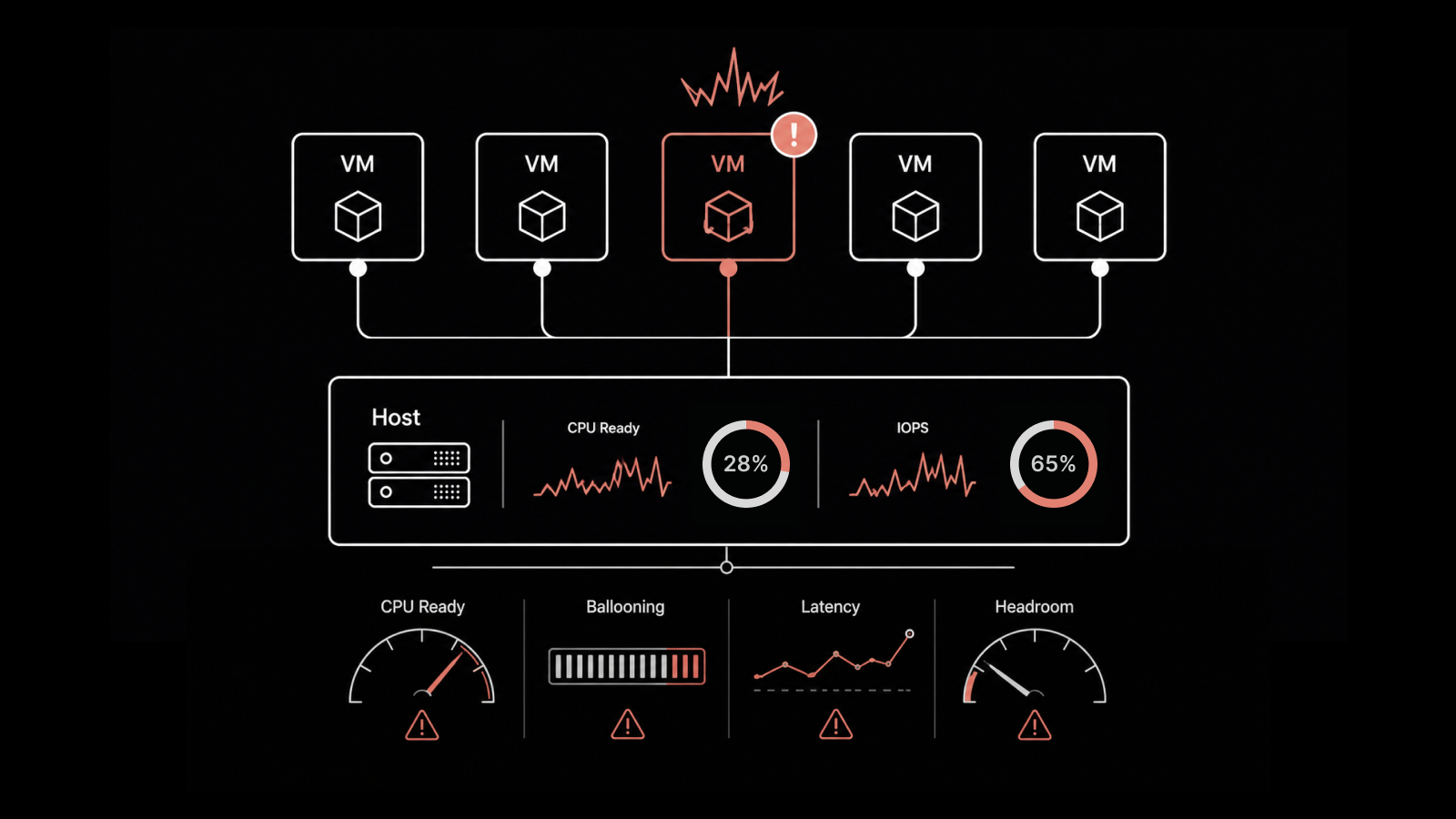
Resource monitoring: Are CPU, memory, and disk within healthy utilization thresholds?
Process monitoring: Are critical services and processes running?
Log monitoring: Are application and system logs generating errors or warnings?
Certificate monitoring: Are SSL/TLS certificates valid and approaching expiration?
Each of these dimensions requires different data collection methods, alerting thresholds, and remediation workflows. A monitoring solution that handles all of them in a unified interface saves significant operational overhead compared to stitching together multiple point tools.
Must-Have Features in a Web Server Monitoring Tool
Not every monitoring tool is built equally. When evaluating options, prioritize these capabilities:
Real-Time Metrics and Dashboards
Your monitoring tool needs to display current server state, not data that's five minutes old. Real-time metrics with sub-minute granularity let you catch spikes and anomalies as they happen. Look for customizable dashboards that let you build views tailored to your team's priorities -- a network engineer's dashboard should look different from an application developer's.
Intelligent Alerting
Alerting is the backbone of any monitoring tool. But raw threshold alerts -- "CPU above 90%" -- generate noise without context. Look for tools that support:
Multi-condition alerts that trigger only when multiple metrics breach thresholds simultaneously.
Anomaly-based alerts that use baseline behavior rather than static thresholds.
Alert suppression and deduplication to prevent notification storms during widespread incidents.
Escalation policies that route alerts to the right team based on severity and time of day.
The goal is actionable alerts that tell you what's wrong, where it's happening, and how severe it is -- not a flood of emails that your team learns to ignore.
Auto-Discovery and Dynamic Topology
In modern environments where servers spin up and down frequently, manual configuration doesn't scale. Your monitoring tool should auto-discover new servers as they come online, apply monitoring templates based on server type, and update topology maps automatically. This is especially important for cloud and container environments where infrastructure is ephemeral.
Historical Data and Trend Analysis
Real-time visibility shows you what's happening now. Historical data shows you what's been happening over weeks and months, enabling capacity planning and performance baseline comparisons. Look for tools that retain historical metrics at configurable granularity and support trend-based reporting.
Integration Capabilities
No monitoring tool operates in isolation. It needs to integrate with your incident management platform (ServiceNow, PagerDuty, Jira), your logging solution, your configuration management database (CMDB), and your communication tools (Slack, Teams, email). Strong API support and pre-built integrations reduce the custom development needed to connect your monitoring data with your operational workflows.
Automation and Remediation
The best monitoring tools don't just alert -- they act. Look for features like automated server restarts, script execution on alert triggers, and integration with runbook automation platforms. Automated remediation for common issues (disk cleanup, service restart, certificate renewal) reduces mean time to recovery and frees your team from repetitive manual tasks.
Agent-Based vs. Agentless Monitoring: How to Choose
One of the first architectural decisions you'll make is whether to use agent-based monitoring, agentless monitoring, or a hybrid approach. Each has distinct advantages.
Agent-Based Monitoring
Agent-based monitoring installs a lightweight software agent directly on each server being monitored. The agent collects metrics locally and sends them to a central management platform.
Strengths:
Deep visibility into server internals: process-level metrics, application performance, custom metrics, and log file monitoring.
Works independently of network connectivity -- agents can buffer data locally during network interruptions.
Supports fine-grained collection intervals (sub-minute) without network overhead.
Can execute local remediation scripts directly on the server.
Trade-offs:
Requires deploying and maintaining agents on every monitored server.
Agents consume server resources (typically minimal, but relevant for resource-constrained systems).
Agent updates and compatibility need ongoing management.
Best for: Production servers running critical applications, servers requiring process-level monitoring, environments where deep application insights are needed.
Agentless Monitoring
Agentless monitoring collects data remotely using standard protocols -- SNMP, WMI, SSH, or API calls -- without installing software on the target server.
Strengths:
No software to deploy or maintain on monitored servers.
Faster to set up, especially for large numbers of servers.
No resource consumption on the monitored server.
Works well for monitoring devices and servers where you can't install agents (managed hosting, third-party infrastructure).
Trade-offs:
Less granular data -- you typically get system-level metrics but miss application and process details.
Depends on network connectivity; if the network path is down, monitoring data is lost.
Requires opening network ports and configuring access credentials, which can introduce security considerations.
Best for: Large-scale infrastructure with many servers, environments with frequent server provisioning and decommissioning, monitoring third-party or managed servers.
The Hybrid Approach
Most mature organizations use both. Deploy agents on production-critical servers where deep visibility justifies the management overhead, and use agentless monitoring for development environments, network devices, and lower-priority infrastructure. A monitoring platform that supports both approaches in a single interface provides the flexibility to make server-by-server decisions without managing separate tools.
Evaluating Scalability and Growth
Your monitoring needs today aren't your monitoring needs in two years. Evaluate tools based on where your infrastructure is headed:
Server count growth. If you're running 50 servers today but plan to reach 200, make sure your monitoring platform handles that scale without performance degradation or architectural redesign.
Multi-environment support. As you adopt cloud services, containerization, or edge computing, your monitoring tool needs to extend to those environments. A tool that only monitors on-premises physical servers will become a limitation.
Data retention scaling. More servers means more metrics data. Understand how the tool handles storage growth -- does it support data aggregation for older metrics, tiered storage, or automatic archival?
Licensing model. Some tools charge per server, per metric, or per data volume. Model your expected growth to understand the cost trajectory. A tool that's affordable at 50 servers might be prohibitively expensive at 200.
How to Run an Effective Evaluation
Before committing to a monitoring tool, run a structured evaluation:
Step 1: Document your requirements. List your server types, operating systems, applications, compliance requirements, and integration needs. Identify which servers need agent-based monitoring and which are candidates for agentless.
Step 2: Shortlist based on architecture fit. Eliminate tools that don't support your environment -- cloud, on-premises, hybrid, or multi-cloud. Verify OS compatibility and protocol support.
Step 3: Run a proof of concept. Deploy the tool against a representative subset of your infrastructure -- not just a sandbox, but real servers with real workloads. Evaluate setup time, data accuracy, alert quality, and dashboard usability.
Step 4: Test incident scenarios. Simulate server issues (high CPU, disk full, service crash) and evaluate how quickly and accurately the tool detects and alerts on them. Test escalation paths and integration with your incident management workflow.
Step 5: Assess operational burden. How much time does the tool require for ongoing maintenance? Agent updates, configuration management, dashboard creation, and alert tuning all consume team capacity. A tool that requires a full-time administrator to maintain may not be the right fit for a lean team.
People Also Ask
What's the difference between server monitoring and application monitoring?
Server monitoring focuses on infrastructure-level metrics: CPU, memory, disk, and network performance of the server itself. Application monitoring tracks how the software running on that server performs -- response times, error rates, transaction throughput, and user experience. A complete monitoring strategy covers both layers, ideally in a single platform.
How often should web servers be monitored?
For production web servers, monitoring intervals of 30-60 seconds are standard for critical metrics like CPU and memory. Availability checks (ping, HTTP) should run every 30-60 seconds. Less critical metrics (disk space trends) can use 5-minute intervals. The key is matching collection frequency to the speed at which problems develop and impact users.
Is cloud-based or on-premises monitoring better?
It depends on your security requirements and operational model. Cloud-based monitoring eliminates infrastructure management overhead and scales easily but stores your monitoring data with a third-party provider. On-premises monitoring keeps data within your environment but requires you to manage the monitoring infrastructure. Many organizations use cloud-based monitoring for most workloads and on-premises for compliance-sensitive systems.
Do I need separate monitoring tools for different server types?
Ideally, no. A unified monitoring platform that supports physical servers, virtual machines, cloud instances, and containers gives you consistent visibility and reduces tool sprawl. Managing separate tools for different server types creates data silos, inconsistent alerting, and higher operational costs.
Monitor Your Web Servers With Confidence Using Motadata
Motadata's AI-native server monitoring platform delivers unified visibility across physical, virtual, and cloud servers from a single console. With support for both agent-based and agentless monitoring, intelligent anomaly detection, and automated alerting, Motadata gives your team the tools to catch issues before users notice them. Auto-discovery maps your infrastructure automatically, customizable dashboards surface the metrics that matter, and deep integration capabilities connect monitoring data to your existing ITSM and incident workflows. Start a free trial to see how Motadata simplifies web server monitoring at any scale.
FAQs
What is a web server monitoring solution?
A web server monitoring solution continuously tracks the health, performance, and availability of servers hosting web applications. It collects metrics like CPU usage, memory utilization, disk I/O, and network throughput, then alerts IT teams when performance degrades or servers become unreachable -- enabling faster incident response and proactive capacity management.
Can web server monitoring improve website speed?
Indirectly, yes. Server monitoring identifies resource bottlenecks -- high CPU usage, memory pressure, disk I/O saturation -- that cause slow page loads. By detecting these issues early, teams can optimize resource allocation, tune application configurations, and scale infrastructure before performance impacts end users.
Does web server monitoring help with compliance and security audits?
Yes. Server monitoring provides audit trails of system access, configuration changes, and security events. For compliance frameworks like HIPAA, PCI DSS, and SOX, server monitoring data demonstrates that systems are being actively overseen, that incidents are detected promptly, and that access controls are functioning as intended.
What features matter most in a web server monitoring tool?
The most impactful features are real-time metric collection with sub-minute granularity, intelligent alerting with anomaly detection, auto-discovery and dynamic topology mapping, historical trend analysis for capacity planning, integration with incident management and logging platforms, and automated remediation for common issues.
Should I use agent-based or agentless monitoring?
Most organizations benefit from a hybrid approach. Use agent-based monitoring on production-critical servers where deep visibility into processes, applications, and custom metrics is needed. Use agentless monitoring for large-scale infrastructure, development environments, and servers where agent installation isn't practical. A platform that supports both approaches in a single interface gives you the most flexibility.
Author
Arpit Sharma
Senior Content Marketer
Arpit Sharma is a Senior Content Marketer at Motadata with over 8 years of experience in content writing. Specializing in telecom, fintech, AIOps, and ServiceOps, Arpit crafts insightful and engaging content that resonates with industry professionals. Beyond his professional expertise, he is an avid reader, enjoys running, and loves exploring new places.