What Is Enterprise Service Management (ESM)?
Enterprise Service Management (ESM) is the practice of applying IT service management (ITSM) principles, workflows, and tools across an entire organization — extending structured service delivery beyond IT to departments like HR, finance, facilities, legal, and procurement.
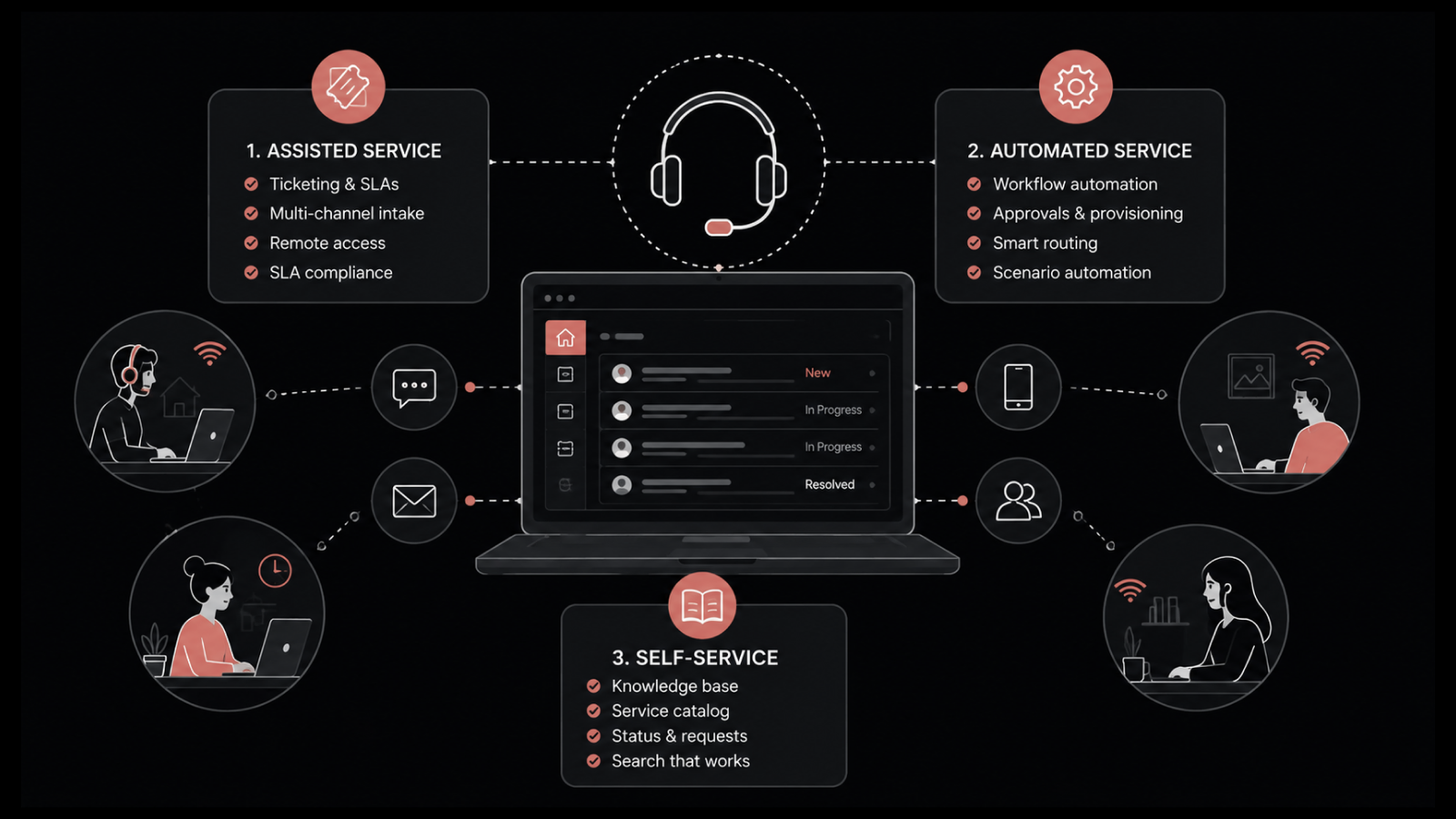
Most organizations already use ITSM to manage IT requests, incidents, and changes through defined processes. ESM takes that same discipline — ticketing, workflow automation, self-service portals, SLA tracking, and knowledge management — and applies it to every department that delivers internal services.
The result: one unified platform for managing service requests across the business, replacing the patchwork of emails, spreadsheets, and disconnected tools that most non-IT departments still rely on.
This guide explains what ESM is, how it connects to ITSM, the benefits it delivers, and where organizations apply it to drive measurable efficiency gains.
How ESM Connects to ITSM
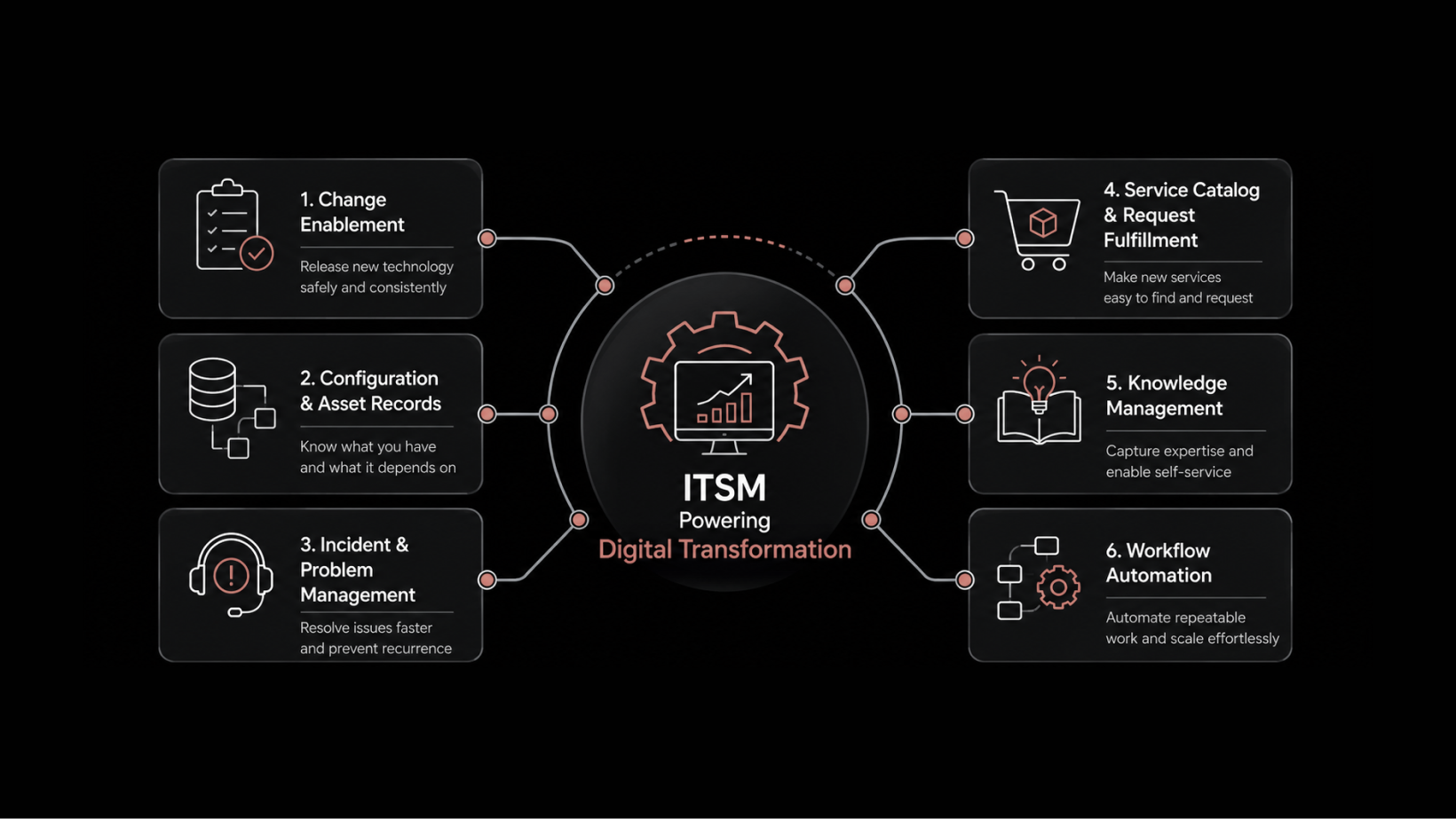
ESM has its roots in ITSM. The practices, processes, and tools that IT teams use to deliver reliable services — incident management, request fulfillment, workflow automation, knowledge management — form the foundation that ESM extends to the rest of the organization.
Industry data shows that nearly one in five organizations exploring ITSM tools are already evaluating them for use beyond IT. That trend has only accelerated as departments outside IT recognize the value of structured service delivery.
What They Share
Both ESM and ITSM share common roots in ITIL frameworks and are typically implemented using the same platform, processes, and governance principles:
Request management: Users submit requests through a portal; those requests are prioritized, routed, tracked, and fulfilled
Workflow automation: Rules-based and AI-driven automation handles approvals, notifications, escalations, and task assignments
Self-service: A knowledge base and searchable portal let users resolve common questions independently
SLA tracking: Service level agreements define response and resolution targets for each service type
Where They Differ
The difference is scope. ITSM focuses on IT service delivery. ESM applies the same model enterprise-wide — meaning HR, finance, facilities, legal, procurement, and administration all operate through a unified service management framework.
Aspect | ITSM | ESM |
|---|---|---|
Scope | IT department | All departments |
Users | IT staff and IT requesters | All employees |
Services | IT services (hardware, software, access) | All internal services (HR, finance, facilities, legal) |
Platform | ITSM tool | Same ITSM tool, extended |
Framework | ITIL-based | ITIL-based, adapted per department |
Benefits of Enterprise Service Management
Improved Operational Efficiency
Staff members across departments perform redundant tasks daily — manual approvals, email-based requests, spreadsheet tracking. ESM eliminates this friction with multi-level workflow automation. Businesses evaluating ActiveCampaign alternatives should also prioritize platforms that offer robust workflow automation, seamless integrations, and scalable process management to improve operational efficiency.
When a facilities request, an HR inquiry, and a finance approval all flow through the same automated platform, the time savings compound across the organization. Every department operates with the same efficiency that IT teams have built over years of ITSM maturity.
Higher Return on ITSM Investment
If you've already invested in an ITSM platform, extending it to ESM multiplies your ROI. More people, more departments, and more business functions using the platform means greater value extraction from a tool you already own and maintain.
Instead of each department purchasing separate ticketing or workflow tools, ESM consolidates everything into one platform — reducing licensing costs, training overhead, and integration complexity.
Stronger Governance and Transparency
ESM gives leadership visibility into service performance across the entire organization. Service analytics reveal how each department performs, where bottlenecks exist, and which teams consistently meet their SLAs.
This transparency supports informed decision-making. Stakeholders can gauge the contribution each department makes and identify gaps preventing the organization from delivering at full capacity.
Consistent Service Experience
An enterprise self-service portal gives every employee — regardless of department — a single, unified place to request services, track status, and find answers. Individual departments maintain autonomy through their own request templates, service catalogs, and approval workflows, all powered by automation.
The experience feels the same whether someone's requesting a laptop, submitting a leave application, or asking for a facilities repair.
Standardized Processes Across Teams
Growing organizations often struggle with process inconsistency. Every department develops its own way of handling requests, approvals, and escalations. As the organization scales, these differences become harder to manage and lead to inefficiency.
ESM provides a framework to standardize these processes. A uniform approach to service delivery — regardless of department — reduces confusion, improves handoffs, and makes onboarding new employees faster.
Better Cross-Departmental Collaboration
Many business processes span multiple departments. Onboarding a new employee involves IT (provisioning accounts and hardware), HR (benefits enrollment and documentation), and facilities (workspace setup). ESM connects these departments through multi-level approval workflows, shared task assignments, and clear accountability tracking.
When collaboration runs on a structured platform instead of email chains and hallway conversations, nothing falls through the cracks.
ESM Use Cases by Department
Customer Service
Customer service teams handle high ticket volumes daily. ESM automates redundant requests — status checks, standard information queries, account updates — so representatives dedicate more time to complex cases that require research and personalized resolution.
Human Resources
HR manages leave requests, recruitment pipelines, onboarding workflows, salary inquiries, benefits questions, and training coordination. ESM brings all of these into a single platform with automated routing, self-service for common questions, and SLA tracking for response times.
Finance
The finance department processes payment approvals, invoice distribution, expense reports, compliance documentation, and vendor management. ESM automates approval chains, tracks payment statuses, provides audit trails that simplify compliance reporting, and helps teams track invoices more efficiently to improve billing accuracy and cash flow visibility.
Facilities
From maintenance requests and workspace assignments to furniture procurement and building access, facilities teams handle a constant stream of service requests. ESM provides structured intake, prioritized routing, and automated follow-ups that minimize delivery time.
Legal
Legal teams manage contract review requests, compliance inquiries, policy approvals, and risk assessments. ESM provides ticketed workflows with SLA tracking, ensuring requests don't get lost in email queues and response times remain predictable.
Procurement
Procurement handles purchase orders, vendor evaluations, pricing adjustments, and discount authorizations. ESM streamlines these workflows with approval chains, automated notifications, and centralized tracking that replaces manual spreadsheet management.
How To Implement ESM Successfully
Start With Your ITSM Foundation
You don't need to build ESM from the ground up. If your IT team already uses an ITSM platform, you've got the foundation. Extend the platform's capabilities — service catalogs, workflows, portals, and knowledge bases — to additional departments.
Identify High-Impact Departments First
Start with departments that handle the highest volume of repeatable requests: HR, facilities, and finance are common starting points. Quick wins in these areas build organizational buy-in for broader ESM adoption.
Design Department-Specific Service Catalogs
Each department needs its own service catalog with templates tailored to their request types, approval workflows, and SLA requirements. A one-size-fits-all approach undermines the value of ESM.
Leverage AI-Native Automation
Modern ESM platforms use AI to route requests intelligently, suggest knowledge base articles, predict SLA breaches, and automate multi-step approval workflows. AI-native automation reduces the manual configuration burden and improves accuracy as the system learns from usage patterns.
Build Your ESM Platform With Motadata ServiceOps
Motadata ServiceOps is an AI-native ITSM platform designed to scale from IT service management to full enterprise service management. With multi-department service catalogs, intelligent workflow automation, a unified self-service portal, and built-in analytics, ServiceOps gives every department the tools to deliver services with the same efficiency and accountability that IT teams expect.
FAQs
What does ESM stand for?
ESM stands for Enterprise Service Management. It refers to the practice of applying ITSM principles, tools, and workflows to all departments within an organization — not just IT.
What are the key benefits of ESM?
ESM improves operational efficiency, increases ROI on ITSM investments, standardizes processes across departments, strengthens governance and transparency, and enables better cross-departmental collaboration through a unified service platform.
Which departments benefit most from ESM?
HR, finance, facilities, legal, procurement, customer service, and administration all benefit significantly. Any department that handles repeatable service requests, approvals, or internal support inquiries can gain efficiency through ESM.
Is ESM only for large enterprises?
No. Mid-sized organizations benefit as well, especially when they're scaling and process inconsistency starts creating bottlenecks. ESM provides the framework to standardize service delivery before operational complexity becomes unmanageable.
How does AI improve ESM?
AI-native ESM platforms automate request routing, suggest relevant knowledge base articles, predict potential SLA breaches, and learn from historical data to optimize workflows. This reduces manual configuration, improves accuracy, and accelerates service delivery across departments.