What is Network Monitoring? A Guide for IT Teams
Over 90% of mid-sized and large companies estimate that a single hour of downtime now costs more than $300,000. The clock starts the moment something breaks, whether anyone has noticed it or not.
And most outages don't start with alarms. They begin with a small issue inside the network: an overloaded switch, a saturated link, or an unstable interface. Left unnoticed, those small issues grow into user complaints, stalled work, lost revenue, and damaged customer trust.
Every minute spent discovering the problem is another minute added to the outage. Network monitoring closes that gap by detecting issues across your infrastructure before they affect users.
This guide covers what network monitoring is, how it works, the different types of network monitoring, the key metrics to track, and where to start.
What is Network Monitoring?
At its core, network monitoring is the ongoing process of discovering, observing, and measuring devices and traffic across a network.
In other words, it is about maintaining continuous visibility over every part of the network at all times.
That spans routers, switches, firewalls, servers, the links between them, and the data flowing across all of it.
The goal is simple: identify and resolve problems before they impact users.
A strong setup can answer three questions at any moment:
What's connected to my network?
Is each component healthy?
If not, where exactly is the faul
When you can answer those in seconds rather than hours, outages get shorter and on-call gets quieter.
What are the Benefits of Network Monitoring?
The value of network monitoring shows up in four areas every IT team cares about.
1. Cutting Unplanned Downtime
Every device you add to your network, whether it's a switch, router, firewall, or access point, becomes another component that needs to stay healthy. If even one of them develops a problem, it can affect applications, users, and business operations.
Downtime is expensive, and the bill keeps climbing. Monitoring reduces it in two ways.
It catches small failures before they cascade, and it points you at the cause when something does break. A flapping interface or a dying power supply often shows up first as a hidden warning sign the system can flag.
2. Taming Alert Overload
More monitoring often means more noise, and excessive alerts quickly become a problem of their own.
According to the 2025 SANS Detection & Response Survey, 73% of organizations list false positives as their number one challenge in threat detection, a sharp increase from the previous year.
The goal is better signals rather than more of them: grouped, ranked, and routed to the person who can act. Alerts that consistently earn attention are the ones that actually prevent outages.
3. Faster Troubleshooting and Root-cause Analysis
When a network goes down, most teams spend far longer locating the root cause than actually resolving it. The first question is usually: whether the fault sits inside your environment or somewhere upstream.
Monitoring with proper correlation answers that quickly by tying a symptom back to its source. The faster you isolate the fault, the lower your MTTR, or mean time to resolution.
4. Protecting SLAs and Uptime Commitments
If you've promised 99.9% uptime to a customer or an internal team, monitoring is how you keep the promise and prove you kept it. It tracks availability minute by minute and flags when you're trending toward a breach.
Without that visibility, uptime is guesswork; with it, you have a defensible record of every commitment you've met.
How does Network Monitoring Work?
Every network monitoring system works the same basic way, irrespective of the vendor.
1. The Monitoring Loop: Discover, Poll, Alert
Every system runs the same three steps, over and over:
Discover: scan the network and build an inventory of devices, interfaces, and links
Poll: at set intervals, ask each device how it's doing and record the answer
Alert: when a reading crosses a threshold, send a notification
Then it repeats. That loop is the heartbeat of every monitoring tool.
2. Network Monitoring Protocols That Make it Work
The polling runs on a handful of network monitoring protocols, and knowing them helps you spot gaps in coverage:
SNMP: pulls metrics from routers, switches, and firewalls
ICMP (ping): checks whether a device is reachable
Syslog: ships event and error messages to your monitoring tool
NetFlow, sFlow, IPFIX: report traffic detail, who is talking to whom and how much
Real-time telemetry: newer gear pushes data continuously instead of waiting to be polled, though it often needs vendor-specific collectors and more ingest capacity to handle the volume
If you learn one first, make it SNMP, since it carries most of the load.
3. Agent-Based Vs Agentless Collection
There are two ways to actually collect this monitoring data, and the right choice depends on the depth you need.
Agentless collection uses built-in protocols like SNMP, so you install nothing on the device. It's quick to roll out across network gear and is the default for routers, switches, and firewalls.
Agent-based collection puts a small piece of software on a server or endpoint. That gives deeper, second-by-second data the device wouldn't otherwise expose, which matters most on critical servers.
Most environments mix both. Network hardware tends to go agentless, and critical servers often get an agent.
4. Polling Intervals, Thresholds, and Baselines
Three settings decide whether your monitoring earns trust or gets ignored:
Polling interval: how often you check a device. For SNMP polling, 30 to 60 seconds is typical; sub-second collection exists but is reserved for specialized telemetry on high-value devices, not everyday monitoring.
Threshold: the value that triggers an alert when a metric crosses it
Baseline: the normal range for a metric, so the system can recognize what's genuinely abnormal
Get these wrong and the cost is real. A fixed 80% CPU threshold will fire every single afternoon if your traffic always peaks then, training your team to tune the alerts out. Baselines solve this by learning each metric's normal pattern and flagging only true deviations.
What are the Types of Network Monitoring?
Network monitoring comes in a few main types, and most teams use several together.
1. Availability and Uptime Monitoring
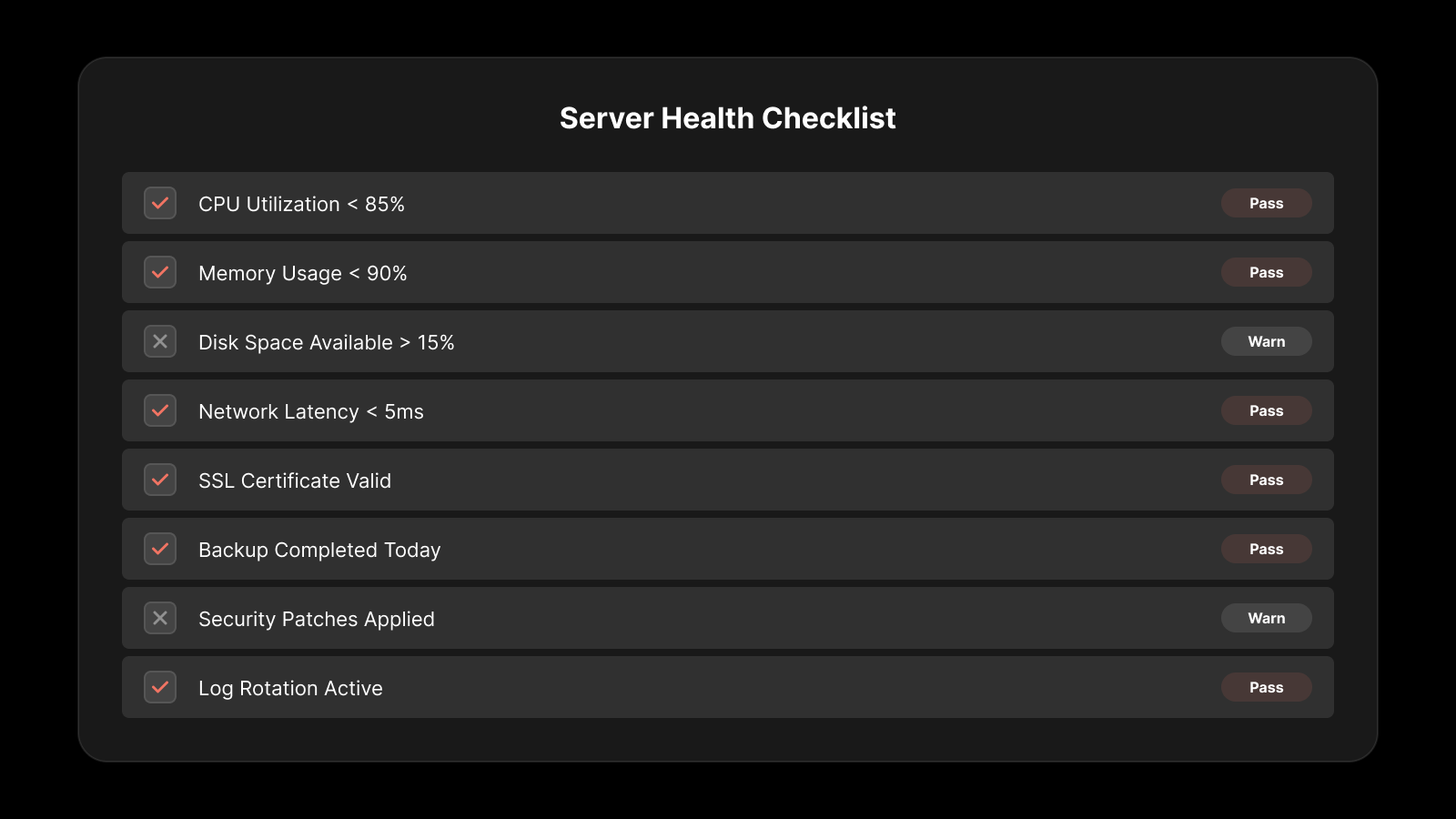
Availability monitoring is the most basic and the most essential type, confirming whether each device and link is up and reachable.
Availability monitoring runs checks at regular intervals and alerts you the moment something goes offline. If you start with one type of monitoring, start here.
2. Performance Monitoring
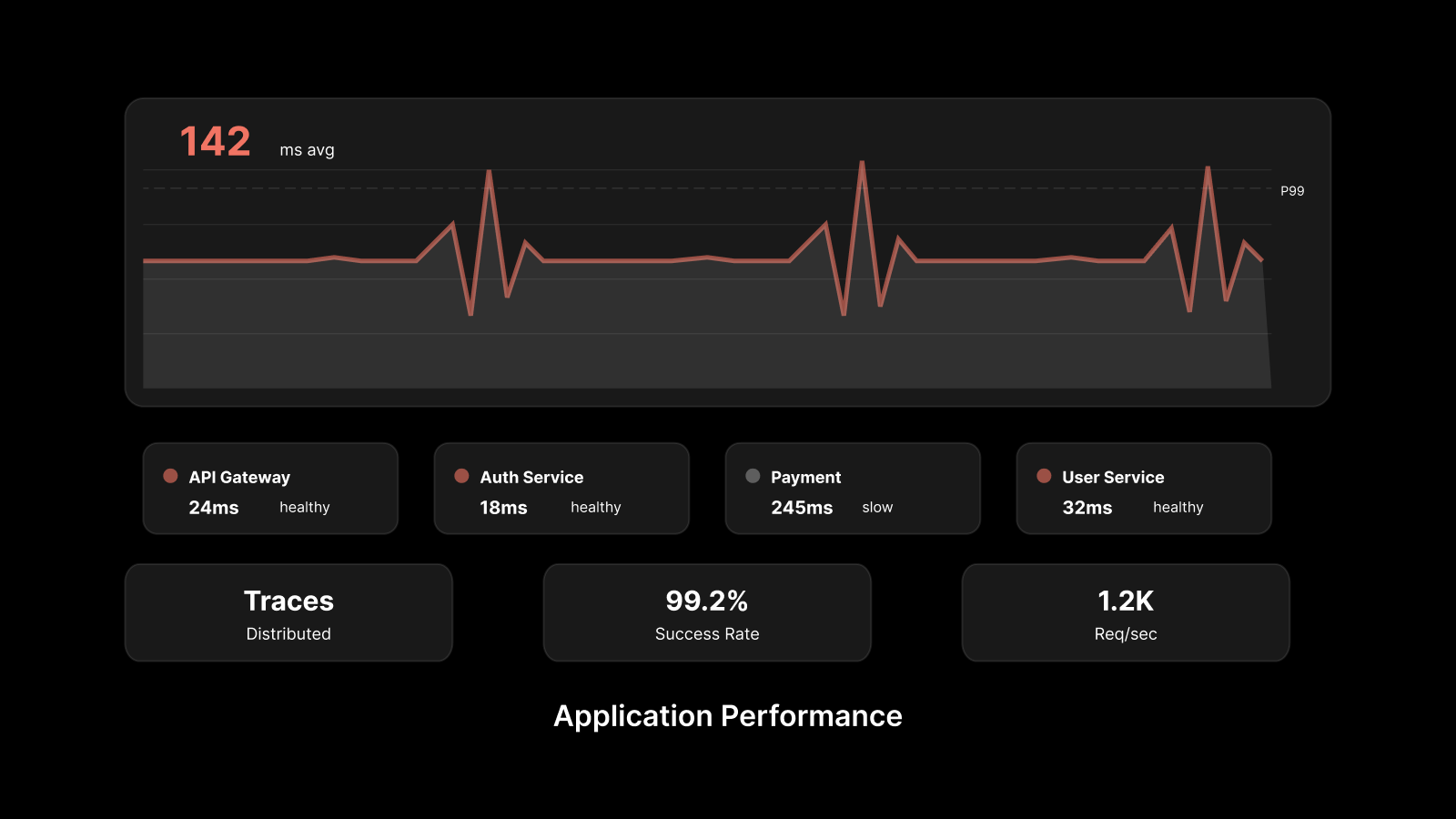
Up isn't the same as healthy. Network performance monitoring tracks latency, packet loss, jitter, and bandwidth, so you can catch a gradual decline before it turns into an outage.
A link drifting toward saturation often gives you days of warning, provided someone is watching for it.
3. Traffic and Flow Monitoring
Beyond how much traffic is moving, you often need to know what kind it is and where it's going. Flow monitoring maps the conversations across your network, surfacing top talkers, bandwidth-heavy applications, and unusual patterns that can signal a problem or a breach.
Protocols such as NetFlow and sFlow feed this view, commonly visualized through network flow analysis.
4. Configuration and Fault Monitoring
Two further types complete the picture. Configuration monitoring tracks changes to device configurations, since a single bad change accounts for a meaningful share of outages.
Fault monitoring watches for failure events, typically through SNMP traps and syslog, so you learn about a failing component as it happens rather than at the next polling interval.
5. Cloud monitoring
Most networks now stretch across on-prem gear, cloud environments, and SaaS your team reaches over the internet. Cloud and hybrid monitoring extends visibility into VPCs, SD-WAN links, and the provider paths that standard SNMP polling never sees. It matters because a single view across both worlds is the only way to tell whether a slow application is your network, the cloud provider, or the route in between.
What are the Different Components to Monitor in Network Monitoring?
Let’s understand the difference components to monitor in network monitoring.
1. Core Network Infrastructure Devices
Core network infrastructure devices such as routers and switches form the foundation of any network. Routers are used to connect different networks and determine the best path for data to travel, while switches manage communication within a local network by forwarding data to the correct device. These devices can be monitored for availability, interface status, and performance metrics to ensure that traffic continues to flow without disruption.
2. Security and Traffic Management Components
Security and traffic management components include firewalls, load balancers, and VPN gateways, all of which control how data moves through the network. Firewalls are used to filter traffic based on security rules and protect the network from unauthorized access.
Load balancers distribute traffic evenly across multiple servers to prevent overload, while VPN gateways provide secure connectivity for remote users and branch offices. Monitoring these components helps ensure that both security policies and traffic flow are functioning as expected.
3. Servers and Service Delivery Systems
Servers host the applications, databases, and services that users rely on for daily operations. Their performance directly affects how users experience applications and services. You can monitor server health by tracking uptime, resource usage, and connectivity status. If a server becomes slow or unavailable, it can directly impact business processes, making continuous monitoring essential.
4. Network Interfaces and Physical Connectivity
Network interfaces, ports, cables, and physical links are responsible for carrying data between devices. These elements are often the first to show signs of trouble, such as packet drops, errors, or unstable connections. Even minor issues at the interface level can gradually develop into larger network disruptions. Monitoring these components helps detect early warning signs and prevents potential outages.
5. Wireless and Remote Access Components
Wireless access points and remote connectivity systems extend the network beyond physical boundaries. Wireless access points manage client connections, signal strength, and roaming between coverage areas, while VPN gateways enable secure access for users working remotely or across branch locations. Monitoring these components ensures that users maintain stable and consistent connectivity regardless of their location.
6. Virtual and Cloud Networking Components
Modern networks often include virtual and cloud-based components such as virtual switches, cloud routers, SDN controllers, and hybrid network connections. These components are highly dynamic and can scale up or down depending on demand. Because of this flexibility, it is important to continuously monitor them to maintain visibility and ensure consistent performance across both on-premises and cloud environments.
What are the Metrics to Track in Network Monitoring?
Let’s understand the different metrics to track in network monitoring.
1. Availability and Uptime
Availability measures whether network devices, links, and services are operational and reachable. It is one of the most fundamental indicators of network health. By continuously monitoring availability, you can quickly detect outages and reduce downtime.
2. Latency and Response Time
Latency measures how long it takes for data to travel from one point in the network to another. Response time measures how quickly a device or service responds after receiving a request. Even if the network is available, high latency or slow response times can negatively affect application performance and user experience.
3. Packet Loss
Packet loss occurs when data packets fail to reach their destination during transmission. This can happen due to congestion, faulty hardware, or network instability. Even a small amount of packet loss can cause noticeable performance issues, especially for voice and video applications.
4. Jitter
Jitter refers to the variation in delay between packet deliveries. While latency measures delay, jitter measures how consistent that delay is. High jitter can lead to poor-quality audio and video, particularly in real-time communication systems.
5. Bandwidth Utilization and Throughput
Bandwidth utilization measures how much of the available network capacity is being used at any given time. Throughput measures the actual amount of data successfully transmitted across the network. Monitoring both helps you understand congestion levels and overall network efficiency.
6. Error Rates and Interface Discards
Error rates include issues such as CRC errors, packet drops, and interface discards that occur during data transmission. These errors often indicate underlying problems with hardware, cabling, or configuration. Monitoring them helps detect potential failures early, before they affect users.
7. Device Resource Utilization
Network devices such as routers, switches, and firewalls depend on CPU and memory resources to process traffic. When these resources become heavily used, the device may slow down or drop traffic, which can affect overall network performance. Monitoring resource utilization helps ensure that devices continue to operate efficiently and reliably.
What are Common Network Monitoring Challenges?
Most teams run into the same three challenges with network monitoring.
1. Alert Fatigue and Noise
When every minor event triggers an alert, teams start tuning them out, and real failures get lost in the noise. That's how the 73% figure above happens, where genuine outages slip through because the warning signs were buried.
Better alerting comes from quality over volume, so tuning and grouping signals delivers far more than adding another dashboard.
2. Blind Spots Beyond your Network Perimeter
Network monitoring only sees what you own. But your traffic now depends on external providers, internet routes, and edge services you don't control, and your tools have no visibility into any of them.
When the fault lies outside your network perimeter, in a provider's infrastructure or the upstream routing path, your own dashboards can look perfectly healthy while users are locked out. That's what happened during the February 2026 Cloudflare outage: services were unreachable for roughly six hours while internal monitoring showed green across the board.
3. Tool Sprawl and Siloed Data
The other big problem is too many tools. One for devices, one for flows, one for logs, none of them talking.
When data sits in silos, correlation is manual and slow, which is exactly what you don't want at 2 a.m. Fewer, connected views beat a wall of disconnected screens.
6 Best Practices for Effective Network Monitoring
Six habits keep network monitoring effective over time.
1. Start with Discovery and a Full Inventory
You can't watch what you haven't found. Run discovery first, build a complete inventory, then keep it current as gear comes and goes.
The blind spot you don't know about is the one that hurts.
2. Monitor the Metrics that Map to User Pain
Don't track 200 metrics because you can. Track the handful that change the user's experience: availability, latency, packet loss, bandwidth.
If a metric wouldn't change what you do, it's noise.
3. Set Smart Thresholds, Not Static Ones
Static thresholds age badly. A fixed line that ignores your daily and weekly patterns fires all the time for no reason.
Baselines that learn normal behavior cut false alarms hard, which is the single biggest lever against alert fatigue.
4. Route Alerts to the Right People
An alert that lands in a channel nobody reads is wasted. Route by ownership and severity, so the right person gets the right page.
This one change quietly fixes a lot of "we got the alert and missed it" stories.
5. Build Dashboards your On-call Actually Uses
A dashboard earns its place only if it helps someone act. Build the single view your on-call engineer turns to first during an incident and leave out the rest.
Any widget that doesn't support a decision is just clutter.
6. Review and Tune on a Schedule
Monitoring isn't set and forget. Networks change, and stale thresholds drift into noise or blind spots.
A short monthly review to retire dead alerts and adjust baselines keeps the system trustworthy.
Network Monitoring Vs Network Management
These two terms get mixed up often, but they do different jobs. Here's how they compare side by side.
Aspect | Network Monitoring | Network Management |
Primary role | Observes network health and detects issues | Controls, configures, and resolves network issues |
Key question | Is something wrong? | How do we fix or optimize it? |
Core activities | Polling, performance monitoring, alerting, dashboards, and reporting | Configuration management, firmware updates, policy enforcement, traffic optimization, and troubleshooting |
Example in action | Detects a saturated network link and generates an alert | Reroutes traffic, upgrades the link, or adjusts network policies |
When to adopt | First, as the foundation for visibility | After monitoring is in place, to automate and manage network operations |
Signs Your Organization Needs a Network Monitoring System
Not sure if you're ready? A few signals make it obvious, and most teams recognize more than one:
You find out about outages from users, not your tools.
Troubleshooting starts with "is it the network?" and takes hours to answer.
You run cloud and on-prem gear with no single view across both.
One person holds the network knowledge in their head, and you get nervous when they're on leave.
You've promised uptime numbers you can't actually measure.
If two or more sound familiar, you've outgrown manual checks and spreadsheets.
Where to Start with Network Monitoring?
Network monitoring won't prevent every outage, and it won't resolve issues for you. What it does is replace guesswork with visibility, so a healthy-looking dashboard never masks a network quietly failing underneath while the minutes tick by.
That visibility takes effort to build. Effective monitoring depends on careful tuning, a tolerance for the occasional false alarm, and a review habit that many teams overlook until an outage they never saw coming forces the issue.
But the payoff compounds with every incident you catch early: outages measured in minutes instead of hours, fewer 2 a.m. escalations, and uptime numbers you can stand behind in front of a customer. Start with the metrics that affect users most, then grow your network monitoring strategy from there.
FAQs
What is the difference between network monitoring and network management?
Monitoring watches your network and warns you when something breaks. Management acts on it: changing configs, pushing updates, enforcing policy. Most teams start with monitoring, then add management once visibility is solid.
What are the main types of network monitoring?
The main types are availability monitoring, performance monitoring, traffic and flow monitoring , configuration and fault monitoring, and cloud monitoring. Most environments use several together rather than picking one.
What protocols are used in network monitoring?
The core protocols are SNMP for device metrics, ICMP (ping) for reachability, and syslog for event messages. For traffic detail, flow protocols like NetFlow, sFlow, and IPFIX report conversations across the network. Newer equipment also supports streaming telemetry, which pushes data continuously instead of waiting to be polled.
How does network monitoring reduce downtime?
It catches small failures before they cascade, and it points you at the cause when something breaks, so you spend minutes finding the fault instead of hours. With an hour of downtime topping $300,000 for most large and mid-sized firms, shaving that search time pays for itself fast.
Do I need an agent for network monitoring?
Not always. Network gear like routers and switches is usually monitored agentless through SNMP. Agents make sense on servers and endpoints where you want deeper, second-by-second data, and most teams mix both.
What metrics should I monitor first?
Start small: availability, latency, packet loss, and bandwidth utilization cover most of what affects users. Add jitter if you run voice or video, and error rates to catch flaky hardware. Resist tracking everything at once, since metrics you never act on just add noise.
Author
Jagdish Sajnani
Senior Content Strategist
Jagdish Sajnani is a B2B SaaS content strategist and writer. He has experience across different B2B verticals, including enterprise technology domains such as IT Service Management, AI-driven automation, observability, and IT operations. He specializes in translating complex technical systems into structured, engaging, and search-optimized content. His work improves product understanding, strengthens organic visibility, and supports B2B demand generation.