Log Management Tools: What Most IT Teams Overlook
Definition
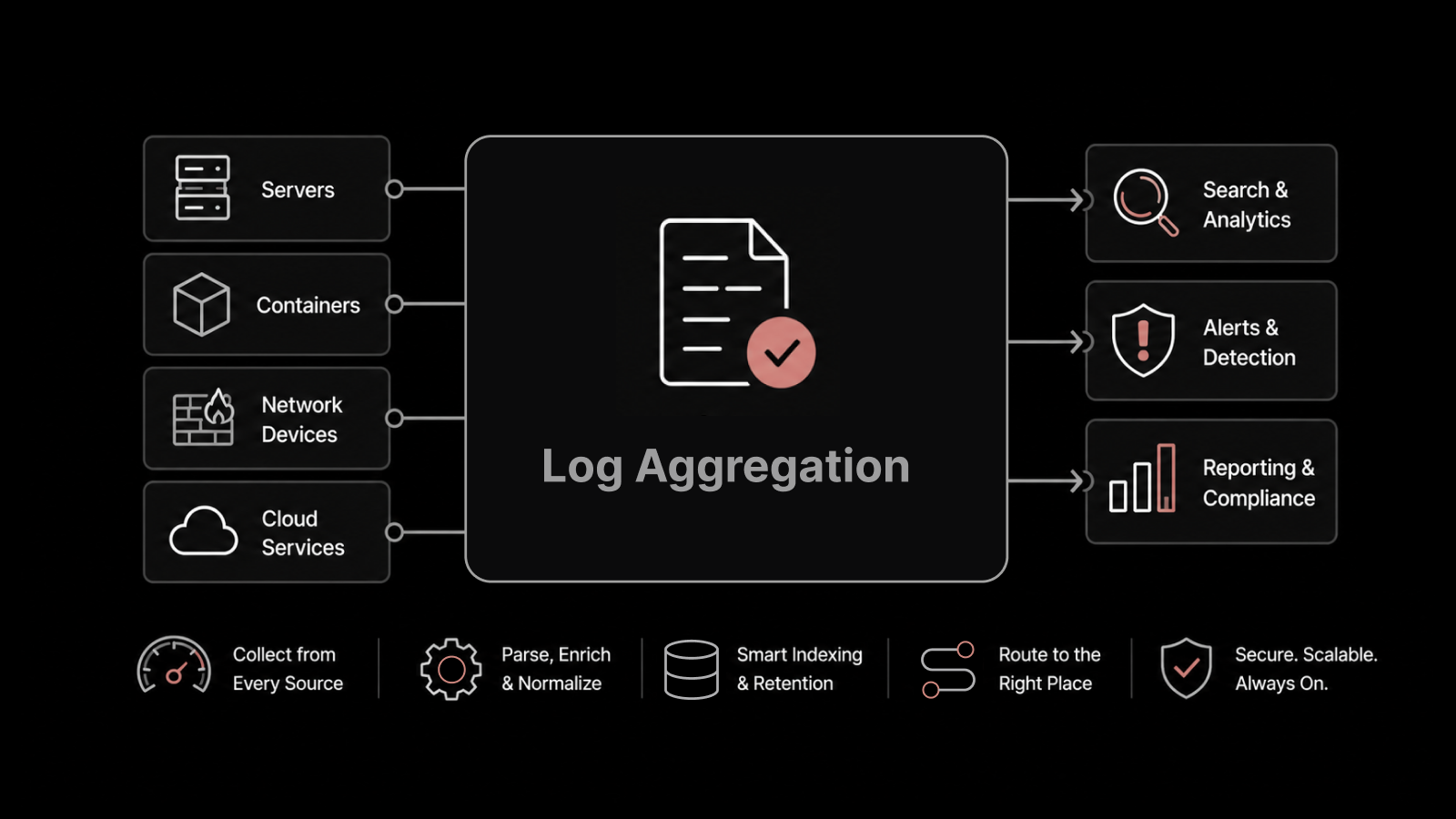
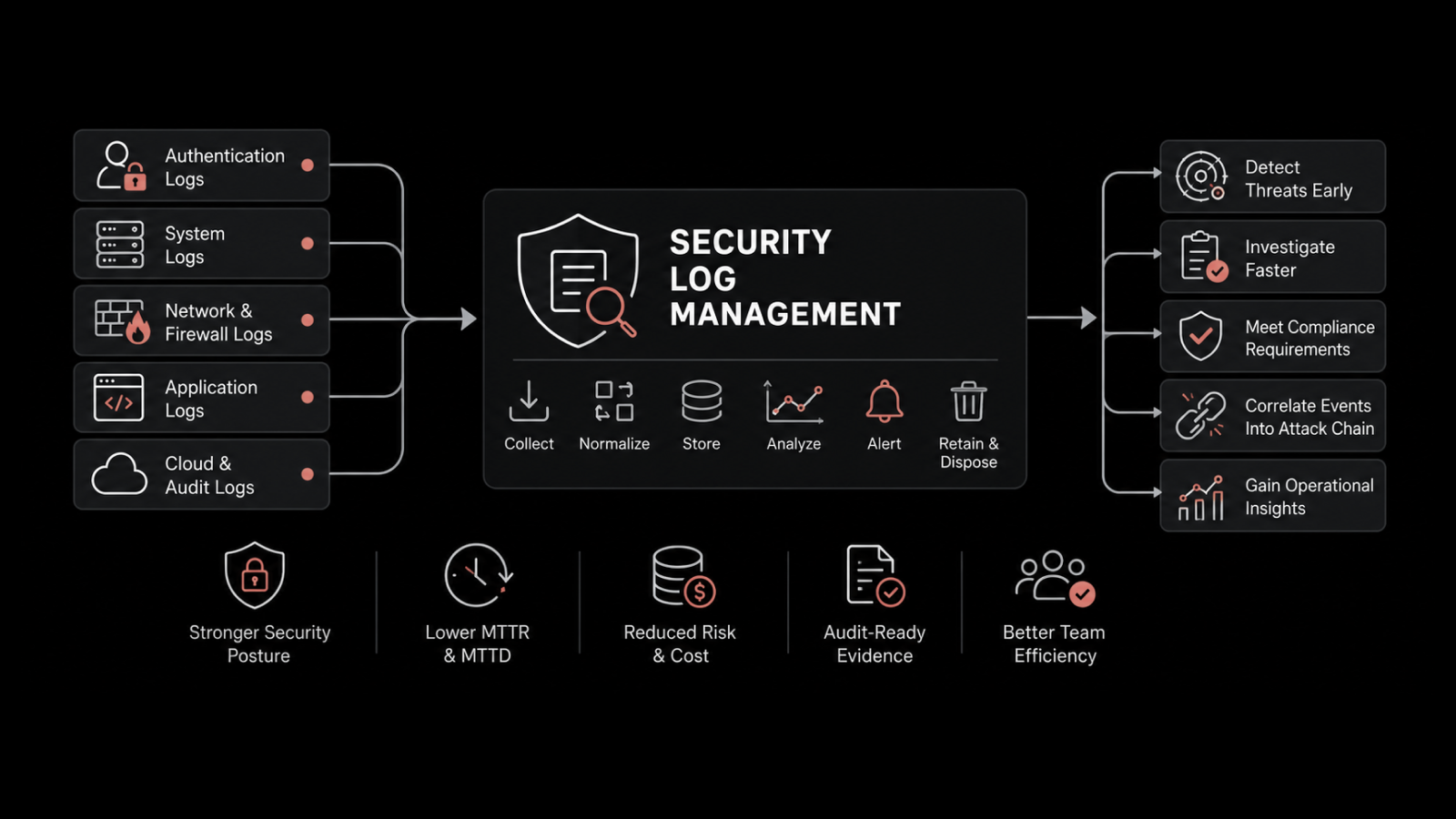
A log management tool is software that collects, aggregates, indexes, and analyzes log data generated by servers, network devices, applications, and databases. It gives IT teams a single point of visibility into system behavior, security events, and performance trends — turning raw machine-generated records into actionable intelligence.
Every computing device in your environment — routers, firewalls, web servers, databases, applications — produces log data around the clock. A single enterprise can generate terabytes of logs per day. Yet most IT teams treat log management as a checkbox exercise: collect the data, store it somewhere, and hope you never need to look at it. That's a missed opportunity. Organizations that actively analyze and correlate their log data resolve incidents up to 60% faster and catch security threats before they escalate into full-blown breaches.
This post breaks down the overlooked capabilities of log management tools and shows you how to get more value from the log data you're already generating.
Why Log Management Matters More Than You Think
System admins, SREs, and developers generate and depend on logs every day. Audit records, intrusion alerts, transaction logs, connection logs, performance records, event logs, user activity logs — they all carry signals that matter.
With growing complexity from cloud environments, virtualization, BYOD policies, and multi-database architectures, logs have become a critical component of infrastructure monitoring and compliance workflows. The challenge isn't generating log data. It's extracting meaning from it.
When problems surface, the first thing any IT professional does is check the logs. But if those logs are scattered across dozens of systems, stored in inconsistent formats, and impossible to search efficiently, you're wasting the time you can least afford to lose.
The Four Hidden Challenges of Log Management
Most organizations run into four obstacles that quietly undermine their log management strategy:
Volume
Large enterprises can generate terabytes of log data daily. Collecting, centralizing, and storing data at this scale takes deliberate architecture. Your tool shouldn't impose size restrictions or time limits on retention. Look for platforms that offer high compression ratios — 85% compression on raw data, for example — to keep storage costs manageable without sacrificing visibility.
Normalization
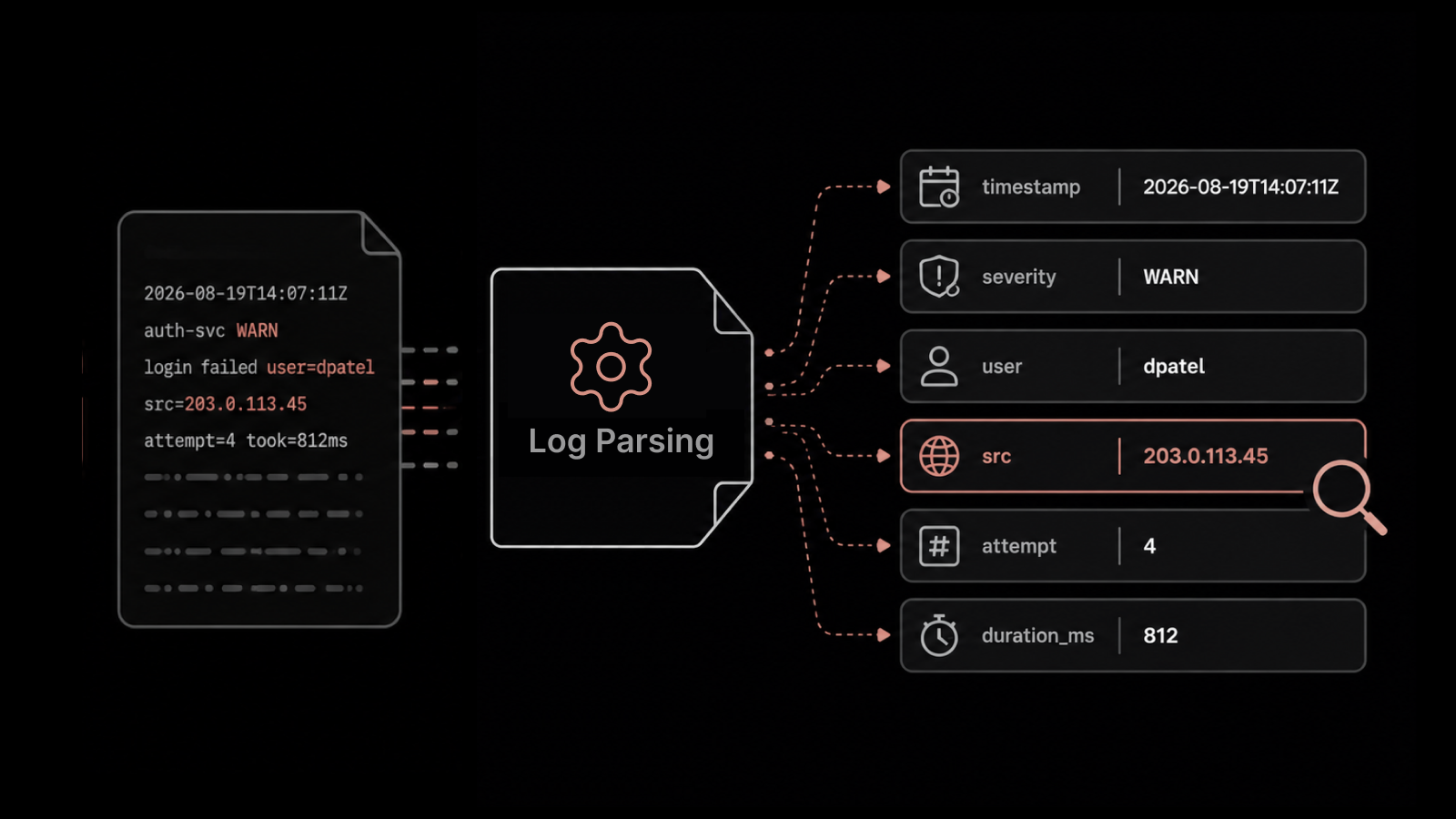
Every device writes logs in a different format. Windows event logs look nothing like Apache access logs or firewall syslogs. A common output format requires normalization — the ability to parse and standardize any log source into a queryable structure. Your log management tool needs to handle custom formats, not just the common ones.
Velocity
The speed at which logs are produced — measured in events per second (EPS) — can overwhelm collection and aggregation pipelines. High-performance platforms process billions of events in seconds and handle 100k+ EPS on standard hardware. If your tool can't keep up, you're losing data during the moments that matter most.
Veracity
Not every log event is accurate. Intrusion detection systems, for instance, generate false positives regularly. Without correlated analytics — linking metrics, flow data, and log events together — you'll spend hours chasing phantom alerts. Correlation turns a noisy log stream into a reliable signal.
Log Management vs. SIEM: Understanding the Difference
There's a common misconception that log management and SIEM are the same thing. They're not.
SIEM focuses on security — the "S" in Security Information and Event Management. It pulls IT data primarily for security use cases: threat detection, incident response, forensic investigation.
Log management covers a broader scope. It handles logs across every domain — operations, performance, security, compliance, and business analytics. While SIEM is a security-first tool, log management is an operations-first platform that also serves security teams.
For organizations with both a NOC (Network Operations Center) and a SOC (Security Operations Center), log management provides the shared data foundation that both teams rely on.
Real-World Use Cases That Prove the Value
Log management isn't theoretical. Here are the practical scenarios where it delivers measurable impact:
Operations
Identifying software installs, updates, or configuration changes made right before a server failure — connecting cause and effect.
Surfacing the top 10 error messages reported across servers over the past hour, day, or week.
Performance
Breaking down web application response time on a per-page or per-service basis.
Tracking virtual machine lifecycle events (created, started, stopped, migrated) alongside hypervisor performance data.
Security and Access Management
Listing the most recent user logins by access level, including admin-level access.
Maintaining audit trails for file access, modification, and permission changes.
Detecting unauthorized database access — like someone in marketing attempting to reach HR records.
Monitoring Active Directory changes: users added, deleted, or modified.
Tracking network traffic patterns and firewall rule enforcement.
Compliance
Generating submission-ready reports for PCI DSS, HIPAA, SOX, FISMA, and other regulatory frameworks.
How Cross-System Correlation Speeds Up Root Cause Analysis
Here's where most log management tools fall short — and where a unified platform truly differentiates itself.
When your intranet goes down during the CEO's all-hands broadcast, you don't have time to log into five different tools. With correlated log and monitoring data, you can see the full picture in one view:
Log data reveals: A firewall rule change exposed a port to a new service.
Monitoring data shows: The web server's CPU utilization spiked to 99%, triggering an automatic reboot.
That kind of correlation — linking a configuration change in one system to a performance collapse in another — is what turns root cause analysis from a multi-day investigation into a single-click discovery.
The same principle applies to security. When an attacker exploits multiple vulnerabilities across connected systems, only correlated log data will show you the full attack chain. Examining one system in isolation gives you fragments; correlation gives you the story.
Proactive Alerting: Detecting Issues Before They Escalate
The best log management strategy isn't reactive. It's proactive.
Configure your tool to detect important events — a critical system shutdown, a DDoS-style attack against Active Directory (five or more failed logins within 10 seconds), or unauthorized access attempts — and trigger immediate alerts.
Go beyond notifications. Set up automated remediation actions:
Restart applications that crash or freeze (especially useful for Windows-based services).
Block access from a specific IP address.
Shut down a compromised service.
Deactivate a user account flagged for suspicious behavior.
Being proactive with log data doesn't just reduce downtime. It lowers operational support costs, improves security posture, and automates compliance workflows.
Building a Centralized Log Management Strategy
If your logs are scattered across local machines, you're working harder than you need to. Centralized log management brings everything — system logs, application logs, security events, network flow data — into a single, searchable repository.
Here's what centralized log management should deliver:
Complete collection and aggregation from every log source in your environment.
Original log retention — unaltered, unhampered records for forensic and compliance purposes.
Full-text search across all collected data, with sub-second query response.
Automated workflows including notifications, alerts, and corrective actions.
Flexible dashboards that let NOC, SOC, and executive stakeholders each see what matters to them.
The goal is simple: when a problem occurs, your team shouldn't have to write scripts or manually parse log files. They should search, correlate, and act — all from one platform.
How Motadata Helps You Get More From Your Log Data
Motadata's AI-native platform unifies log management, metrics monitoring, and network flow analytics on a single pane of glass. It processes log data of any format and from any source — syslog, Windows events, application logs, custom formats — and correlates it with performance metrics for instant root cause detection.
With support for compliance standards like PCI DSS, HIPAA, FISMA, and SOX, Motadata makes audit preparation straightforward instead of stressful. You get real-time dashboards, automated alerting, and flexible retention policies — all backed by a platform built to handle enterprise-scale data volumes without compromise.
Ready to see what your log data has been trying to tell you? Start your free trial and experience unified log management and observability in action.
FAQs
What types of logs can a log management tool process?
A log management tool can process system logs, event logs, application logs (Apache, MySQL, Nginx), security logs (firewall, IDS/IPS), Windows event logs, Linux syslogs, database logs, and custom machine-generated log formats. The best platforms handle structured and unstructured data equally well.
How does log management support compliance?
Log management tools collect and retain log data in its original form, generate compliance-ready reports, and provide audit trails for regulatory frameworks like PCI DSS, HIPAA, SOX, and FISMA. Automated reporting reduces the manual effort required for audit preparation.
Can log management tools replace SIEM solutions?
Not entirely. Log management and SIEM serve different primary purposes. Log management covers broad operational and security use cases with log data. SIEM is purpose-built for security event correlation and threat detection. Many organizations use both, or choose a unified platform that combines log management with security analytics.
What should I look for when choosing a log management tool?
Prioritize scalability (ability to handle your daily log volume), format flexibility (support for any log source), search speed, correlation capabilities (linking logs with metrics and flow data), compliance support, and total cost of ownership. A unified platform that combines log management with infrastructure monitoring will reduce tool sprawl and accelerate troubleshooting.
How does AI improve log management?
AI-driven log management platforms use machine learning to detect anomalies, suppress false positives, identify patterns across large data sets, and automate root cause analysis. This reduces the manual effort required to sift through millions of daily log events and surfaces the incidents that actually need attention.