How to Integrate IT Inventory Management for Better Accuracy and Control
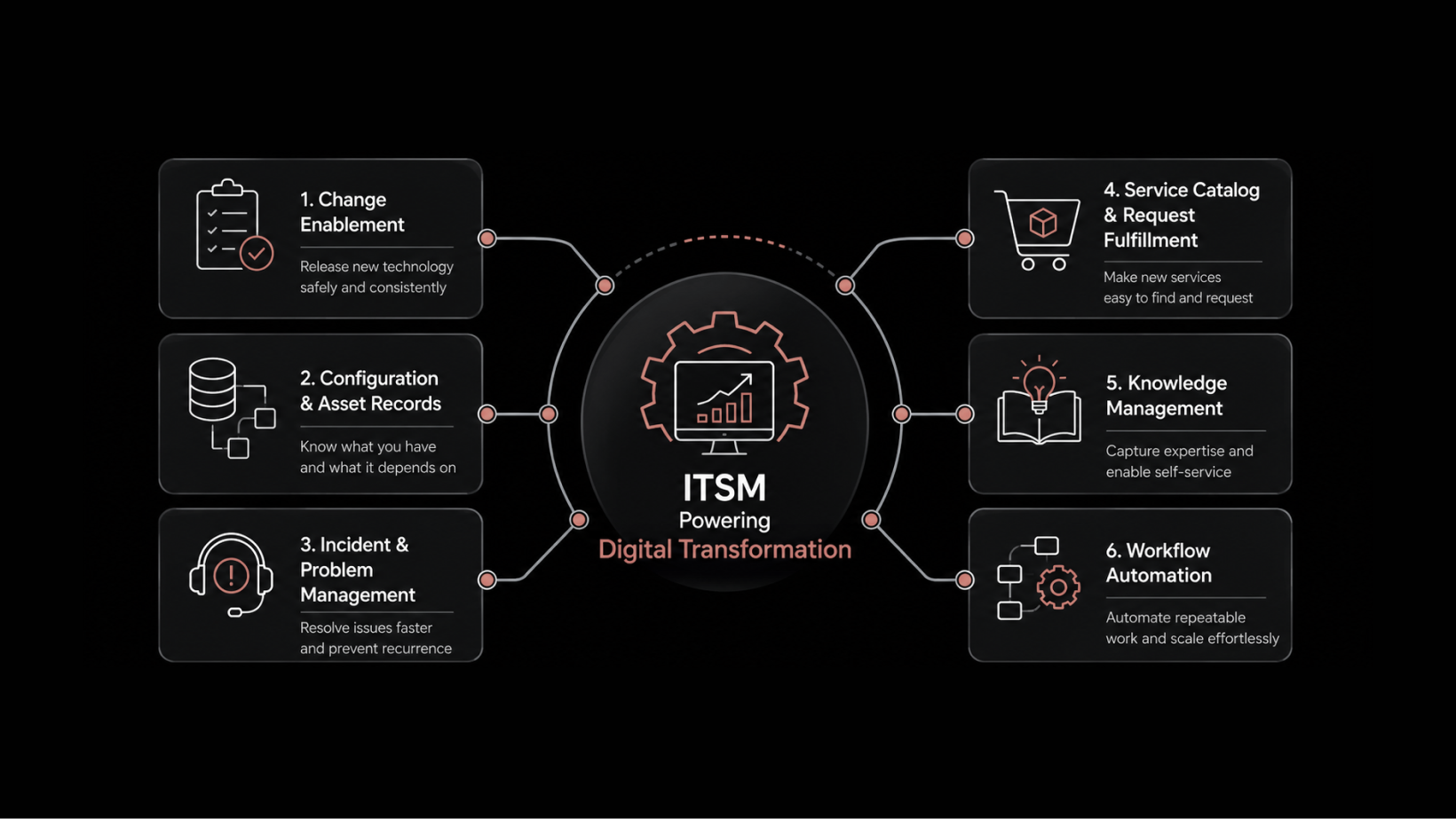
IT inventory management integration is the practice of connecting your IT asset tracking system with other operational platforms — help desks, CMDBs, procurement tools, and financial systems — to create a single, consistent source of truth for every hardware and software asset in your organization.
Your IT assets don't exist in a vacuum. They connect to tickets, budgets, compliance records, and network configurations. But if your IT inventory management system operates in isolation, you're working with incomplete data — and making decisions based on guesswork.
That's a problem you can fix. When you integrate IT inventory management software with the systems your teams already use, you get accurate asset records, faster incident resolution, and tighter financial control. No more duplicate entries. No more missing devices. No more scrambling before an audit.
What IT Inventory Management Really Does for Modern Businesses
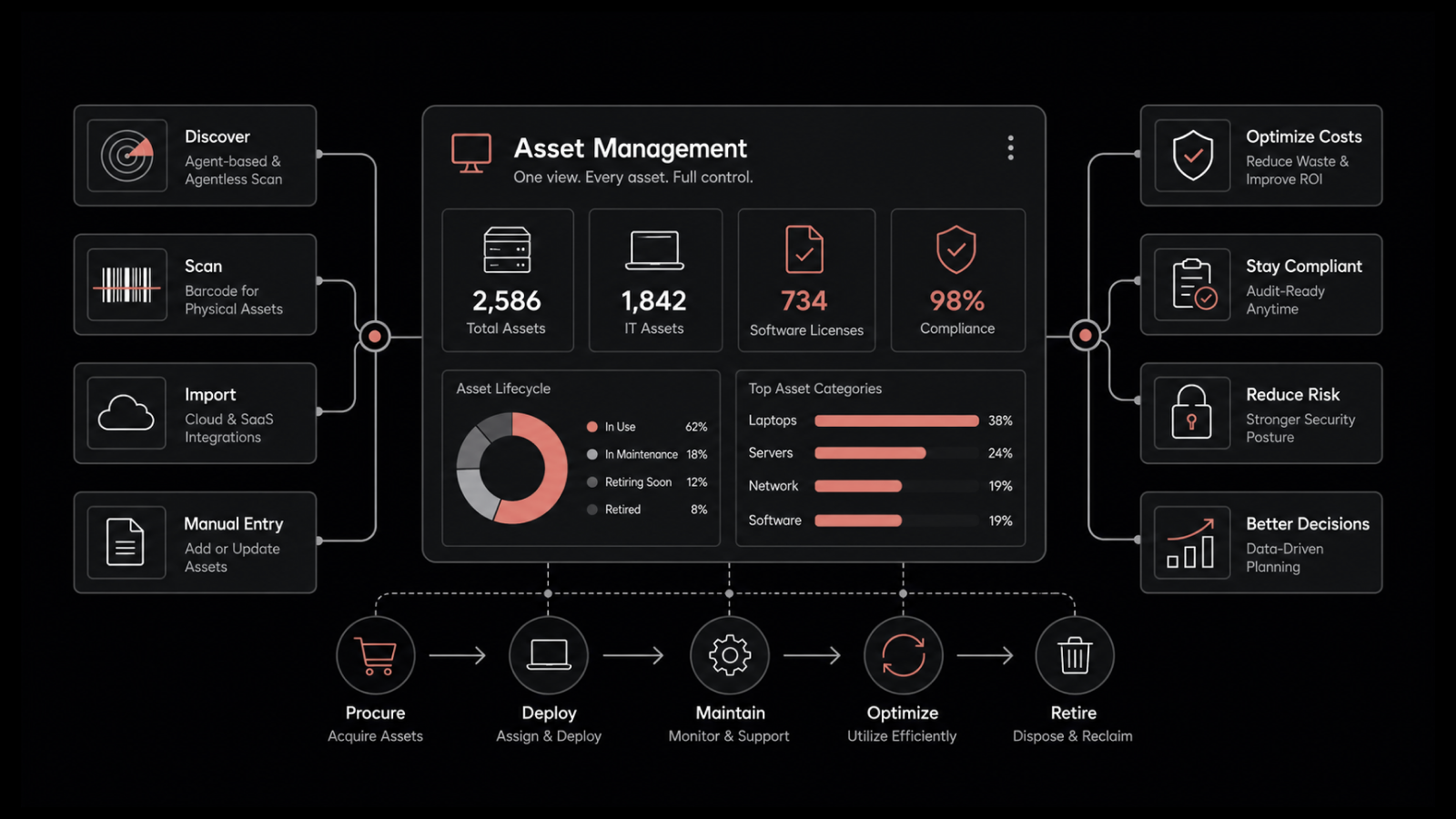
IT inventory management has moved well beyond spreadsheets and manual counts. In a modern enterprise, it's the system that tracks every asset's status, location, ownership, lifecycle stage, and cost — from the moment it's procured to the day it's retired.
But tracking alone isn't enough. The real value shows up when your inventory system talks to the rest of your IT stack. When it's connected to your help desk, your CMDB, and your financial platform, asset data flows automatically. Teams stop re-entering the same information. Records stay accurate. And you can actually trust the data when you need to make a decision.
For organizations running hundreds or thousands of devices across multiple locations, this isn't optional — it's the foundation of effective IT operations.
Core Components of an Effective IT Inventory System
Before you integrate, you need to make sure your inventory system covers the fundamentals. Here are the four components that matter most:
Asset Tracking: Every device, license, and peripheral gets a record with its serial number, location, assigned user, and current status. This prevents unauthorized usage, stops over-purchasing, and makes audits straightforward.
Lifecycle Management: You track each asset from procurement through deployment, maintenance, and eventual disposal. This lets you schedule updates and replacements proactively, maximize ROI, and handle end-of-life disposal in compliance with environmental regulations.
Reporting and Analytics: Detailed reports on utilization, performance trends, and maintenance history let you spot underperforming assets, forecast future needs, and build data-backed budgets.
Compliance Management: The system monitors software licenses, hardware warranties, and security policies. It keeps a clear compliance record so you can prepare for audits without scrambling and avoid penalties from expired licenses or unauthorized software.
Why Integration Changes Everything
Running your IT inventory as a standalone system creates data silos. Integration breaks those silos down. Here's what changes when you connect your inventory management to other platforms:
Improved Data Accuracy
When your IT inventory management software syncs with procurement and asset management platforms, asset data stays consistent everywhere. New purchases automatically create inventory records. Status changes propagate in real time. You eliminate the manual data entry that introduces typos, missing records, and outdated information.
The result: when someone pulls an asset report, they can trust it. Audits become a verification step, not a scramble to reconcile conflicting spreadsheets.
Faster, Better Decision-Making
With integrated systems, decision-makers get a complete picture of asset usage, costs, and performance in one view. They can see which assets are underutilized, which are approaching end-of-life, and where the organization is overspending on redundant licenses.
This visibility drives smarter procurement. Instead of buying based on requests alone, you buy based on actual utilization data. Instead of replacing assets on a fixed schedule, you replace them based on performance metrics.
Automated Workflows That Save Time
Integration automates the repetitive work that eats up IT team hours. When a new asset is procured, the system can automatically update inventory records, assign it to a user or department, trigger security configuration, and schedule its first maintenance check.
No one has to remember to update three different systems. No one has to copy data from a purchase order into an inventory spreadsheet. The workflow runs, and your team spends their time on work that actually requires human judgment.
Stronger Security Posture
When IT inventory connects to your security tools, you get automatic detection of unauthorized devices, missing assets, and non-compliant configurations. The system flags risks before they become incidents.
If a device appears on the network that isn't in your inventory, you know immediately. If a machine falls out of compliance with your patching policy, it gets flagged. This kind of continuous monitoring is what keeps your attack surface manageable as your infrastructure grows.
Key Integrations You Should Prioritize
Not all integrations deliver equal value. Focus on these five areas first:
Asset Management Platform Integration
Automatic Asset Discovery: Network scans detect and register new devices without manual entry. You maintain complete visibility, and unauthorized devices don't go unnoticed.
Lifecycle Tracking: The integration tracks every stage from procurement to disposal, enabling proactive maintenance and timely replacements.
Cost Visibility: Linking to financial data gives you clear purchase costs, maintenance expenses, and depreciation figures for every asset.
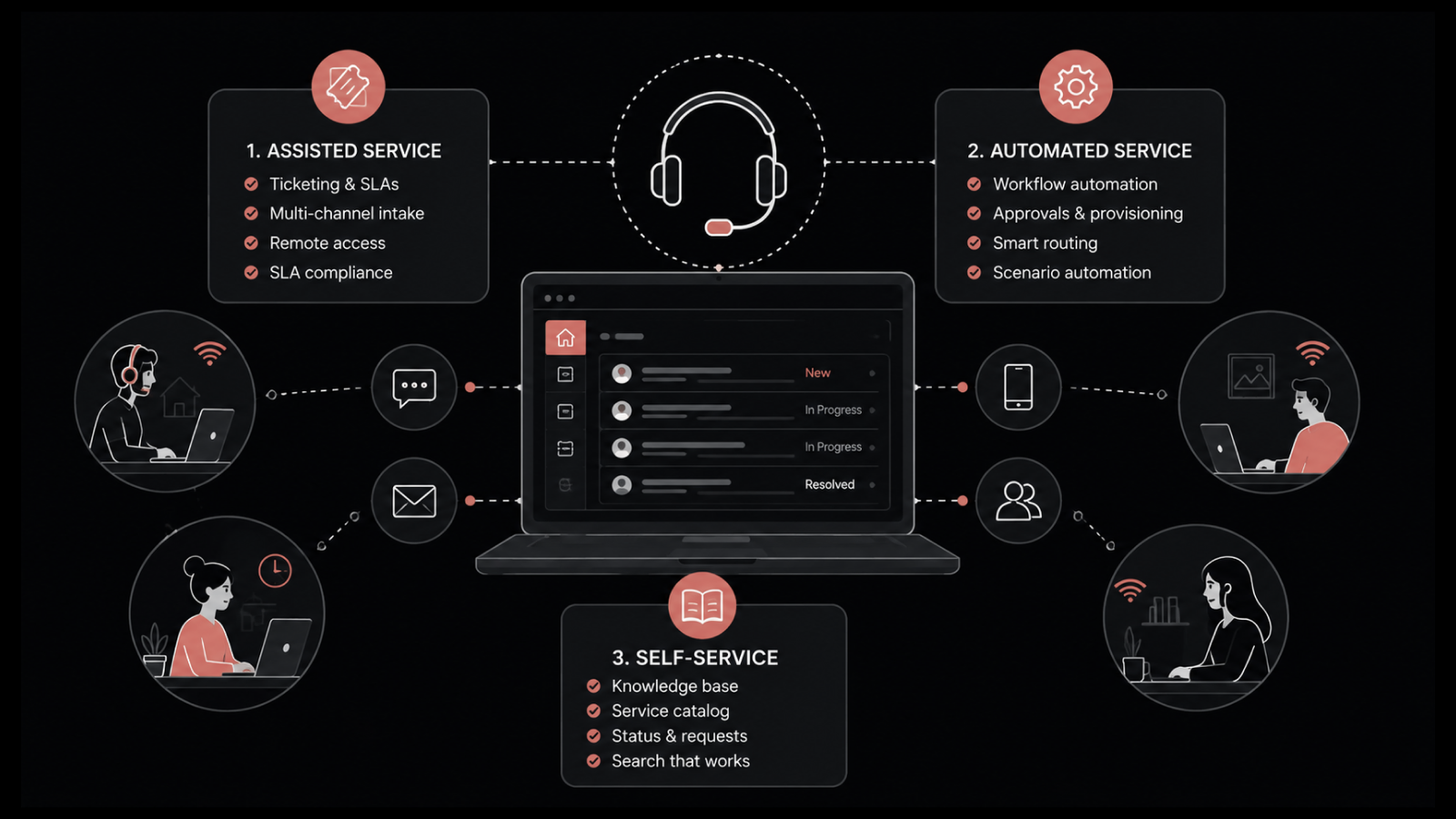
Help Desk and Service Desk Integration
Faster Incident Resolution: When a help desk ticket links directly to the affected asset's record, technicians see the device's history, configuration, and past incidents immediately. Troubleshooting starts from context, not guesswork.
Automated Asset Assignment: Service requests automatically trigger asset allocation based on availability and department rules. No manual matching required.
Knowledge Base Connection: Linking knowledge base articles to specific asset types lets users find troubleshooting guides and resolve common issues without submitting a ticket.
CMDB Integration
Data Synchronization: Your Configuration Management Database (CMDB) and inventory system stay in sync automatically. Asset details, ownership, and status remain consistent across both platforms.
Dependency Mapping: You can map relationships between assets, configurations, and the services they support. When something fails, you immediately see the blast radius.
Change Management Alignment: Every asset modification gets tracked and approved through your change management process. Changes are documented, authorized, and auditable.
Procurement System Integration
Automated Purchase Orders: When inventory levels hit predefined thresholds, the system generates purchase orders automatically. You never run short on critical assets.
Vendor Performance Tracking: Centralized vendor data lets you track delivery timelines, contract terms, and performance metrics in one place.
Financial System Integration
Automated Depreciation: The integration calculates asset depreciation automatically, keeping your financial reporting accurate without manual spreadsheet work.
Real-Time Asset Valuation: Finance teams can pull current market values for all IT assets at any time, simplifying audits and supporting better capital planning.
Essential Features to Look for in an Integrated IT Inventory System
When you're evaluating IT inventory management software for integration readiness, these capabilities are non-negotiable:
1. Automated Asset Discovery and Management: The system should detect new hardware and software automatically through network scanning, agent-based discovery, or both. Manual entry should be the exception, not the rule.
2. Comprehensive Reporting and Analytics: You need reports on utilization, maintenance schedules, lifecycle status, and cost trends. These reports should be exportable, schedulable, and accessible to stakeholders across departments.
3. Strong Security Controls: Look for encryption at rest and in transit, role-based access controls, and audit logging. In an integrated environment, data flows between multiple systems — every connection point needs protection.
4. Real-Time Data Synchronization: The system should sync data across your help desk, CMDB, financial tools, and procurement platform continuously. Batch syncs that run once a day create windows where data is stale and decisions are based on old information.
5. AI-Driven Insights: Modern inventory platforms use machine learning to predict asset failures, identify unusual usage patterns, and recommend optimal replacement timing. These capabilities turn your inventory from a record-keeping system into a strategic planning tool.
Integration Challenges and How to Handle Them
Integration projects don't always go smoothly. Here are the most common obstacles and practical ways to address them:
Data Quality: If your existing asset records are incomplete or inconsistent, integration will amplify those problems. Run a data cleanup before you connect systems. Implement automated validation rules that catch errors at the point of entry.
Security: Every integration point is a potential attack surface. Use encrypted connections, enforce least-privilege access, and audit data flows regularly. Don't grant blanket access just to make the integration easier.
Performance: Syncing large volumes of asset data can create bottlenecks. Schedule heavy synchronization jobs during off-peak hours. Use incremental sync where possible — transfer only what's changed, not the entire dataset.
Vendor Compatibility: Not every tool plays well with others. Before you buy, test the integration with your existing platforms. Check for native connectors, API documentation quality, and vendor support responsiveness.
Change Management: Communicate clearly with every team affected by the integration. Document the process. Have rollback plans ready. The technical work is usually simpler than getting people to adopt new workflows.
Real-World Results: What Integration Delivers
A large enterprise integrated its IT asset inventory management software with its financial and help desk systems. The integration automated asset tracking, connected procurement workflows, and linked help desk tickets directly to asset records.
The results were measurable: a 20% reduction in asset-related incidents and significantly improved financial reporting accuracy. The biggest technical challenge — keeping data synchronized across multiple platforms — was solved by implementing automated data validation at every sync point.
Bring IT Inventory Management Together with Motadata
Motadata's AI-native platform unifies IT inventory management with service desk, asset lifecycle, and CMDB capabilities in a single system. With automated asset discovery, real-time synchronization, and built-in compliance monitoring, you don't need to build integrations from scratch — they're already there. Motadata ServiceOps connects your inventory data to incident management, change workflows, and financial tracking so every team works from the same accurate, up-to-date records. If you're ready to stop managing assets in silos and start operating with full visibility, explore Motadata ServiceOps or contact our team to see the platform in action.
Frequently Asked Questions
What are the first steps in integrating IT inventory management with other systems?
Start by auditing your current asset data for completeness and accuracy. Define clear integration goals — what data needs to flow where, and why. Select integration tools that offer native connectors for your existing platforms. Standardize data formats across systems before you begin, and create a phased rollout plan that starts with the highest-value integration first.
How can small businesses benefit from IT inventory management integration?
Small businesses often gain the most from integration because they have fewer resources to waste on manual processes. Automated tracking reduces the need for dedicated inventory staff. License management prevents overspending on software. And integrated reporting gives small teams the same visibility that large enterprises get — without the overhead of maintaining multiple disconnected systems.
What are the biggest mistakes organizations make during IT inventory integration?
The most common mistake is skipping data cleanup. If your existing records contain duplicates, missing fields, or outdated entries, integration will spread those errors across every connected system. Other frequent mistakes include granting overly broad access permissions, skipping user training, and trying to integrate everything at once instead of taking a phased approach.
How does AI-driven asset discovery improve IT inventory management?
AI-driven discovery continuously scans your network to identify new devices, software installations, and configuration changes. Unlike scheduled scans, it detects shadow IT and unauthorized devices in real time. Machine learning models can also predict asset failures based on performance patterns, giving you time to replace or repair equipment before it causes downtime.
How do I measure the ROI of IT inventory management integration?
Track metrics before and after integration: time spent on manual data entry, number of asset-related incidents, audit preparation time, and accuracy of financial asset reports. Organizations typically see 15-30% reductions in asset-related incidents, 40-60% reduction in audit prep time, and measurable improvements in procurement efficiency within the first six months.
Author
Rosy Cordeiro
Content Writer
Rosy Cordeiro is a seasoned documentation expert with over a decade of experience spanning ITSM, Telecom, and Security domains. Throughout her career, she has worked with diverse teams, collaborating with SMEs, engineers, and developers to create technical documents for several projects in the sectors like banking, education, security etc.