Linux Patch Management Best Practices: A 2026 Guide for IT Teams
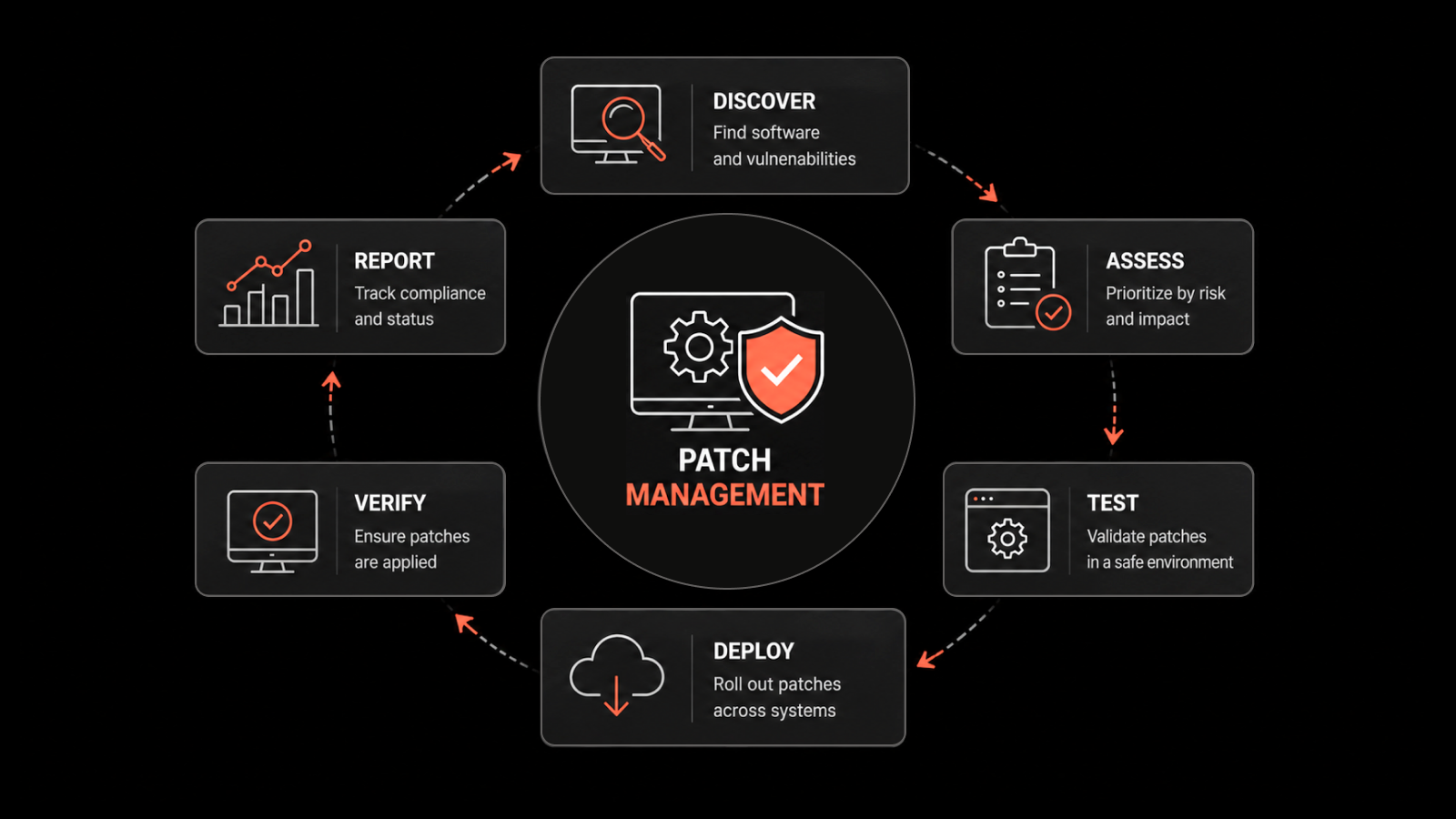
Linux patch management is the process of identifying, testing, and deploying security patches and updates across Linux-based systems to fix vulnerabilities, improve performance, and maintain compliance.
Every IT team running Linux in production knows the tension: Linux is the backbone of modern infrastructure, powering roughly 67% of web servers worldwide (Wired), yet a single missed kernel update can turn that strength into a liability. In 2024, CISA flagged multiple actively exploited Linux CVEs that had patches available for months before organizations applied them. The gap wasn't awareness - it was execution.
If you're responsible for keeping Linux environments secure, this guide breaks down the best practices that actually work, from building a patch management policy to automating deployments at scale.
Why Linux Patch Management Matters More Than Ever
Linux's reputation for security is well-earned, but it's not bulletproof. The open-source ecosystem moves fast -- new vulnerabilities surface daily across kernels, libraries, and packages. According to the National Vulnerability Database (NVD), Linux kernel CVEs increased by over 20% year-over-year in recent reporting periods.
Here's what makes timely patching non-negotiable:
Shrinking exploit windows: The time between public vulnerability disclosure and active exploitation has dropped to days, sometimes hours. Attackers scan for unpatched systems using automated tools.
Supply chain risks: Dependencies in Linux package managers (apt, yum, dnf) mean one unpatched library can affect dozens of applications.
Compliance pressure: Regulations like PCI DSS, HIPAA, and SOC 2 require documented evidence that systems are patched against known vulnerabilities within defined timeframes.
Operational stability: Patches don't just fix security holes -- they address performance bugs, memory leaks, and compatibility issues that affect uptime.
The bottom line: skipping or delaying Linux patches creates compounding risk across security, compliance, and operations.
Build a Clear Patch Management Policy
Before touching a single system, document your patch management policy. This isn't bureaucracy -- it's the playbook your team follows when a critical CVE drops on a Friday afternoon.
Your policy should define:
Scope: Which systems, distributions (RHEL, Ubuntu, SUSE, CentOS, Debian), and environments (production, staging, development) are covered
Roles and responsibilities: Who approves patches, who deploys them, who handles rollbacks
Patch classification: How you'll categorize patches by severity (use CVSS scores as a baseline)
SLAs by severity: For example, critical patches within 48 hours, high within 7 days, medium within 30 days
Exception handling: What happens when a patch can't be applied on schedule (compensating controls, documented risk acceptance)
Audit trail requirements: How you'll log and report patching activity for compliance
A written policy removes ambiguity. When everyone knows the process, response times improve and nothing falls through the cracks.
Inventory and Classify Your Linux Assets
You can't patch what you don't know about. Maintain a current inventory of every Linux system in your environment, including:
Distribution and version (e.g., Ubuntu 22.04 LTS, RHEL 9.3)
Kernel version
Installed packages and dependencies
System role (web server, database, CI/CD runner, container host)
Environment (production, staging, dev, DR)
Network segment and exposure level (internet-facing vs. internal)
Classify assets by criticality. An internet-facing production database server needs faster patch cycles than an internal development VM. This classification drives your prioritization decisions and helps you allocate patching resources where they'll have the most impact.
Prioritize Patches Using Risk-Based Criteria
Not every patch is equal. When dozens of updates land in a single week, you need a system for deciding what gets applied first.
Use these criteria for prioritization:
CVSS score: Patches addressing CVEs scored 9.0+ (Critical) go to the front of the line
Active exploitation: Check CISA's Known Exploited Vulnerabilities (KEV) catalog -- if a vulnerability is being actively exploited in the wild, treat it as an emergency
Asset exposure: Internet-facing systems and those handling sensitive data get priority
Blast radius: A vulnerability in a shared library like OpenSSL or glibc affects more systems than one in a niche application
Vendor guidance: Pay attention to distribution-specific security advisories from Red Hat, Canonical, and SUSE
This risk-based approach means you're not just patching for the sake of patching - you're systematically reducing your highest risks first.
Test Patches Before Production Deployment
Deploying untested patches directly to production is how you trade a security risk for an availability risk. Always test patches in a staging or pre-production environment that mirrors your production setup.
Your testing process should include:
Functional testing: Verify that applications and services run correctly after the patch
Regression testing: Confirm that the patch doesn't break existing functionality or integrations
Performance testing: Check for any impact on resource usage, response times, or throughput
Compatibility validation: Ensure the patch works with your specific configurations, custom modules, and third-party software
For critical patches that need rapid deployment, maintain a fast-track testing pipeline. Even a 2-hour smoke test in staging is better than a blind push to production.
Pro tip: Use infrastructure-as-code tools (Ansible, Terraform) to spin up identical staging environments quickly, so testing doesn't become a bottleneck.
Deploy Patches in Controlled, Phased Rollouts
Even after testing, deploy patches incrementally rather than pushing to every system at once. A phased rollout limits blast radius if something goes wrong.
A practical phased approach:
Canary group (5-10% of systems): Deploy first and monitor for 24-48 hours
Early adopters (25-30%): If canary is clean, expand to the next ring
General rollout (remaining systems): Complete the deployment
Holdback group: Keep a small set of unpatched systems briefly as a rollback reference
During each phase, monitor for:
Service health metrics (CPU, memory, disk I/O, error rates)
Application logs for new exceptions
User-reported issues
Schedule maintenance windows that minimize business disruption. For many organizations, that means off-peak hours or weekends, coordinated with change management processes.
Automate Linux Patch Management
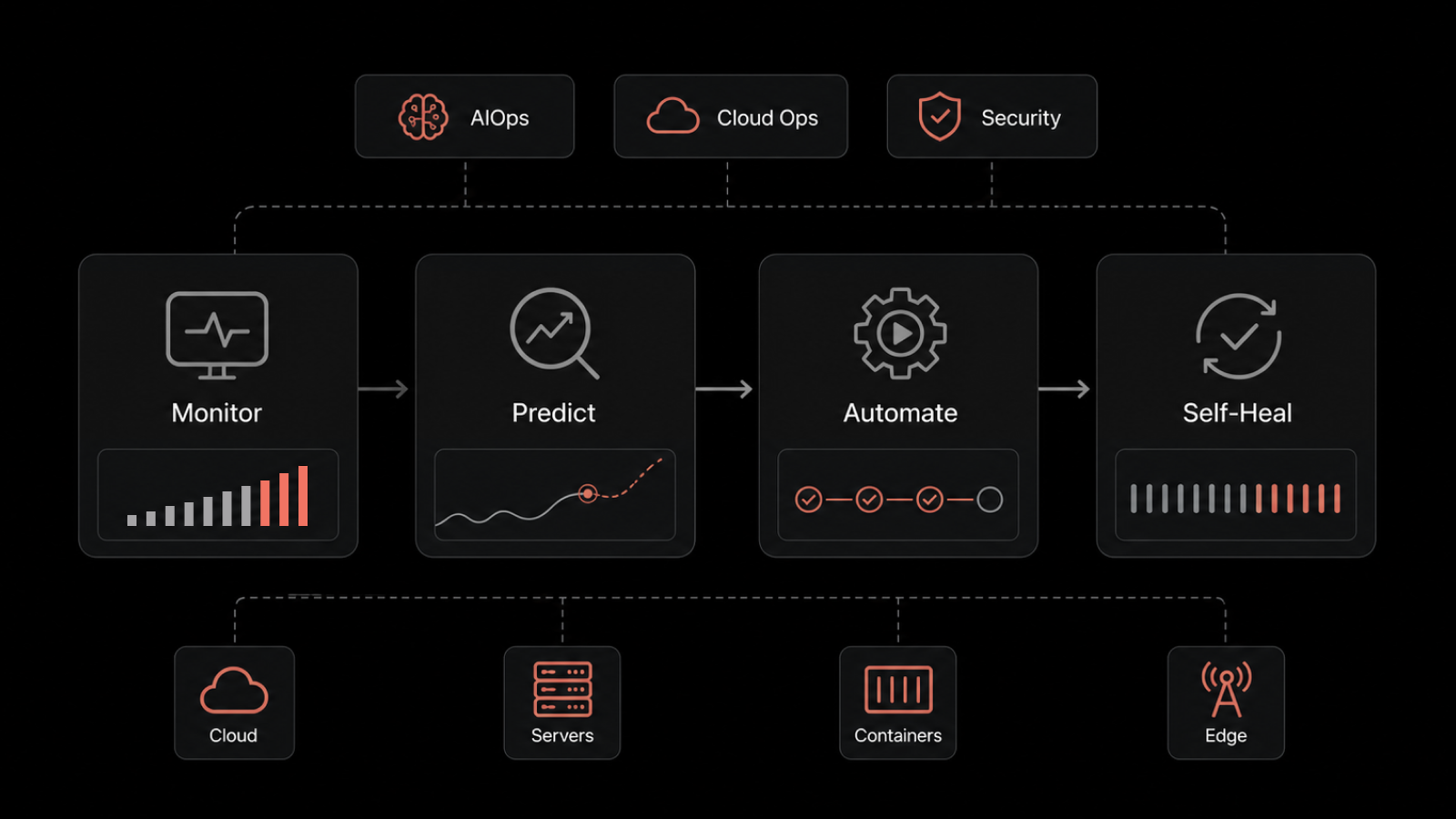
Manual patching doesn't scale. When you're managing dozens, hundreds, or thousands of Linux systems across multiple distributions, automation isn't a luxury - it's a necessity.
Automation addresses the core challenges of manual patching:
Speed: Automated tools can deploy patches across thousands of endpoints in minutes, not days
Consistency: Every system gets the same patches applied the same way, eliminating configuration drift
Visibility: Centralized dashboards show patch status, compliance rates, and failed deployments in real time
Scheduling: Patches deploy during approved maintenance windows without manual intervention
Motadata ServiceOps Patch Manager gives IT teams a single platform to automate the full Linux patch management lifecycle. From scanning for missing patches across RHEL, Ubuntu, Debian, SUSE, and CentOS environments to scheduling deployments, managing approvals, and generating compliance reports - it handles the heavy lifting so your team can focus on higher-value work.
With Motadata ServiceOps Patch Manager, you can:
Automatically discover and inventory Linux endpoints across your network
Scan for missing patches and map them to known CVEs
Set policy-based deployment rules by severity, asset group, or environment
Schedule patches during approved maintenance windows
Track deployment success rates with real-time dashboards
Generate audit-ready compliance reports for SOC 2, PCI DSS, and ISO 27001
Plan for Rollbacks and Contingencies
Even with thorough testing, patches can sometimes cause unexpected issues in production. Have a documented rollback plan ready before every deployment.
Your rollback strategy should cover:
Snapshots: Take VM or filesystem snapshots before applying patches so you can revert quickly
Package rollback: Use package manager capabilities (e.g.,
yum history undo,apt-mark hold) to revert specific updatesCommunication plan: Know who to notify and how if a rollback is needed
Post-rollback analysis: Document what went wrong, why, and how to prevent it next time
A reliable rollback process gives your team confidence to patch aggressively without fear of permanent damage.
Monitor, Measure, and Continuously Improve
Patch management isn't a set-and-forget activity. Track these KPIs to measure effectiveness and drive continuous improvement:
Mean Time to Patch (MTTP): How quickly you deploy patches after release -- aim for under 72 hours for critical vulnerabilities
Patch compliance rate: Percentage of systems fully patched against current baselines -- target 95%+
Failed deployment rate: Track and investigate failed patches to identify systemic issues
Vulnerability recurrence: Are the same types of vulnerabilities reappearing? That signals a process gap
Audit findings: Are auditors flagging patching gaps? Use findings to refine SLAs and policies
Review these metrics monthly. Share dashboards with leadership to demonstrate security posture improvements and justify continued investment in patch management tooling.
Strengthen Your Linux Security with Motadata
Keeping Linux systems patched across a growing infrastructure shouldn't mean more manual work for your IT team. Motadata ServiceOps Patch Manager automates the entire lifecycle -- from vulnerability scanning and patch prioritization to scheduled deployment and compliance reporting.
Whether you're managing 50 servers or 5,000, Motadata gives you the visibility and control to stay ahead of threats and keep every Linux endpoint up to date.
Start Your Free Trial and see how Motadata ServiceOps simplifies Linux patch management for modern IT teams.
FAQs
How often should Linux systems be patched?
At minimum, apply security patches monthly. Critical vulnerabilities (CVSS 9.0+) or those listed in CISA's KEV catalog should be patched within 48-72 hours. Your specific cadence depends on your risk tolerance, compliance requirements, and change management processes.
What's the difference between Linux patch management and vulnerability management?
Vulnerability management is the broader process of identifying, assessing, and prioritizing security weaknesses across your environment. Patch management is one remediation method within that process -- specifically, applying vendor-provided updates to fix known vulnerabilities. They work together but aren't the same thing.
Can you automate Linux patch management across multiple distributions?
Yes. Tools like Motadata ServiceOps Patch Manager support multiple Linux distributions (RHEL, Ubuntu, Debian, SUSE, CentOS) from a single console. You can create distribution-specific policies and deploy patches across mixed environments without managing each distro separately.
What are the biggest risks of not patching Linux systems?
Unpatched Linux systems are vulnerable to known exploits, ransomware, and data breaches. Beyond security risks, you face compliance violations (with potential fines), system instability from unresolved bugs, and operational disruptions from accumulated technical debt.
Author
Arpit Sharma
Senior Content Marketer
Arpit Sharma is a Senior Content Marketer at Motadata with over 8 years of experience in content writing. Specializing in telecom, fintech, AIOps, and ServiceOps, Arpit crafts insightful and engaging content that resonates with industry professionals. Beyond his professional expertise, he is an avid reader, enjoys running, and loves exploring new places.