IBM MQ
Seamlessly integrate IBM MQ with Motadata AIOps to gain real-time messaging insights, proactive monitoring, and reliable communication across your messaging infrastructure.
Overview
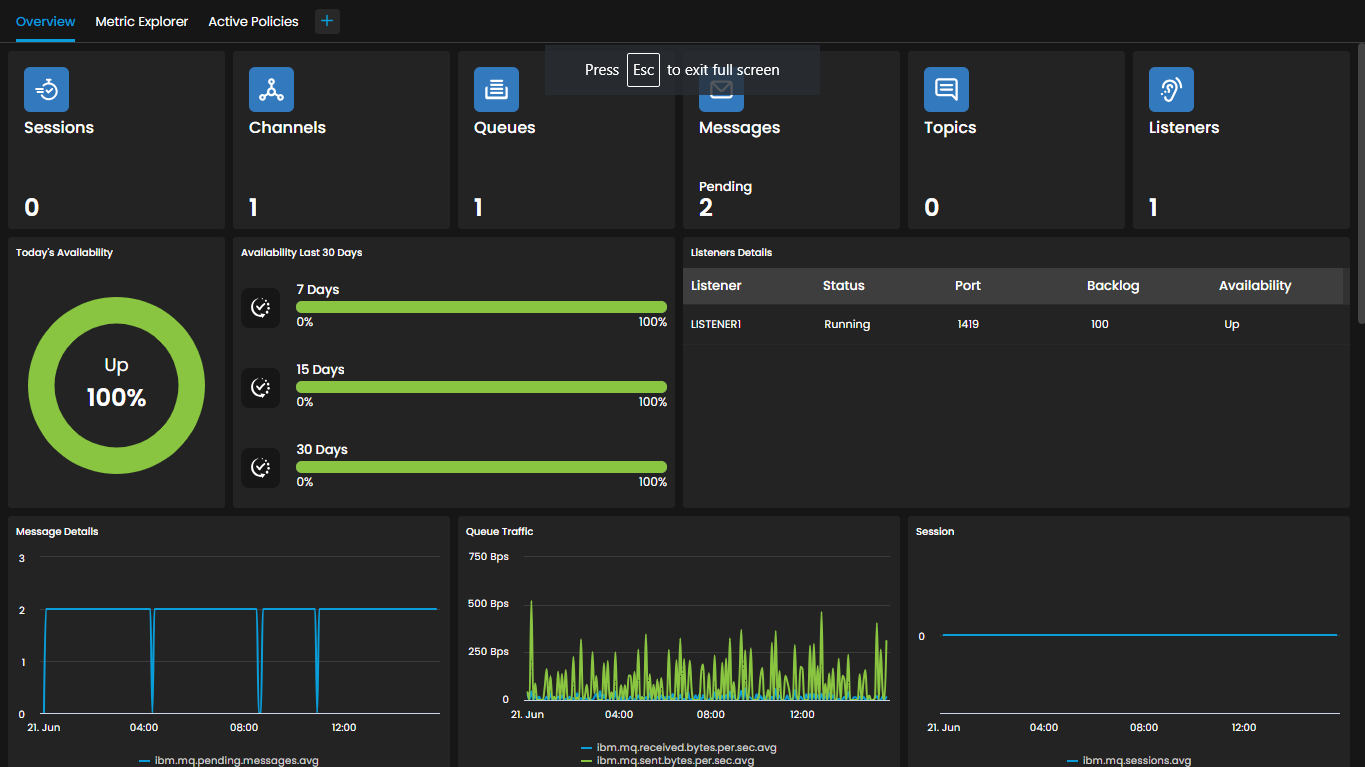
IBM MQ, the reliable and scalable messaging middleware, seamlessly integrates with Motadata AIOps to provide comprehensive monitoring and management capabilities. With this integration, organizations gain real-time visibility into the performance and health of their IBM MQ messaging infrastructure. Monitor critical messaging metrics such as message throughput, queue depths, and connection status to ensure smooth and reliable communication.
Supported Versions
Versions |
|---|
7.500.900.18249(Windows) |
8.0.0.5(Windows) |
9.0(Linux) |
8.0 |
9.1 |
9.2 |
Prerequisites for IBM MQ Integration with Motadata AIOps
Ensure that the IBM MQ port (default: 1414) is open for the Motadata AIOps server.
Confirm that the IBM MQ process and service are listed in the process and monitor settings of Motadata AIOps. While these may be listed by default, ensure that the names of the service and process match the specific IBM MQ version that you intend to monitor.
Ensure that either HTTP or HTTPS are supported on the IBM MQ server.
Provide the necessary credentials, including the username and password, for Motadata AIOps to connect to the Queue Manager and Channel Name on the IBM MQ server.
Confirm that the IBM MQ service is active and running on the server.
By following these prerequisites, you can integrate IBM MQ with Motadata AIOps and ensure the smooth functioning of the monitoring process.
List of Supported KPIs
Name | Description | Type |
|---|---|---|
ibm.mq.sent.bytes.rate | Rate of bytes sent through IBM MQ. | Count |
ibm.mq.received.bytes.rate | Rate of bytes received through IBM MQ. | Count |
ibm.mq.channels | Number of IBM MQ channels. | Count |
ibm.mq.sessions | Number of IBM MQ sessions. | Count |
ibm.mq.topics | Number of IBM MQ topics. | Count |
ibm.mq.queues | IBM MQ queues. | String |
ibm.mq.listeners | Number of IBM MQ listeners. | Count |
ibm.mq.pending.messages | Number of pending messages in IBM MQ. | Count |
ibm.mq.queue.manager | IBM MQ queue manager. | String |
ibm.mq.queue.manager.command.input.queue.name | Name of the command input queue in the IBM MQ queue manager. | String |
ibm.mq.queue.manager.dead.letter.queue.name | Name of the dead letter queue in the IBM MQ queue manager. | String |
ibm.mq.queue.manager.xmit.queue.name | Name of the transmit queue in the IBM MQ queue manager. | String |
ibm.mq.queue.manager.max.handles | Maximum number of handles supported by the IBM MQ queue manager. | Count |
ibm.mq.queue.manager.max.message.length.bytes | Maximum message length in bytes supported by the IBM MQ queue manager. | Count |
ibm.mq.queue.manager.os | Operating system of the IBM MQ queue manager. | String |
ibm.mq.queue.manager.repository.cluster.namelist | Repository cluster namelist in the IBM MQ queue manager. | Count |
Explore More Integrations
Browse our comprehensive integrations catalog to discover all supported platforms and services.