Apache HTTP
Seamlessly integrate Apache HTTP Server with Motadata ObserveOps to gain real-time performance insights, proactive issue detection, and optimized web server efficiency.
Overview
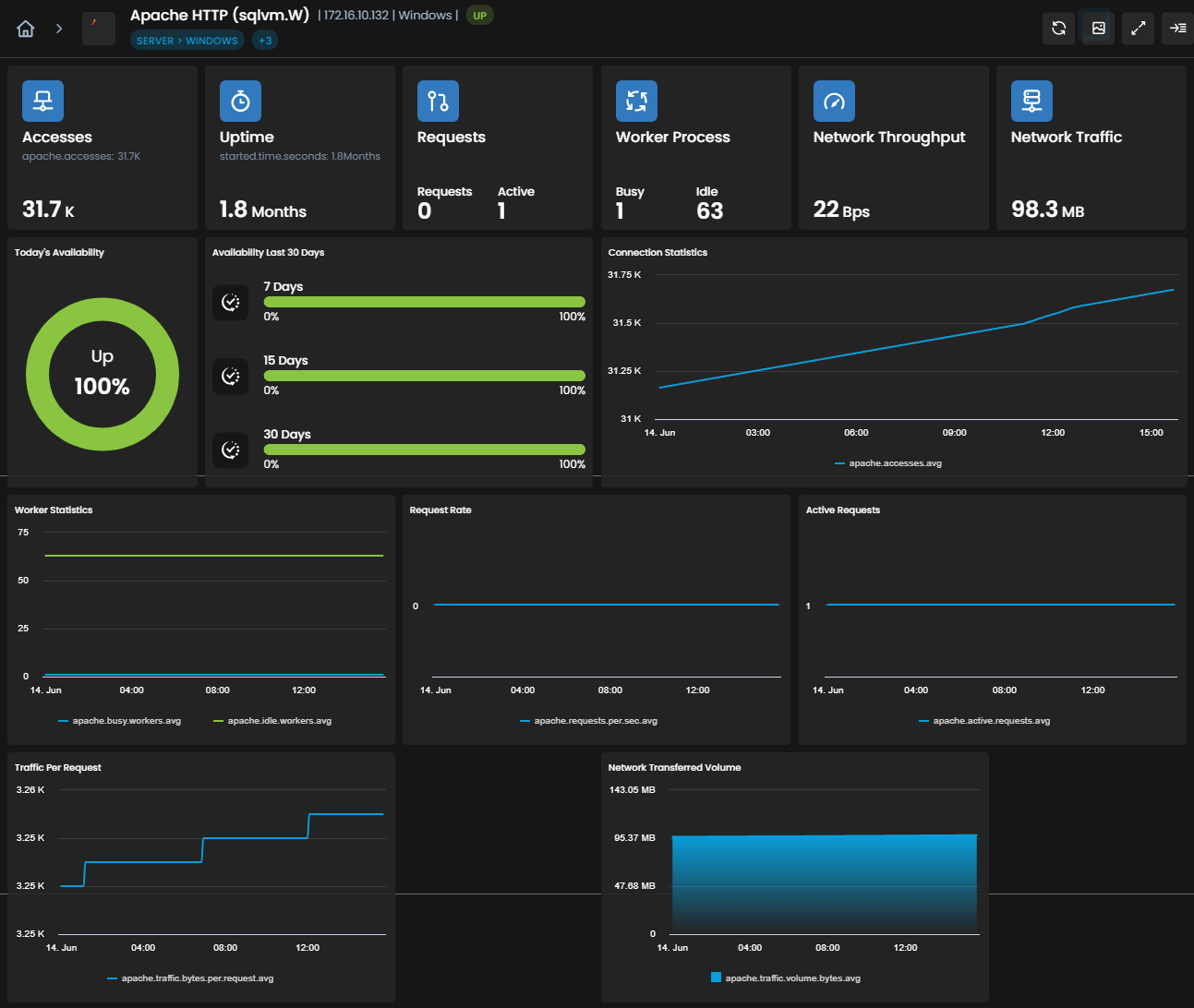
Apache HTTP Server, a widely used web server software, effortlessly integrates with Motadata ObserveOps, providing comprehensive monitoring and management capabilities. This integration offers real-time insights into the performance and health of Apache HTTP Server instances. Monitor critical metrics such as request rates, response times, and server resource utilization to ensure optimal web application performance.
With Motadata ObserveOps, businesses can proactively detect potential issues, troubleshoot bottlenecks, and optimize Apache HTTP Server settings for enhanced efficiency. Receive instant alerts for unusual spikes in traffic or server errors, allowing prompt action to ensure seamless web application delivery. The integration of Apache HTTP Server with Motadata AIOps enables organizations to deliver exceptional web experiences, maintain high availability, and meet their performance objectives with ease.
Supported Versions
Versions |
|---|
9 |
Prerequisites for Apache HTTP Integration with Motadata ObserveOps
Ensure that the Apache HTTP port (default: 80) is open for the Motadata ObserveOps server.
Confirm that the Apache HTTP process and service are listed in the process and monitor settings of Motadata ObserveOps. While these may be listed by default, ensure that the names of the service and process match the specific Apache HTTP version that you intend to monitor.
Ensure that either HTTP or HTTPS are supported on the Apache HTTP server.
Provide the necessary credentials, including the username and password, for Motadata ObserveOps to connect to the Apache HTTP server.
Confirm that the Apache HTTP service is active and running on the server.
For agentless monitoring, ensure that the user has the required access for remote access to the Apache HTTP server. For agent-based monitoring, this is not required.
In the address area of your browser, type http://[IP]/server-status, submit the address, to view the status of the server. Confirm the server availability by following this step.
where [IP] is the IP address of the server where Apache HTTP is installed
By following these prerequisites, you can integrate Apache HTTP with Motadata ObserveOps and ensure the smooth functioning of the monitoring process.
List of Supported KPIs
Apache
Name | Description | Type |
|---|---|---|
system.tags | System Tags applied to Apache | String |
apache.version | Version of Apache | String |
apache.accesses | Number of Apache accesses | Count |
apache.traffic.volume.bytes | Traffic volume in bytes | Count |
apache.requests.per.sec | Requests per second | Count |
apache.traffic.bytes.per.sec | Traffic bytes per second | Count |
apache.traffic.bytes.per.request | Traffic bytes per request | Count |
apache.active.requests | Number of active requests in Apache | Count |
apache.busy.workers | Number of busy workers in Apache | Count |
apache.idle.workers | Number of idle workers in Apache | Count |
started.time | Uptime of Apache (start time) | String |
started.time.sec | Uptime of Apache in seconds | Count |
apache.cpu.percent | CPU utilization percentage for Apache (available in linux) | Count |
Explore More Integrations
Browse our comprehensive integrations catalog to discover all supported platforms and services.