All Features
Patch & Deployment Management
Windows Patch Management
Motadata ServiceOps Windows patch management is the ideal approach for controlling and updating operating system updates for Windows systems.
Automate, Secure, and Scale Windows Patching with Motadata ServiceOps
Motadata ServiceOps takes care of the Automate, Security, and Scaling needs of Windows Patching.
Maintenance on Microsoft Windows systems needs to be done right away because it sets the stage for security needs, makes sure compliance, and improves system speed. When used for large-scale rollout, manual patching methods are ineffective because they waste time and cause a lot of mistakes. Businesses can use Motadata ServiceOps’ Windows Patch Management to set up an automatic system that handles updates for a lot of endpoint devices running the Windows operating system and Microsoft apps.
Why Windows Patch Management Matters
Vulnerabilities in Microsoft Windows operating systems are a top attack vector for cyber threats. Timely patching is essential to minimize risk, avoid downtime, and meet compliance standards. Motadata ServiceOps helps IT teams stay ahead of these challenges through:
Centralized control over the full Windows patch lifecycle
Automated detection and deployment of missing patches for Windows OS and Microsoft apps
Visibility into patch compliance and deployment status
Seamless integration with asset inventory and configuration management
ServiceOps Architecture
Motadata ServiceOps uses a robust, scalable architecture that adapts to single-site, distributed, or isolated network environments:
Central Patch Repository: Syncs with the Microsoft Update Catalog and WSUS to download and store patch metadata files.
Motadata ServiceOps Main Server: Orchestrates patch policies, workflows, and compliance reporting.
Endpoint Agents: Installed on each Windows machine to detect, download, and apply patches.
File/Distribution Server (optional): Used for distributed environments to cache patches locally.
Key Capabilities
Patch Detection
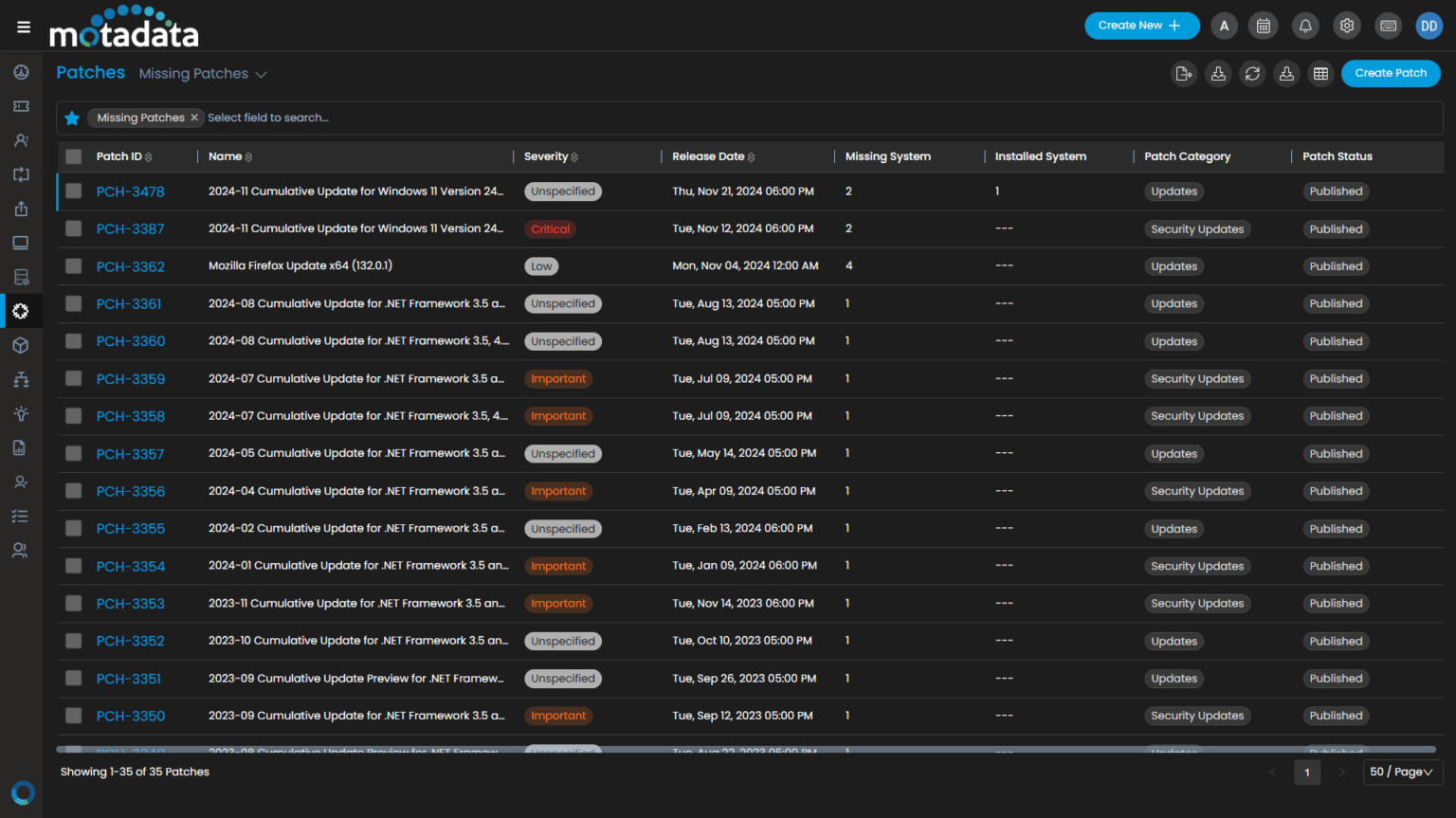
Automatically scan all Windows systems to identify missing patches for both OS and supported Microsoft applications.
Classify patches by type: Feature Packs, Service Packs, Hotfixes, Rollups, and more.
Ensure accurate targeting with asset inventory and configuration integration.
Policy-Based Deployment
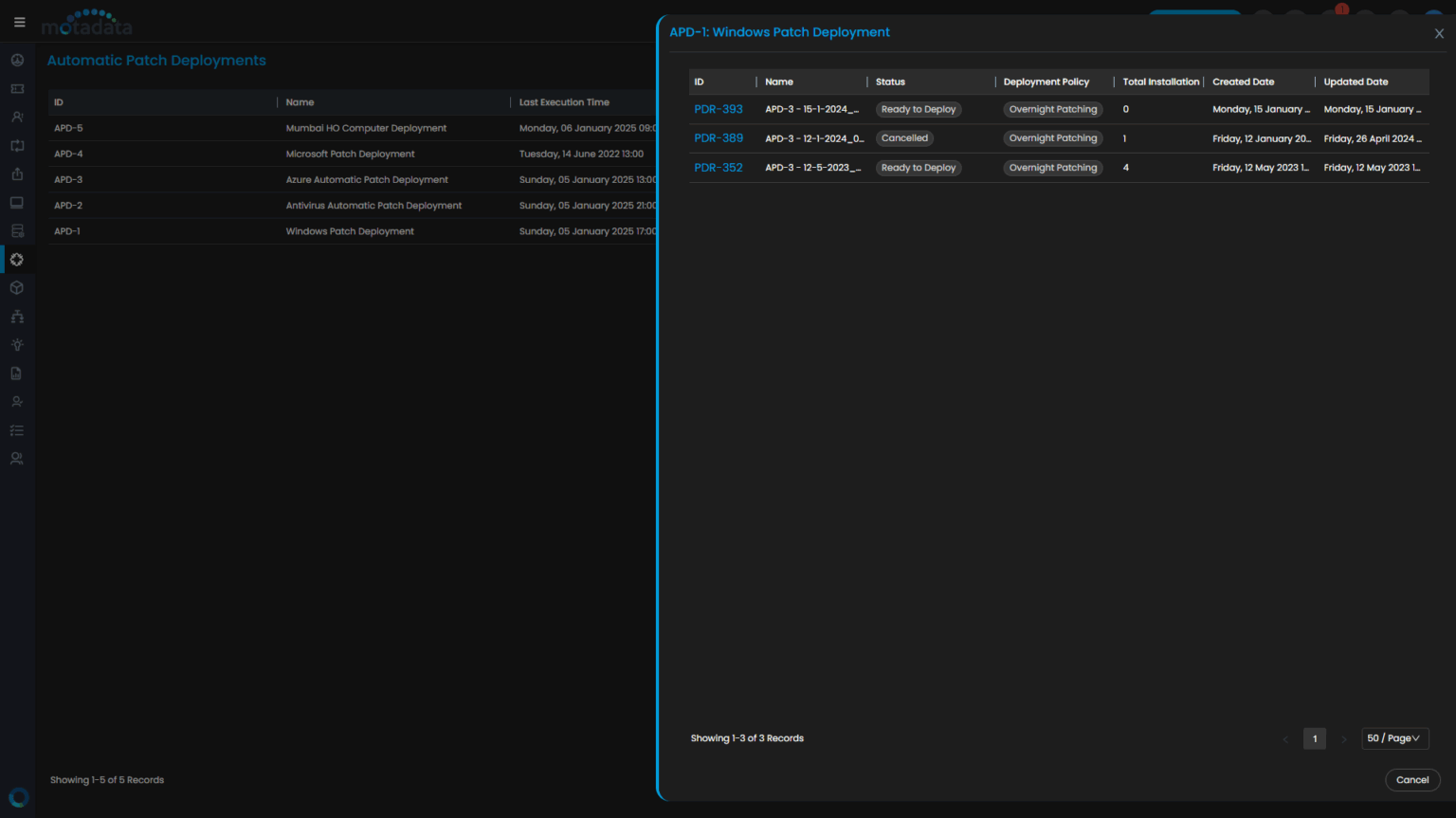
Create deployment policies with fine-tuned control over timing, reboot behavior, and user notifications.
Support for system-based and patch-based deployment strategies.
Schedule updates during maintenance windows to reduce user disruption.
Patch Testing and Rollback
Test Windows and Microsoft application patches in pilot environments.
Automatically roll back failed patches to maintain system stability.
Efficient Delivery
Sync patches from the Microsoft Update Catalog and distribute them through local Deployment Servers.
Enable peer-to-peer distribution to reduce WAN usage in branch locations.
Compliance Monitoring
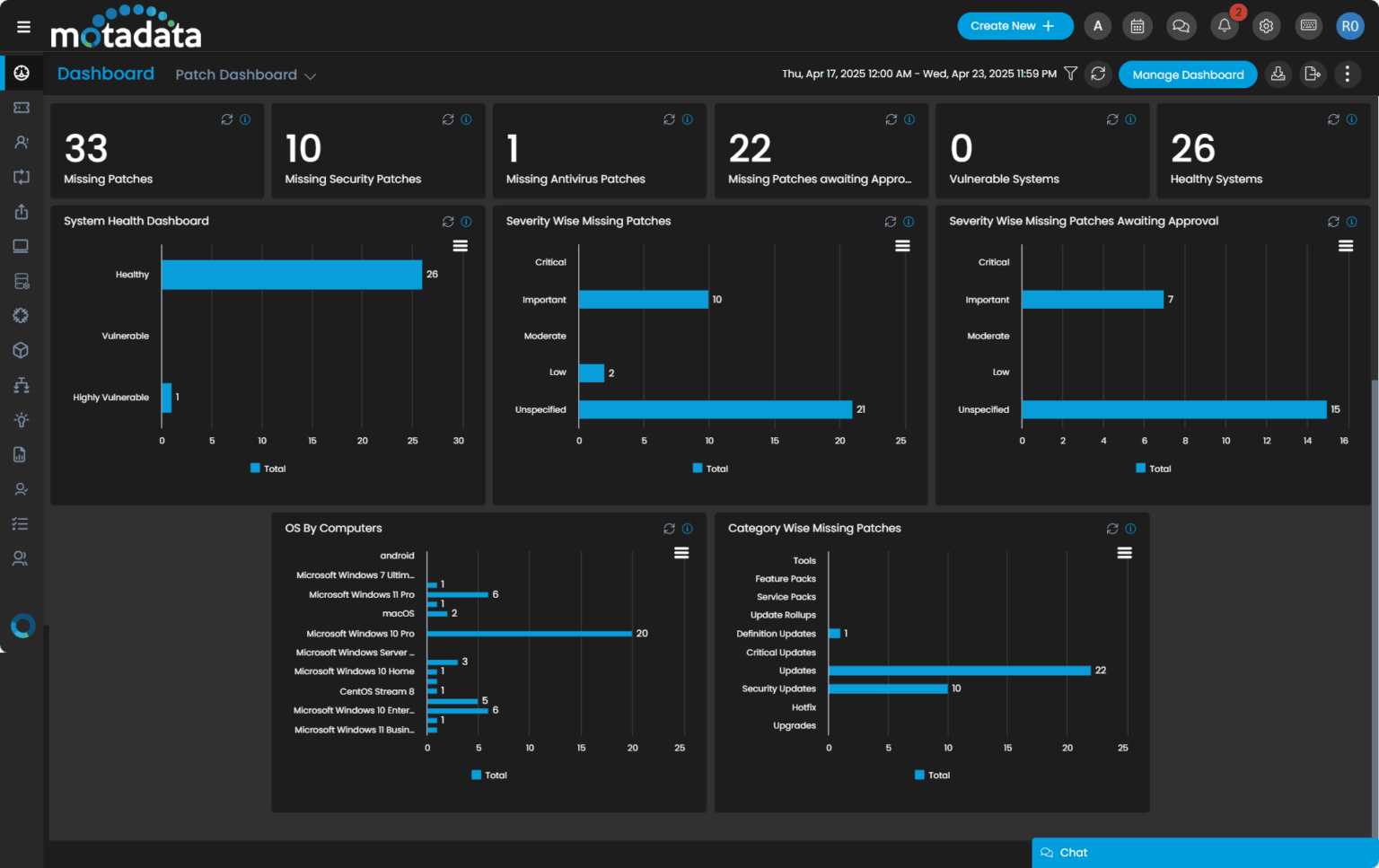
Use dashboards and pre-built templates to track patch compliance across departments, regions, or business units.
Generate detailed reports for audits, security assessments, and internal governance.
Alerts & Audit Trails
Stay informed with automated alerts for pending, scheduled, or failed deployments.
Maintain complete traceability with event logs, timestamps, and technician actions.
Supported Platforms
Windows 7, 8, 10, and 11
Windows Server 2008, 2012, 2016, 2019, and 2022
(*Support for end-of-life versions may vary based on patch availability)
Microsoft Office Applications: Word, Excel, Outlook, PowerPoint, Access, Publisher
Patch Scoping & License Control
Target patching based on license scope, asset criticality, or business group using:
Organizational Units (OUs)
Custom asset tags
Manual selection
Auto-assignment rules
Limit patch actions based on the available license count and scope critical updates to essential systems only.
Security-First Design
All communication secured via HTTPS/TLS
Digital signature and checksum verification of patches
Role-Based Access Control (RBAC) for patch workflows
Full audit logging for traceability and compliance
Built for Scale
Supports 10,000+ endpoints with load-balanced deployments
Auto-throttling for optimal network usage
Proven performance across enterprise-scale environments and distributed infrastructures
Get Started with Seamless Windows Patch Automation
Motadata ServiceOps Windows Patch Management empowers IT teams to automate patch operations, reduce vulnerabilities, and maintain compliance—all from a centralized dashboard. Whether you manage a few hundred systems or tens of thousands, our platform scales with you, ensuring your Microsoft Windows and Office environment stays secure and up to date.
Ready to implement Windows Patch Management?
Discover how Motadata ObserveOps can help you monitor your infrastructure in real-time and respond to issues instantly.